

- Posts: 105
- Thank you received: 1
Some issue after update to Joomla 3.2.3
12 years 6 months ago #147166
by moneymr
Some issue after update to Joomla 3.2.3 was created by moneymr
-- HikaShop version -- : last
-- Joomla version -- : 3.2.3
After update I saw this:
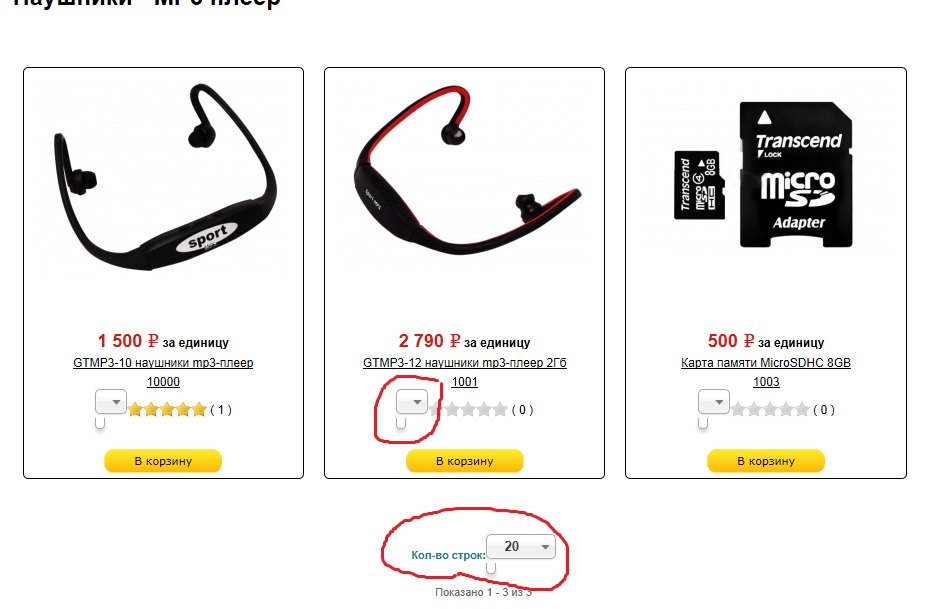
How to fix it?
-- Joomla version -- : 3.2.3
After update I saw this:
How to fix it?
Please Log in or Create an account to join the conversation.

12 years 6 months ago #147192
by lionel75
Replied by lionel75 on topic Some issue after update to Joomla 3.2.3
Hi
have you look in the html code source or css ?
nobody could answer you if wehave no acces to the real html page !!!
regards
have you look in the html code source or css ?
nobody could answer you if wehave no acces to the real html page !!!
regards
The following user(s) said Thank You: Jerome
Please Log in or Create an account to join the conversation.

12 years 6 months ago #147191
by nicolas
Replied by nicolas on topic Some issue after update to Joomla 3.2.3
Hi,
Could you please provide a link to that page ?
Could you please provide a link to that page ?
Please Log in or Create an account to join the conversation.
12 years 6 months ago #147258
by moneymr
Replied by moneymr on topic Some issue after update to Joomla 3.2.3
I sent it to you
Please Log in or Create an account to join the conversation.
12 years 6 months ago #147408
by nicolas
Replied by nicolas on topic Some issue after update to Joomla 3.2.3
It displays fine for me on your website:
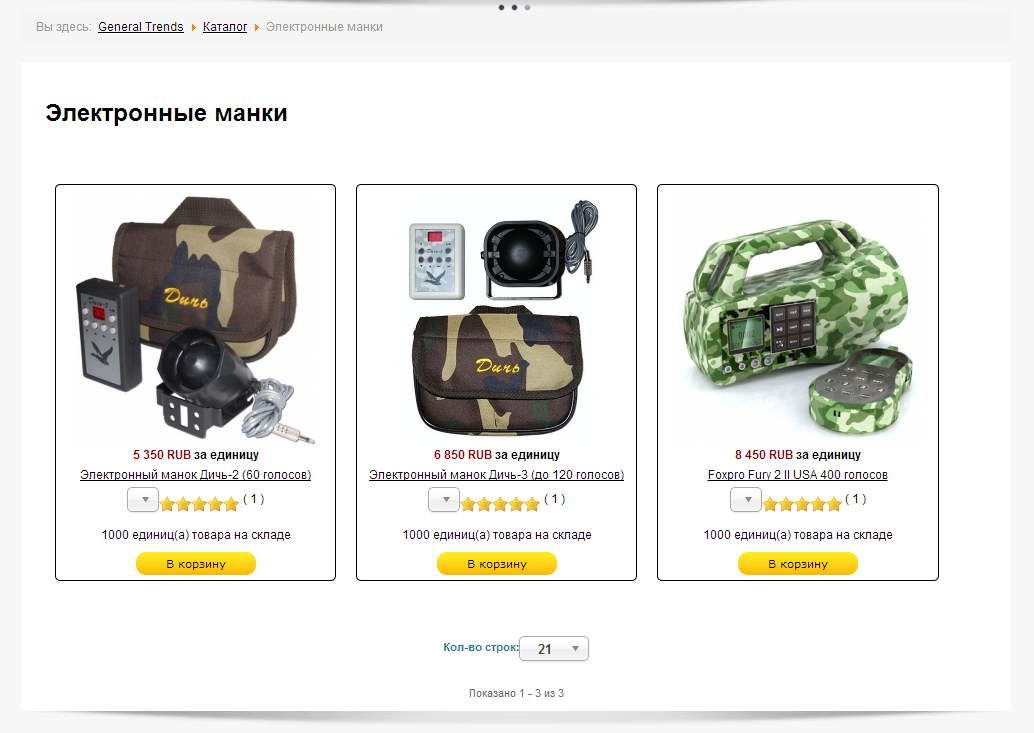
Could you clear your browser's cache and try again ?
Could you clear your browser's cache and try again ?
Please Log in or Create an account to join the conversation.
12 years 6 months ago #147440
by moneymr
Replied by moneymr on topic Some issue after update to Joomla 3.2.3
It does not suppose to be there
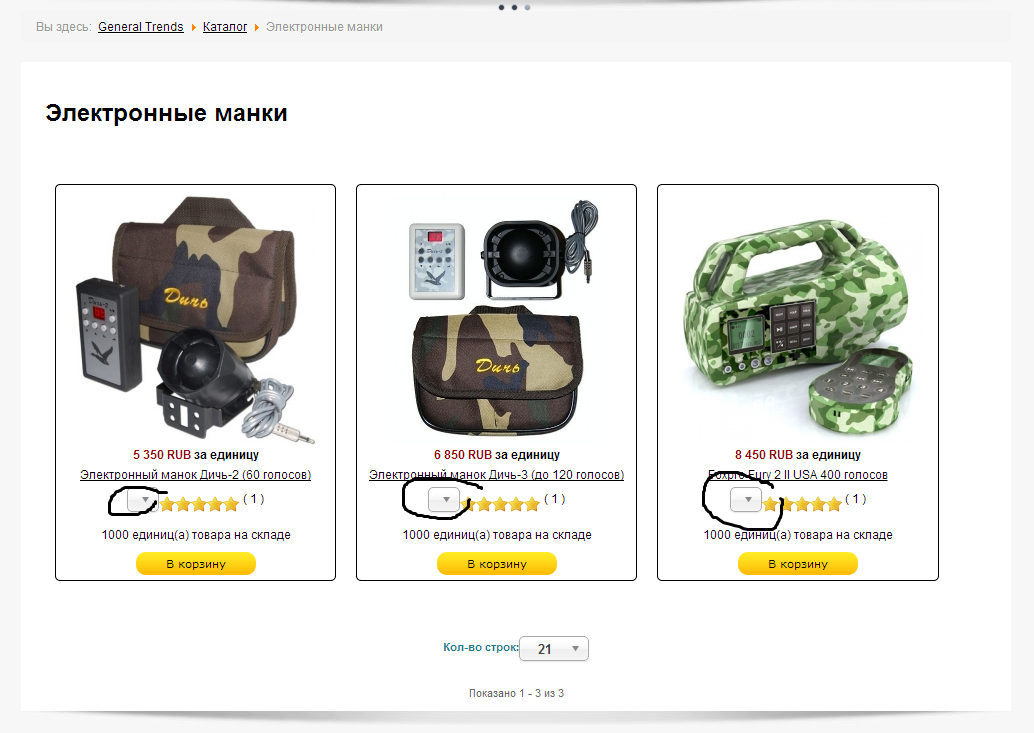
Please Log in or Create an account to join the conversation.

12 years 6 months ago #147445
by Jerome
Jerome - Obsidev.com
HikaMarket & HikaSerial developer / HikaShop core dev team.
Replied by Jerome on topic Some issue after update to Joomla 3.2.3
Hi,
You have to disable the chosen library (there is an option in HikaShop) for that.
I can't tell you why but your chosen shouldn't initialize these select. We put a class "chzn-done" to not have chosen on it.
But it looks like your chosen does not want it. You might have an extra script which remove the class or force chosen on all select.. I don't know and I am sure that it is not done by HikaShop.
The class "chzn-done" is placed by chosen when a select has been initialized. Placing this class on a select prevent the initialization of this lib on the specific select.
The class is in your HTML source code (when you see the source of the page, the inspection of the DOM is not the right way to see that) so for me, it should work fine and this chosen dropdown shouldn't be there.
So, there is something around HikaShop which break it.
Regards,
You have to disable the chosen library (there is an option in HikaShop) for that.
I can't tell you why but your chosen shouldn't initialize these select. We put a class "chzn-done" to not have chosen on it.
But it looks like your chosen does not want it. You might have an extra script which remove the class or force chosen on all select.. I don't know and I am sure that it is not done by HikaShop.
The class "chzn-done" is placed by chosen when a select has been initialized. Placing this class on a select prevent the initialization of this lib on the specific select.
The class is in your HTML source code (when you see the source of the page, the inspection of the DOM is not the right way to see that) so for me, it should work fine and this chosen dropdown shouldn't be there.
So, there is something around HikaShop which break it.
Regards,
Jerome - Obsidev.com
HikaMarket & HikaSerial developer / HikaShop core dev team.
Please Log in or Create an account to join the conversation.
Time to create page: 0.176 seconds