

- Posts: 47
- Thank you received: 0
Navigation - Next page - Previous page not display
12 years 6 months ago #149738
by nijan
Navigation - Next page - Previous page not display was created by nijan
Hello,
I configured my product pannel to have 3 columns and 2 lines (so 6 products).
The problem is that I can't go to the next page even if I have more than 6 products.
Any idea ? Is there an option anywhere to allow the navigation (Hikashop or Joomla) ?
Many thanks !
I configured my product pannel to have 3 columns and 2 lines (so 6 products).
The problem is that I can't go to the next page even if I have more than 6 products.
Any idea ? Is there an option anywhere to allow the navigation (Hikashop or Joomla) ?
Many thanks !
Please Log in or Create an account to join the conversation.

Less
More
- Posts: 12953
- Thank you received: 1778
12 years 6 months ago #149799
by Mohamed Thelji
Replied by Mohamed Thelji on topic Navigation - Next page - Previous page not display
Hello,
Can you :
1. show me some screenshots of how did you configured your product listing content module/menu ("Hikashop->Display->Content menus/modules") ?
2. give me a link to your product listing page so that I can directly check it ?
Thanks.
Can you :
1. show me some screenshots of how did you configured your product listing content module/menu ("Hikashop->Display->Content menus/modules") ?
2. give me a link to your product listing page so that I can directly check it ?
Thanks.
Please Log in or Create an account to join the conversation.
12 years 6 months ago #149909
by nijan
Replied by nijan on topic Navigation - Next page - Previous page not display
Hi,
I changed my configuration to have 12 products per page.
You'll see in attach the "hikashop-menu-for-categories-listing" configuration.
The website is not online (developped on localhost).
Thanks !
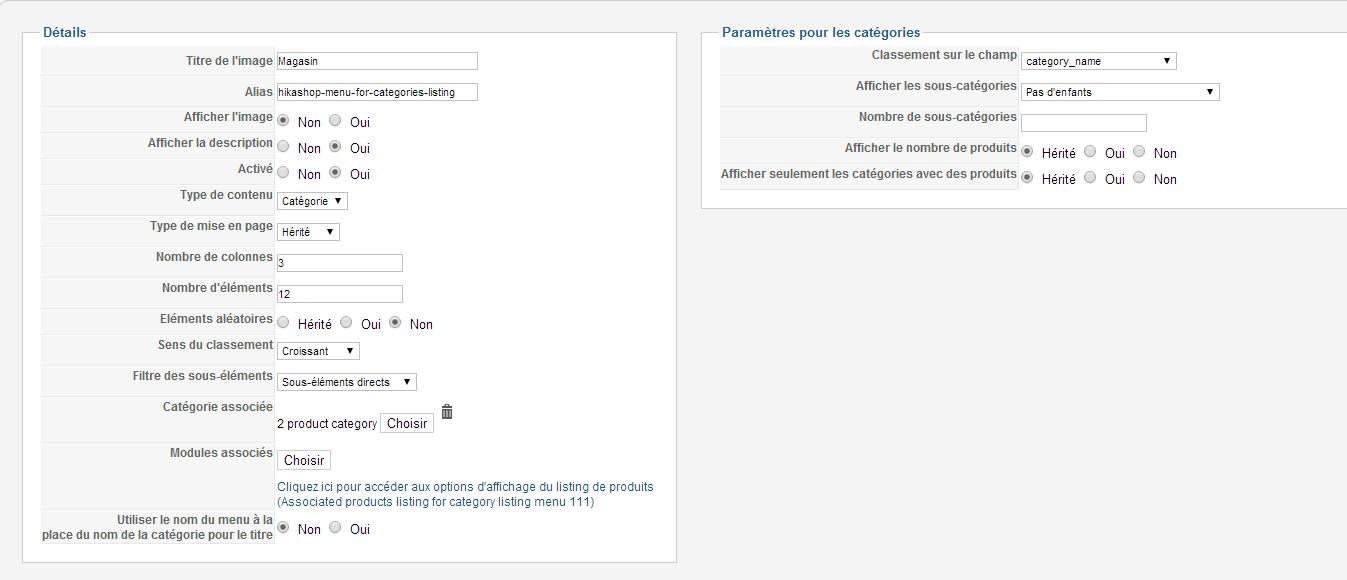
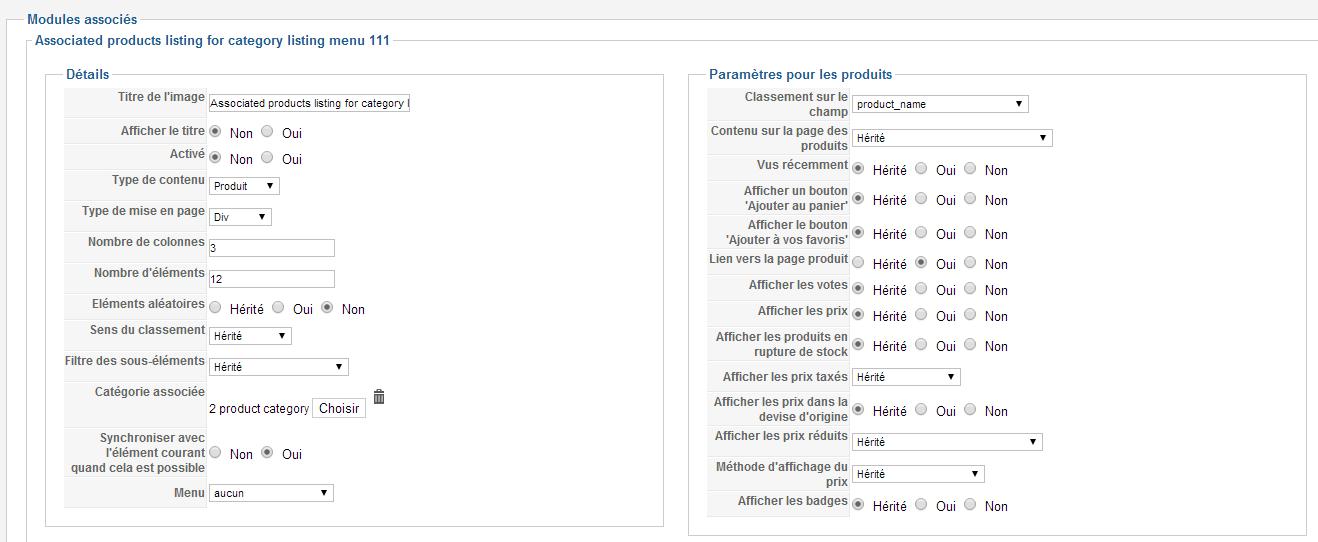
I changed my configuration to have 12 products per page.
You'll see in attach the "hikashop-menu-for-categories-listing" configuration.
The website is not online (developped on localhost).
Thanks !
Please Log in or Create an account to join the conversation.

12 years 6 months ago #149951
by Xavier
Replied by Xavier on topic Navigation - Next page - Previous page not display
Hi,
Thanks to check the value of the option "Pagination" in HikaShop > Configuration > Display > General display options.
If it's set to "top" or "bottom" or "both" we will need to access your website, because we can't reproduce the issue on our end.
So when it will be online, thanks to give us a link
Thanks to check the value of the option "Pagination" in HikaShop > Configuration > Display > General display options.
If it's set to "top" or "bottom" or "both" we will need to access your website, because we can't reproduce the issue on our end.
So when it will be online, thanks to give us a link
The following user(s) said Thank You: nijan
Please Log in or Create an account to join the conversation.
12 years 6 months ago #150001
by nijan
Replied by nijan on topic Navigation - Next page - Previous page not display
Hello,
It works now.
The pagination was set to NO on the configuration pannel.
Thank you (Issue can be closed).
It works now.
The pagination was set to NO on the configuration pannel.
Thank you (Issue can be closed).
Please Log in or Create an account to join the conversation.
Time to create page: 0.242 seconds