
- Posts: 50
- Thank you received: 0
How do I remove vote stars from category view?
- rjohnson1990
-
 Topic Author
- Offline
Less
More
12 years 5 months ago #153764
by rjohnson1990
How do I remove vote stars from category view? was created by rjohnson1990
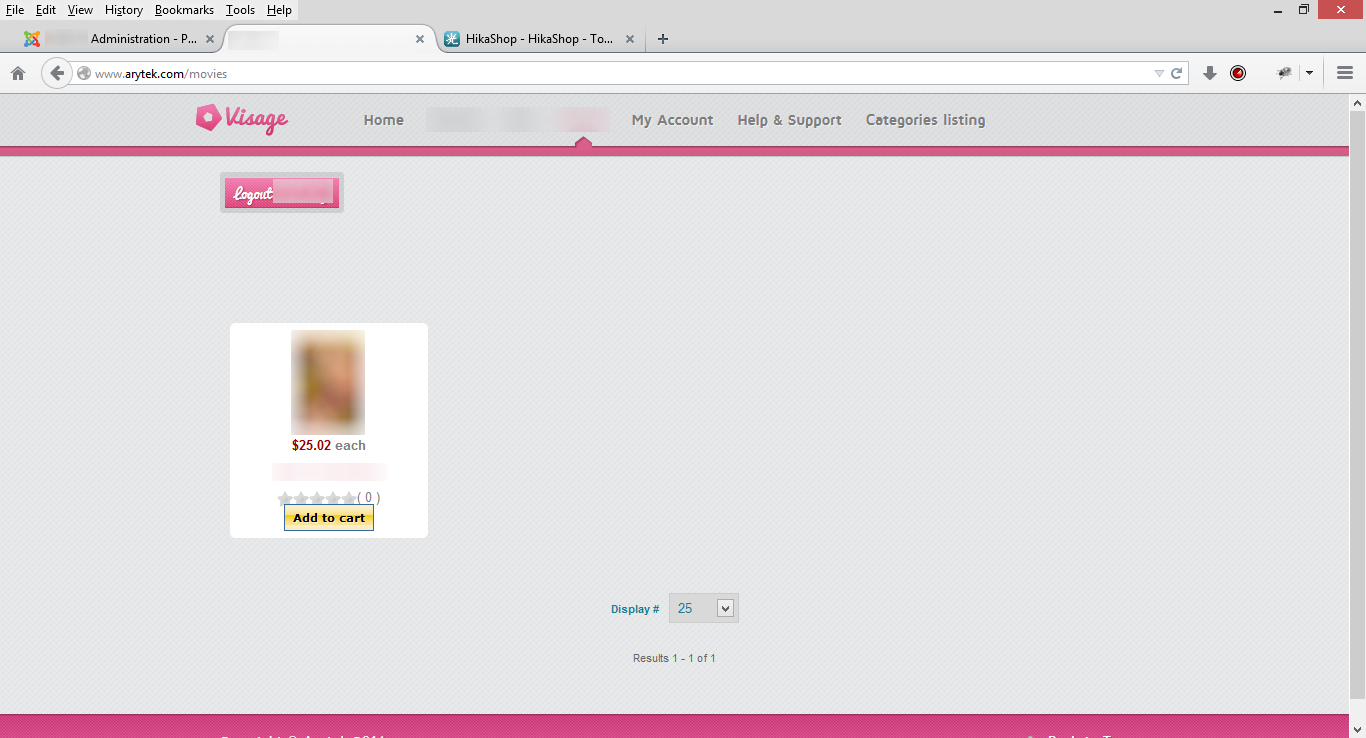
When I go to my website and visit a certain category, the vote stars are on the product listings. How can I remove these stars to only show on the product page?
Please Log in or Create an account to join the conversation.

12 years 5 months ago #153768
by nicolas
Replied by nicolas on topic How do I remove vote stars from category view?
Hi,
Edit your menu via the menu Display>Content menus of HikaShop and turn off the option "Display votes" there.
Edit your menu via the menu Display>Content menus of HikaShop and turn off the option "Display votes" there.
Please Log in or Create an account to join the conversation.
- rjohnson1990
-
Topic Author
- Offline
Less
More
- Posts: 50
- Thank you received: 0
12 years 4 months ago - 12 years 4 months ago #154595
by rjohnson1990
Replied by rjohnson1990 on topic How do I remove vote stars from category view?
Thank you for the reply but there is no "Display Votes" option. Also, is it possible to make the white background transparent?
Last edit: 12 years 4 months ago by rjohnson1990.
Please Log in or Create an account to join the conversation.
12 years 4 months ago #154617
by nicolas
Replied by nicolas on topic How do I remove vote stars from category view?
There has to be the option there.
Can you do a screenshot of all the options of your menu ?
You'll also find a background color option on that screen where you can set it to transparent if you want (write transparent in the input field).
Can you do a screenshot of all the options of your menu ?
You'll also find a background color option on that screen where you can set it to transparent if you want (write transparent in the input field).
Please Log in or Create an account to join the conversation.
- rjohnson1990
-
Topic Author
- Offline
Less
More
- Posts: 50
- Thank you received: 0
12 years 4 months ago - 12 years 4 months ago #154767
by rjohnson1990
Replied by rjohnson1990 on topic How do I remove vote stars from category view?
Here's a screenshot of my options when I navigate to Display > Content menus and click on a title.
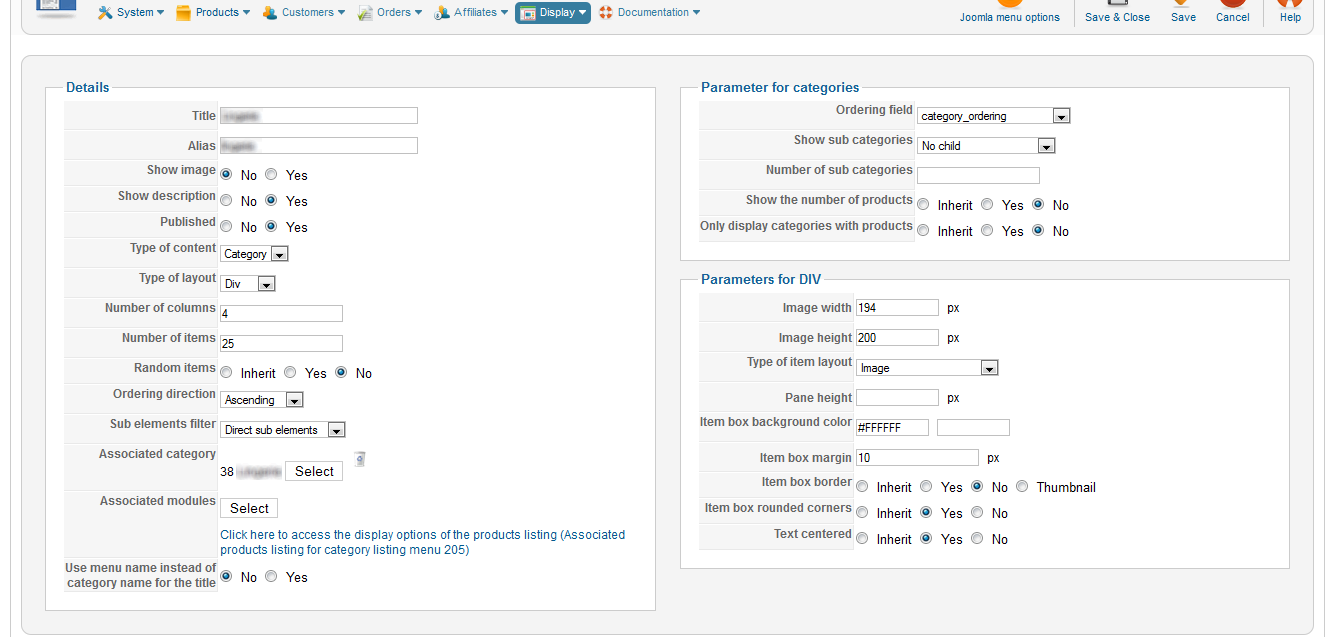
Changing the text in the color field to transparent worked. Thank you.
Changing the text in the color field to transparent worked. Thank you.
Last edit: 12 years 4 months ago by rjohnson1990.
Please Log in or Create an account to join the conversation.
12 years 4 months ago #154790
by nicolas
Replied by nicolas on topic How do I remove vote stars from category view?
It seems that you're using an old version of HikaShop (thank you to provide the HikaShop version number like asked in the post form when you create a new thread, that way we know what you have) which doesn't work the same. Click on the link you can see in the "Associated modules" option and you will see the option for the vote display there.
Please Log in or Create an account to join the conversation.
- rjohnson1990
-
Topic Author
- Offline
Less
More
- Posts: 50
- Thank you received: 0
12 years 4 months ago #154879
by rjohnson1990
Replied by rjohnson1990 on topic How do I remove vote stars from category view?
Sorry, been focused on building my website and forgot to let you know. The version I am using is 2.2.2 Starter.
Please Log in or Create an account to join the conversation.

Less
More
- Posts: 12953
- Thank you received: 1778
12 years 4 months ago #154888
by Mohamed Thelji
Replied by Mohamed Thelji on topic How do I remove vote stars from category view?
Hello,
As Nicolas said, you should just :
As Nicolas said, you should just :
Click on the link you can see in the "Associated modules" option and you will see the option for the vote display there.
Please Log in or Create an account to join the conversation.
- rjohnson1990
-
Topic Author
- Offline
Less
More
- Posts: 50
- Thank you received: 0
12 years 4 months ago #155052
by rjohnson1990
Replied by rjohnson1990 on topic How do I remove vote stars from category view?
Thanks for the solution. Last question... In the version I have, where do I go to change the size of the image on the product page? The current size is 100x100.
Please Log in or Create an account to join the conversation.
12 years 4 months ago #155078
by nicolas
Replied by nicolas on topic How do I remove vote stars from category view?
It's in the Images section of the configuration of HikaShop. You'll find the options "product page image width/height".
Please Log in or Create an account to join the conversation.
Time to create page: 0.200 seconds