
- Posts: 15
- Thank you received: 0
Product Image display size and pop size
- IconBrands
-
 Topic Author
- Offline
Less
More
12 years 4 months ago #157892
by IconBrands
Product Image display size and pop size was created by IconBrands
-- url of the page with the problem -- :
www.iconpics.co.za/index.php/online-shop.../37-randhart-revue-4
-- HikaShop version -- : latest
-- Joomla version -- : Joomla 3.3.0
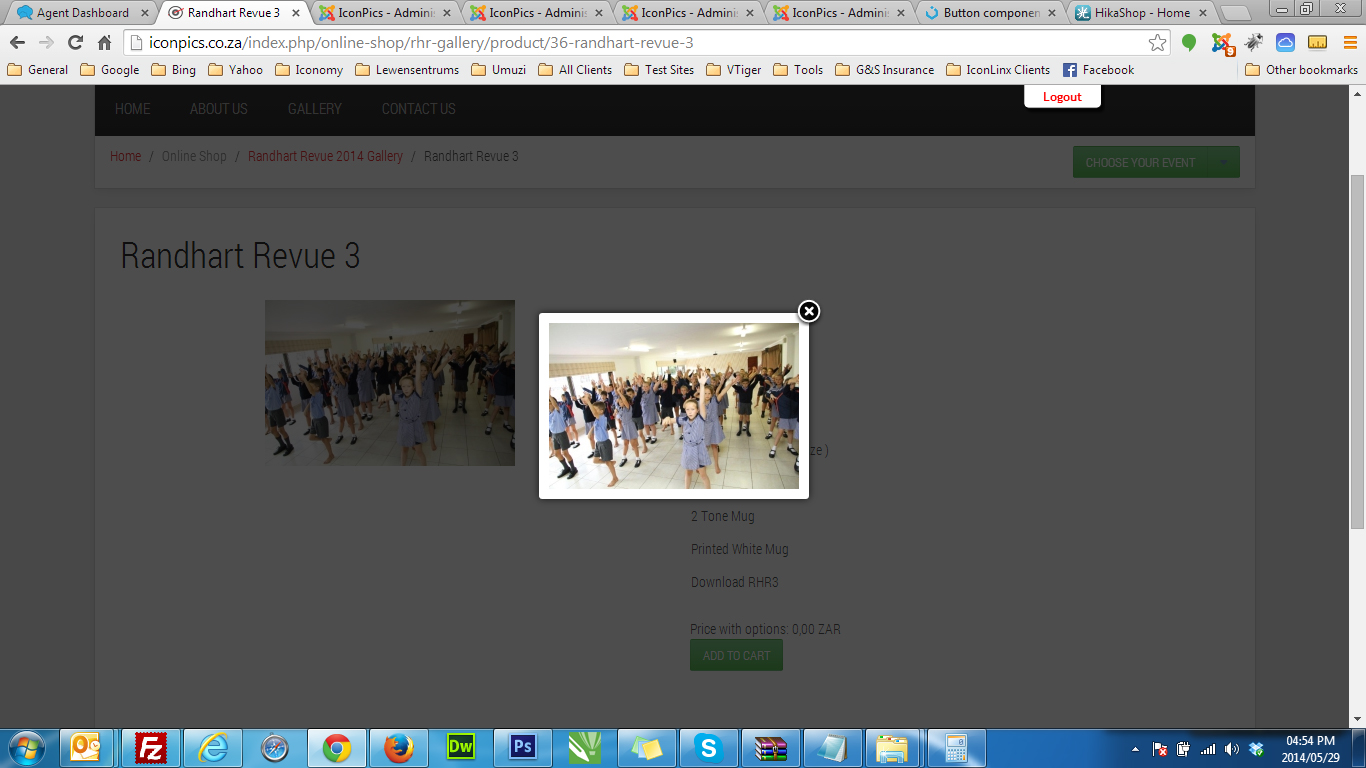
How can I increase the image size on the Page. Then also the image size on the pop when you click on the image
-- HikaShop version -- : latest
-- Joomla version -- : Joomla 3.3.0
How can I increase the image size on the Page. Then also the image size on the pop when you click on the image
Please Log in or Create an account to join the conversation.

12 years 4 months ago #157997
by lousyfool
Need help with customisations of layouts, style or other site development? PM me!
(Don't forget to turn on "E-mail notification of new messages" )
Replied by lousyfool on topic Product Image display size and pop size
Aah, another Avenue user 
What's your settings for images in the configuration (backend)? There you can set "Product page image width" and height (self-explanatory, me thinks), as well as "Image width" and height, which is the size for the popups, other than the values only limited by screen size.
Play with these settings and get the image sizes you want.
What's your settings for images in the configuration (backend)? There you can set "Product page image width" and height (self-explanatory, me thinks), as well as "Image width" and height, which is the size for the popups, other than the values only limited by screen size.
Play with these settings and get the image sizes you want.
Need help with customisations of layouts, style or other site development? PM me!
(Don't forget to turn on "E-mail notification of new messages" )
The following user(s) said Thank You: Mohamed Thelji
Please Log in or Create an account to join the conversation.

12 years 4 months ago #157986
by Jerome
Jerome - Obsidev.com
HikaMarket & HikaSerial developer / HikaShop core dev team.
Replied by Jerome on topic Product Image display size and pop size
Hi,
The image is display at his full size in the popup.
So to increase his size, you have to increase the size of the original image.
Regards,
The image is display at his full size in the popup.
So to increase his size, you have to increase the size of the original image.
Regards,
Jerome - Obsidev.com
HikaMarket & HikaSerial developer / HikaShop core dev team.
Please Log in or Create an account to join the conversation.
Time to create page: 0.161 seconds