
- Posts: 220
- Thank you received: 0
Add words at the top of the Product List page
- clairewang
-
 Topic Author
- Offline
Less
More
11 years 11 months ago #177516
by clairewang
Add words at the top of the Product List page was created by clairewang
-- HikaShop version -- : 2.3.4
-- Joomla version -- : 3.3.6
-- PHP version -- : 5.3.29
-- Browser(s) name and version -- : Chrome 35
Dear all,
I need to add some wordings before the product list, so I added at the top of here:
the listing_div file of the view product via the menu Display->Views.
But now it shows twice both at the top of product list and the bottom of Product page itself. I only put once. How should I do? Thank you very much.
-- Joomla version -- : 3.3.6
-- PHP version -- : 5.3.29
-- Browser(s) name and version -- : Chrome 35
Dear all,
I need to add some wordings before the product list, so I added at the top of here:
the listing_div file of the view product via the menu Display->Views.
But now it shows twice both at the top of product list and the bottom of Product page itself. I only put once. How should I do? Thank you very much.
Please Log in or Create an account to join the conversation.

Less
More
- Posts: 12953
- Thank you received: 1778
11 years 11 months ago #177531
by Mohamed Thelji
Replied by Mohamed Thelji on topic Add words at the top of the Product List page
Hello,
Can you give us more information about what do you really want to do through some screenshots for example, so that we can understand it and help you ?
Thanks.
Can you give us more information about what do you really want to do through some screenshots for example, so that we can understand it and help you ?
Thanks.
Please Log in or Create an account to join the conversation.
- clairewang
-
Topic Author
- Offline
Less
More
- Posts: 220
- Thank you received: 0
11 years 11 months ago #177589
by clairewang
Replied by clairewang on topic Add words at the top of the Product List page
I put coding in the front of the file listing_div
and it shows both pages. The Product list, and the then after clicking on the product itself.
joomla3.facianohaircare.com/index.php/2014-10-29-09-19-18
joomla3.facianohaircare.com/index.php/20...duct/1-faciano-150ml
I only need the first page to show up.
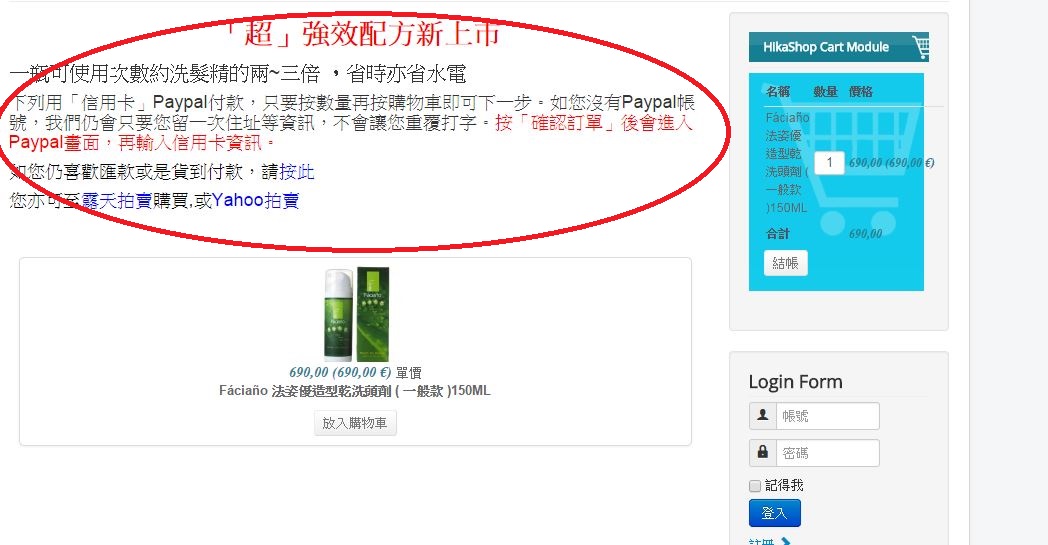
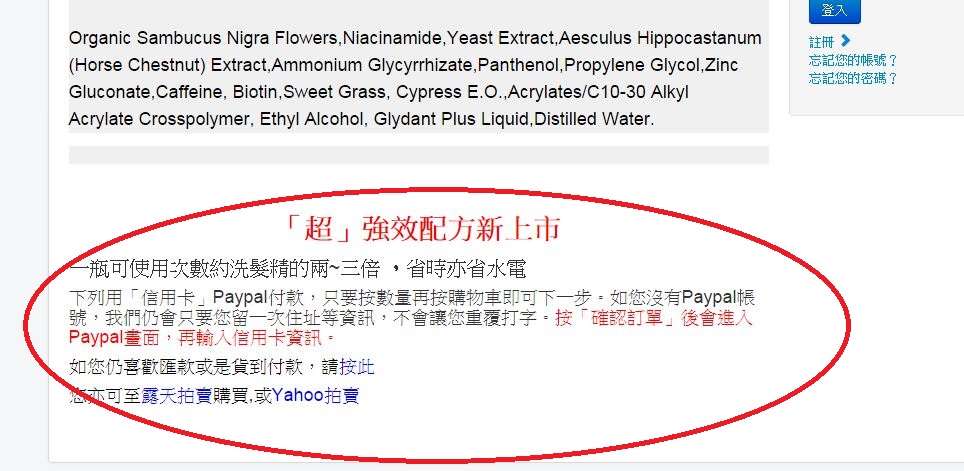
and it shows both pages. The Product list, and the then after clicking on the product itself.
joomla3.facianohaircare.com/index.php/2014-10-29-09-19-18
joomla3.facianohaircare.com/index.php/20...duct/1-faciano-150ml
I only need the first page to show up.
Please Log in or Create an account to join the conversation.

11 years 11 months ago #177687
by Jerome
Jerome - Obsidev.com
HikaMarket & HikaSerial developer / HikaShop core dev team.
Replied by Jerome on topic Add words at the top of the Product List page
Hi,
The content you display in the "product listing_div" will be display in all listing of products ; even in the product page where you put a module to list some (related or same category ; I can't know) products.
The best at this moment is to change the code in order to add a little check PHP so you will just display the content when you are not in a module.
Regards,
The content you display in the "product listing_div" will be display in all listing of products ; even in the product page where you put a module to list some (related or same category ; I can't know) products.
The best at this moment is to change the code in order to add a little check PHP so you will just display the content when you are not in a module.
Code:
<?php if(!$this->module) { ?>
Your HTML content
<?php } ?>
Regards,
Jerome - Obsidev.com
HikaMarket & HikaSerial developer / HikaShop core dev team.
The following user(s) said Thank You: clairewang
Please Log in or Create an account to join the conversation.
Time to create page: 0.167 seconds