
- Posts: 259
- Thank you received: 22
Incorrect label on "new" button in latest version
- rodfarrell
-
 Topic Author
- Offline
Less
More
11 years 10 months ago - 11 years 10 months ago #179921
by rodfarrell
Incorrect label on "new" button in latest version was created by rodfarrell
-- HikaShop version -- : 2.3.4
-- Joomla version -- : 2.5.25
Hi Guys, a small but annoying bug for you.
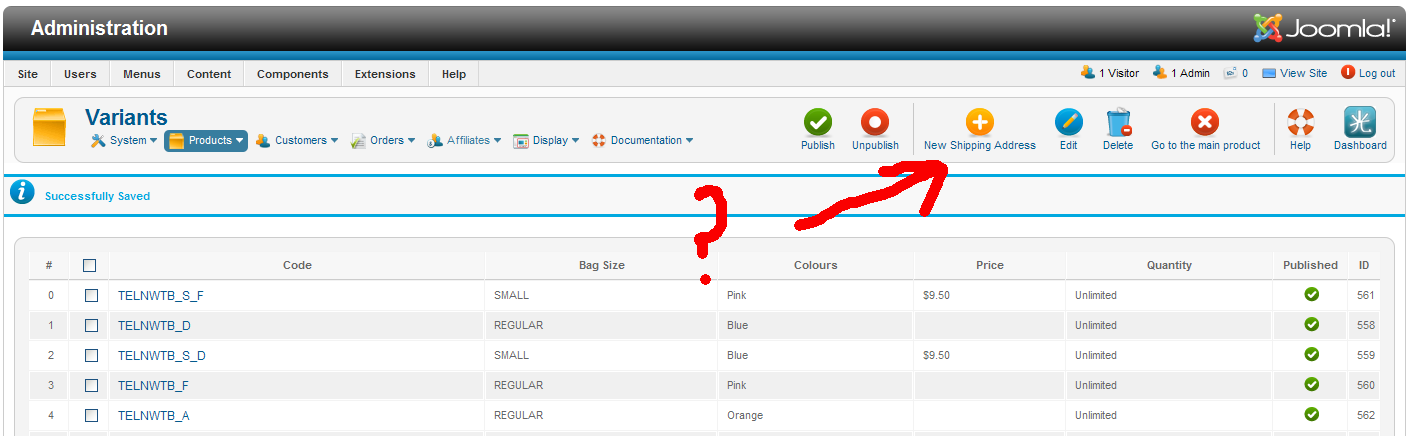
Just upgraded to the latest version and was wondering why I could no longer manually create a variant. I then realised that when in Manage Variants the "New" button is incorrectly labelled "New Shipping Address". :lol: I won't admit to how long I stared at it before realising what was wrong.
-- Joomla version -- : 2.5.25
Hi Guys, a small but annoying bug for you.
Just upgraded to the latest version and was wondering why I could no longer manually create a variant. I then realised that when in Manage Variants the "New" button is incorrectly labelled "New Shipping Address". :lol: I won't admit to how long I stared at it before realising what was wrong.
Last edit: 11 years 10 months ago by rodfarrell.
Please Log in or Create an account to join the conversation.

Less
More
- Posts: 12953
- Thank you received: 1778
11 years 10 months ago #179948
by Mohamed Thelji
Replied by Mohamed Thelji on topic Incorrect label on "new" button in latest version
Hello,
Can you give us more information about what do you exactly mean by ""New" button is incorrectly labelled "New Shipping Address"" through some screenshots for example ?
Can you give us more information about what do you exactly mean by ""New" button is incorrectly labelled "New Shipping Address"" through some screenshots for example ?
Please Log in or Create an account to join the conversation.
- rodfarrell
-
Topic Author
- Offline
Less
More
- Posts: 259
- Thank you received: 22
11 years 10 months ago #180093
by rodfarrell
Replied by rodfarrell on topic Incorrect label on "new" button in latest version
Image attached. This is the Maintain Variants screen and the NEW button is to add a new variant product, not a shipping address.
Please Log in or Create an account to join the conversation.

11 years 10 months ago #180108
by Xavier
Replied by Xavier on topic Incorrect label on "new" button in latest version
Hi,
I don't have this issue on my end.
Don't you have made a translation override ? And you potentially changed the wrong "NEW" translation ?
www.hikashop.com/support/faq.html#tran
I don't have this issue on my end.
Don't you have made a translation override ? And you potentially changed the wrong "NEW" translation ?
www.hikashop.com/support/faq.html#tran
Please Log in or Create an account to join the conversation.
- rodfarrell
-
Topic Author
- Offline
Less
More
- Posts: 259
- Thank you received: 22
11 years 10 months ago #180231
by rodfarrell
Replied by rodfarrell on topic Incorrect label on "new" button in latest version
Haha thar's exactly what I did. There are two Hikashop language translations called simply "New". I must have changed both. :whistle:
Thanks Xavier. Walking away now, red faced......
Thanks Xavier. Walking away now, red faced......
Please Log in or Create an account to join the conversation.
- rodfarrell
-
Topic Author
- Offline
Less
More
- Posts: 259
- Thank you received: 22
11 years 10 months ago #180873
by rodfarrell
Replied by rodfarrell on topic Incorrect label on "new" button in latest version
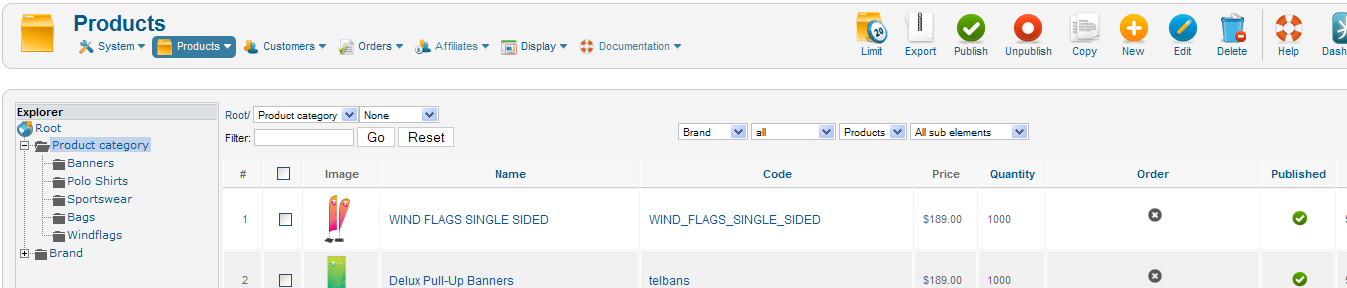
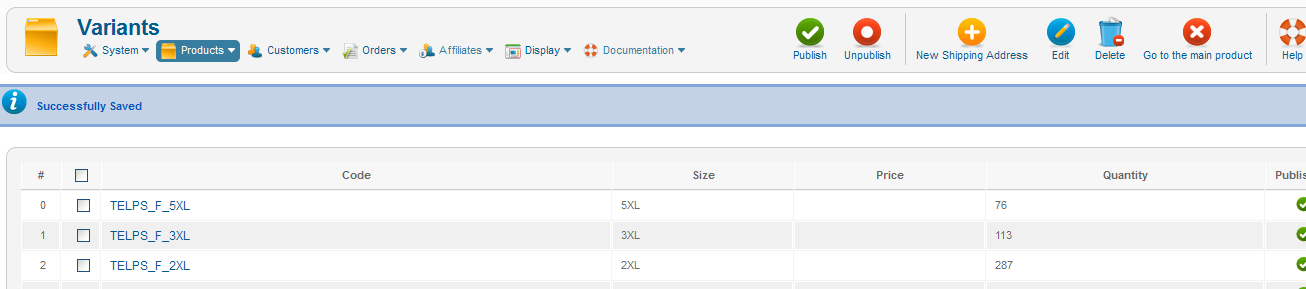
OK, Turns out that Hikashop uses the same language override for New Variants as it does for New Address. (HIKA_New) New products elsewhere have a different text.
Please Log in or Create an account to join the conversation.
11 years 10 months ago #180900
by Xavier
Replied by Xavier on topic Incorrect label on "new" button in latest version
Hi,
Yes that's indeed the case, if you want more translations, you can edit the views in order to replace "HIKA_NEW" by something else, for example: "HIKA_NEW_PRODUCT" and then add a translation like:
Yes that's indeed the case, if you want more translations, you can edit the views in order to replace "HIKA_NEW" by something else, for example: "HIKA_NEW_PRODUCT" and then add a translation like:
HIKA_NEW_PRODUCT="New product"
Please Log in or Create an account to join the conversation.
Time to create page: 0.197 seconds