
Neatening some elements on the product pages

11 years 5 months ago #198046
by Jethro
Neatening some elements on the product pages was created by Jethro
-- url of the page with the problem -- :
www.smart-drones.com
-- HikaShop version -- : 2.4.0
-- Joomla version -- : 3.3.6
Hi everyone!
It has been a blast working with the Hikashop software and so far we have been impressed. We are very close to launching our Ecommerce website and just require some tips on how to neaten up some stray elements on the product and category pages...
1 - Changing the Product Category View
Here is a link to the page with the problem... www.smart-drones.com/store/category/12-drones
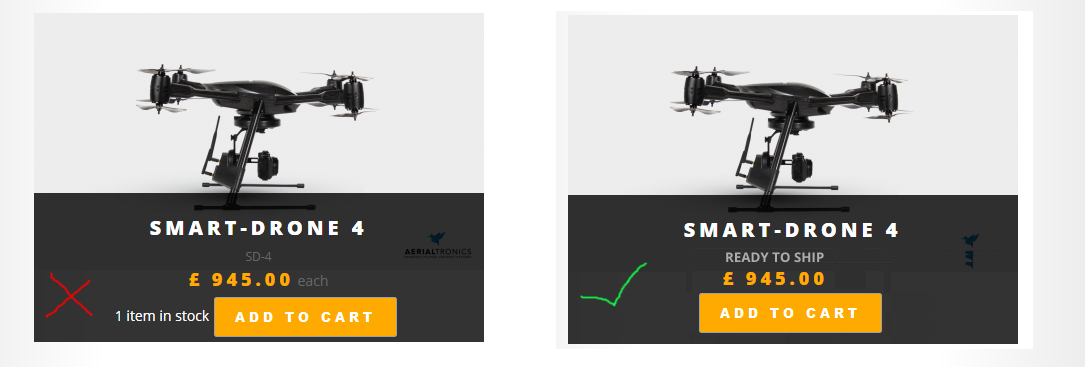
How do we remove the following elements that you can see in the screenshot below... 1). the product code e.g. "SD-1". 2). The "each" that is displayed after the price and 3). the ugly quantity switcher that is displayed next to the button.
2 - Changing the Product Page View
Here is the page with the problem...
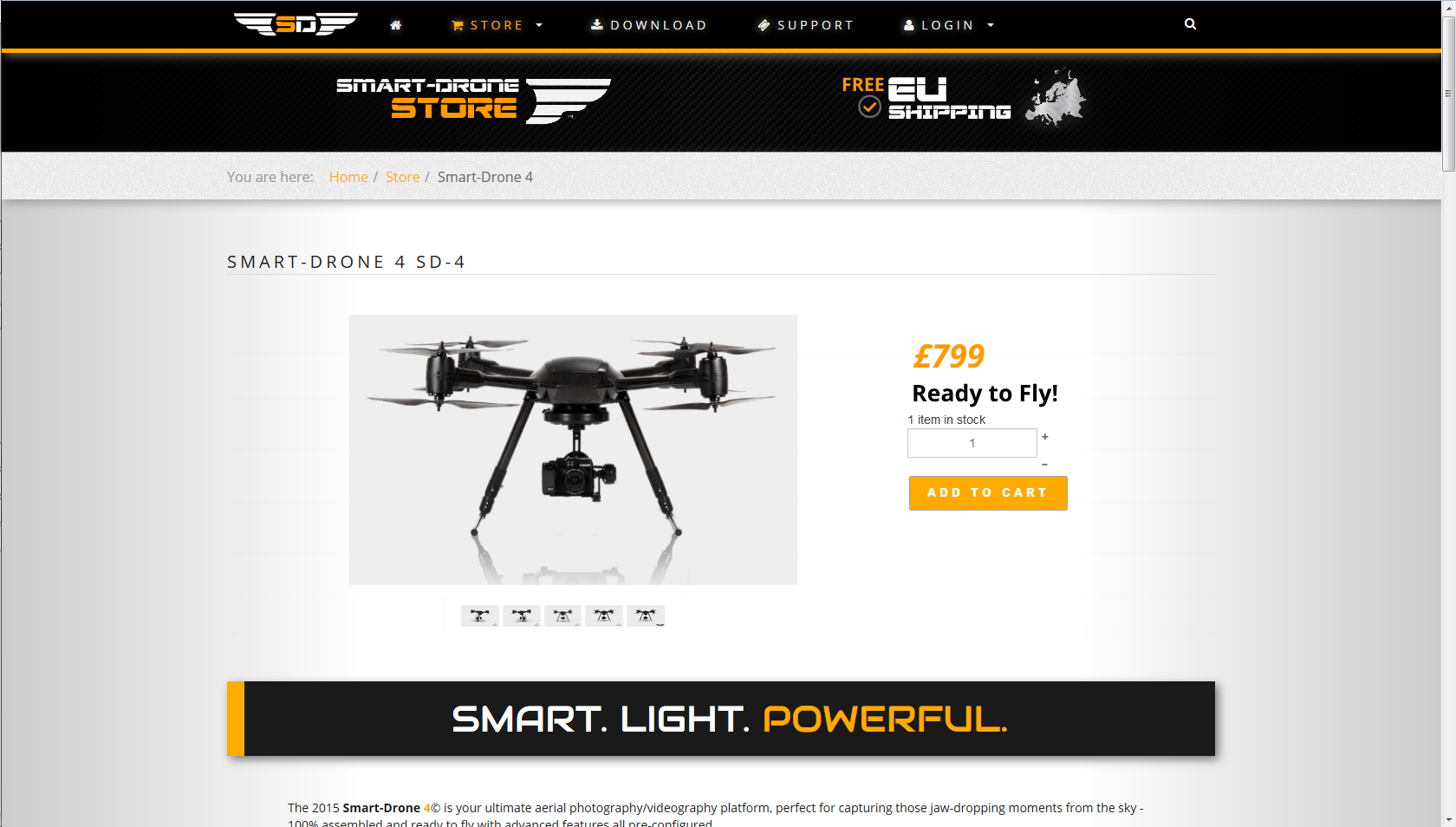
How do we change our product display page to look like the picture below.
Many thanks in advance!
-- HikaShop version -- : 2.4.0
-- Joomla version -- : 3.3.6
Hi everyone!
It has been a blast working with the Hikashop software and so far we have been impressed. We are very close to launching our Ecommerce website and just require some tips on how to neaten up some stray elements on the product and category pages...
1 - Changing the Product Category View
Here is a link to the page with the problem... www.smart-drones.com/store/category/12-drones
How do we remove the following elements that you can see in the screenshot below... 1). the product code e.g. "SD-1". 2). The "each" that is displayed after the price and 3). the ugly quantity switcher that is displayed next to the button.
2 - Changing the Product Page View
Here is the page with the problem...
How do we change our product display page to look like the picture below.
Many thanks in advance!
Please Log in or Create an account to join the conversation.

Less
More
- Posts: 12953
- Thank you received: 1778
11 years 5 months ago - 11 years 5 months ago #198057
by Mohamed Thelji
Replied by Mohamed Thelji on topic Neatening some elements on the product pages
Hello,
1.
Using that kind of CSS code will probably do the job : www.hikashop.com/support/documentation/1...the-display.html#css
2.
The solution will be to use some CSS code and directly edit the code of the "Show_default" file of the "Product" view of your front-end template.
1.
Using that kind of CSS code will probably do the job : www.hikashop.com/support/documentation/1...the-display.html#css
Code:
.hikashop_products_listing .hikashop_product_stock_count {
display: none;
}
2.
The solution will be to use some CSS code and directly edit the code of the "Show_default" file of the "Product" view of your front-end template.
Last edit: 11 years 5 months ago by Mohamed Thelji.
Please Log in or Create an account to join the conversation.
11 years 5 months ago #198707
by Jethro
Replied by Jethro on topic Neatening some elements on the product pages
Thanks! This is exactly the info I needed, time to get to grips with CSS! :blush:
Please Log in or Create an account to join the conversation.
Time to create page: 0.170 seconds