
- Posts: 117
- Thank you received: 6
Badges don't show
11 years 5 months ago #200058
by Formidog
Badges don't show was created by Formidog
-- HikaShop version -- : latest
-- Joomla version -- : latest
-- PHP version -- : 5.3.27
-- Browser(s) name and version -- : all
-- Error-message(debug-mod must be tuned on) -- : none
Good morning Nicolas, Jerome et al
Badges don't show any more on the special products.
We have been busy with it all morning and can't figure out why.
www.formidog.nl/formidog
www.formidog.nl/formicat
www.formidog.nl/formipet
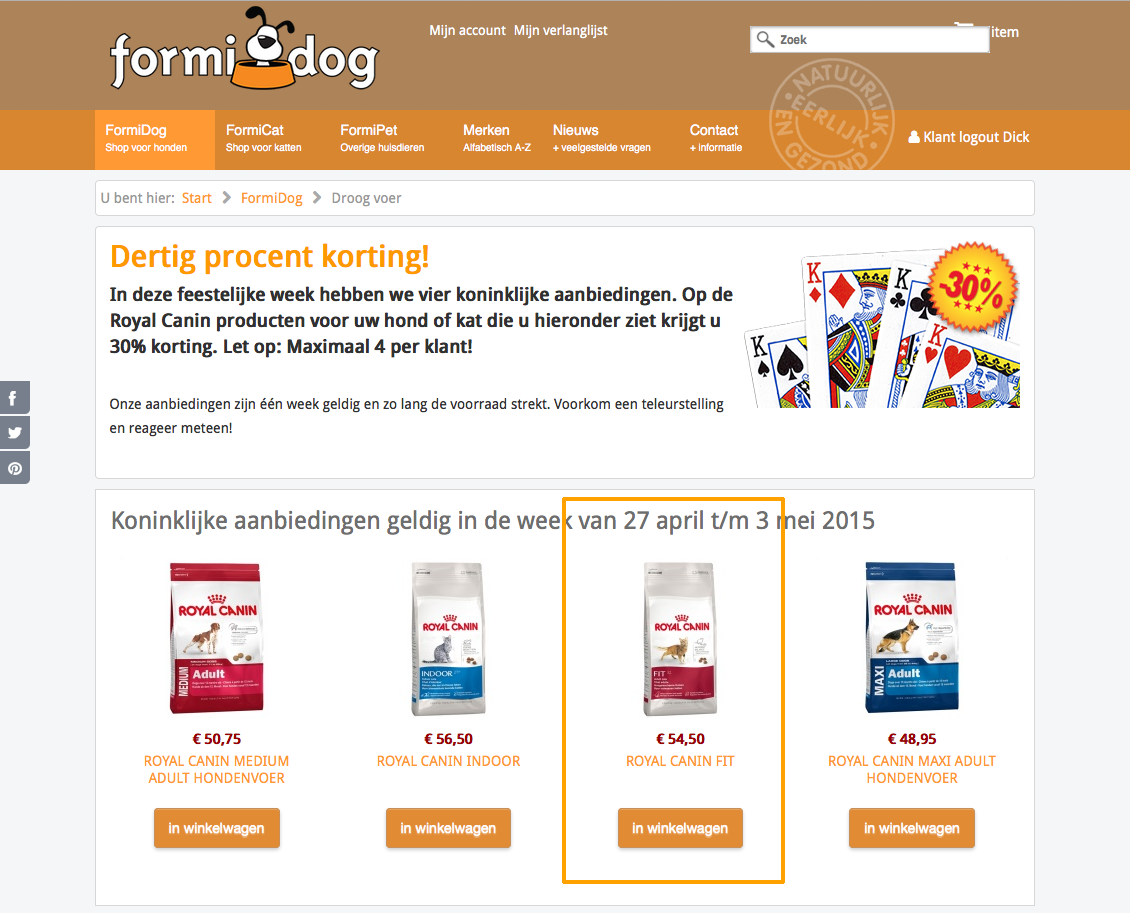
The module title is: "Koninklijke aanbiedingen geldig in de week van 27 april t/m 3 mei 2015"
You have a SU inlog
Please help (we have sent an acymailing newsletter with these specials. today is "quatorze julliet" in the netherlands
greetz
Dick et al
-- Joomla version -- : latest
-- PHP version -- : 5.3.27
-- Browser(s) name and version -- : all
-- Error-message(debug-mod must be tuned on) -- : none
Good morning Nicolas, Jerome et al
Badges don't show any more on the special products.
We have been busy with it all morning and can't figure out why.
www.formidog.nl/formidog
www.formidog.nl/formicat
www.formidog.nl/formipet
The module title is: "Koninklijke aanbiedingen geldig in de week van 27 april t/m 3 mei 2015"
You have a SU inlog
Please help (we have sent an acymailing newsletter with these specials. today is "quatorze julliet" in the netherlands
greetz
Dick et al
Please Log in or Create an account to join the conversation.

Less
More
- Posts: 12953
- Thank you received: 1778
11 years 5 months ago #200072
by Mohamed Thelji
Replied by Mohamed Thelji on topic Badges don't show
Hello,
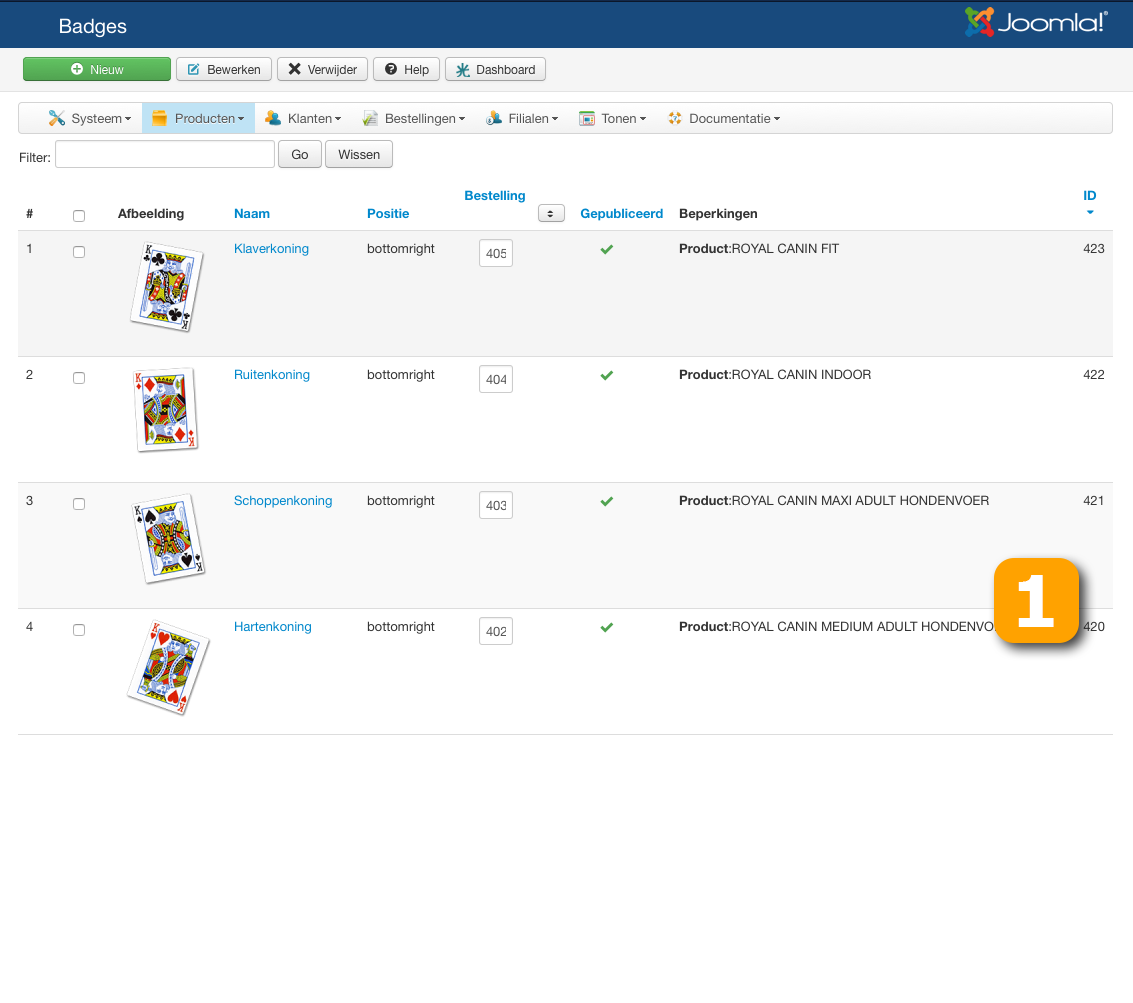
1. You should check how you have restricted your badges through your badges configuration page, can you also show me some screenshots of it so that I can also check it ?
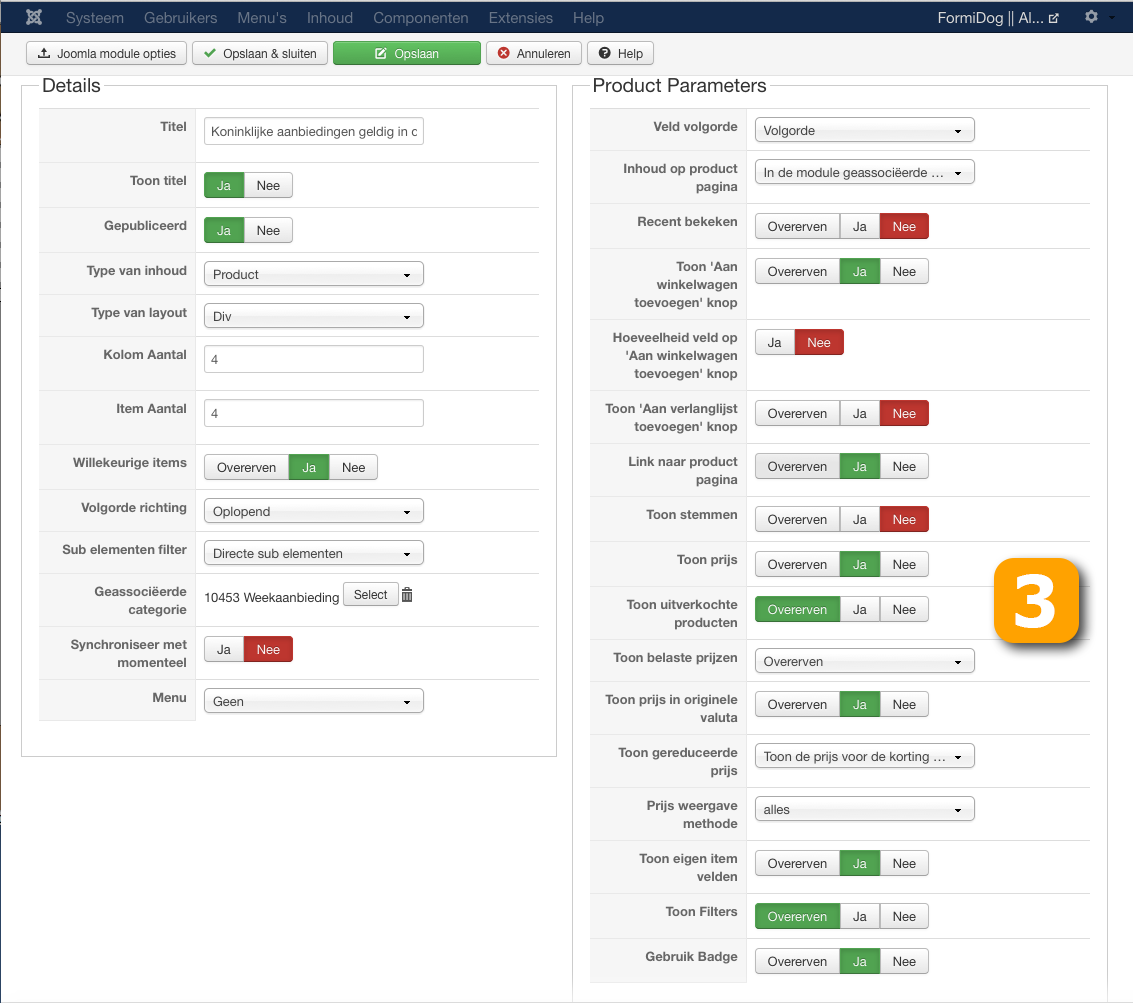
2. You should also check the "Display Badge" option through your product listing content module configuration page.
1. You should check how you have restricted your badges through your badges configuration page, can you also show me some screenshots of it so that I can also check it ?
2. You should also check the "Display Badge" option through your product listing content module configuration page.
Please Log in or Create an account to join the conversation.
11 years 5 months ago #200128
by Formidog
Replied by Formidog on topic Badges don't show
Good morning Mohammed,
Thank you for the reply
As an answer to the questions: I believe 1 and 2 are correct.
I have attached the screenshots.
Hikashop has a Super User inlog to the site, Nicolas has. Nicolas and me have met some weeks ago.
You may send me a PM so I can give you the inlog, as well as access to PhPMyadmin and FTP
I hope you have time for us today!
Dick
Thank you for the reply
As an answer to the questions: I believe 1 and 2 are correct.
I have attached the screenshots.
Hikashop has a Super User inlog to the site, Nicolas has. Nicolas and me have met some weeks ago.
You may send me a PM so I can give you the inlog, as well as access to PhPMyadmin and FTP
I hope you have time for us today!
Dick
Please Log in or Create an account to join the conversation.

11 years 5 months ago #200136
by Xavier
Replied by Xavier on topic Badges don't show
Hi,
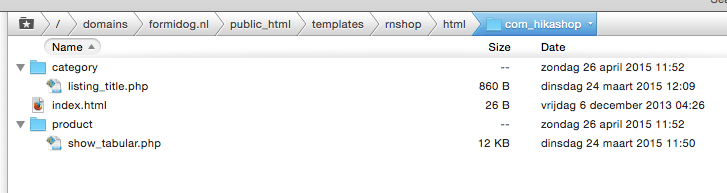
Please check if you don't have an override on the view "product / show_block_img", if it is, please backup it and delete it to see if the default view handle the badges.
I think that there is missing code in that view.
Please check if you don't have an override on the view "product / show_block_img", if it is, please backup it and delete it to see if the default view handle the badges.
I think that there is missing code in that view.
Please Log in or Create an account to join the conversation.
11 years 5 months ago #200296
by Formidog
Replied by Formidog on topic Badges don't show
Nope Xavier,
there is no override for "product / show_block_img"
greetz
Dick
there is no override for "product / show_block_img"
greetz
Dick
Please Log in or Create an account to join the conversation.

11 years 5 months ago #200301
by nicolas
Replied by nicolas on topic Badges don't show
Hi,
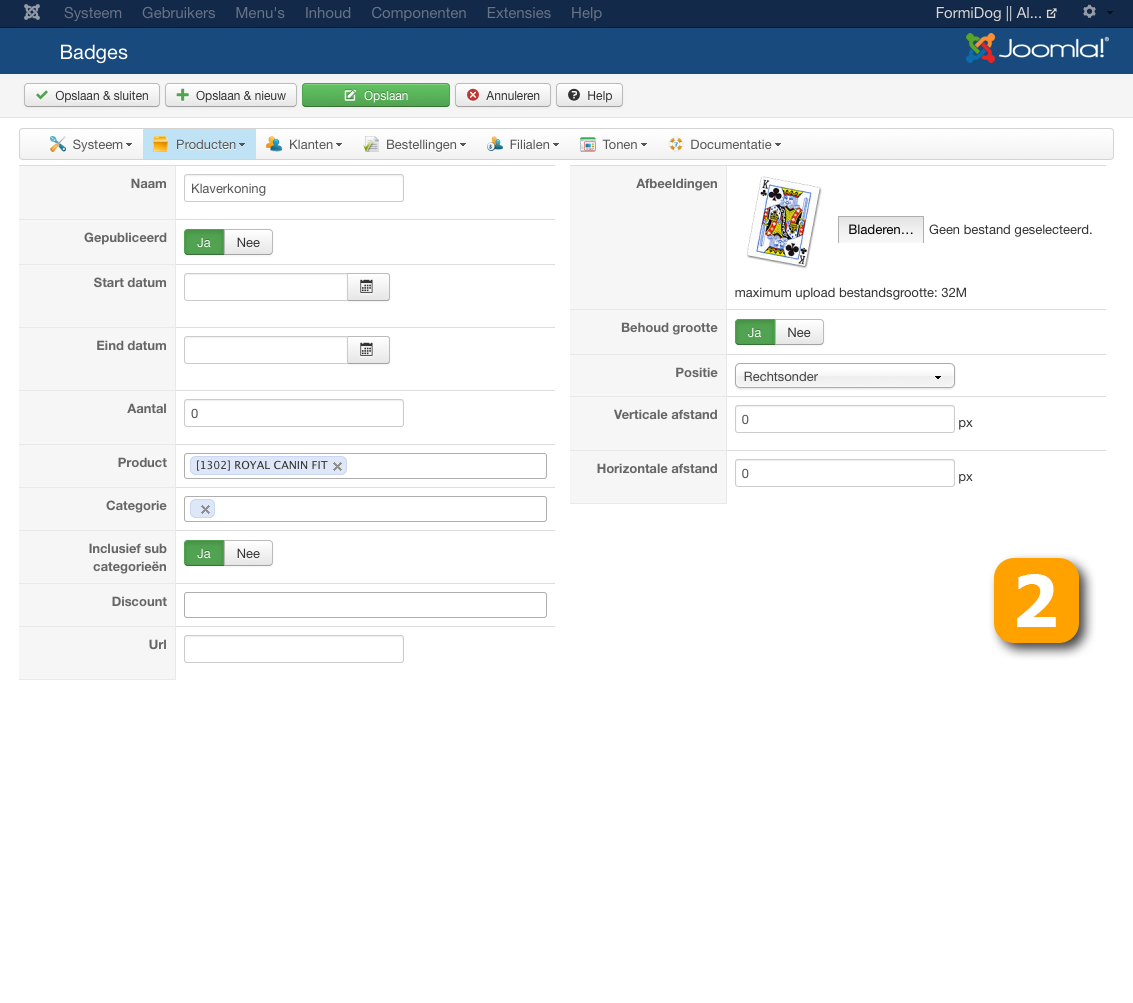
I see two issues with your screenshots.
In your badge, you set the quantity field to 0 instead of nothing, so the badge will only display if the quantity of the product is 0 (which is not the case).
You also have an empty category selected in the categories field of the badge, so it's likely to be a problem for the display of the badge. I would recommend to remove it.
I see two issues with your screenshots.
In your badge, you set the quantity field to 0 instead of nothing, so the badge will only display if the quantity of the product is 0 (which is not the case).
You also have an empty category selected in the categories field of the badge, so it's likely to be a problem for the display of the badge. I would recommend to remove it.
Please Log in or Create an account to join the conversation.
11 years 5 months ago #200417
by Formidog
Replied by Formidog on topic Badges don't show
Hallelujah!
The first one did the trick, the 2nd one (empty category) returns if i Re-open the badge
Thanks!
The first one did the trick, the 2nd one (empty category) returns if i Re-open the badge
Thanks!
Please Log in or Create an account to join the conversation.
Time to create page: 0.190 seconds