

- Posts: 44
- Thank you received: 0
"Out of stock" badge displaying for all products
11 years 2 months ago #207675
by Hiko
"Out of stock" badge displaying for all products was created by Hiko
-- HikaShop version -- : 2.5.0
-- Joomla version -- : 3.4.3
-- Browser(s) name and version -- : all
Hello,
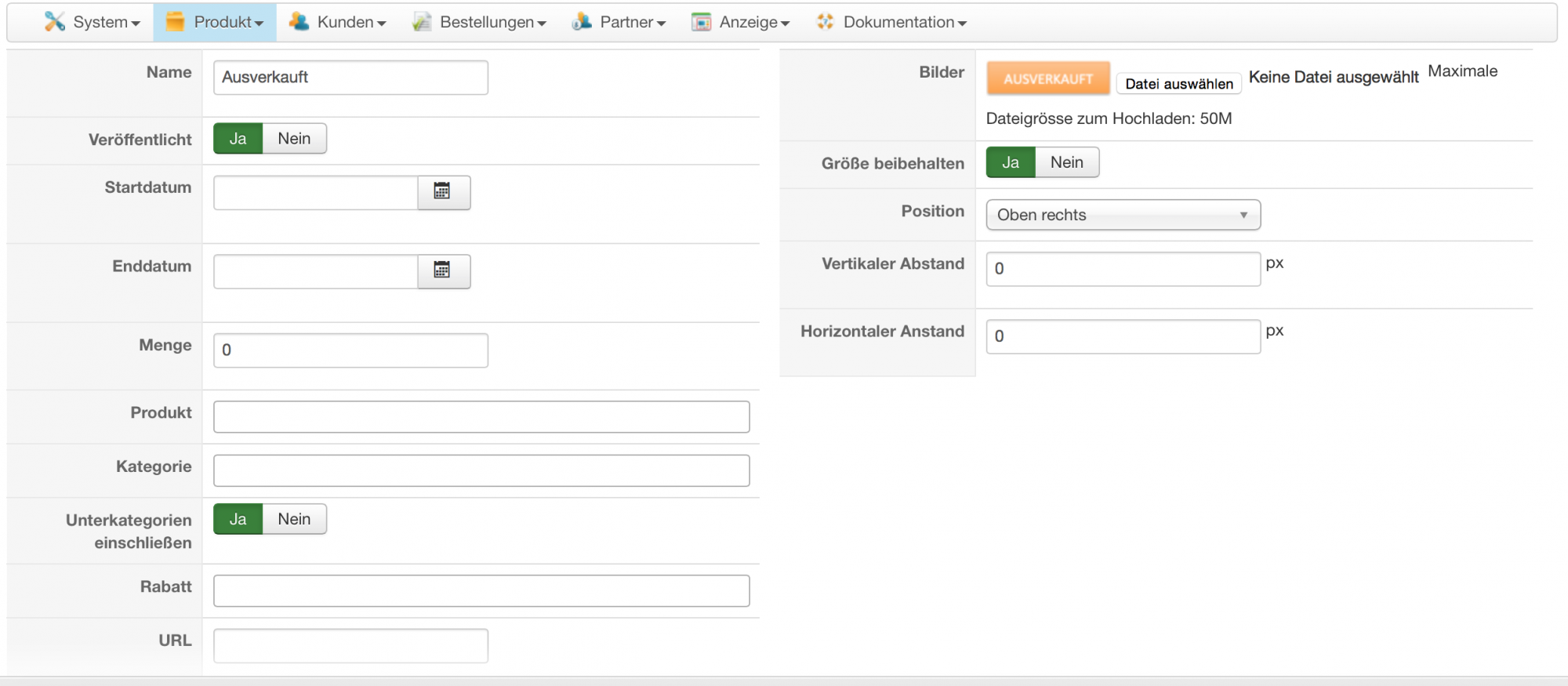
I put "0" in the field "Quantity" in badge settings (see screenshot attached) in order to display a "no stock left" badge only for sold out products, but the badge then appears on all products.
Please, advise what is wrong.
Thanks,
Hiko
-- Joomla version -- : 3.4.3
-- Browser(s) name and version -- : all
Hello,
I put "0" in the field "Quantity" in badge settings (see screenshot attached) in order to display a "no stock left" badge only for sold out products, but the badge then appears on all products.
Please, advise what is wrong.
Thanks,
Hiko
Please Log in or Create an account to join the conversation.

11 years 2 months ago #207710
by Xavier
Replied by Xavier on topic "Out of stock" badge displaying for all products
Hi,
Thanks for the report, we have fixed the issue on our end, and this will be available in the next release.
To solve that issue, please edit the file "administrator/components/com_hikashop/classes/badge.php" and in the function "loadBadges()" replace the line:
By:
Thanks for the report, we have fixed the issue on our end, and this will be available in the next release.
To solve that issue, please edit the file "administrator/components/com_hikashop/classes/badge.php" and in the function "loadBadges()" replace the line:
Code:
$badge_filters[]='badge_discount_id=\'0\' OR badge_discount_id=\'\'';
Code:
$badge_filters[]='(badge_discount_id=\'0\' OR badge_discount_id=\'\')';
The following user(s) said Thank You: hkingman
Please Log in or Create an account to join the conversation.
11 years 2 months ago #207741
by Hiko
Replied by Hiko on topic "Out of stock" badge displaying for all products
Xavier, I did what you advised and what i got is that the following page coming up when I click on my badge in the backend, see attachment. And the frontend is completely down  Please, advise asap.
Please, advise asap. Please Log in or Create an account to join the conversation.
11 years 2 months ago #207743
by Xavier
Replied by Xavier on topic "Out of stock" badge displaying for all products
Hi,
You maybe made a mistake somewhere.
Please download the latest package of HikaShop from our website under the menu My accounts > My subscriptions and install it over the current version, this package contain the hotfix for that issue
You maybe made a mistake somewhere.
Please download the latest package of HikaShop from our website under the menu My accounts > My subscriptions and install it over the current version, this package contain the hotfix for that issue
Please Log in or Create an account to join the conversation.
11 years 2 months ago #207744
by Hiko
Replied by Hiko on topic "Out of stock" badge displaying for all products
Now it works as it should. Thanks, Xavier!
Please Log in or Create an account to join the conversation.
Time to create page: 0.181 seconds