

- Posts: 28
- Thank you received: 0
Button notify and Add cart Problem
11 years 1 month ago #212498
by brandoes
Button notify and Add cart Problem was created by brandoes
-- HikaShop version -- : 2.5.0
-- Joomla version -- : 3.4.3
-- PHP version -- : 5.4
-- Error-message(debug-mod must be tuned on) -- : Button notify and Add cart problem.
hi how are you? I think this theme have one things not working.
I have one product with 5 size. but size L is out in stock (0). but button notify when is available is set for all product, other product don’t have option to buy.
-- Joomla version -- : 3.4.3
-- PHP version -- : 5.4
-- Error-message(debug-mod must be tuned on) -- : Button notify and Add cart problem.
hi how are you? I think this theme have one things not working.
I have one product with 5 size. but size L is out in stock (0). but button notify when is available is set for all product, other product don’t have option to buy.
Please Log in or Create an account to join the conversation.

Less
More
- Posts: 12953
- Thank you received: 1778
11 years 1 month ago #212502
by Mohamed Thelji
Replied by Mohamed Thelji on topic Button notify and Add cart Problem
Hello,
Thanks.
Can you give me more information about the issue that you are having and about how you configured your product and its variants through some screenshots for example ?but button notify when is available is set for all product, other product don’t have option to buy.
Thanks.
Please Log in or Create an account to join the conversation.
11 years 1 month ago #212564
by brandoes
Replied by brandoes on topic Button notify and Add cart Problem
I product is seted
Product A have 3 size Small Midian and Large
Small - 1
Midian - 0
Large - 1
When I set from home page Midian is correct show me NOTIFY
But not show me all product is available to buy
Product A have 3 size Small Midian and Large
Small - 1
Midian - 0
Large - 1
When I set from home page Midian is correct show me NOTIFY
But not show me all product is available to buy
Please Log in or Create an account to join the conversation.
11 years 1 month ago #212625
by brandoes
Replied by brandoes on topic Button notify and Add cart Problem
Have a look this image
Size 33 is out but button not change to notify me.
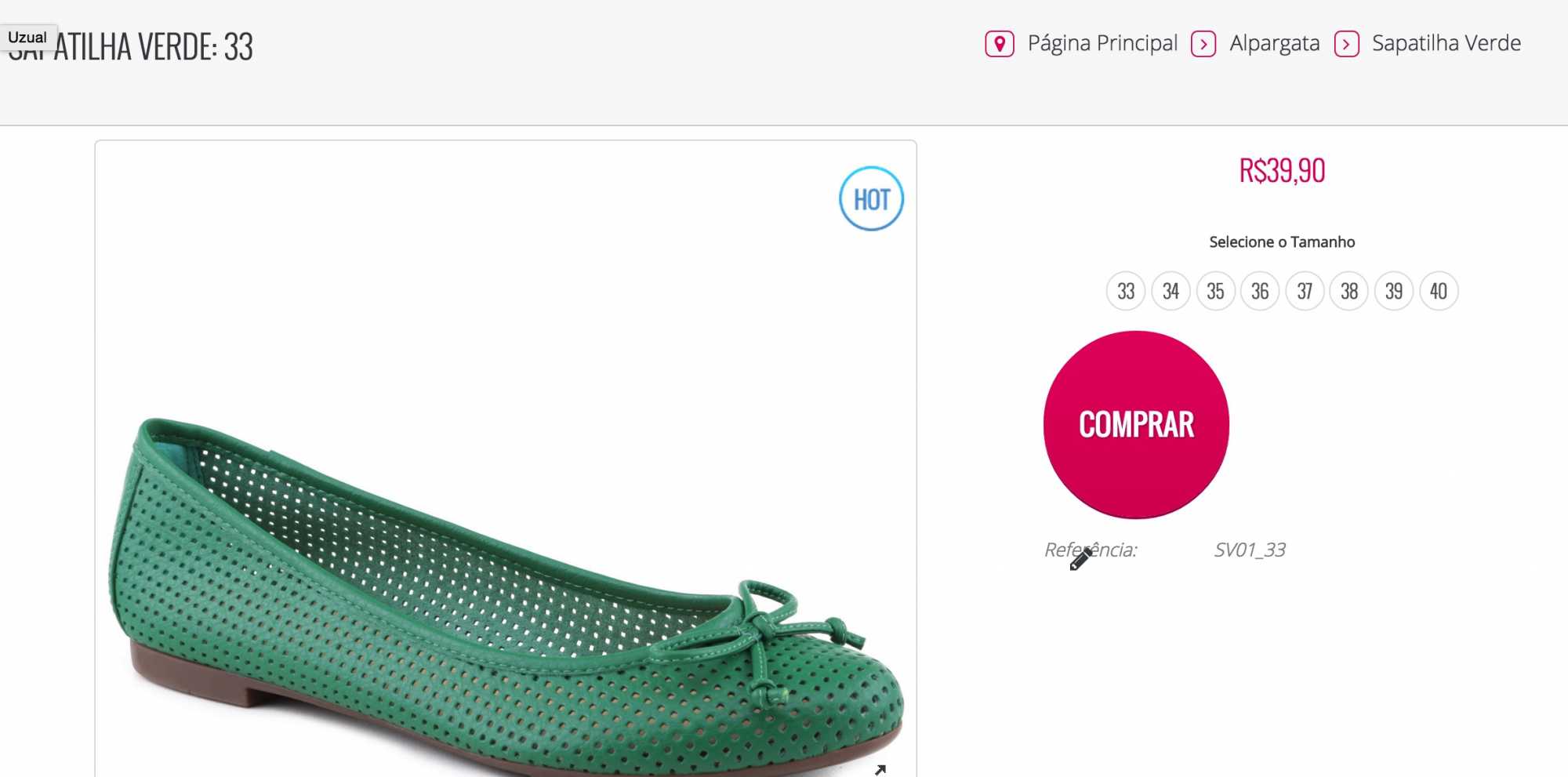
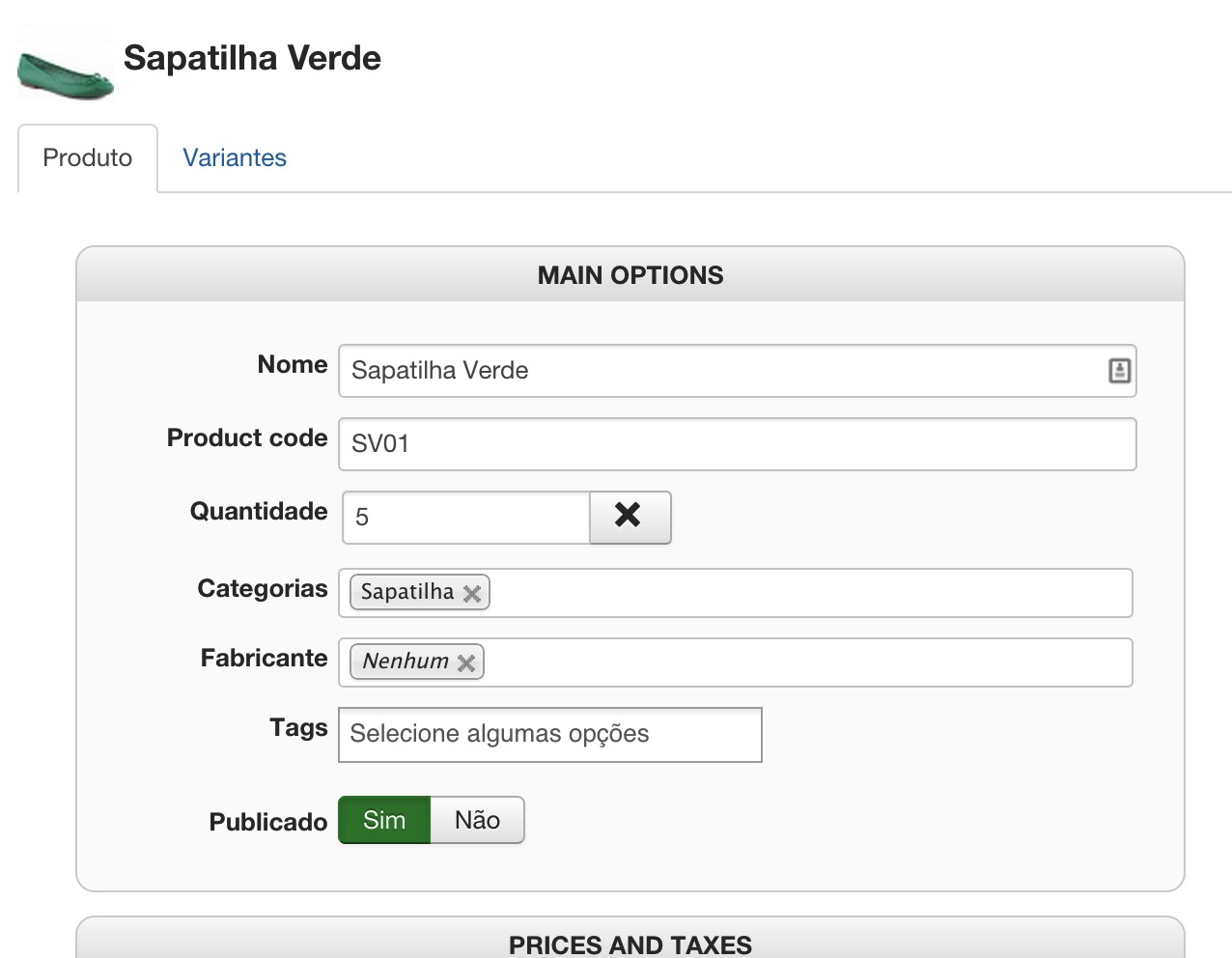
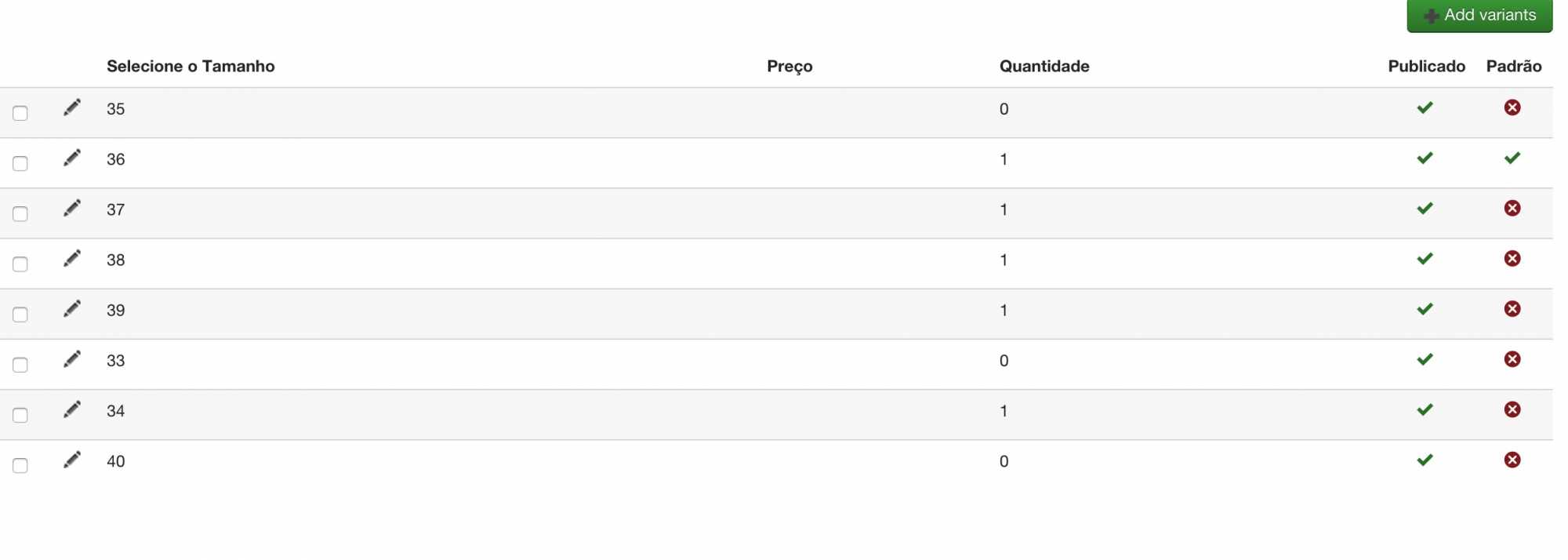
Size 33 is out but button not change to notify me.
Please Log in or Create an account to join the conversation.
Less
More
- Posts: 12953
- Thank you received: 1778
11 years 1 month ago #212635
by Mohamed Thelji
Replied by Mohamed Thelji on topic Button notify and Add cart Problem
Hello,
I just tested it on my end and it works fine, can you :
1. Test it without your views customization by using one of the default Joomla template for example ?
(if the 1st point didn't solve your issue)
2. Give us a temporary access to your back-end so that we can directly test it on your end ?
Thanks.
I just tested it on my end and it works fine, can you :
1. Test it without your views customization by using one of the default Joomla template for example ?
(if the 1st point didn't solve your issue)
2. Give us a temporary access to your back-end so that we can directly test it on your end ?
Thanks.
Please Log in or Create an account to join the conversation.
11 years 1 month ago #212683
by brandoes
Replied by brandoes on topic Button notify and Add cart Problem
I sent To you an e-mail
Please Log in or Create an account to join the conversation.

11 years 1 month ago #212708
by nicolas
Replied by nicolas on topic Button notify and Add cart Problem
Hi,
It comes from the way your product page layout was customized.
It breaks the whole characteristic system, even the add to cart system.
Switch to the default template of Joomla and you'll see that it works fine.
You can rename the folder templates/YOUR_TEMPLATE/html/com_hikashop/product to remove the overrides, but you'll loose the styling of the product page.
The best would be to contact your template provider so that they can fix that product page layout override of theirs.
It comes from the way your product page layout was customized.
It breaks the whole characteristic system, even the add to cart system.
Switch to the default template of Joomla and you'll see that it works fine.
You can rename the folder templates/YOUR_TEMPLATE/html/com_hikashop/product to remove the overrides, but you'll loose the styling of the product page.
The best would be to contact your template provider so that they can fix that product page layout override of theirs.
Please Log in or Create an account to join the conversation.
Time to create page: 0.269 seconds