

- Posts: 54
- Thank you received: 0
Production Configuration under Category listing ..
10 years 11 months ago #217086
by QureshiMo
Production Configuration under Category listing .. was created by QureshiMo
-- HikaShop version -- : 2.6.0
-- Joomla version -- : 3.4.3
-- PHP version -- : 5.5.12
Hello:
I have a category that has both sun-categories and products under it. Here is the structure:
Category A
|
|
_____________________________________________________________________
| | |
Category B Category C Product A, B C ,,,,,
I created a menu of type "Category Listing" to display Category A. All seems to be fine, except I can not configure the product display. For example, I do not want to display "Add to Cart" Button.
I am attaching screen shots of all the relevant configuration. Please let me how to configure the product.
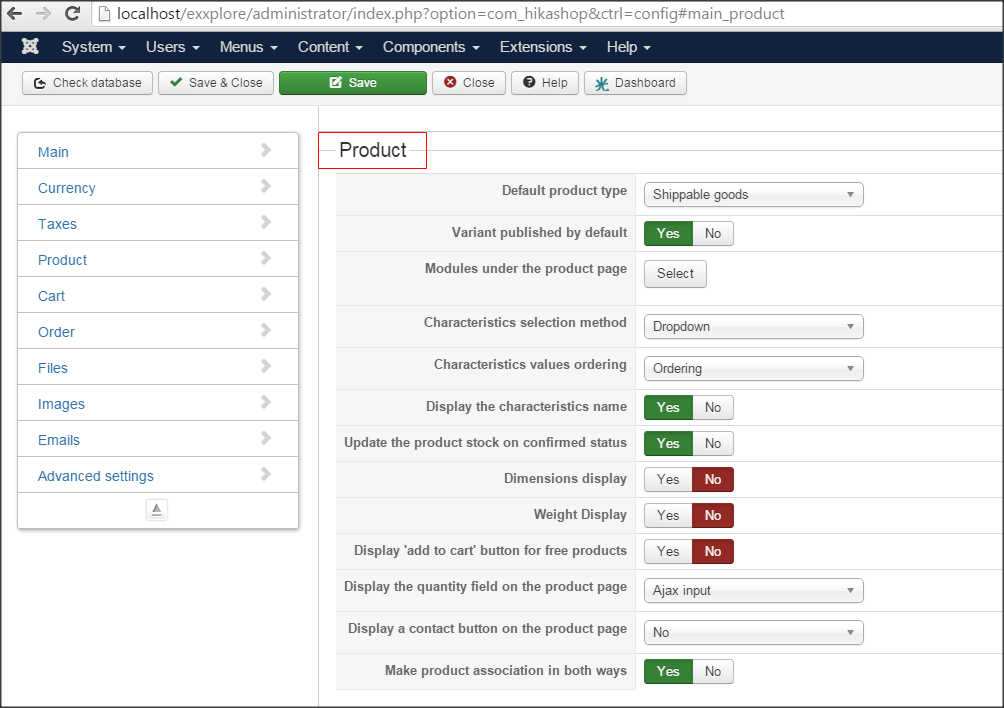
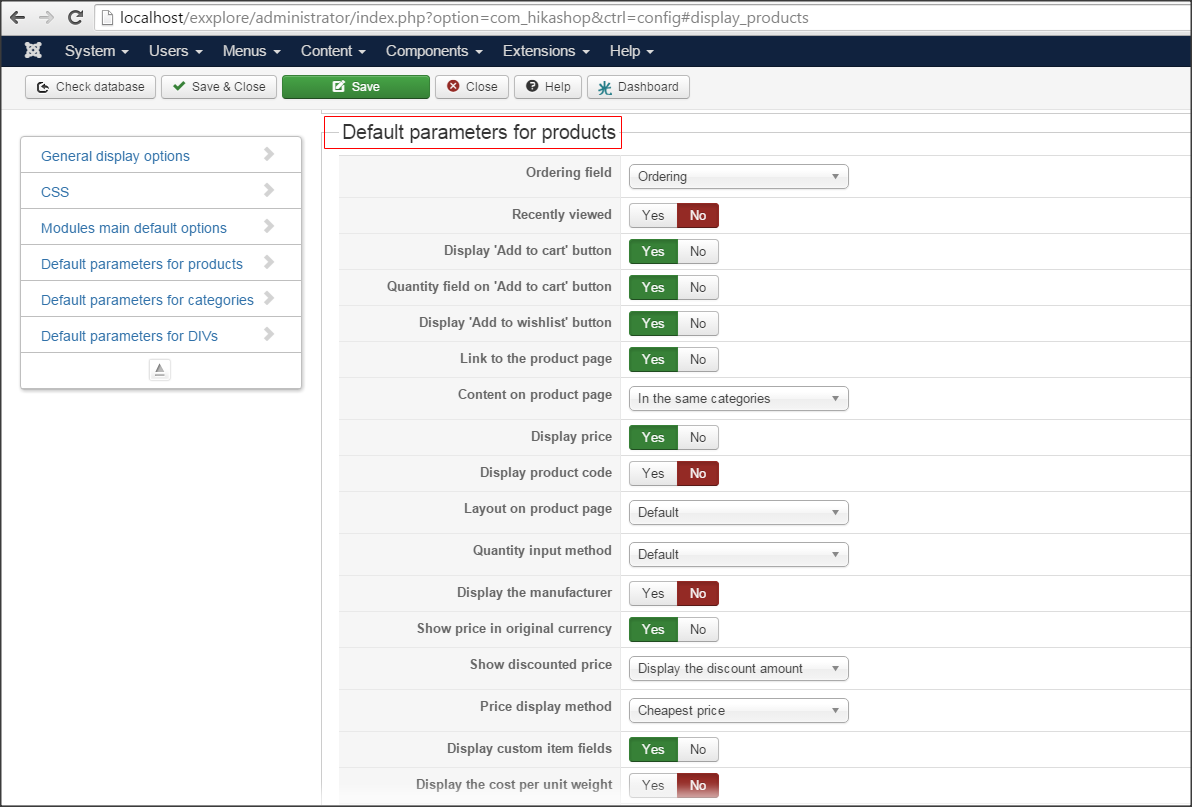
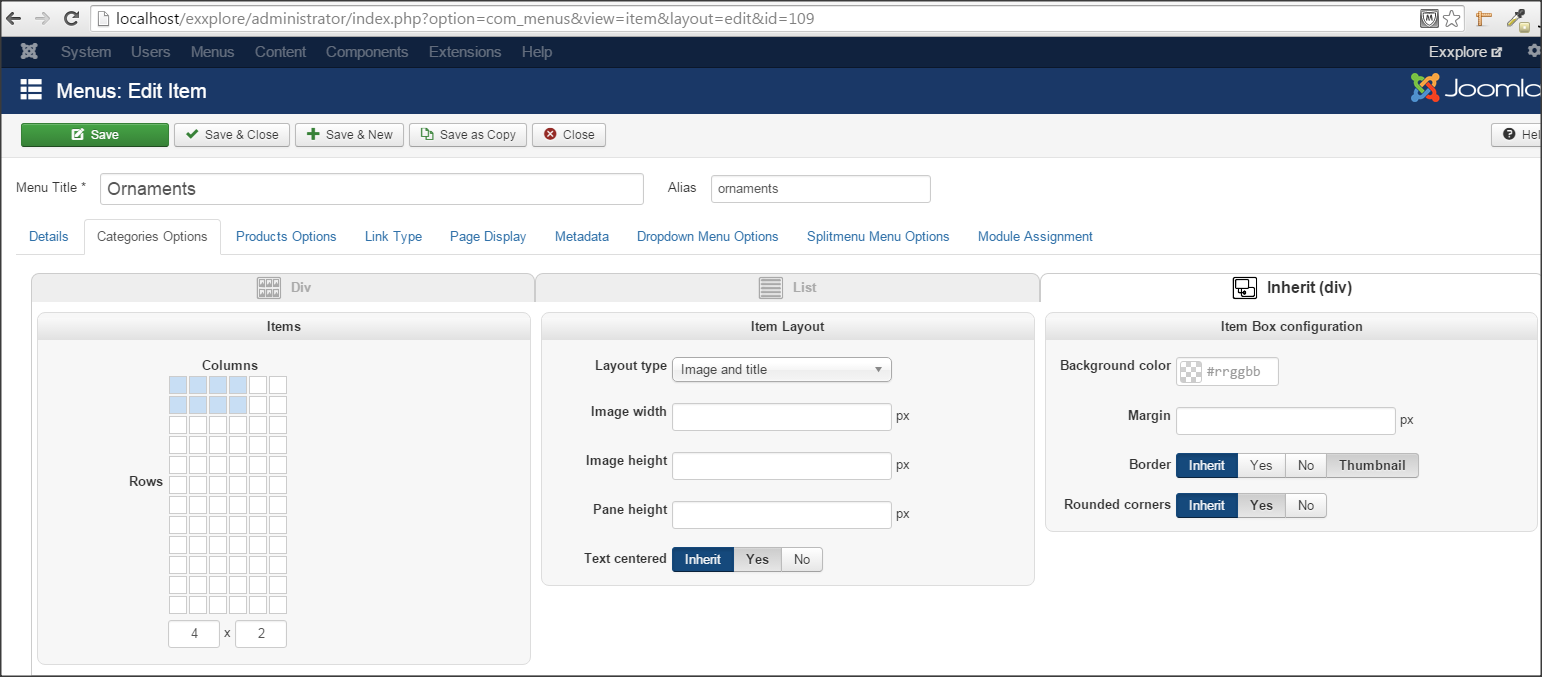
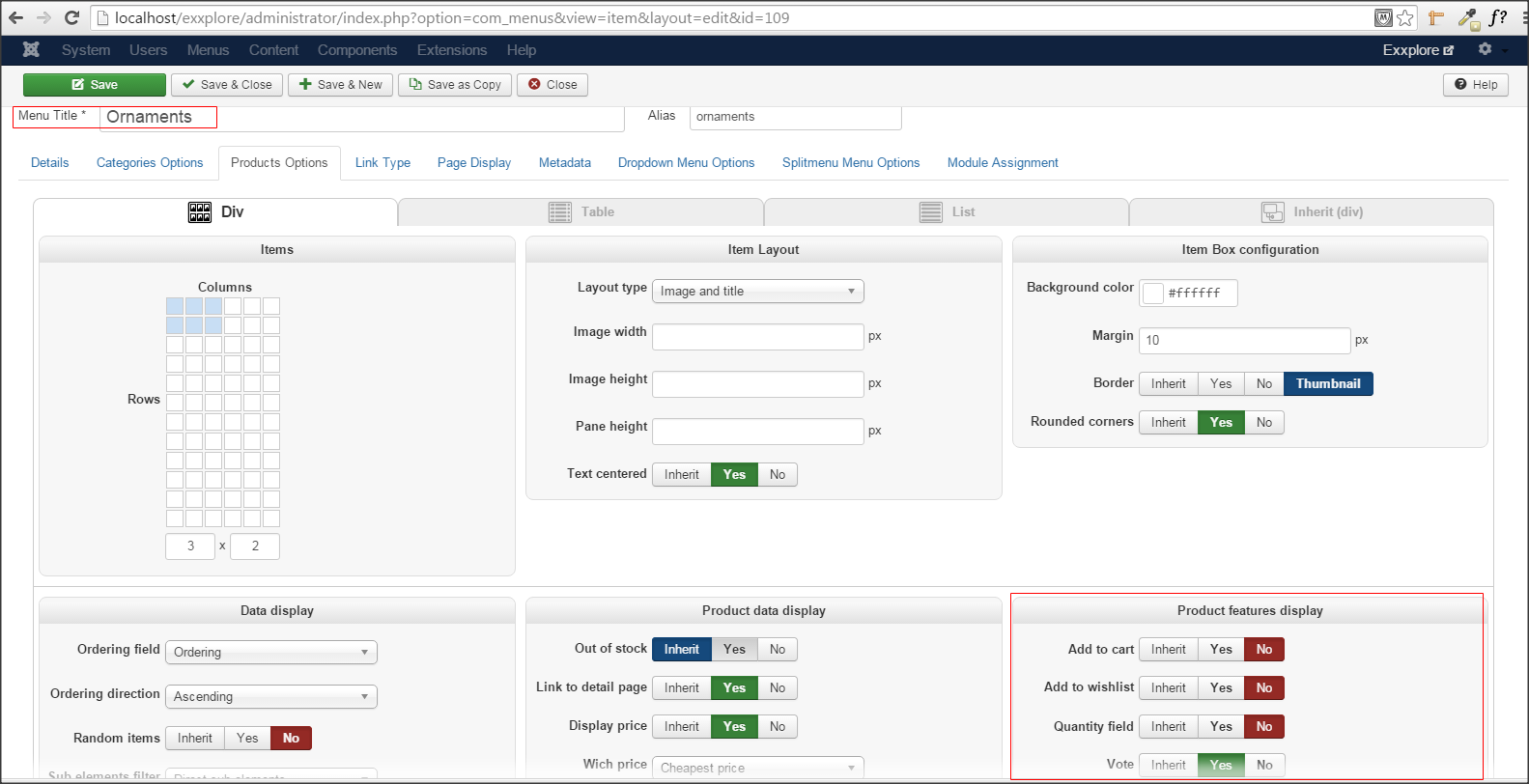
Thanks,
<<< Ali >>>
-- Joomla version -- : 3.4.3
-- PHP version -- : 5.5.12
Hello:
I have a category that has both sun-categories and products under it. Here is the structure:
Category A
|
|
_____________________________________________________________________
| | |
Category B Category C Product A, B C ,,,,,
I created a menu of type "Category Listing" to display Category A. All seems to be fine, except I can not configure the product display. For example, I do not want to display "Add to Cart" Button.
I am attaching screen shots of all the relevant configuration. Please let me how to configure the product.
Thanks,
<<< Ali >>>
Please Log in or Create an account to join the conversation.

10 years 11 months ago #217125
by nicolas
Replied by nicolas on topic Production Configuration under Category listing ..
Hi,
I don't understand your problem.
I can see the product settings on your last screenshot for your menu item. And you already have the "add to cart" setting turned off for your menu item, so you shouldn't see the add to cart button on the products listing of your menu item.
I don't understand your problem.
I can see the product settings on your last screenshot for your menu item. And you already have the "add to cart" setting turned off for your menu item, so you shouldn't see the add to cart button on the products listing of your menu item.
Please Log in or Create an account to join the conversation.
10 years 11 months ago - 10 years 11 months ago #217184
by QureshiMo
Replied by QureshiMo on topic Production Configuration under Category listing ..
Hello:
:oops: My mistake ...
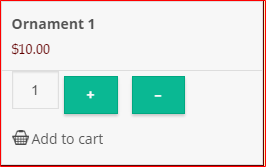
I forgot to add another screen shot. The issue is that the "Add to Cart" is showing up even though it is turned -off.
Thanks,
<<< Ali >>>
:oops: My mistake ...
I forgot to add another screen shot. The issue is that the "Add to Cart" is showing up even though it is turned -off.
Thanks,
<<< Ali >>>
Last edit: 10 years 11 months ago by QureshiMo. Reason: Delete one of the image ...
Please Log in or Create an account to join the conversation.

10 years 11 months ago #217228
by Xavier
Replied by Xavier on topic Production Configuration under Category listing ..
Hi,
We are not able to reproduce that issue on our end, the product display settings are correctly used in the listing.
Do you have view overrides on the view "product / quantity" ?
On the frontend, are you using the menu ".../ornaments" ?
We are not able to reproduce that issue on our end, the product display settings are correctly used in the listing.
Do you have view overrides on the view "product / quantity" ?
On the frontend, are you using the menu ".../ornaments" ?
Please Log in or Create an account to join the conversation.
10 years 11 months ago #217274
by QureshiMo
Replied by QureshiMo on topic Production Configuration under Category listing ..
Hello:
Thanks for the reply ...
Changing the template to Protostar solves this issue. This lead me to believe that it is the template that is causing the issue.
I also checked regarfing the overrides on view. Even if I remove the override, the issue persists.
As for the the menu, I have switched-on use the menu as tile option. The url displayed when I click on the ornaments menu is "http://localhost/exxplore/index.php/ornaments".
Just for my knowledge, which template you are using for testing?

Thanks,
<<< Ali >>>
Thanks for the reply ...
Changing the template to Protostar solves this issue. This lead me to believe that it is the template that is causing the issue.
I also checked regarfing the overrides on view. Even if I remove the override, the issue persists.
As for the the menu, I have switched-on use the menu as tile option. The url displayed when I click on the ornaments menu is "http://localhost/exxplore/index.php/ornaments".
Just for my knowledge, which template you are using for testing?
Thanks,
<<< Ali >>>
Please Log in or Create an account to join the conversation.
10 years 11 months ago #217282
by Xavier
Replied by Xavier on topic Production Configuration under Category listing ..
Hi,
If it is working fine with the template "protostar" so yes it seems indeed to be a template issue.
Don't you have overrides on the view "product / listing_img_title" which can cause this issue ?
We use the default Joomla template for developments and tests, so "protostar".
But if it is working with protostar it must work for all the templates as they have the same base.
If it is working fine with the template "protostar" so yes it seems indeed to be a template issue.
Don't you have overrides on the view "product / listing_img_title" which can cause this issue ?
We use the default Joomla template for developments and tests, so "protostar".
But if it is working with protostar it must work for all the templates as they have the same base.
Please Log in or Create an account to join the conversation.
10 years 11 months ago #217338
by QureshiMo
Replied by QureshiMo on topic Production Configuration under Category listing ..
Hello:
I am in contact with the template developer and he says that he will look into his template compatibility with Hikashop 2.6.0.
I found other issues as well.
Hopefully, when the template is compatible with Hikashop 2.6.0, this issue will be resolve. By the way, this template works fine with hikashop 2.5.0.
Appreciate your help ...
<<< Ali >>>
I am in contact with the template developer and he says that he will look into his template compatibility with Hikashop 2.6.0.
I found other issues as well.
Hopefully, when the template is compatible with Hikashop 2.6.0, this issue will be resolve. By the way, this template works fine with hikashop 2.5.0.
Appreciate your help ...
<<< Ali >>>
Please Log in or Create an account to join the conversation.
Time to create page: 0.282 seconds