
- Posts: 6
- Thank you received: 0
Problem with the displayed outlook of my product p
- Graphicstyle
-
 Topic Author
- Offline
Less
More
10 years 10 months ago #223086
by Graphicstyle
Problem with the displayed outlook of my product p was created by Graphicstyle
-- url of the page with the problem -- :
www.graphicstyle.dk
-- HikaShop version -- : 2.6.0
-- Joomla version -- : 3.4.5
-- PHP version -- : 5.6
-- Browser(s) name and version -- : Safari 9.0
-- Error-message(debug-mod must be tuned on) -- : No error
Hi
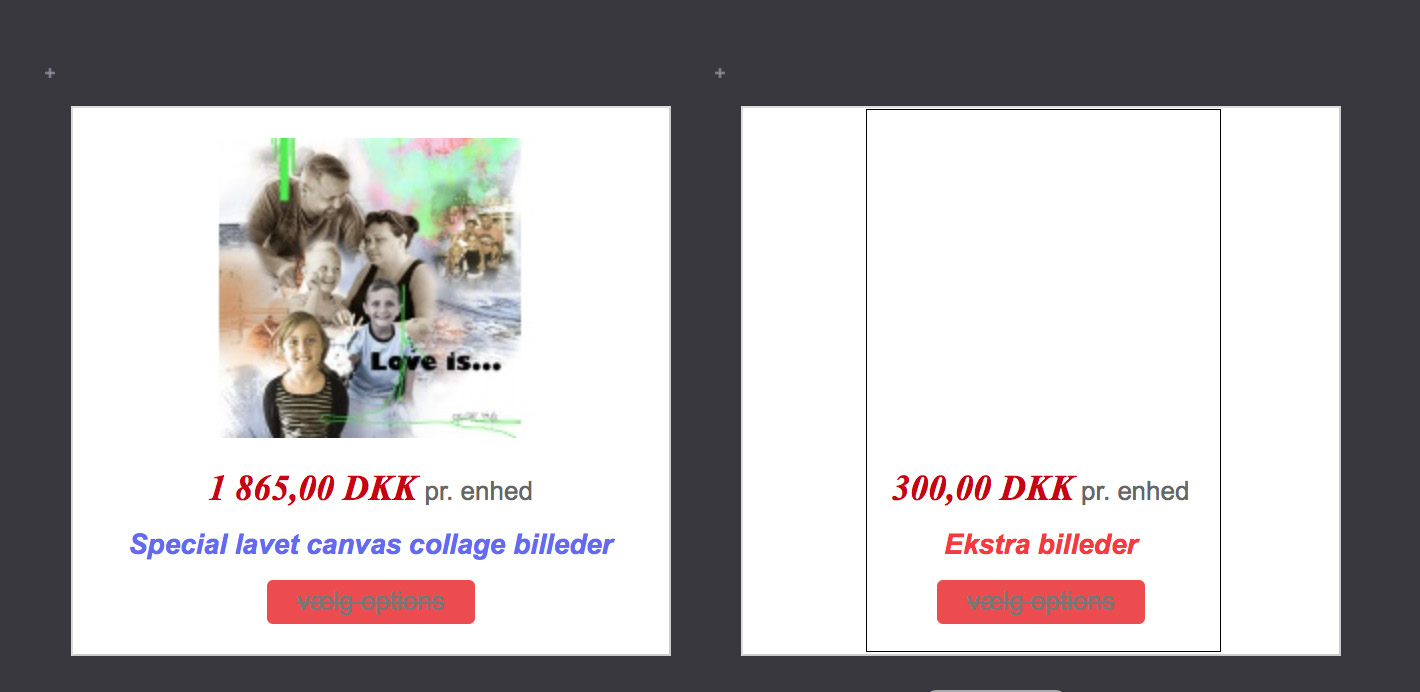
I´m at my width end, I have had the starter pack for some time and I like all the great possibilities and adjustments that you can do even ind the free version But I was never satisfied with the look of the layout of the shop displayed on the front end of my site, so I desided to purchase the business pack to have more possibilities for design of the layout. However I don´t seem to be able to change this, or maybe I just can figure it out, I don´t know. F.eks the container that my thumbnail product picture is shown inside is way to big, is it possible to change that? I have seen other shops produced with Hikashop that has a much nicer layout, and I have absolutely no idear how this is done. I have watched a lot og tutorials on Hikashop on youtube and I haven´t figure it out yet. Is there a tutorial on how to do different layouts in Hikashop? I attaches a picture regarding my question, I have made an outline in black on the container at the rightist in the picture to show the size I want for the container. I really hope that you can help :dry:
-- HikaShop version -- : 2.6.0
-- Joomla version -- : 3.4.5
-- PHP version -- : 5.6
-- Browser(s) name and version -- : Safari 9.0
-- Error-message(debug-mod must be tuned on) -- : No error
Hi
I´m at my width end, I have had the starter pack for some time and I like all the great possibilities and adjustments that you can do even ind the free version
But I was never satisfied with the look of the layout of the shop displayed on the front end of my site, so I desided to purchase the business pack to have more possibilities for design of the layout. However I don´t seem to be able to change this, or maybe I just can figure it out, I don´t know. F.eks the container that my thumbnail product picture is shown inside is way to big, is it possible to change that? I have seen other shops produced with Hikashop that has a much nicer layout, and I have absolutely no idear how this is done. I have watched a lot og tutorials on Hikashop on youtube and I haven´t figure it out yet. Is there a tutorial on how to do different layouts in Hikashop? I attaches a picture regarding my question, I have made an outline in black on the container at the rightist in the picture to show the size I want for the container. I really hope that you can help :dry:Please Log in or Create an account to join the conversation.

10 years 10 months ago #223102
by nicolas
Replied by nicolas on topic Problem with the displayed outlook of my product p
Hi,
You need to edit your menu item via the Joomla menu manager.
There, in the "products options" tab, you want to either increase the number of columns of the listing (and thus, each box will have a smaller width), or increase the "margin" setting so that there is more space around each box.
You need to edit your menu item via the Joomla menu manager.
There, in the "products options" tab, you want to either increase the number of columns of the listing (and thus, each box will have a smaller width), or increase the "margin" setting so that there is more space around each box.
Please Log in or Create an account to join the conversation.
- Graphicstyle
-
Topic Author
- Offline
Less
More
- Posts: 6
- Thank you received: 0
10 years 10 months ago #223154
by Graphicstyle
Replied by Graphicstyle on topic Problem with the displayed outlook of my product p
Hi Nicolas
Thank you for your answer.
I have been working with this for 12+ strait hours now, and I have still gotten nowhere :S
Will you please have a look at this screen shots from my Joomla menu?
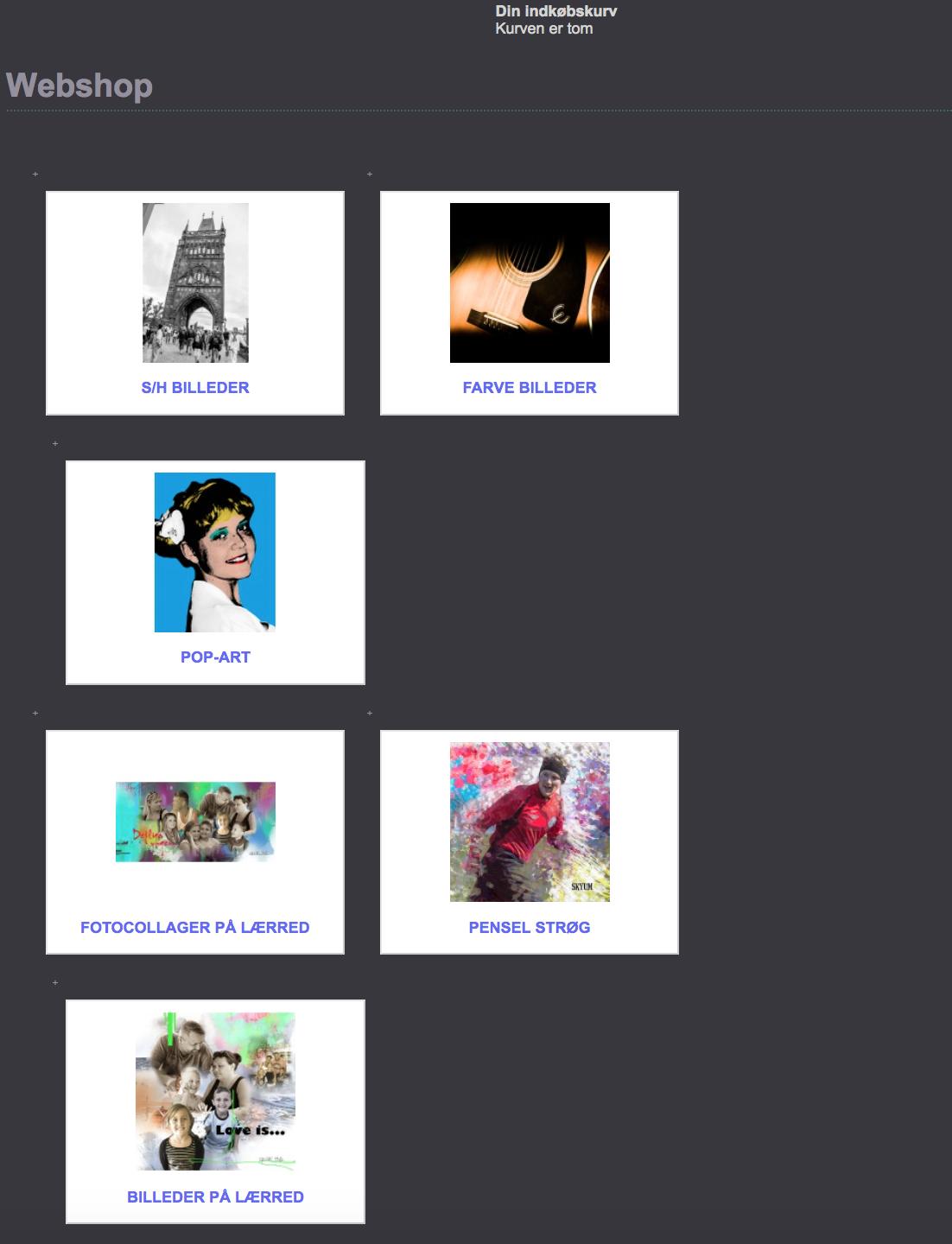
I have also attached a screenshot of how my category items is displayed, and that is not pretty.
I think that the layout descriptions that are available are very confusing.
Everything else is very strait forward, very easy to understand!
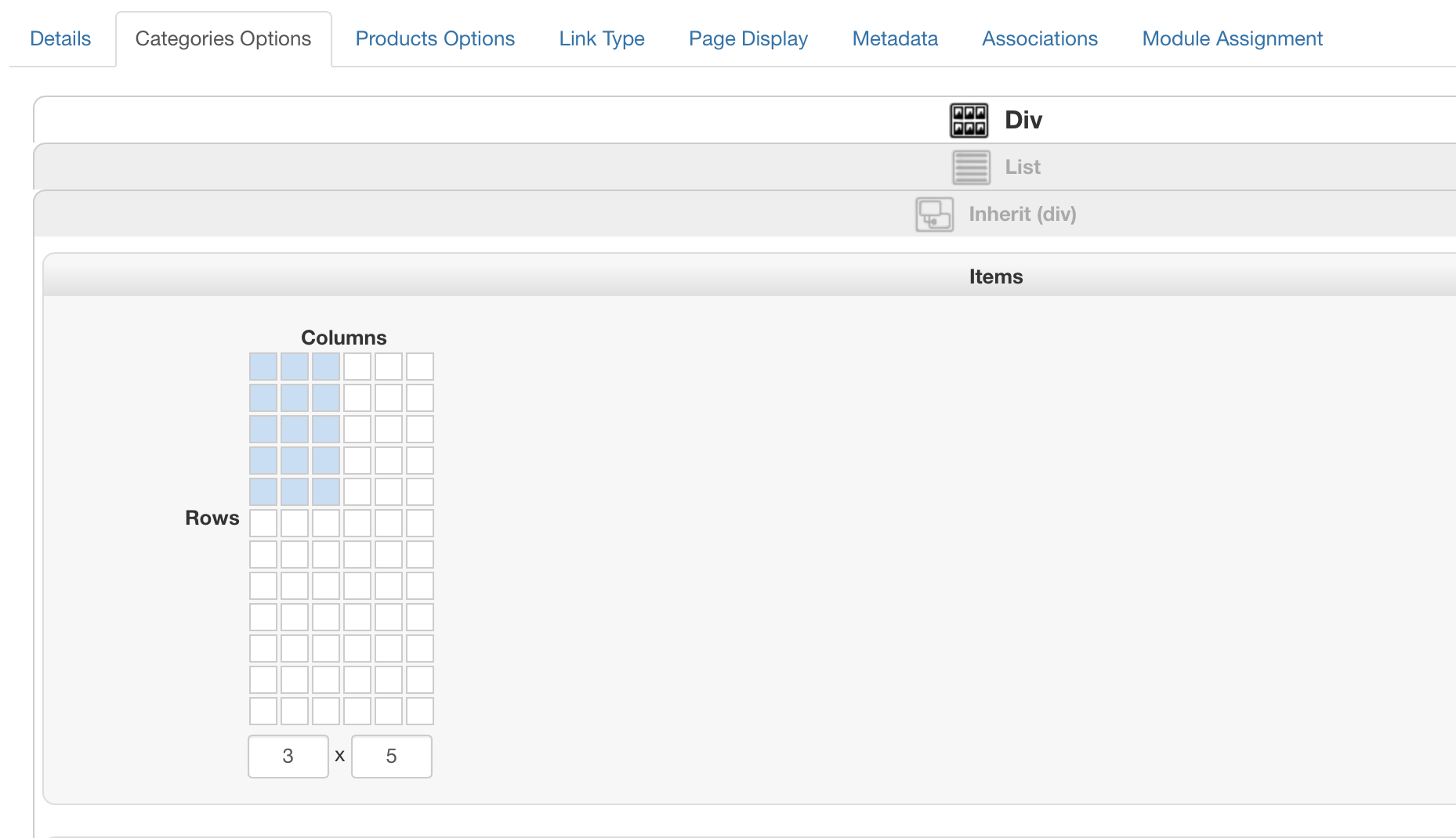
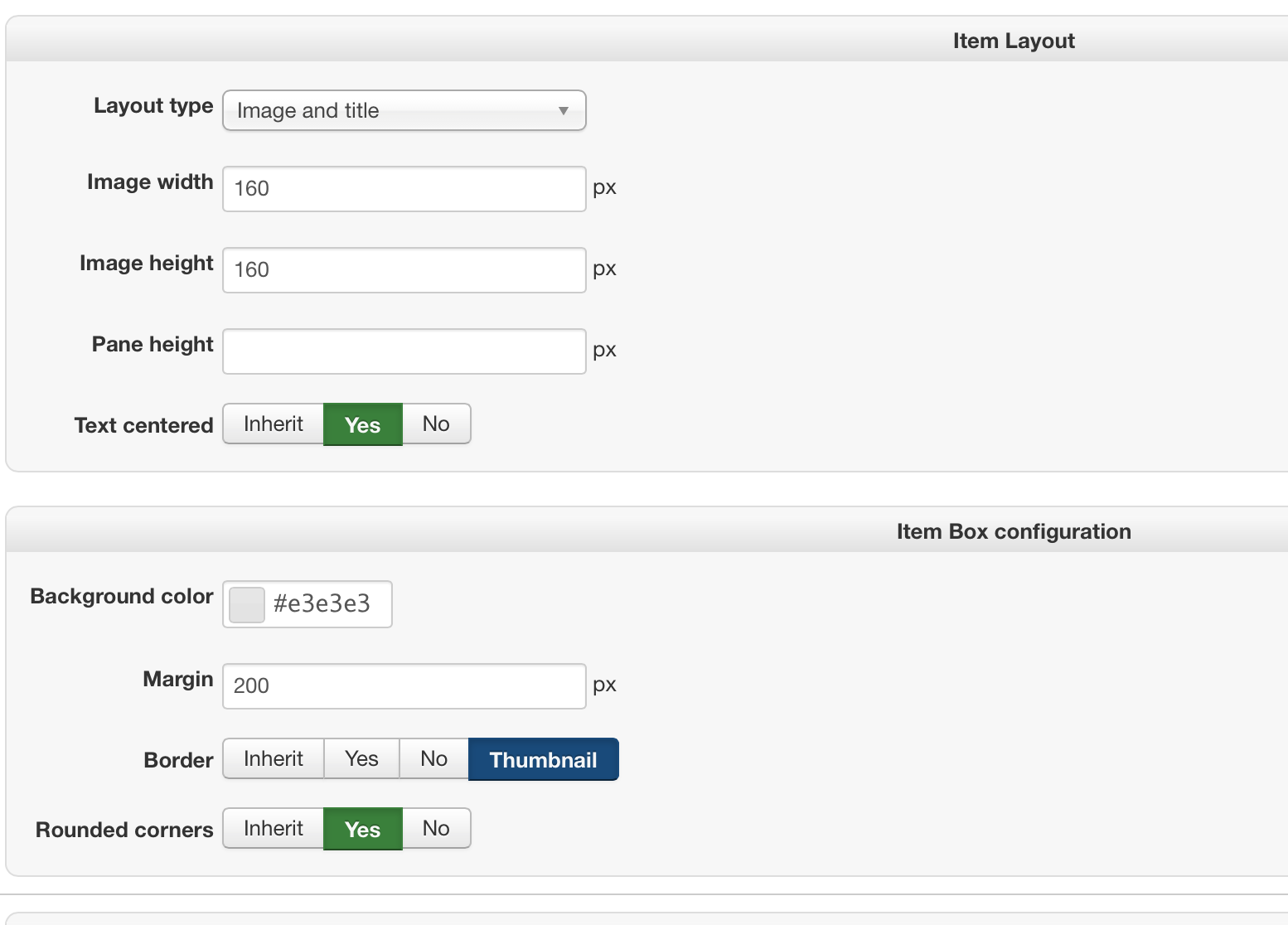
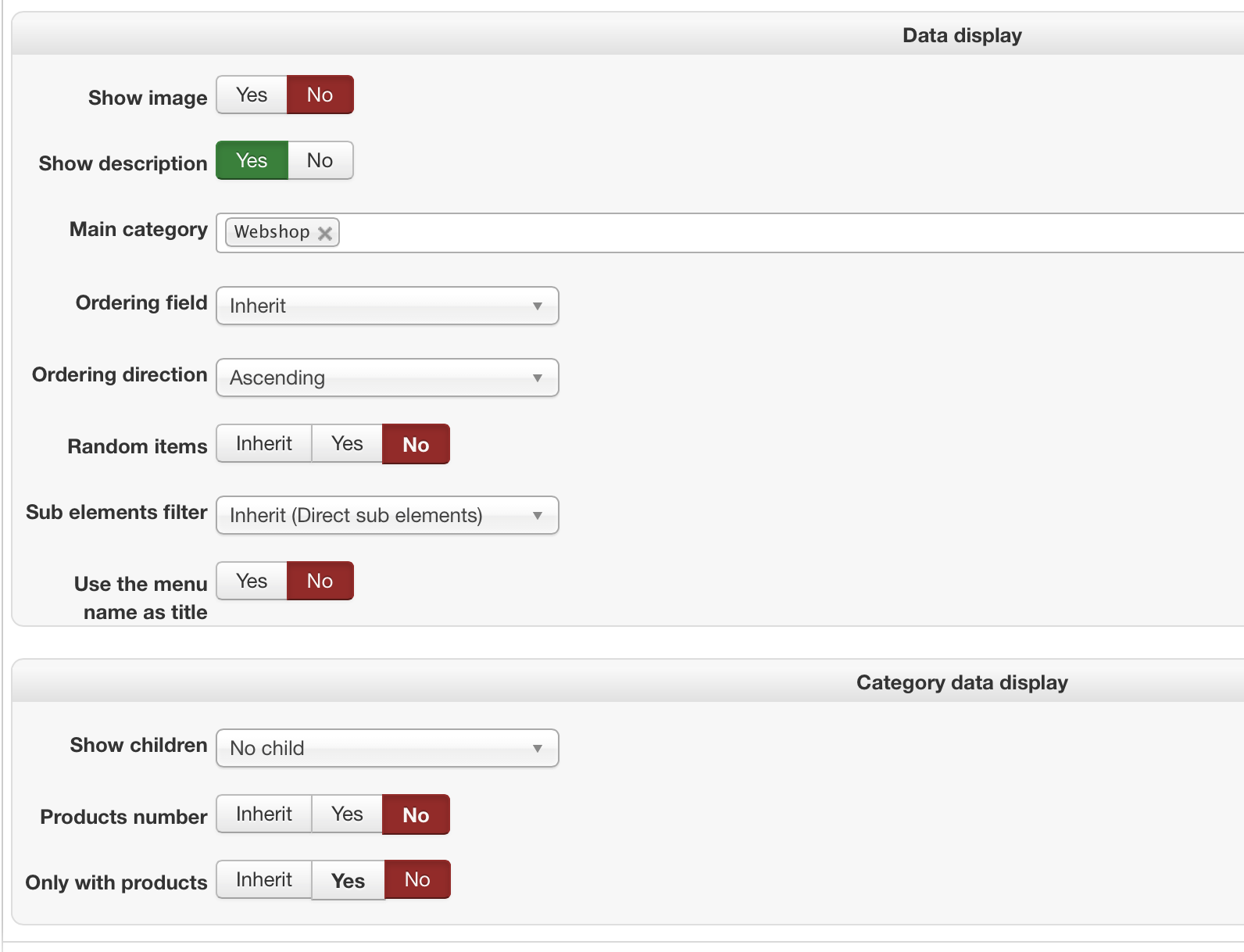
Thank you for your answer.
I have been working with this for 12+ strait hours now, and I have still gotten nowhere :S
Will you please have a look at this screen shots from my Joomla menu?
I have also attached a screenshot of how my category items is displayed, and that is not pretty.
I think that the layout descriptions that are available are very confusing.
Everything else is very strait forward, very easy to understand!
Please Log in or Create an account to join the conversation.
10 years 10 months ago #223201
by nicolas
Replied by nicolas on topic Problem with the displayed outlook of my product p
Hi,
You've turned on the "use bootstrap design" setting of the HikaShop configuration, but it seems that your template is not compatible with bootstrap 2. Turn off that option and it should work better.
You've turned on the "use bootstrap design" setting of the HikaShop configuration, but it seems that your template is not compatible with bootstrap 2. Turn off that option and it should work better.
Please Log in or Create an account to join the conversation.
- Graphicstyle
-
Topic Author
- Offline
Less
More
- Posts: 6
- Thank you received: 0
10 years 9 months ago #223359
by Graphicstyle
Replied by Graphicstyle on topic Problem with the displayed outlook of my product p
Hi Nicolas
Thank you so much
Can you also tell witch php file to edit in view to change the blue text color on my categories?
Kind regards
Birgitte
Thank you so much
Can you also tell witch php file to edit in view to change the blue text color on my categories?
Kind regards
Birgitte
Please Log in or Create an account to join the conversation.
10 years 9 months ago #223369
by nicolas
Replied by nicolas on topic Problem with the displayed outlook of my product p
Hi,
The text colors come from the CSS file of your template:
www.graphicstyle.dk/templates/graphicstyle_14/css/template.css
The text colors come from the CSS file of your template:
www.graphicstyle.dk/templates/graphicstyle_14/css/template.css
Please Log in or Create an account to join the conversation.
Time to create page: 0.204 seconds