

- Posts: 138
- Thank you received: 4
cart btn and compare check box
10 years 8 months ago #226233
by aminweb
Joomla Developer | am.ebrahimzadeh[at]gmail.com
cart btn and compare check box was created by aminweb
-- HikaShop version -- : 2.4
hi
How can I Cart button and compare, as simillar attachment image?
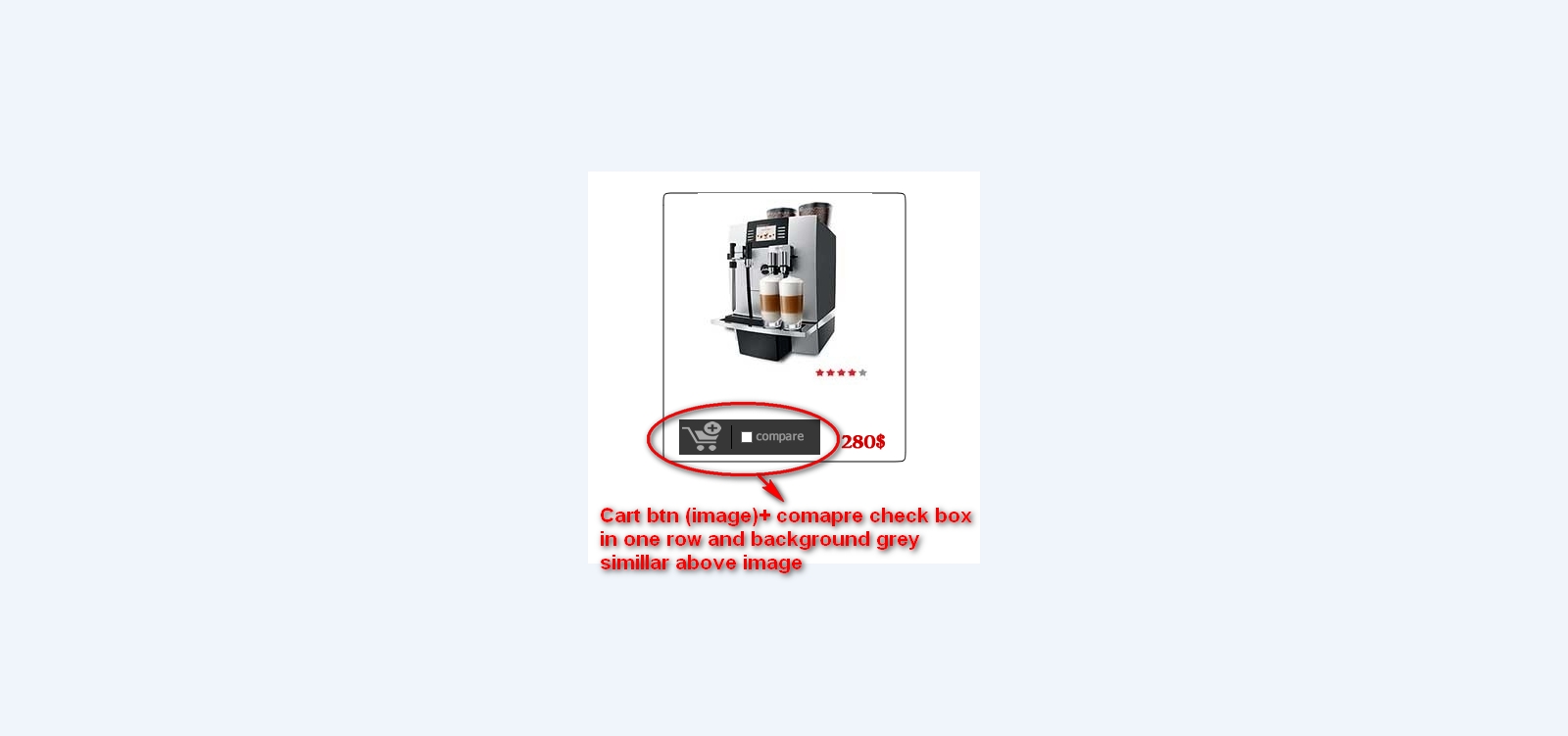
hi
How can I Cart button and compare, as simillar attachment image?
Joomla Developer | am.ebrahimzadeh[at]gmail.com
Please Log in or Create an account to join the conversation.

10 years 8 months ago #226279
by Xavier
Replied by Xavier on topic cart btn and compare check box
Hi,
This will require view editions, the view in question is "product / listing_img_title" (or another one based on your settings) and CSS properties.
Here is the documentation for layout customizations:
www.hikashop.com/support/documentation/s...ize-the-display.html
This will require view editions, the view in question is "product / listing_img_title" (or another one based on your settings) and CSS properties.
Here is the documentation for layout customizations:
www.hikashop.com/support/documentation/s...ize-the-display.html
Please Log in or Create an account to join the conversation.
10 years 8 months ago #226300
by aminweb
Joomla Developer | am.ebrahimzadeh[at]gmail.com
Replied by aminweb on topic cart btn and compare check box
thnks
one problem;
when change css to displaye image instead of add to cart , all of button in hikashop changed to image
one problem;
when change css to displaye image instead of add to cart , all of button in hikashop changed to image
Joomla Developer | am.ebrahimzadeh[at]gmail.com
Please Log in or Create an account to join the conversation.
10 years 8 months ago #226303
by Xavier
Replied by Xavier on topic cart btn and compare check box
Hi,
That's because you have to be more specific for the css properties, use combinations of classes like:
[code]
.hikashop_product_quantity_add_to_cart_div .hikashop_cart_button{
/* the property */
}
That's because you have to be more specific for the css properties, use combinations of classes like:
[code]
.hikashop_product_quantity_add_to_cart_div .hikashop_cart_button{
/* the property */
}
Please Log in or Create an account to join the conversation.
Time to create page: 0.196 seconds