

- Posts: 1184
- Thank you received: 13
Cart customization
10 years 8 months ago - 10 years 8 months ago #226425
by verzevoul
Cart customization was created by verzevoul
-- HikaShop version -- : 2.6.0
-- Joomla version -- : 3.4.8
-- PHP version -- : 5.4
Hello!
I would like my cart module to look like this (see attachment).
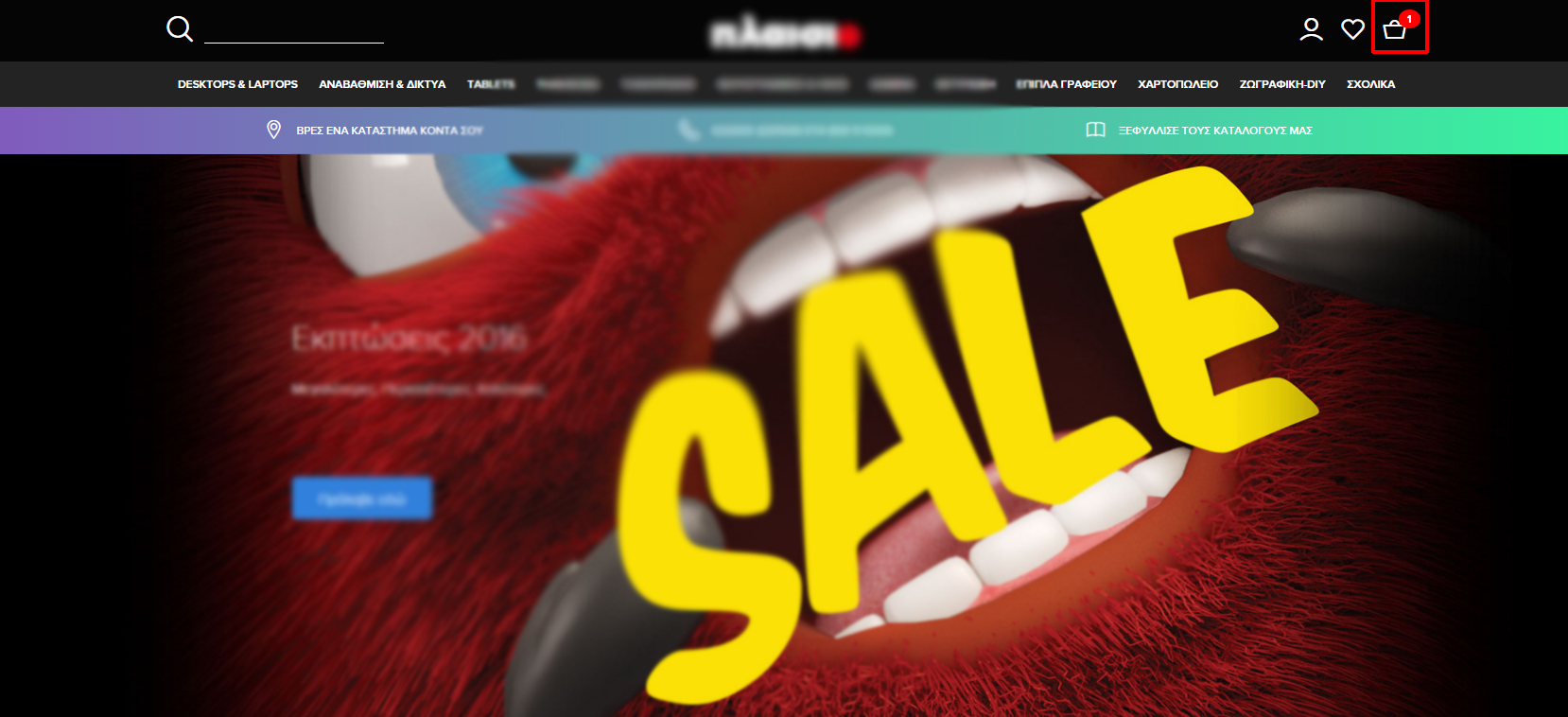
Is it possible?
Thank you
-- Joomla version -- : 3.4.8
-- PHP version -- : 5.4
Hello!
I would like my cart module to look like this (see attachment).
Is it possible?
Thank you
Last edit: 10 years 8 months ago by verzevoul.
Please Log in or Create an account to join the conversation.

Less
More
- Posts: 12953
- Thank you received: 1778
10 years 8 months ago #226455
by Mohamed Thelji
Replied by Mohamed Thelji on topic Cart customization
Hello,
Note that check that thread will probably help you : www.hikashop.com/forum/2-general-talk-ab...rt-module.html#44450
Note that check that thread will probably help you : www.hikashop.com/forum/2-general-talk-ab...rt-module.html#44450
Yes that's possible. You need to turn on the "mini cart" option of the cart module. The image can be added in CSS and the checkout button via a hikashop checkout menu link.
Please Log in or Create an account to join the conversation.
10 years 8 months ago - 10 years 8 months ago #226572
by verzevoul
Replied by verzevoul on topic Cart customization
Hello Mohamed,
thank you for your answer but i really can't figure out how to customize my cart from the link you gave me.
The cart icon in the image i sent you before has only the number of the items that are in the cart, i don't want anything else to be displayed (price, name e.c).
Could you guide me through that?
Thank you
thank you for your answer but i really can't figure out how to customize my cart from the link you gave me.
The cart icon in the image i sent you before has only the number of the items that are in the cart, i don't want anything else to be displayed (price, name e.c).
Could you guide me through that?
Thank you
Last edit: 10 years 8 months ago by verzevoul.
Please Log in or Create an account to join the conversation.

10 years 8 months ago #226583
by Jerome
Jerome - Obsidev.com
HikaMarket & HikaSerial developer / HikaShop core dev team.
Replied by Jerome on topic Cart customization
Hi,
In the first time : Please configure your cart module in "mini cart" mode.
www.hikashop.com/support/documentation/i...267-cart-module.html
Regards,
In the first time : Please configure your cart module in "mini cart" mode.
www.hikashop.com/support/documentation/i...267-cart-module.html
Regards,
Jerome - Obsidev.com
HikaMarket & HikaSerial developer / HikaShop core dev team.
Please Log in or Create an account to join the conversation.
10 years 8 months ago #226810
by verzevoul
Replied by verzevoul on topic Cart customization
Jerome hi,
I enable the "mini cart" and when i add a product to my cart it still shows the price.
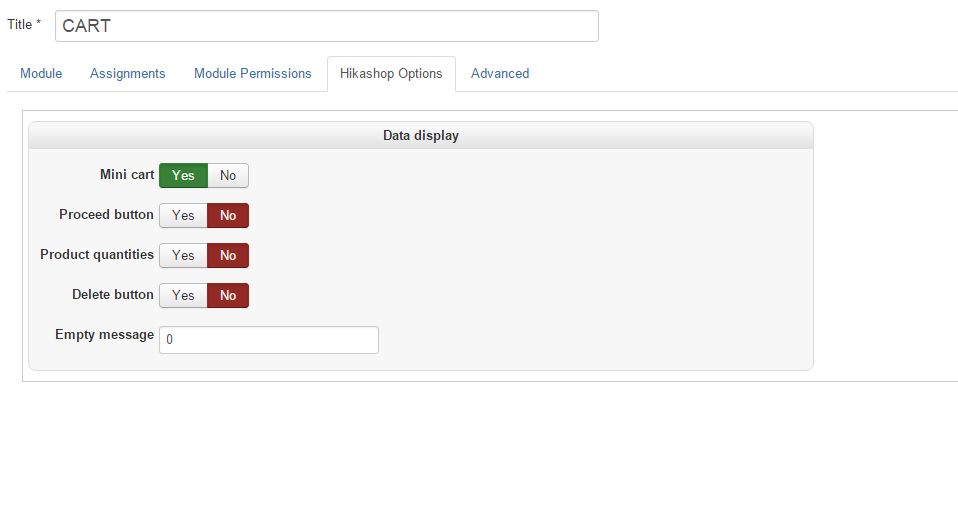
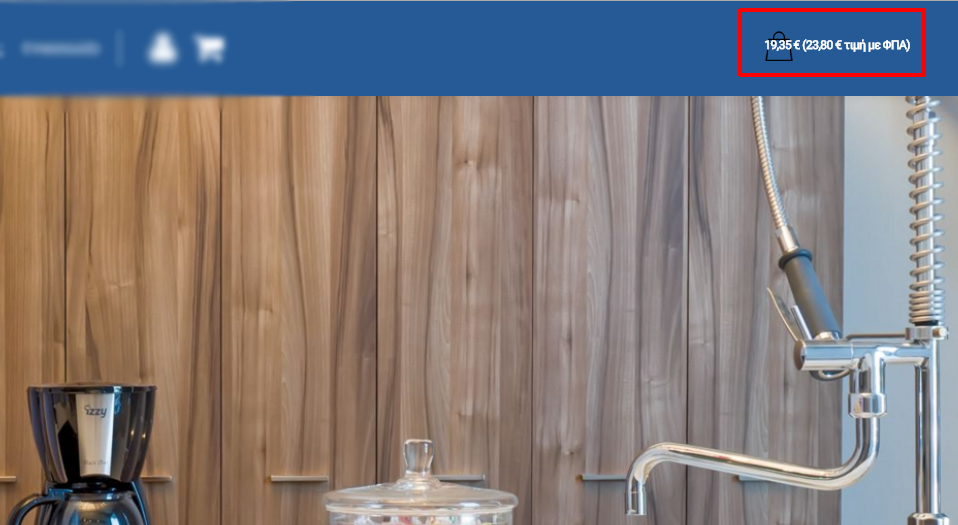
I want to know if the cart module (the cart image) can show only the number of the products.
I enable the "mini cart" and when i add a product to my cart it still shows the price.
I want to know if the cart module (the cart image) can show only the number of the products.
Please Log in or Create an account to join the conversation.

10 years 8 months ago - 10 years 8 months ago #226851
by kyratn
Replied by kyratn on topic Cart customization
Hi,
Yes it is possible. However it will require some customization.
What you need to do is to modify/add your own code in display> views product/cart file and apply some css.
Example, this is my product/cart file:
To find css code you can inspect with firebug here: kyra.lt and copy/add to your needs.
Please note you can't just copy/paste as it wont work and before doing any modifications create a copy of your file.
Hope that helps.
Regards
Yes it is possible. However it will require some customization.
What you need to do is to modify/add your own code in display> views product/cart file and apply some css.
Example, this is my product/cart file:
Code:
Please do not paste entire view code in the forum
To find css code you can inspect with firebug here: kyra.lt and copy/add to your needs.
Please note you can't just copy/paste as it wont work and before doing any modifications create a copy of your file.
Hope that helps.
Regards
Last edit: 10 years 8 months ago by Jerome. Reason: remove full view code
The following user(s) said Thank You: verzevoul
Please Log in or Create an account to join the conversation.
10 years 8 months ago #226867
by Jerome
Jerome - Obsidev.com
HikaMarket & HikaSerial developer / HikaShop core dev team.
Replied by Jerome on topic Cart customization
Hi,
Thanks kyratn for your message.
I just want to explained why I modified you message ; it was not to censure you.
Your view content was based on an old HikaShop version and was not easily usable by someone else (a lot of carriage return in your content).
We are not against sharing experiences and views ; but we prefer that the content can be easily read by an human.
Thanks for your understand and sorry for that message modification.
regards,
Thanks kyratn for your message.
I just want to explained why I modified you message ; it was not to censure you.
Your view content was based on an old HikaShop version and was not easily usable by someone else (a lot of carriage return in your content).
We are not against sharing experiences and views ; but we prefer that the content can be easily read by an human.
Thanks for your understand and sorry for that message modification.
regards,
Jerome - Obsidev.com
HikaMarket & HikaSerial developer / HikaShop core dev team.
Please Log in or Create an account to join the conversation.
10 years 8 months ago #226869
by Jerome
Jerome - Obsidev.com
HikaMarket & HikaSerial developer / HikaShop core dev team.
Replied by Jerome on topic Cart customization
Hi,
@verzevoul
Like kyratn wrote ; you can override the HikaShop views in the menu "display > views" and select the view "product / cart".
In that view, you will find some PHP code.
You will find the line
The code in that "if" is for the "mini cart".
You can customize it if you want and you can also see the translations which are used, like "TOTAL_IN_CART_X" or "X_ITEMS_FOR_X".
In your case ; you can activate the "show cart quantity" and modify the view to not get the cart total price.
So, in that view, the important lines for you are:
To read more about the HikaShop customization ; we have that documentation page:
www.hikashop.com/support/support/documen...ize-the-display.html
Regards,
@verzevoul
Like kyratn wrote ; you can override the HikaShop views in the menu "display > views" and select the view "product / cart".
In that view, you will find some PHP code.
You will find the line
Code:
if($this->params->get('small_cart')) {
You can customize it if you want and you can also see the translations which are used, like "TOTAL_IN_CART_X" or "X_ITEMS_FOR_X".
In your case ; you can activate the "show cart quantity" and modify the view to not get the cart total price.
So, in that view, the important lines for you are:
Code:
<a class="hikashop_small_cart_checkout_link" href="<?php echo $this->url_checkout; ?>">
<span class="hikashop_small_cart_total_title"><?php echo $text; ?></span>
</a>
To read more about the HikaShop customization ; we have that documentation page:
www.hikashop.com/support/support/documen...ize-the-display.html
Regards,
Jerome - Obsidev.com
HikaMarket & HikaSerial developer / HikaShop core dev team.
The following user(s) said Thank You: verzevoul
Please Log in or Create an account to join the conversation.
10 years 8 months ago - 10 years 8 months ago #226932
by verzevoul
Replied by verzevoul on topic Cart customization
Thank you Jerome and kyratn!
I really appreciate your help, i made it work!
I enable the quantity display in the cart module like Jerome suggested and i added some code in product/cart file.
And changed the translation of "%s items" to %s.
Just one last issue, when i click the cart module, the link to the checkout redirects me to this url
" www.fmsupplies.gr/new/index.php/%CE%BA%C...CE%BD%CE%B1/checkout "
Any idea why?
Thanks again!
I really appreciate your help, i made it work!
I enable the quantity display in the cart module like Jerome suggested and i added some code in product/cart file.
And changed the translation of "%s items" to %s.
Just one last issue, when i click the cart module, the link to the checkout redirects me to this url
" www.fmsupplies.gr/new/index.php/%CE%BA%C...CE%BD%CE%B1/checkout "
Any idea why?
Thanks again!
Last edit: 10 years 8 months ago by verzevoul.
Please Log in or Create an account to join the conversation.
10 years 8 months ago #226952
by kyratn
Replied by kyratn on topic Cart customization
Hi,
Do you have hidden hikashop menu created for checkout? If not you should create it and link it in hikashop configuration> checkout
So you will have same checkout page always.
Thanks
Do you have hidden hikashop menu created for checkout? If not you should create it and link it in hikashop configuration> checkout
So you will have same checkout page always.
Thanks
The following user(s) said Thank You: verzevoul
Please Log in or Create an account to join the conversation.
10 years 8 months ago #226935
by Jerome
Jerome - Obsidev.com
HikaMarket & HikaSerial developer / HikaShop core dev team.
Replied by Jerome on topic Cart customization
Hi,
"Force a menu on the checkout" ?
www.hikashop.com/support/support/documen...ml#checkout_checkout
Regards,
"Force a menu on the checkout" ?
www.hikashop.com/support/support/documen...ml#checkout_checkout
Regards,
Jerome - Obsidev.com
HikaMarket & HikaSerial developer / HikaShop core dev team.
The following user(s) said Thank You: verzevoul
Please Log in or Create an account to join the conversation.
Time to create page: 0.289 seconds