

- Posts: 490
- Thank you received: 2
customizing my product edition page
5 years 7 months ago #329781
by ronron
customizing my product edition page was created by ronron
-- HikaShop version -- : 4.3
-- Joomla version -- : 3.9
-- PHP version -- : 7
-- Error-message(debug-mod must be tuned on) -- : none
hi
i want to customize my product edition page.
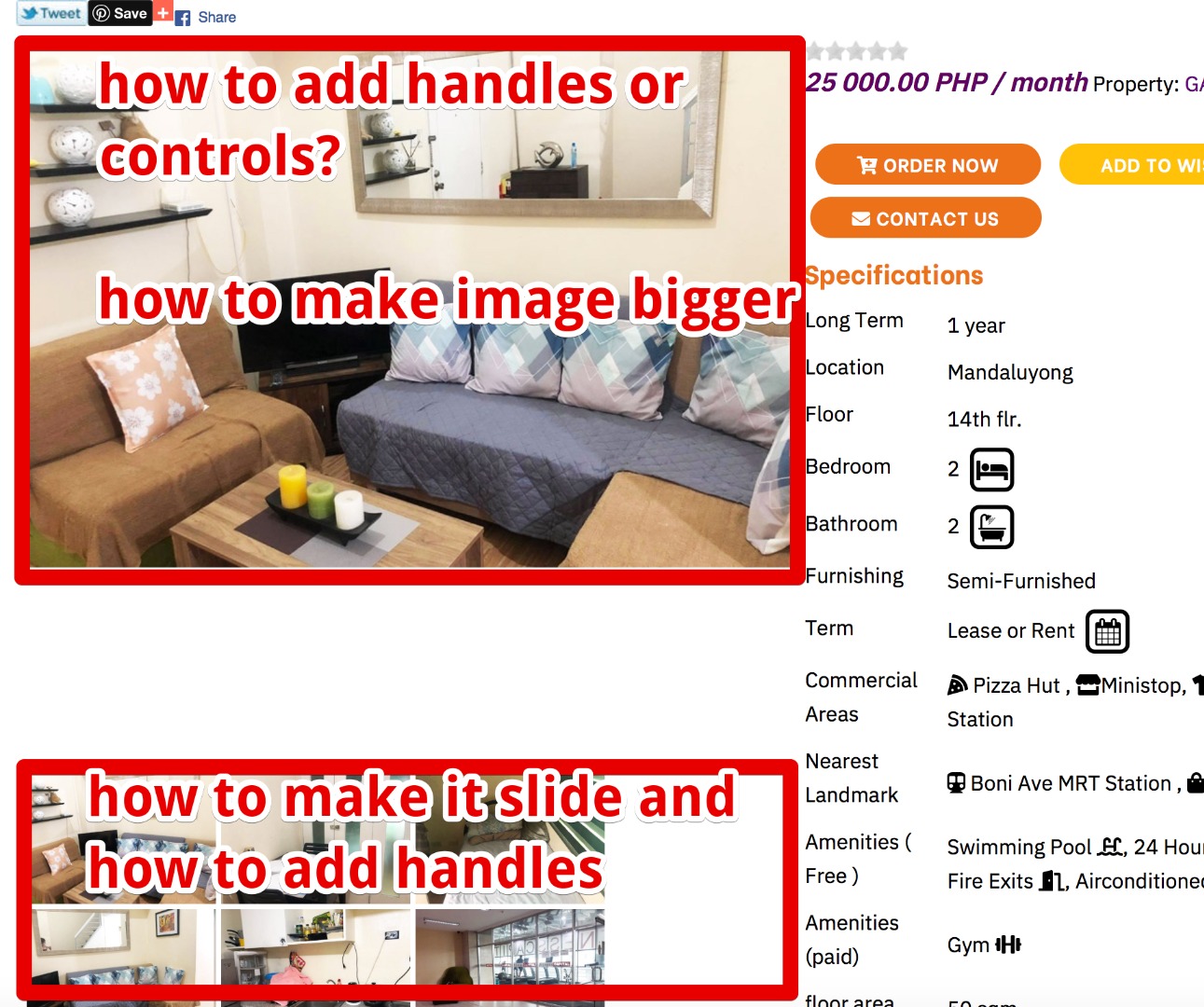
1. how to add handles or controls to the main product image so i can scroll it from there?
2. same thing with the small images under the main image how to make it scroll?
3. how do i change this hikashop_product_left_part hkc-md-6 to hkc-md-8? my main objective is to make the main image bigger. i already set Product page image (width x height) to 1000px X 550px but it remains same.
thanks
-- Joomla version -- : 3.9
-- PHP version -- : 7
-- Error-message(debug-mod must be tuned on) -- : none
hi
i want to customize my product edition page.
1. how to add handles or controls to the main product image so i can scroll it from there?
2. same thing with the small images under the main image how to make it scroll?
3. how do i change this hikashop_product_left_part hkc-md-6 to hkc-md-8? my main objective is to make the main image bigger. i already set Product page image (width x height) to 1000px X 550px but it remains same.
thanks
Please Log in or Create an account to join the conversation.

5 years 7 months ago #329804
by nicolas
Replied by nicolas on topic customizing my product edition page
Hi,
1 and 2. If you're a developer, you can modify the file product / show_block_img.php with custom JS / HTML / PHP code to add these capabilities the way you want them.
If you're not a developer, you'll want to use an extension like the ones offered by MagicToolbox:
www.magictoolbox.com/hikashop/
3. You want to edit the layout view file show_default or show_reverse or show_tabular via the menu Display>Views. There, you'll find the div hikashop_product_left_part where you'll be able to change the class.
To know which view file to edit exactly, you can activate the "Display view files" setting of the HikaShop configuration as explained here:
www.hikashop.com/support/documentation/1...-display.html#layout
1 and 2. If you're a developer, you can modify the file product / show_block_img.php with custom JS / HTML / PHP code to add these capabilities the way you want them.
If you're not a developer, you'll want to use an extension like the ones offered by MagicToolbox:
www.magictoolbox.com/hikashop/
3. You want to edit the layout view file show_default or show_reverse or show_tabular via the menu Display>Views. There, you'll find the div hikashop_product_left_part where you'll be able to change the class.
To know which view file to edit exactly, you can activate the "Display view files" setting of the HikaShop configuration as explained here:
www.hikashop.com/support/documentation/1...-display.html#layout
Please Log in or Create an account to join the conversation.
Time to create page: 0.165 seconds