

- Posts: 366
- Thank you received: 26
Disable FontAwesome on Hikashop Cart Module
5 years 4 weeks ago #335442
by Thrane
Disable FontAwesome on Hikashop Cart Module was created by Thrane
-- HikaShop version -- : 4.4.3
-- Joomla version -- : 3.10.1
-- PHP version -- : 7.4
-- Browser(s) name and version -- : FireForx
Hi
I'm having FontAwesome issues due to the free version in the Hikashop Cart Module.
I have er Pro version installed and those 2 conflict - how can I remove it on Hikashop Cart Module.
Thanks!
-- Joomla version -- : 3.10.1
-- PHP version -- : 7.4
-- Browser(s) name and version -- : FireForx
Hi
I'm having FontAwesome issues due to the free version in the Hikashop Cart Module.
I have er Pro version installed and those 2 conflict - how can I remove it on Hikashop Cart Module.
Thanks!
Please Log in or Create an account to join the conversation.

5 years 3 weeks ago #335445
by nicolas
Replied by nicolas on topic Disable FontAwesome on Hikashop Cart Module
Hi,
You can't remove it just for the cart module.
You can remove it on the frontend.
To do that, you can add an entry with the namekey font-awesome-type and the value admin in the hikashop_config table via your PHPMyAdmin. That way, font awesome will only be loaded by HikaShop in its backend.
You can't remove it just for the cart module.
You can remove it on the frontend.
To do that, you can add an entry with the namekey font-awesome-type and the value admin in the hikashop_config table via your PHPMyAdmin. That way, font awesome will only be loaded by HikaShop in its backend.
Please Log in or Create an account to join the conversation.
5 years 3 weeks ago #335473
by Thrane
Replied by Thrane on topic Disable FontAwesome on Hikashop Cart Module
Thanks!
I have made this entry, but there's no difference?

Am I missing something?
I have made this entry, but there's no difference?
Am I missing something?
Please Log in or Create an account to join the conversation.
5 years 3 weeks ago #335478
by nicolas
Replied by nicolas on topic Disable FontAwesome on Hikashop Cart Module
Hi,
Make sure you don't have extra space at the end of the namekey or value there or the setting would be ignored.
Also, if you have caching on your website or in your browser, you might need to clear it to be able to see the difference on the frontend.
Besides that, I don't see a reason why it wouldn't work, unless you don't have the 4.4.3 of HikaShop but a 2 years old version of HikaShop.
If that really doesn't work, please provide the URL to a page with the issue so that we can look at it.
Make sure you don't have extra space at the end of the namekey or value there or the setting would be ignored.
Also, if you have caching on your website or in your browser, you might need to clear it to be able to see the difference on the frontend.
Besides that, I don't see a reason why it wouldn't work, unless you don't have the 4.4.3 of HikaShop but a 2 years old version of HikaShop.
If that really doesn't work, please provide the URL to a page with the issue so that we can look at it.
Please Log in or Create an account to join the conversation.
5 years 3 weeks ago #335496
by Thrane
Replied by Thrane on topic Disable FontAwesome on Hikashop Cart Module
Checked for extra space and cleared ache, but same result.
Please take a look at: new.novame.dk
Please take a look at: new.novame.dk
Please Log in or Create an account to join the conversation.
5 years 3 weeks ago #335499
by nicolas
Replied by nicolas on topic Disable FontAwesome on Hikashop Cart Module
Hi,
Then I don't see how that's possible.
We would need a backend, FTP and database access to check on the situation.
Please provide these via our contact form with a link to this thread for reference:
www.hikashop.com/support/contact-us.html
Then I don't see how that's possible.
We would need a backend, FTP and database access to check on the situation.
Please provide these via our contact form with a link to this thread for reference:
www.hikashop.com/support/contact-us.html
Please Log in or Create an account to join the conversation.
5 years 3 weeks ago #335523
by Thrane
Replied by Thrane on topic Disable FontAwesome on Hikashop Cart Module
Thanks!
I have sent FTP details, but I don't know how to give access to PHPadmin?
/Thomas
I have sent FTP details, but I don't know how to give access to PHPadmin?
/Thomas
Please Log in or Create an account to join the conversation.
5 years 3 weeks ago #335535
by nicolas
Replied by nicolas on topic Disable FontAwesome on Hikashop Cart Module
Hi,
Well, how do you access your PHPMyAdmin usually ?
Maybe you need to check with your hosting support how to do that ?
Well, how do you access your PHPMyAdmin usually ?
Maybe you need to check with your hosting support how to do that ?
Please Log in or Create an account to join the conversation.
5 years 3 weeks ago #335545
by Thrane
Replied by Thrane on topic Disable FontAwesome on Hikashop Cart Module
Hi
I do that with Plesk - so I can just give you the login to that?
I do that with Plesk - so I can just give you the login to that?
Please Log in or Create an account to join the conversation.
5 years 3 weeks ago #335549
by nicolas
Replied by nicolas on topic Disable FontAwesome on Hikashop Cart Module
Hi,
Yes. I should be able to access it through plesk if you're able to with your access.
Yes. I should be able to access it through plesk if you're able to with your access.
Please Log in or Create an account to join the conversation.
5 years 3 weeks ago #335565
by Thrane
Replied by Thrane on topic Disable FontAwesome on Hikashop Cart Module
Great!
I'll send you the info
I'll send you the info
Please Log in or Create an account to join the conversation.
5 years 2 weeks ago #335583
by nicolas
Replied by nicolas on topic Disable FontAwesome on Hikashop Cart Module
Hi,
So I checked your database and I can see that you have HikaShop's tables three times:
i.imgur.com/AorvVOG.png
And I can see that you've added the font-awesome-type entry only to the first one au2m8x_hikashop_config
Now, since you didn't provide the backend access of the website new.novame.dk/ I'm not sure which one of these tables is used by that website.
Looking at the configuration.php file of the FTP access you provided, I can see that the Joomla website of that FTP website is using the table prefix vsr8v3o_
So I tried adding the ont-awesome-type entry only to the vsr8v3o_hikashop_config table and it seems to have worked. Please confirm.
So I checked your database and I can see that you have HikaShop's tables three times:
i.imgur.com/AorvVOG.png
And I can see that you've added the font-awesome-type entry only to the first one au2m8x_hikashop_config
Now, since you didn't provide the backend access of the website new.novame.dk/ I'm not sure which one of these tables is used by that website.
Looking at the configuration.php file of the FTP access you provided, I can see that the Joomla website of that FTP website is using the table prefix vsr8v3o_
So I tried adding the ont-awesome-type entry only to the vsr8v3o_hikashop_config table and it seems to have worked. Please confirm.
Please Log in or Create an account to join the conversation.
5 years 2 weeks ago #335599
by Thrane
Replied by Thrane on topic Disable FontAwesome on Hikashop Cart Module
Hi Not sure why there were 3 tables, but I have removed the ones not used.
I have cleared my cache and restarted my Mac.
I see the icon in Safari, but still not in FireFox and Chrome. Do you?
I have cleared my cache and restarted my Mac.
I see the icon in Safari, but still not in FireFox and Chrome. Do you?
Please Log in or Create an account to join the conversation.
5 years 2 weeks ago #335610
by nicolas
Replied by nicolas on topic Disable FontAwesome on Hikashop Cart Module
Hi,
Which icons are you talking about ?
I use Chrome here and I do see the cart and login icons on the top right corner of your pages.
Note however that if you look at the header of your pages, you can see that you still have font-awesome being loaded several times:
new.novame.dk/plugins/system/t3/base-bs3...font-awesome.min.css
new.novame.dk/templates/t3_bs3_blank/fon...font-awesome.min.css
And maybe kit.fontawesome.com/78f0290ca3.js ?
And either of them do not come from HikaShop. I would recommend to check with your template provider support as the icon issue seems to be unrelated to HikaShop now.
Which icons are you talking about ?
I use Chrome here and I do see the cart and login icons on the top right corner of your pages.
Note however that if you look at the header of your pages, you can see that you still have font-awesome being loaded several times:
new.novame.dk/plugins/system/t3/base-bs3...font-awesome.min.css
new.novame.dk/templates/t3_bs3_blank/fon...font-awesome.min.css
And maybe kit.fontawesome.com/78f0290ca3.js ?
And either of them do not come from HikaShop. I would recommend to check with your template provider support as the icon issue seems to be unrelated to HikaShop now.
Please Log in or Create an account to join the conversation.
5 years 2 weeks ago - 5 years 2 weeks ago #335619
by Thrane
Replied by Thrane on topic Disable FontAwesome on Hikashop Cart Module
I'm talking about a BACK TO TOP icon located bottom right.
I have been in contact with FontAwesome and they say the problem is the Free Version installed with the Cart Module in Hikashop?
I assumed that the Free version was deactivated when entering the variable in the database?
Regards
Thomas
I have been in contact with FontAwesome and they say the problem is the Free Version installed with the Cart Module in Hikashop?
I assumed that the Free version was deactivated when entering the variable in the database?
Regards
Thomas
Last edit: 5 years 2 weeks ago by Thrane.
Please Log in or Create an account to join the conversation.
5 years 2 weeks ago #335620
by nicolas
Replied by nicolas on topic Disable FontAwesome on Hikashop Cart Module
Hi,
Did you check with them since my message 3 days ago where I told you that I've made the modification for you ?
Since then, I confirmed in my previous message that font-awesome is not loaded by HikaShop, but that you seem to still have several font-awesome loaded on your pages by other extensions. So if you still have the problem, I don't see how it can come from HikaShop.
If they are still telling you that the issue comes from HikaShop's cart module loading font-awesome, they just didn't check again your website.
Did you check with them since my message 3 days ago where I told you that I've made the modification for you ?
Since then, I confirmed in my previous message that font-awesome is not loaded by HikaShop, but that you seem to still have several font-awesome loaded on your pages by other extensions. So if you still have the problem, I don't see how it can come from HikaShop.
If they are still telling you that the issue comes from HikaShop's cart module loading font-awesome, they just didn't check again your website.
Please Log in or Create an account to join the conversation.
5 years 2 weeks ago #335645
by Thrane
Replied by Thrane on topic Disable FontAwesome on Hikashop Cart Module
Hi
Yes, they checked yesterday - and se only 2 instances of FontAwesome - the pro in the top and this further down:
<!-- Intiate Fontawesome -->
<link rel="stylesheet" href=" use.fontawesome.com/releases/v5.0.10/css/all.css " integrity="sha384-+d0P83n9kaQMCwj8F4RJB66tzIwOKmrdb46+porD/OvrJ+37WqIM7UoBtwHO6Nlg" crossorigin="anonymous">
<!-- Style for cart module -->
Isn't the last one from your Cart Module?
Yes, they checked yesterday - and se only 2 instances of FontAwesome - the pro in the top and this further down:
<!-- Intiate Fontawesome -->
<link rel="stylesheet" href=" use.fontawesome.com/releases/v5.0.10/css/all.css " integrity="sha384-+d0P83n9kaQMCwj8F4RJB66tzIwOKmrdb46+porD/OvrJ+37WqIM7UoBtwHO6Nlg" crossorigin="anonymous">
<!-- Style for cart module -->
Isn't the last one from your Cart Module?
Please Log in or Create an account to join the conversation.
5 years 2 weeks ago #335651
by nicolas
Replied by nicolas on topic Disable FontAwesome on Hikashop Cart Module
Hi,
No. This doesn't come from HikaShop. HikaShop includes version 5.2.0 of font-awesome when it is activated, not the 5.0.10.
This must come from something else.
Also, nothing indicates it comes from HikaShop there. The text
is pointing at the CSS code you have after the code you copy/pasted, not the initialization of font-awesome before.
I can only guess that it's something coming from your template, and that's why I told you to contact your template's support.
No. This doesn't come from HikaShop. HikaShop includes version 5.2.0 of font-awesome when it is activated, not the 5.0.10.
This must come from something else.
Also, nothing indicates it comes from HikaShop there. The text
Code:
<!-- Style for cart module -->
I can only guess that it's something coming from your template, and that's why I told you to contact your template's support.
Please Log in or Create an account to join the conversation.
5 years 2 weeks ago #335675
by Thrane
Replied by Thrane on topic Disable FontAwesome on Hikashop Cart Module
Thanks!
Can you point me in the direction of the files used for Hika Cart Module?
When I disabled that module, things are working fine - enabled the error appears again, so I will look into the code there
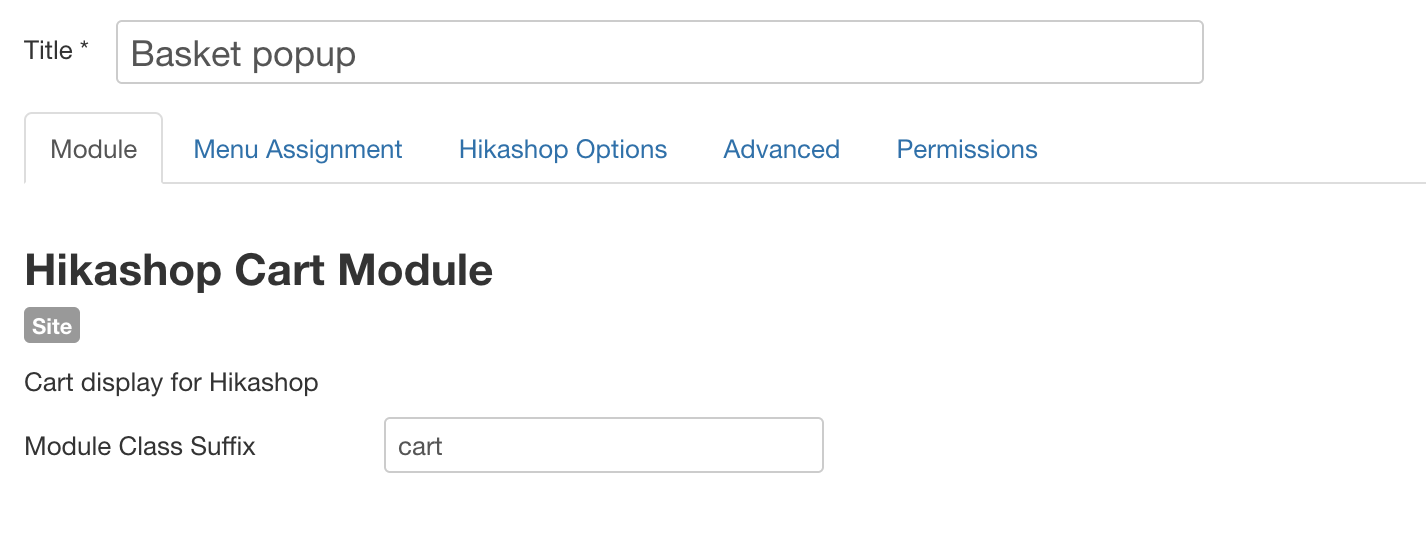
Can you point me in the direction of the files used for Hika Cart Module?
When I disabled that module, things are working fine - enabled the error appears again, so I will look into the code there
Please Log in or Create an account to join the conversation.
5 years 2 weeks ago #335677
by nicolas
Replied by nicolas on topic Disable FontAwesome on Hikashop Cart Module
Hi,
Well, the module's files are in the folder modules/mod_hikashop_cart/
The PHP file in the tmpl folder there can be overridden by a file in templates/YOUR_TEMPLATE/html/mod_hikashop_cart/
The PHP files there also use the product / cart.php view file of HikaShop in components/com_hikashop/views/product/tmpl/cart.php
However, this view file can be overridden by the template with the file templates/YOUR_TEMPLATE/html/com_hikashop/product/cart.php
But it's also possible that your template detects that the HikaShop cart module is activated, and then it adds its font-awesome and the custom CSS for the cart module. In that case, it could be anywhere in a file in templates/YOUR_TEMPLATE, or even in a system plugin installed by your template.
So it could be hard to find.
Well, the module's files are in the folder modules/mod_hikashop_cart/
The PHP file in the tmpl folder there can be overridden by a file in templates/YOUR_TEMPLATE/html/mod_hikashop_cart/
The PHP files there also use the product / cart.php view file of HikaShop in components/com_hikashop/views/product/tmpl/cart.php
However, this view file can be overridden by the template with the file templates/YOUR_TEMPLATE/html/com_hikashop/product/cart.php
But it's also possible that your template detects that the HikaShop cart module is activated, and then it adds its font-awesome and the custom CSS for the cart module. In that case, it could be anywhere in a file in templates/YOUR_TEMPLATE, or even in a system plugin installed by your template.
So it could be hard to find.
Please Log in or Create an account to join the conversation.
Time to create page: 0.263 seconds