

- Posts: 107
- Thank you received: 4
hover_x_img_title - not responsive!!?
2 years 2 weeks ago - 2 years 4 days ago #363353
by rbuelund
hover_x_img_title - not responsive!!? was created by rbuelund
I have setup the module: "Content display for Hikashop" with 4 columns and the layout type hover_x_img_title - I want the images to fill the whole with of the column and be responsive, but one can only enter px sizes and not % sizes for the image ??? How tp make the images fill the whole width of the column ??
Last edit: 2 years 4 days ago by rbuelund.
Please Log in or Create an account to join the conversation.

2 years 2 weeks ago #363354
by nicolas
Replied by nicolas on topic hover_x_img_title - not responsive!!?
Hi,
The thumbnails are generated with a fixed size that you can define in the settings.
If you wish the thumbnails to adapt to the available area, you can add CSS like this:
The thumbnails are generated with a fixed size that you can define in the settings.
If you wish the thumbnails to adapt to the available area, you can add CSS like this:
Code:
img.hikashop_product_listing_image{ width: 100%; }
Please Log in or Create an account to join the conversation.
2 years 2 weeks ago #363360
by rbuelund
Replied by rbuelund on topic hover_x_img_title - not responsive!!?
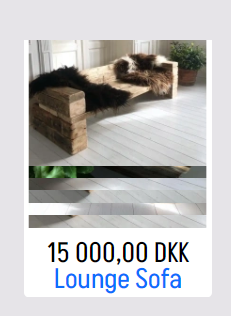
That CSS does not change anything. The images look odd when the resolution of the window is lowered - all 5 product images are shown at once !!?
Please Log in or Create an account to join the conversation.

2 years 2 weeks ago - 2 years 2 weeks ago #363365
by Philip
Replied by Philip on topic hover_x_img_title - not responsive!!?
Hello,
Please provide us these elements in order to better understand the situation :
- An Url link to allow us to see the context
- the Relative module settings screenshot
Regards
Please provide us these elements in order to better understand the situation :
- An Url link to allow us to see the context
- the Relative module settings screenshot
Regards
Last edit: 2 years 2 weeks ago by Philip.
Please Log in or Create an account to join the conversation.
2 years 2 weeks ago #363378
by rbuelund
Replied by rbuelund on topic hover_x_img_title - not responsive!!?
You would have to log in because the site is not yet live - where can I write credentials for you ?
Please Log in or Create an account to join the conversation.
2 years 1 week ago #363380
by nicolas
Replied by nicolas on topic hover_x_img_title - not responsive!!?
Please Log in or Create an account to join the conversation.
2 years 1 week ago #363420
by Philip
Replied by Philip on topic hover_x_img_title - not responsive!!?
Hello,
We will need to see your relative configuration and access your backend, so please provide us these elements :
- Url link to your backend (Administrator)
- Backend user references (with maximum Acl)
Provide us these elements like previously.
Regards
We will need to see your relative configuration and access your backend, so please provide us these elements :
- Url link to your backend (Administrator)
- Backend user references (with maximum Acl)
Provide us these elements like previously.
Regards
Please Log in or Create an account to join the conversation.
2 years 1 week ago #363430
by rbuelund
Replied by rbuelund on topic hover_x_img_title - not responsive!!?
Any news on this ?
Please Log in or Create an account to join the conversation.
2 years 1 week ago #363431
by rbuelund
Replied by rbuelund on topic hover_x_img_title - not responsive!!?
I have send credentials, and you are super user
Please Log in or Create an account to join the conversation.
2 years 1 week ago #363443
by rbuelund
Replied by rbuelund on topic hover_x_img_title - not responsive!!?
Looks like you have fixed the problem with overlapping images - but I still need the image to fill the whole width (the white part) and go all to the top of the white space.
Please Log in or Create an account to join the conversation.
2 years 1 week ago - 2 years 1 week ago #363442
by Philip
Replied by Philip on topic hover_x_img_title - not responsive!!?
Hello,
After a little analysis, I think that I do not have all the solutions but I already have one thing to ask you to go further in your display problem.
The first thing to correct is the following if you want to have an image like this:

You must have white borderless images :

So, please use images without borders, and go back to the Css & other adjustments by default (if you have made any of course).
Let us know as soon as this is done so that we can make progress on your problem.
Regards
After a little analysis, I think that I do not have all the solutions but I already have one thing to ask you to go further in your display problem.
The first thing to correct is the following if you want to have an image like this:
You must have white borderless images :
So, please use images without borders, and go back to the Css & other adjustments by default (if you have made any of course).
Let us know as soon as this is done so that we can make progress on your problem.
Regards
Last edit: 2 years 1 week ago by Philip.
Please Log in or Create an account to join the conversation.
2 years 1 week ago #363451
by rbuelund
Replied by rbuelund on topic hover_x_img_title - not responsive!!?
Ak ok - the images are now without white border - it was the thumbnail generation settings that had made them. So now I would like the images to fill the whole width.
Please Log in or Create an account to join the conversation.
2 years 1 week ago #363474
by rbuelund
Replied by rbuelund on topic hover_x_img_title - not responsive!!?
Have you changed the template on my site ???
Please Log in or Create an account to join the conversation.
2 years 1 week ago #363477
by Philip
Replied by Philip on topic hover_x_img_title - not responsive!!?
Hello,
To do some tests yes, but we thought we had returned to your template (Markwoodlands - standard) but perhaps we forgot to restore that?
If so, then really sorry for that
Thanks for your elements and returns, we will now work more precisely on your issue.
As soon as we have more concrete information, we will come back to you with solutions.
Regards
To do some tests yes, but we thought we had returned to your template (Markwoodlands - standard) but perhaps we forgot to restore that?
If so, then really sorry for that
Thanks for your elements and returns, we will now work more precisely on your issue.
As soon as we have more concrete information, we will come back to you with solutions.
Regards
Please Log in or Create an account to join the conversation.
2 years 1 week ago #363516
by rbuelund
Replied by rbuelund on topic hover_x_img_title - not responsive!!?
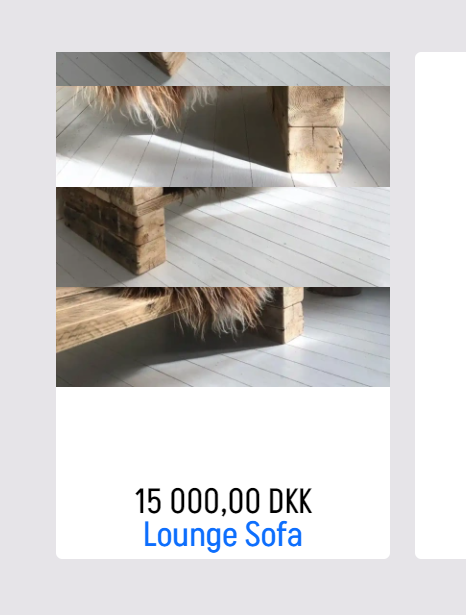
Ok - this is pretty urgent, as I cannot set the shop live as it looks now !
Please Log in or Create an account to join the conversation.
2 years 6 days ago #363566
by rbuelund
Replied by rbuelund on topic hover_x_img_title - not responsive!!?
Any news on this ?
Please Log in or Create an account to join the conversation.
2 years 5 days ago - 2 years 5 days ago #363574
by Philip
Replied by Philip on topic hover_x_img_title - not responsive!!?
Hello,
We came up with a solution which is currently on your website.
We have carried out tests, but can you see and confirm for yourself that we have achieved something reliable?
Regards
We came up with a solution which is currently on your website.
We have carried out tests, but can you see and confirm for yourself that we have achieved something reliable?
Regards
Last edit: 2 years 5 days ago by Philip.
Please Log in or Create an account to join the conversation.
2 years 5 days ago #363583
by rbuelund
Replied by rbuelund on topic hover_x_img_title - not responsive!!?
It seems to work in the module on the frontpage, but when I go to the Shop page, then there is a 5px padding around the images ??
Please Log in or Create an account to join the conversation.
2 years 5 days ago - 2 years 5 days ago #363603
by Philip
Replied by Philip on topic hover_x_img_title - not responsive!!?
Hello,
You can use some custom Css to adjust this, here you can see the command to override :

Something like this :
Learn here how to add this css command.
Regards
You can use some custom Css to adjust this, here you can see the command to override :
Something like this :
Code:
.hikashop_category_information .hikashop_subcontainer { padding: 0 !important; }
Learn here how to add this css command.
Regards
Last edit: 2 years 5 days ago by Philip.
Please Log in or Create an account to join the conversation.
2 years 5 days ago #363609
by rbuelund
Replied by rbuelund on topic hover_x_img_title - not responsive!!?
Yes fine - but how do I then add space between the image and the price - css does not seem to work here ??
Please Log in or Create an account to join the conversation.
Time to create page: 0.339 seconds