

- Posts: 156
- Thank you received: 0
Billing address not being added!!??
15 years 3 months ago - 15 years 3 months ago #18373
by Rickhavoc
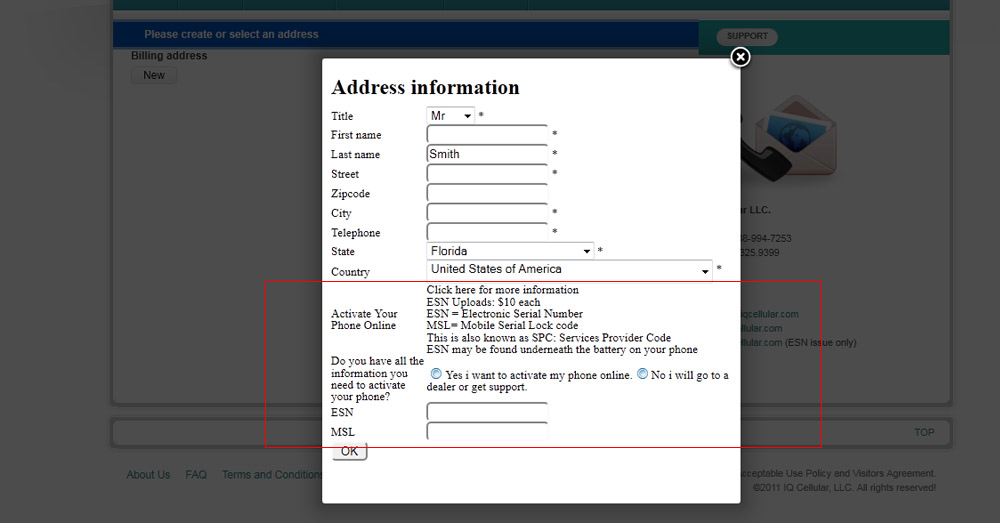
after i register it takes me to the billing address page, after i enter all the required fields and click ok, it flickers and clears the data and stays the same. no address is added. it's doing the same thing to the shipping address.
apart from that, they are some fields added to it that i wouldn't like to show there. as you can see by the image.
also how come all the payment related information is not loading along with this page. theses are the steps to check out
cart,address,shipping_payment_confirm_status_fields,end
Billing address not being added!!?? was created by Rickhavoc
after i register it takes me to the billing address page, after i enter all the required fields and click ok, it flickers and clears the data and stays the same. no address is added. it's doing the same thing to the shipping address.
apart from that, they are some fields added to it that i wouldn't like to show there. as you can see by the image.
also how come all the payment related information is not loading along with this page. theses are the steps to check out
cart,address,shipping_payment_confirm_status_fields,end
Last edit: 15 years 3 months ago by Rickhavoc.
Please Log in or Create an account to join the conversation.

15 years 3 months ago #18392
by nicolas
Replied by nicolas on topic Re: Billing address not being added!!??
If the system don't accept the data you entered, that's because the data is missing something. In that case, it should display an error message at the top of the popup. However, you probably have that problem (
www.hikashop.com/en/support/documentatio...tibility-issues.html
) on the component.php file of your template, and because of that, your template does not display the error message.
These fields are for the address, so they are of course displayed when you edit the address. If the fields are related to the order, you should rather create custom fields of the table order (business edition only). That way, they will be linked to the order and not to the address.
If the payment options are not displayed it means that you didn't configure something correctly. Please check the FAQ there: www.hikashop.com/support/documentation/i...ins-listing.html#faq
These fields are for the address, so they are of course displayed when you edit the address. If the fields are related to the order, you should rather create custom fields of the table order (business edition only). That way, they will be linked to the order and not to the address.
If the payment options are not displayed it means that you didn't configure something correctly. Please check the FAQ there: www.hikashop.com/support/documentation/i...ins-listing.html#faq
Please Log in or Create an account to join the conversation.
15 years 3 months ago #18456
by Rickhavoc
Replied by Rickhavoc on topic Re: Billing address not being added!!??
i just got essential the other day the business edition puts me out of my budget  , is there anything else i can do?
, is there anything else i can do? Please Log in or Create an account to join the conversation.
15 years 3 months ago #18458
by nicolas
Replied by nicolas on topic Re: Billing address not being added!!??
Two things:
1. There is an upgrade package available there: www.hikashop.com/en/component/hikashop/product/show/cid-3.html
2. You can use CSS to hide the lines you don't want in the popup form. The information will still be in the address though so next time the user place an order, he will have the same information in the address which might not be what you want. In that case, you could create a hikashop plugin to be triggered when the order is created and unpublish the address of the user so that it can't be used next time around.
1. There is an upgrade package available there: www.hikashop.com/en/component/hikashop/product/show/cid-3.html
2. You can use CSS to hide the lines you don't want in the popup form. The information will still be in the address though so next time the user place an order, he will have the same information in the address which might not be what you want. In that case, you could create a hikashop plugin to be triggered when the order is created and unpublish the address of the user so that it can't be used next time around.
Please Log in or Create an account to join the conversation.
15 years 3 months ago #18462
by Rickhavoc
Replied by Rickhavoc on topic Re: Billing address not being added!!??
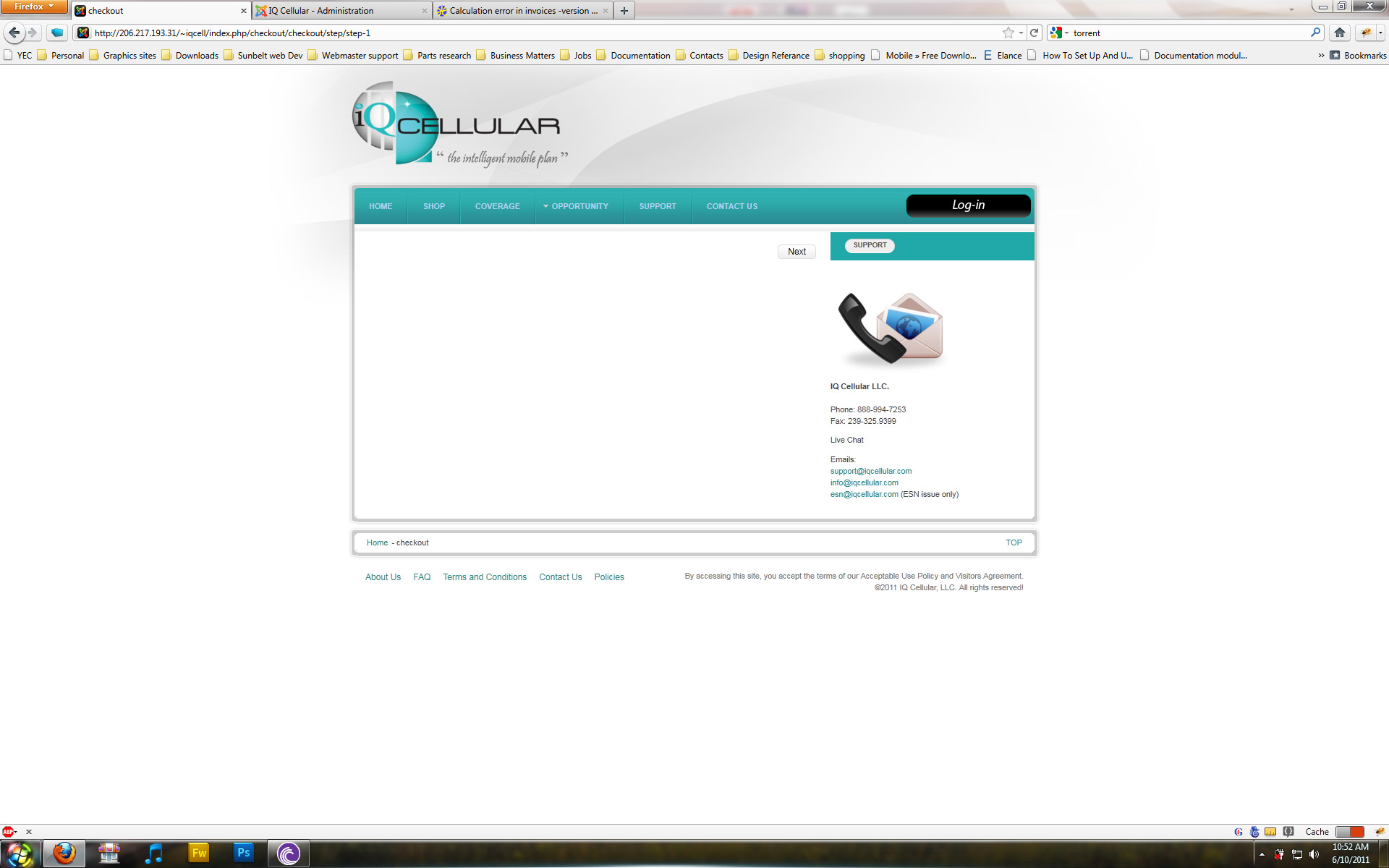
ok now i can't even get the registration page to come up along with the billing and address screen check out the screens.
Please Log in or Create an account to join the conversation.
15 years 3 months ago #18463
by Rickhavoc
Replied by Rickhavoc on topic Re: Billing address not being added!!??
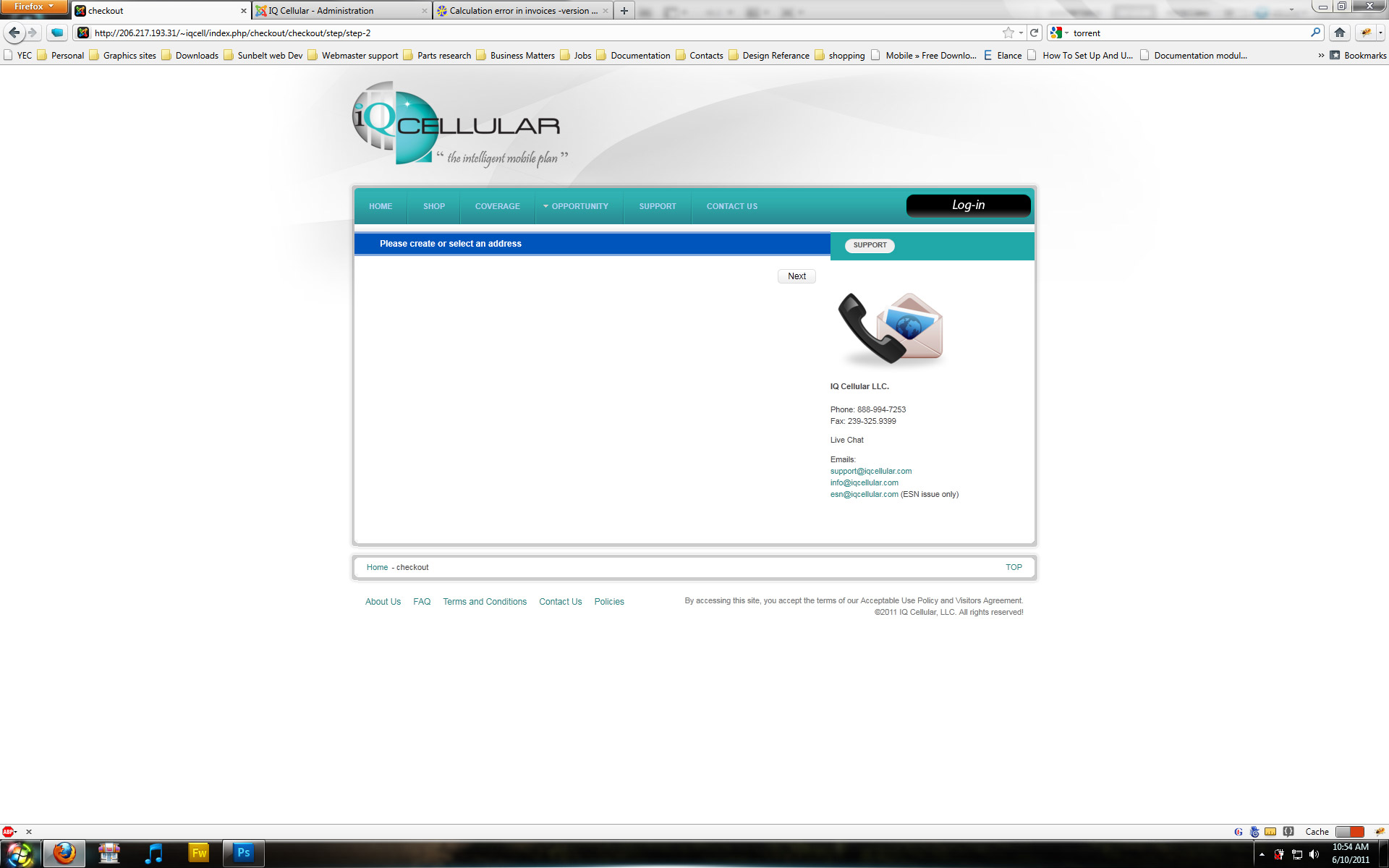
i just just click next nothing comes up here...
Please Log in or Create an account to join the conversation.
15 years 3 months ago #18464
by Rickhavoc
Replied by Rickhavoc on topic Re: Billing address not being added!!??
here are the back-end settings

Please Log in or Create an account to join the conversation.
15 years 3 months ago #18466
by nicolas
Replied by nicolas on topic Re: Billing address not being added!!??
You have the address view without the login view in the checkout workflow option. As explained in the documentation of that option, it's not possible. If you want the address view, you need to have the login view as well as addresses are tied to users.
Please Log in or Create an account to join the conversation.
15 years 3 months ago #18473
by Rickhavoc
Replied by Rickhavoc on topic Re: Billing address not being added!!??
i still can't add a billing or shipping address, the code <jdoc:include type="message" /> is in my template as you can see by the images i posted before. also i can add display none to the field i don't want to show but only to the input fields cause they have an ID but the label don't, also i can't do anything with the custom fields, i can't select any of it... they only have the the key class to it and thats for every <TD> . Can't we just drop it all in a span or a div with the name of the field as the ID or something of that nature? i am going to need to style all of this so how would i do this without any classes or ids..
thanks
thanks
Please Log in or Create an account to join the conversation.
15 years 3 months ago #18478
by nicolas
Replied by nicolas on topic Re: Billing address not being added!!??
There is an id for each TR tag so you should be able to easily hide the whole row...
You didn't post any screenshot of the component.php file of your template.
You didn't post any screenshot of the component.php file of your template.
Please Log in or Create an account to join the conversation.
15 years 3 months ago #18484
by Rickhavoc
Replied by Rickhavoc on topic Re: Billing address not being added!!??
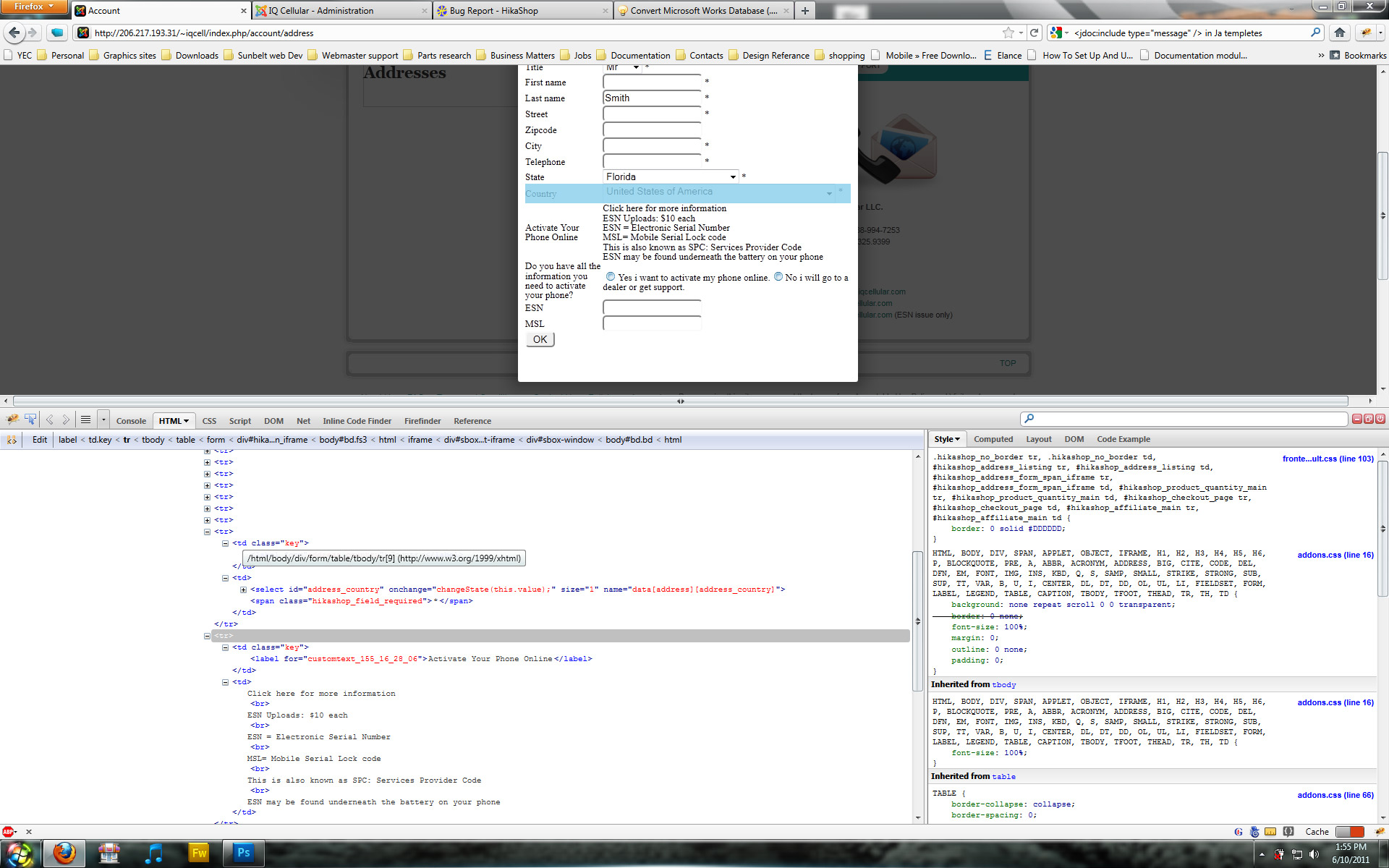
i am using firebug to look at the tags an as you can see by the screen shot there aren't and ids for them. i am looking into the component.php file, but it only seems to to have this "
<?php
include (dirname(__FILE__).DS.'index.php');
"
in it. and the index.php file only have this in it.
<?php
if (class_exists('T3Template')) {
$tmpl = T3Template::getInstance($this);
$tmpl->render();
return;
} else {
//Need to install or enable JAT3 Plugin
echo JText::_('Missing jat3 framework plugin');
}
i am trying to locate the where the component information is.. but they styling of the form is just important to my client. thank you so much for all your help..
<?php
include (dirname(__FILE__).DS.'index.php');
"
in it. and the index.php file only have this in it.
<?php
if (class_exists('T3Template')) {
$tmpl = T3Template::getInstance($this);
$tmpl->render();
return;
} else {
//Need to install or enable JAT3 Plugin
echo JText::_('Missing jat3 framework plugin');
}
i am trying to locate the where the component information is.. but they styling of the form is just important to my client. thank you so much for all your help..
Please Log in or Create an account to join the conversation.
15 years 3 months ago #18485
by Rickhavoc
Replied by Rickhavoc on topic Re: Billing address not being added!!??
i can't find the file that contains <jdoc:include type="component" /> , is this the same for joomla 1.6? also i can see system messages from joomla when i clean the cache and it asking me for the address like this one.
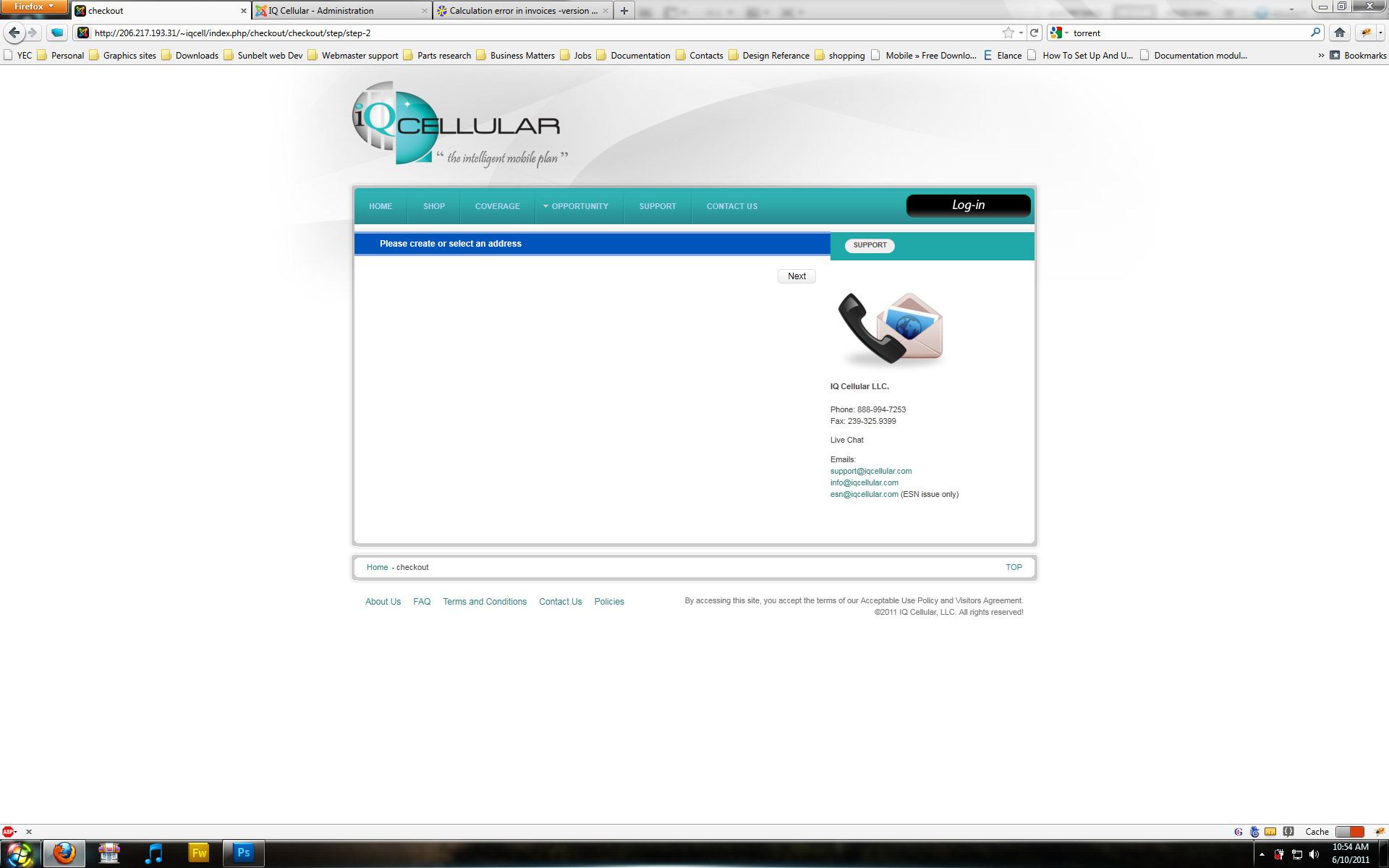
is this what should be coming up?..
is this what should be coming up?..
Please Log in or Create an account to join the conversation.
15 years 3 months ago #18494
by nicolas
Replied by nicolas on topic Re: Billing address not being added!!??
Oh yes, we forgot to add the class on the trs in that popup.
You should edit the file form of the view address of the front end via the menu Display>Views and change the code:
<tr>
to:
<tr class="hikashop_address_<?php echo $fieldName;?>_line">
Then, you'll be able to remove the lines in CSS.
Just in case, please add the jdoc include tag at the beginning of the component.php file and try again.
You should edit the file form of the view address of the front end via the menu Display>Views and change the code:
<tr>
to:
<tr class="hikashop_address_<?php echo $fieldName;?>_line">
Then, you'll be able to remove the lines in CSS.
Just in case, please add the jdoc include tag at the beginning of the component.php file and try again.
Please Log in or Create an account to join the conversation.
15 years 3 months ago #18580
by Rickhavoc
Replied by Rickhavoc on topic Re: Billing address not being added!!??
I added the Css and i can select the field now thanks  but i am still having the issue with the billing address where it just flickers and stays on the pop op and no information is taken. please Advice..
but i am still having the issue with the billing address where it just flickers and stays on the pop op and no information is taken. please Advice.. Please Log in or Create an account to join the conversation.
15 years 3 months ago #18589
by nicolas
Replied by nicolas on topic Re: Billing address not being added!!??
Did you add the jdoc include tag at the beginning of the component.php file and tried again? If so, could you switch to the default template and try again ?
Please Log in or Create an account to join the conversation.
15 years 3 months ago #18634
by Rickhavoc
Replied by Rickhavoc on topic Re: Billing address not being added!!??
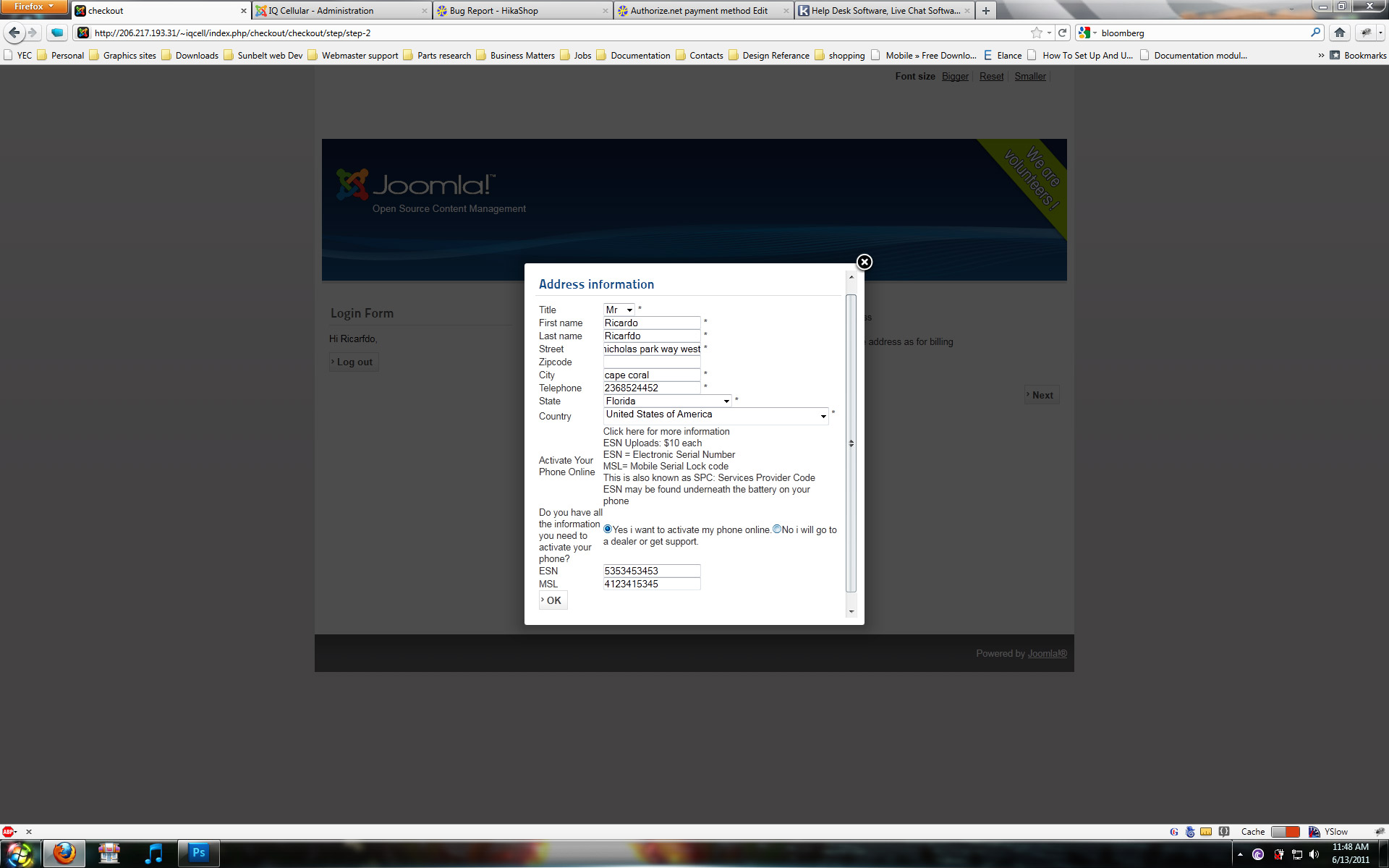
yes i added the tag in the component.php and still same problem and no error. i changed the template and still some problem no error msg. here is a screen shot.
Please Log in or Create an account to join the conversation.
15 years 3 months ago #18635
by Rickhavoc
Replied by Rickhavoc on topic Re: Billing address not being added!!??
Here are the checkout settings.
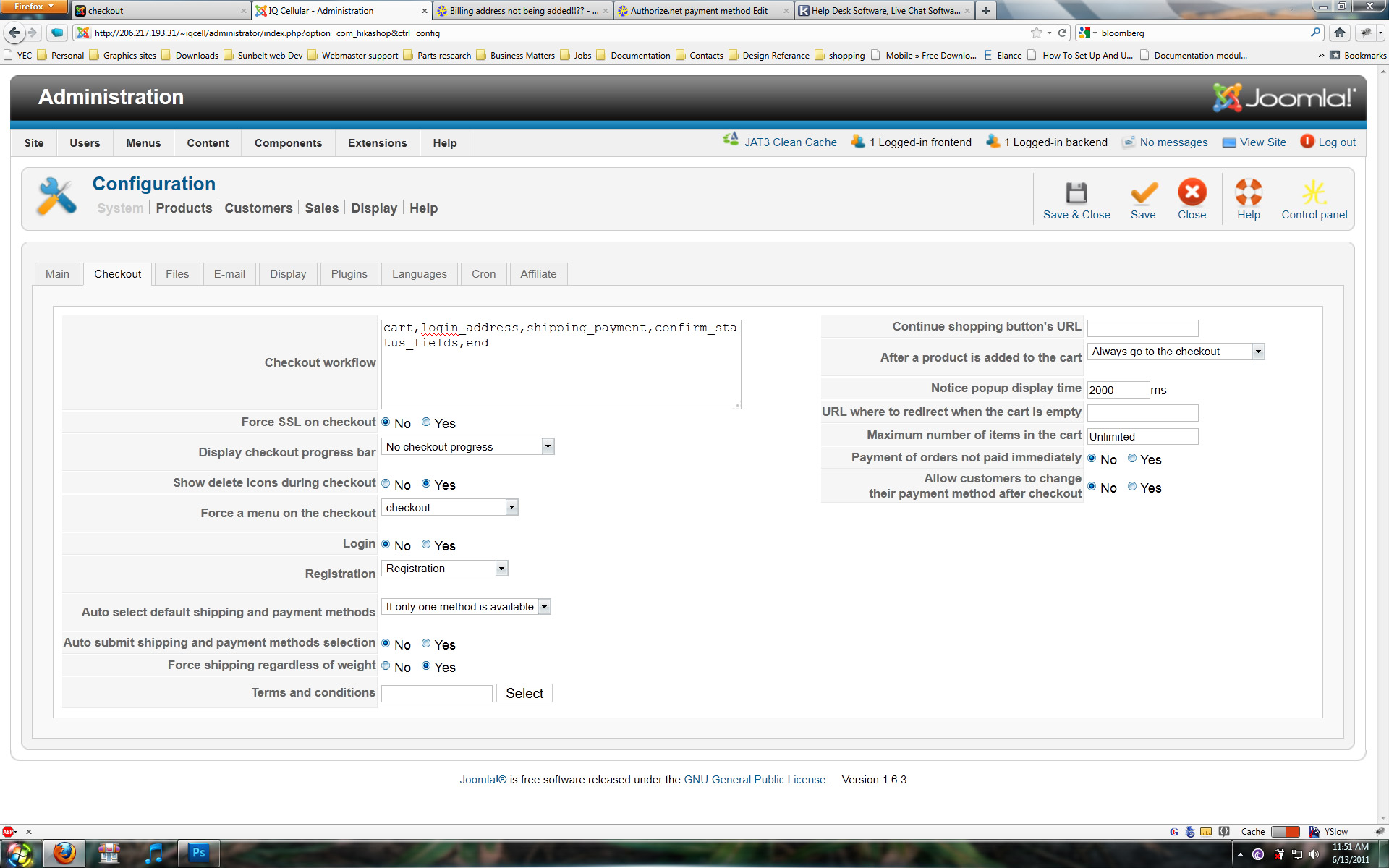
Please Log in or Create an account to join the conversation.
15 years 3 months ago #18636
by Rickhavoc
Replied by Rickhavoc on topic Re: Billing address not being added!!??
here is a list of the fields.
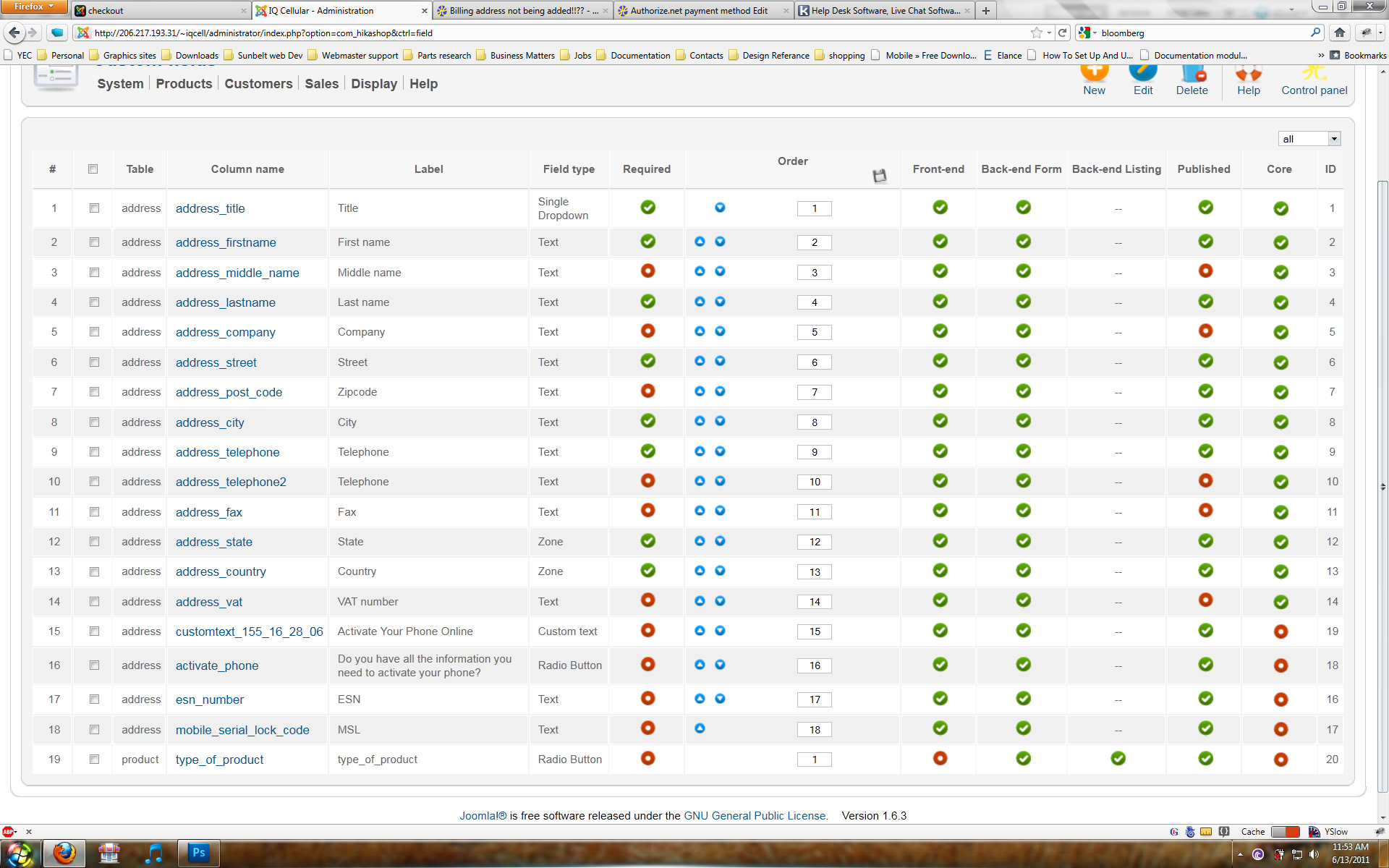
Please Log in or Create an account to join the conversation.
15 years 3 months ago #18656
by nicolas
Replied by nicolas on topic Re: Billing address not being added!!??
Could you please try to edit the file form of the view address of the front end via the menu Display->Views and remove the line:
<input type="hidden" name="data[address][address_user_id]" value="<?php echo @$address->address_user_id;?>" />
and try again?
<input type="hidden" name="data[address][address_user_id]" value="<?php echo @$address->address_user_id;?>" />
and try again?
Please Log in or Create an account to join the conversation.
15 years 3 months ago - 15 years 3 months ago #18659
by Rickhavoc
Replied by Rickhavoc on topic Re: Billing address not being added!!??
my friend i am still having this issue.. can i give you back-end access and so we can fix this faster.. i am going on 4 days with this problem... my client is getting restless... i will send you an email with the details to the back-end via the contact us form on hikashop.com....
Edit
Email is sent.. look forward to your help...
Edit
Email is sent.. look forward to your help...
Last edit: 15 years 3 months ago by Rickhavoc. Reason: comment
Please Log in or Create an account to join the conversation.
Time to create page: 0.385 seconds