

- Posts: 88
- Thank you received: 0
I need to modify button labels
9 years 10 months ago - 9 years 10 months ago #254971
by steph3838
I need to modify button labels was created by steph3838
-- url of the page with the problem -- :
-- HikaShop version -- : 2.6.4
-- Error-message(debug-mod must be tuned on) -- : NA
Hello,
I need to modify two button labels :
1.- Add new address
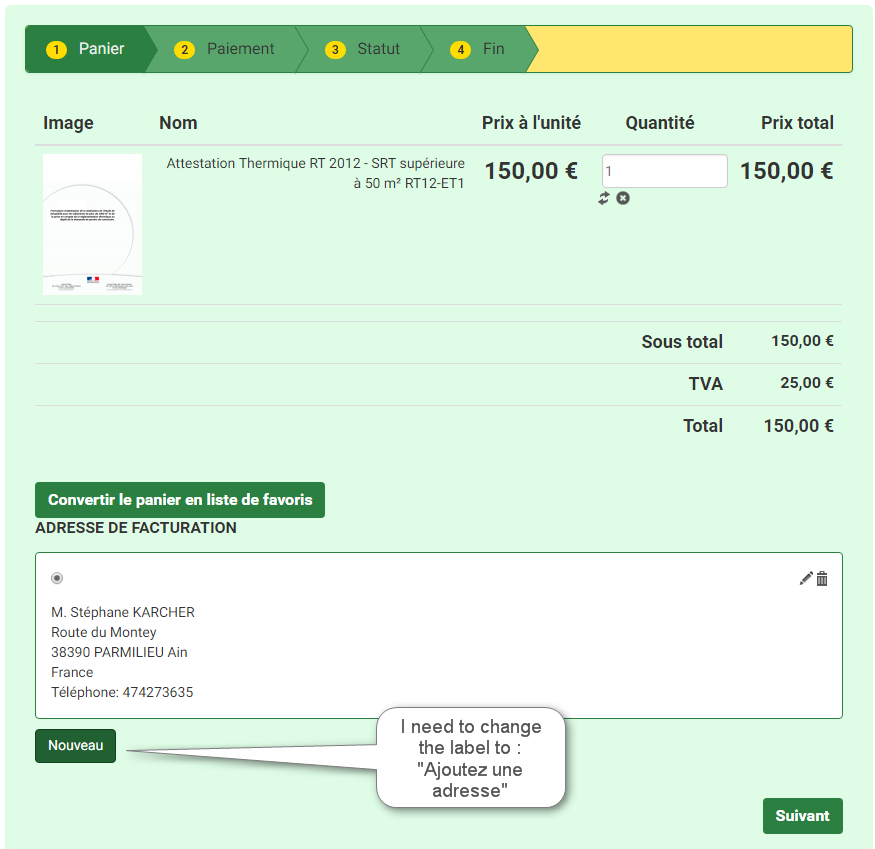
2.- continue shopping
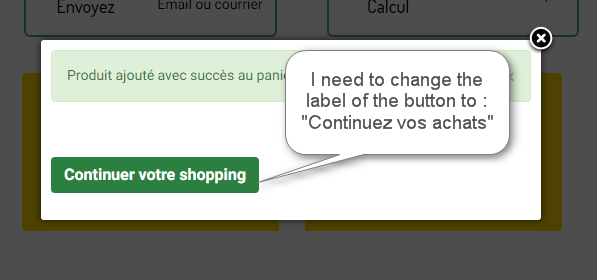
What files do I need to modify ?
Thanks in advance for your help and advise,
Best regards,
Stéphane
This message contains confidential information
-- HikaShop version -- : 2.6.4
-- Error-message(debug-mod must be tuned on) -- : NA
Hello,
I need to modify two button labels :
1.- Add new address
2.- continue shopping
What files do I need to modify ?
Thanks in advance for your help and advise,
Best regards,
Stéphane
Last edit: 9 years 10 months ago by Jerome.
Please Log in or Create an account to join the conversation.

9 years 10 months ago #254976
by nicolas
Replied by nicolas on topic I need to modify button labels
Hi,
1. As this is a generic text, and you don't want to change the "new" text everywhere in HikaShop, you'll have to edit the file "address_select" via the menu Display>Views and replace the code:
by your text.
2. This is an easy one as you can use the standard translation override system of HikaShop to change that text, like any other text in the HikaShop interface:
www.hikashop.com/download/languages.html#modify
1. As this is a generic text, and you don't want to change the "new" text everywhere in HikaShop, you'll have to edit the file "address_select" via the menu Display>Views and replace the code:
Code:
<?php echo JText::_('HIKA_NEW'); ?>
2. This is an easy one as you can use the standard translation override system of HikaShop to change that text, like any other text in the HikaShop interface:
www.hikashop.com/download/languages.html#modify
Please Log in or Create an account to join the conversation.
9 years 10 months ago - 9 years 10 months ago #255050
by steph3838
Replied by steph3838 on topic I need to modify button labels
Hi Nicolas,
I have tried your solution in replacing the php string by my own text having then :
"Nouvelle adresse" replacing the php variable, but it does not work.
The whole address block disappears... when I save the changes the edit windows is totally empty... normal ?
When I reset it to the original, it works again but with the "nouveau" button..
What am I doing wrong ?
thanks for your help and advise
This message contains confidential information
I have tried your solution in replacing the php string by my own text having then :
Code:
<a href="....>Nouvelle adresse</a>
"Nouvelle adresse" replacing the php variable, but it does not work.
The whole address block disappears...
when I save the changes the edit windows is totally empty... normal ?When I reset it to the original, it works again but with the "nouveau" button..
What am I doing wrong ?
thanks for your help and advise
Last edit: 9 years 10 months ago by Jerome. Reason: removing credentials
Please Log in or Create an account to join the conversation.
9 years 10 months ago #255088
by nicolas
Replied by nicolas on topic I need to modify button labels
Hi,
Then you likely have a problem with your hosting server blocking the saving of the view override as a false positive for security reason.
You could instead do the view override through the Joomla template manager:
docs.joomla.org/J3.x:How_to_use_the_Temp...r#Customisation_View
Then you likely have a problem with your hosting server blocking the saving of the view override as a false positive for security reason.
You could instead do the view override through the Joomla template manager:
docs.joomla.org/J3.x:How_to_use_the_Temp...r#Customisation_View
The following user(s) said Thank You: steph3838
Please Log in or Create an account to join the conversation.
9 years 10 months ago #255221
by steph3838
Nicolas you were right !
A Siteground protection plugin was the faulty one : jHackguard
Just disabled it and all is fine !
Thanks a lot !
Best regards
Stéphane
Replied by steph3838 on topic I need to modify button labels
nicolas wrote: Hi,
Then you likely have a problem with your hosting server blocking the saving of the view override as a false positive for security reason.
You could instead do the view override through the Joomla template manager:
docs.joomla.org/J3.x:How_to_use_the_Temp...r#Customisation_View
Nicolas you were right !
A Siteground protection plugin was the faulty one : jHackguard
Just disabled it and all is fine !
Thanks a lot !
Best regards
Stéphane
Please Log in or Create an account to join the conversation.
Time to create page: 0.213 seconds