
- Posts: 34
- Thank you received: 1
Restricted customd fields don't hide when unchecking "limited to" field
- sandvalley2019
-
 Topic Author
- Offline
Less
More
7 years 4 months ago #306864
by sandvalley2019
Restricted customd fields don't hide when unchecking "limited to" field was created by sandvalley2019
-- HikaShop version -- : 4.0.3
-- Joomla version -- : 3.9.6
-- PHP version -- : 7.2.11
-- Browser(s) name and version -- : all browsers
-- Error-message(debug-mod must be tuned on) -- : no error message
Hi,
I have some custom fields in the order-table with restrictions "display limited to" a checkbox-value. When checked, the extra custom fields should show up, when unchecked the fields should be hidden. At least that is wat I expected.
Unfortunately the restricted fields are only hidden at pageload. When checked, the fields show up, but on uncheck the fields stay visible.
Is this intentional behaviour or a bug?
Regards,
Peter
-- Joomla version -- : 3.9.6
-- PHP version -- : 7.2.11
-- Browser(s) name and version -- : all browsers
-- Error-message(debug-mod must be tuned on) -- : no error message
Hi,
I have some custom fields in the order-table with restrictions "display limited to" a checkbox-value. When checked, the extra custom fields should show up, when unchecked the fields should be hidden. At least that is wat I expected.
Unfortunately the restricted fields are only hidden at pageload. When checked, the fields show up, but on uncheck the fields stay visible.
Is this intentional behaviour or a bug?
Regards,
Peter
Please Log in or Create an account to join the conversation.

7 years 4 months ago #306868
by nicolas
Replied by nicolas on topic Restricted customd fields don't hide when unchecking "limited to" field
Hi,
I'm not able to reproduce the problem on my end but without a screenshot of the settings of the checkbox field and another field which should display/hide based on that checkbox field and a link to the page where you have the issue so that we can reproduce the problem there, I'm not sure we're looking at the same situation.
I'm not even sure if you're talking about the backend order additional information edition or the checkout.
And it could be that you have a javascript error on the page which leads to the custom field javascript not initialized, resulting in that problem. That error might come from a conflict with the template you're using, or even be unrelated to HikaShop.
Could you please provide the screenshots and instructions to reproduce the issue on your website so that we can better understand the problem and analyze it ?
I'm not able to reproduce the problem on my end but without a screenshot of the settings of the checkbox field and another field which should display/hide based on that checkbox field and a link to the page where you have the issue so that we can reproduce the problem there, I'm not sure we're looking at the same situation.
I'm not even sure if you're talking about the backend order additional information edition or the checkout.
And it could be that you have a javascript error on the page which leads to the custom field javascript not initialized, resulting in that problem. That error might come from a conflict with the template you're using, or even be unrelated to HikaShop.
Could you please provide the screenshots and instructions to reproduce the issue on your website so that we can better understand the problem and analyze it ?
Please Log in or Create an account to join the conversation.
- sandvalley2019
-
Topic Author
- Offline
Less
More
- Posts: 34
- Thank you received: 1
7 years 4 months ago #307042
by sandvalley2019
Replied by sandvalley2019 on topic Restricted customd fields don't hide when unchecking "limited to" field
hi,
Sorry for not giving you all the information in the first place. Here are the screenschots you asked for.
You can reproduce the issue via the following URL;
On this website search for "export" as an example, click on the blue "meer info" buttton that is behind a product, and then click on the green "inschrijven" button to put it in the shopping-basket.
I created a login for you:
After login click "volgende", then you find the page like the screenshot with the "ja, werkgever betaald" checkbox custom field.
Hope this is enough information for you to find out about this problem.
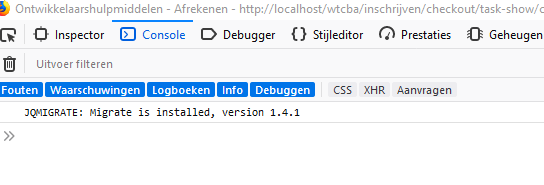
No javascript-error:
front-end checkout first page:
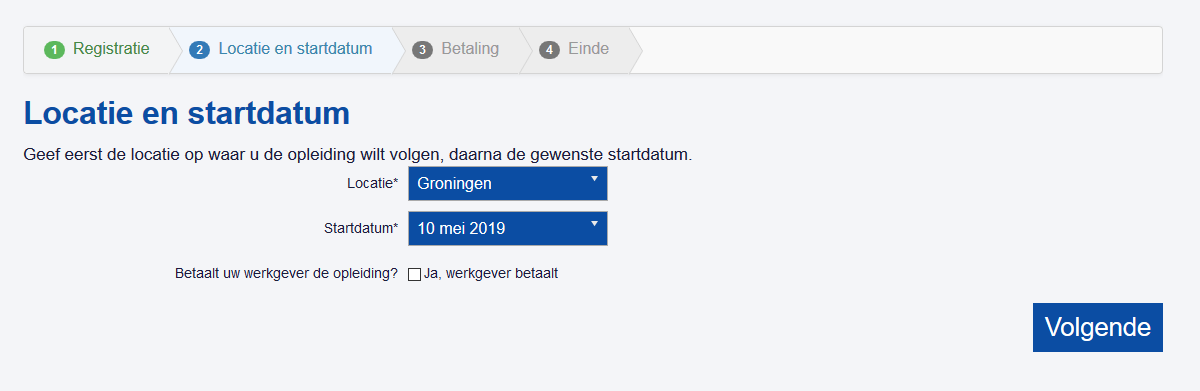
after clicking on the checkbox:
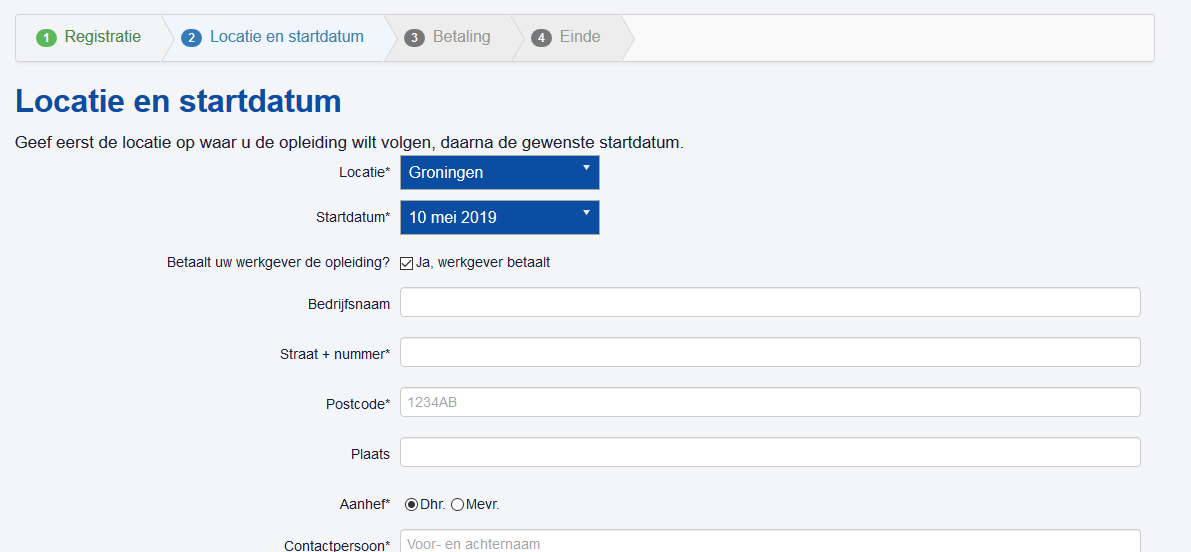
after clicking againg: other fields stay visible:
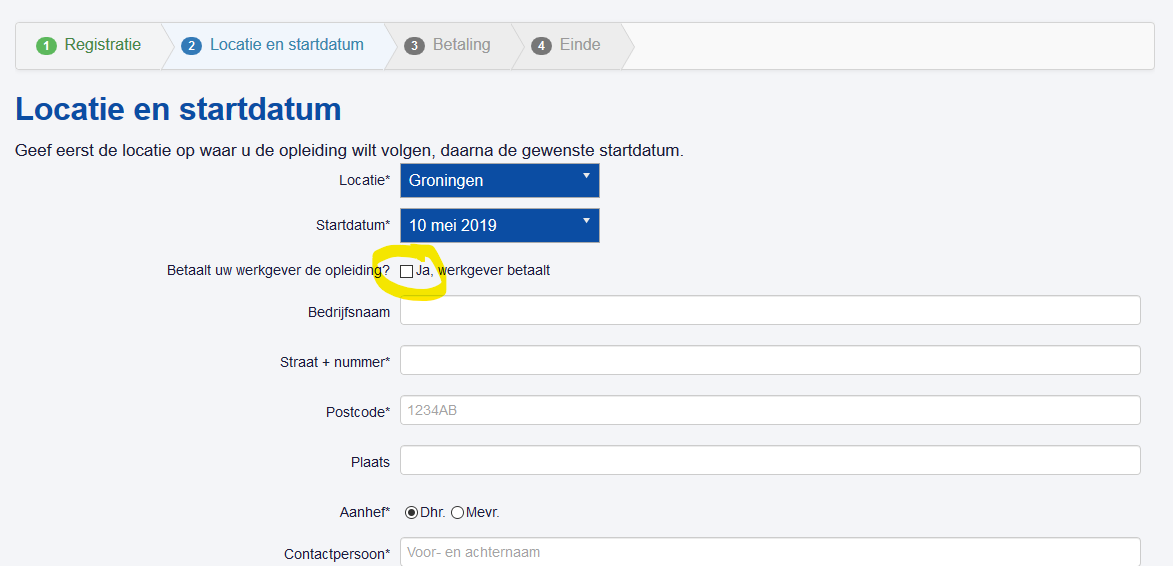
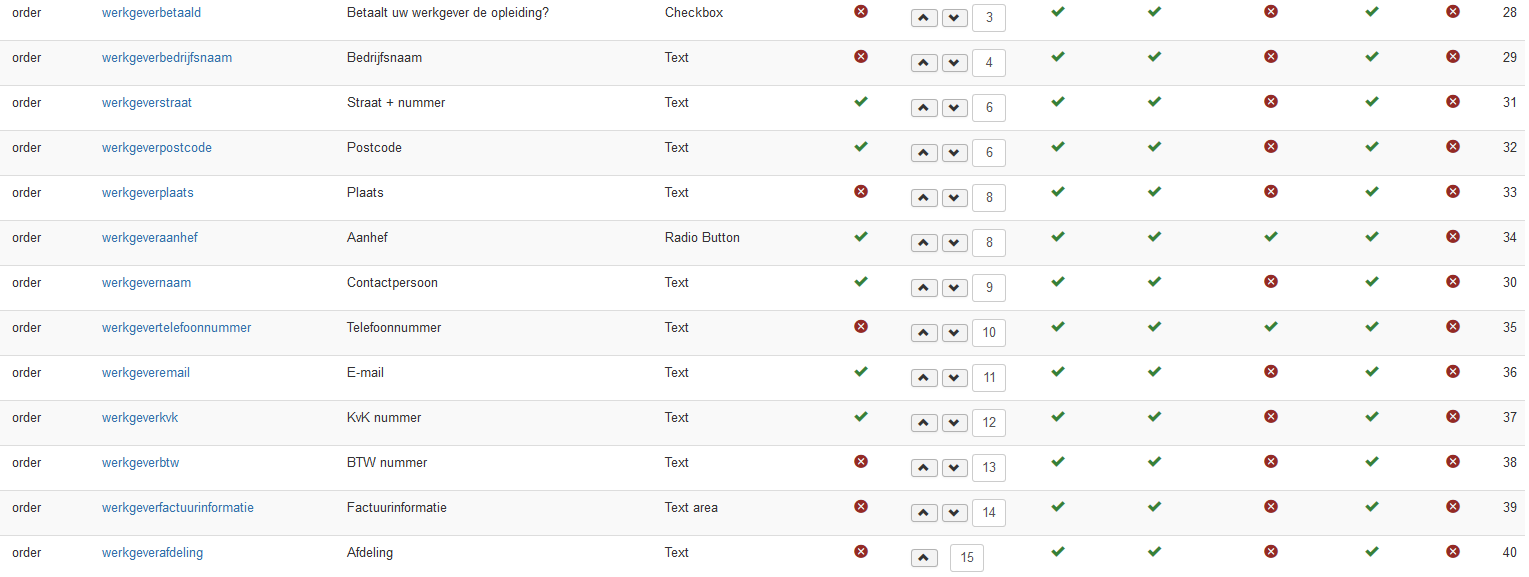
All fields that should hide:
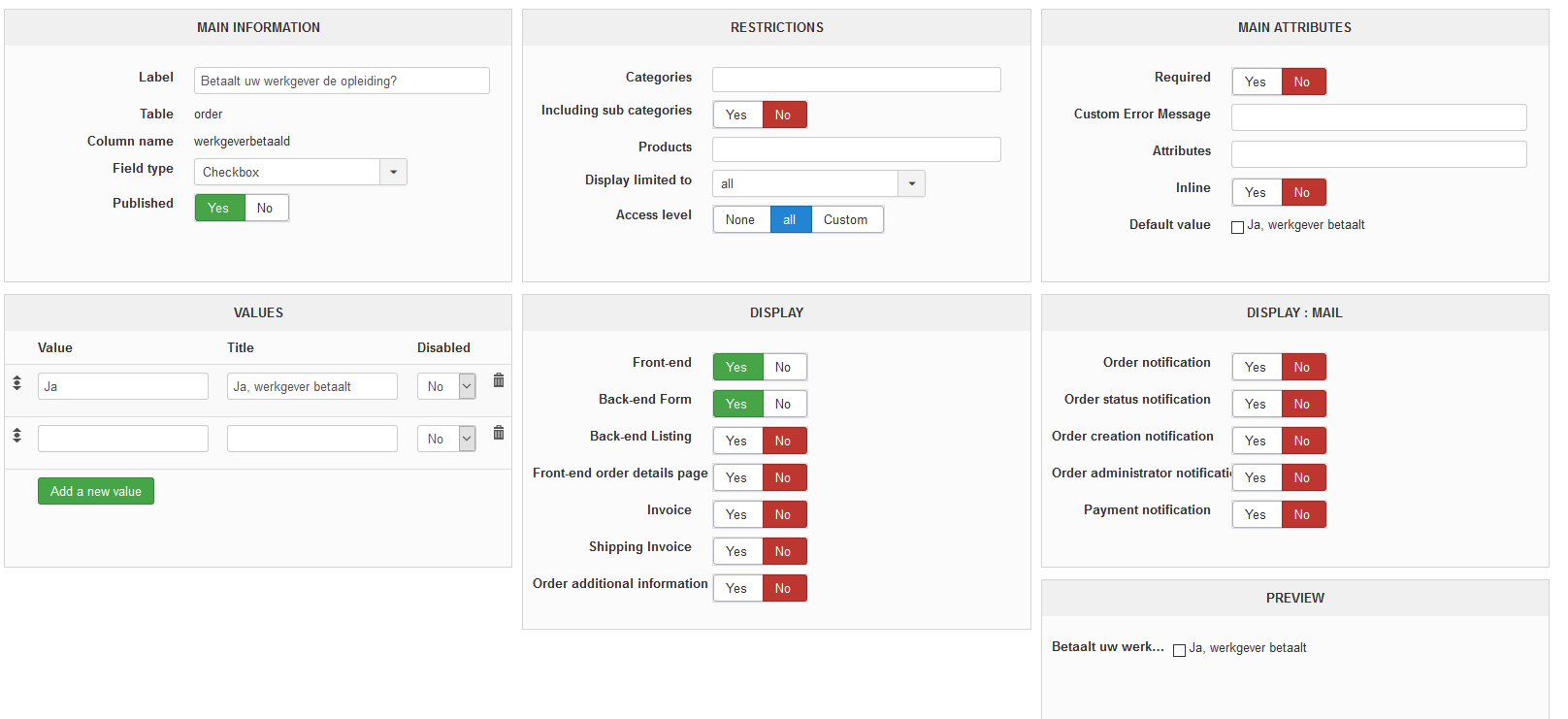
Custom field checkbox:
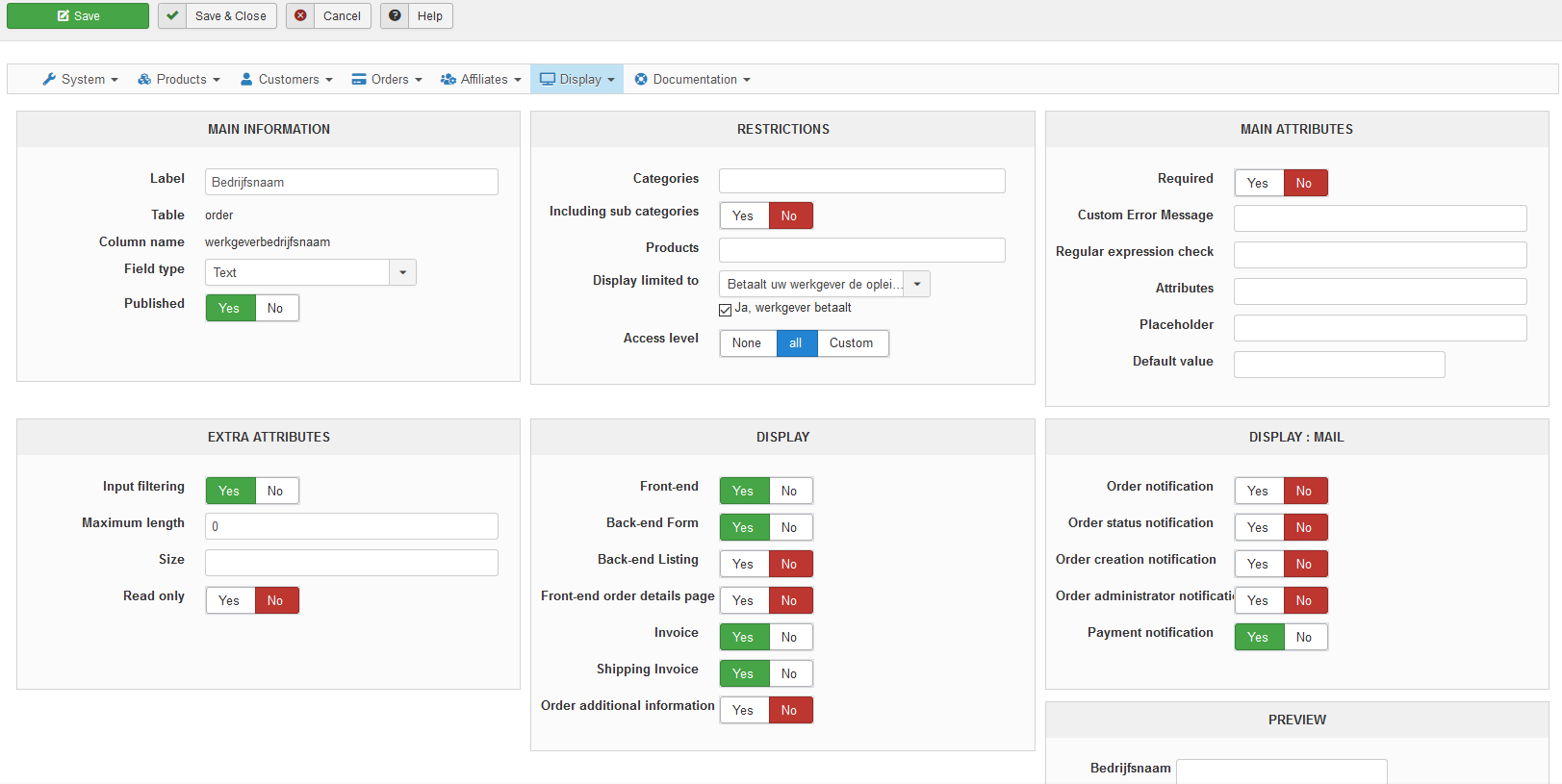
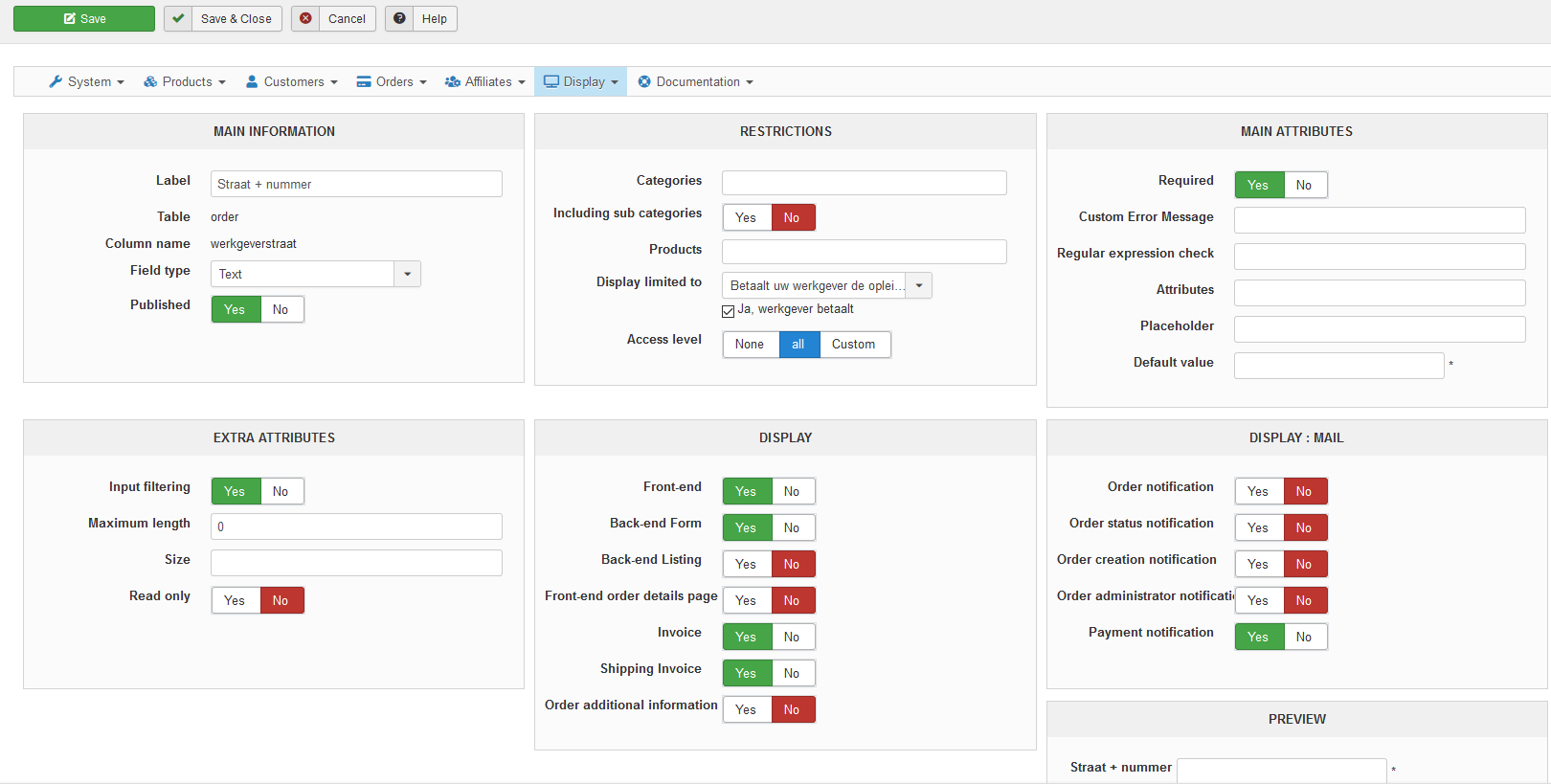
Two examples of custom fields restricted
Sorry for not giving you all the information in the first place. Here are the screenschots you asked for.
- The problem occurs during the checkout process[/l]
- There is no javascript-error in the console during the checkout process
You can reproduce the issue via the following URL;
This message contains confidential information
On this website search for "export" as an example, click on the blue "meer info" buttton that is behind a product, and then click on the green "inschrijven" button to put it in the shopping-basket.
I created a login for you:
This message contains confidential information
After login click "volgende", then you find the page like the screenshot with the "ja, werkgever betaald" checkbox custom field.
Hope this is enough information for you to find out about this problem.
No javascript-error:
front-end checkout first page:
after clicking on the checkbox:
after clicking againg: other fields stay visible:
All fields that should hide:
Custom field checkbox:
Two examples of custom fields restricted
Please Log in or Create an account to join the conversation.
7 years 4 months ago #307098
by nicolas
Replied by nicolas on topic Restricted customd fields don't hide when unchecking "limited to" field
Hi,
Thank you for all this. It was really helpful. I was able to reproduce the issue on my local test website and add some patches to fix the issue.
Donload the HikaShop install package on our website and install it on yours and you'll get the patches to make it work properly.
Thank you for all this. It was really helpful. I was able to reproduce the issue on my local test website and add some patches to fix the issue.
Donload the HikaShop install package on our website and install it on yours and you'll get the patches to make it work properly.
Please Log in or Create an account to join the conversation.
- sandvalley2019
-
Topic Author
- Offline
Less
More
- Posts: 34
- Thank you received: 1
7 years 4 months ago #307226
by sandvalley2019
Replied by sandvalley2019 on topic Restricted customd fields don't hide when unchecking "limited to" field
Hi,
Thanks for your effort. I downloaded and installed versino com_hikashop_business_v4.1.0_2019-06-04_09-18-35 but unfortunately it is not working. Now the restricted fields don't even show up when I check the checkbox .
There is no javascript-error. I cleared the cache after installing the new version, and I use Ctrl-F5 to refresh the page completely.
Wish I had better news for you
Peter
Thanks for your effort. I downloaded and installed versino com_hikashop_business_v4.1.0_2019-06-04_09-18-35 but unfortunately it is not working. Now the restricted fields don't even show up when I check the checkbox .
There is no javascript-error. I cleared the cache after installing the new version, and I use Ctrl-F5 to refresh the page completely.
Wish I had better news for you
Peter
Please Log in or Create an account to join the conversation.
7 years 4 months ago #307229
by nicolas
Replied by nicolas on topic Restricted customd fields don't hide when unchecking "limited to" field
Hi,
Well, I don't have the problem on my end. Before adding the patch, I was able to reproduce the issue you had, and after the patch was added on my end, I didn't get the problem, and the required fields where showing properly.
I wanted to take a look again at the issue on your website but it seems you still have the 4.0.3 on your website.
So I suppose that you must have added the update on a copy of the website.
Could you provide access and instructions to reproduce the issue on your website or the copy of it as well as a FTP access so that we can directly debug there and make sure it's all good ?
Well, I don't have the problem on my end. Before adding the patch, I was able to reproduce the issue you had, and after the patch was added on my end, I didn't get the problem, and the required fields where showing properly.
I wanted to take a look again at the issue on your website but it seems you still have the 4.0.3 on your website.
So I suppose that you must have added the update on a copy of the website.
Could you provide access and instructions to reproduce the issue on your website or the copy of it as well as a FTP access so that we can directly debug there and make sure it's all good ?
Please Log in or Create an account to join the conversation.
- sandvalley2019
-
Topic Author
- Offline
Less
More
- Posts: 34
- Thank you received: 1
7 years 4 months ago #307253
by sandvalley2019
Replied by sandvalley2019 on topic Restricted customd fields don't hide when unchecking "limited to" field
Hi,
The update is now on the 'live' site, so you can see what happens.
I created a ftp-account for you:
Thanks,
Peter
The update is now on the 'live' site, so you can see what happens.
I created a ftp-account for you:
This message contains confidential information
Thanks,
Peter
Please Log in or Create an account to join the conversation.
7 years 4 months ago #307316
by nicolas
Replied by nicolas on topic Restricted customd fields don't hide when unchecking "limited to" field
Hi,
Thank you. This allowed us to find a second bug to that system. It didn't work properly when several custom fields were limited to the same "master" custom field. And of course, when I was doing my tests on local, I had tried with only one "slave" custom field so I didn't had the problem.
I've added a patch on our end, like last time.
However, since I had your FTP, I directly added the patch on your website too, and confirmed that it now works properly. So you don't have anything to do.
Thank you. This allowed us to find a second bug to that system. It didn't work properly when several custom fields were limited to the same "master" custom field. And of course, when I was doing my tests on local, I had tried with only one "slave" custom field so I didn't had the problem.
I've added a patch on our end, like last time.
However, since I had your FTP, I directly added the patch on your website too, and confirmed that it now works properly. So you don't have anything to do.
The following user(s) said Thank You: sandvalley2019
Please Log in or Create an account to join the conversation.
- sandvalley2019
-
Topic Author
- Offline
Less
More
- Posts: 34
- Thank you received: 1
7 years 4 months ago #307318
by sandvalley2019
Replied by sandvalley2019 on topic Restricted customd fields don't hide when unchecking "limited to" field
Hi Nicolas,
Many thanks for the great support! Is the patch included in the current download? I have another site with the same issue.
Best regards,
Peter
Many thanks for the great support! Is the patch included in the current download? I have another site with the same issue.
Best regards,
Peter
Please Log in or Create an account to join the conversation.
7 years 4 months ago #307329
by nicolas
Replied by nicolas on topic Restricted customd fields don't hide when unchecking "limited to" field
Yes
The following user(s) said Thank You: sandvalley2019
Please Log in or Create an account to join the conversation.
Time to create page: 0.316 seconds