

- Posts: 281
- Thank you received: 42
Checkout new account problem
3 years 10 months ago #346832
by oxido
Checkout new account problem was created by oxido
-- HikaShop version -- : 4.7.0
-- Joomla version -- : 3.10.11
-- PHP version -- : 7.4
Hi,
When I try to create a new account on the checkout, some times, insteed of getting an rerror lile "the password's are not the same", the entire website is loaded as an iframe.
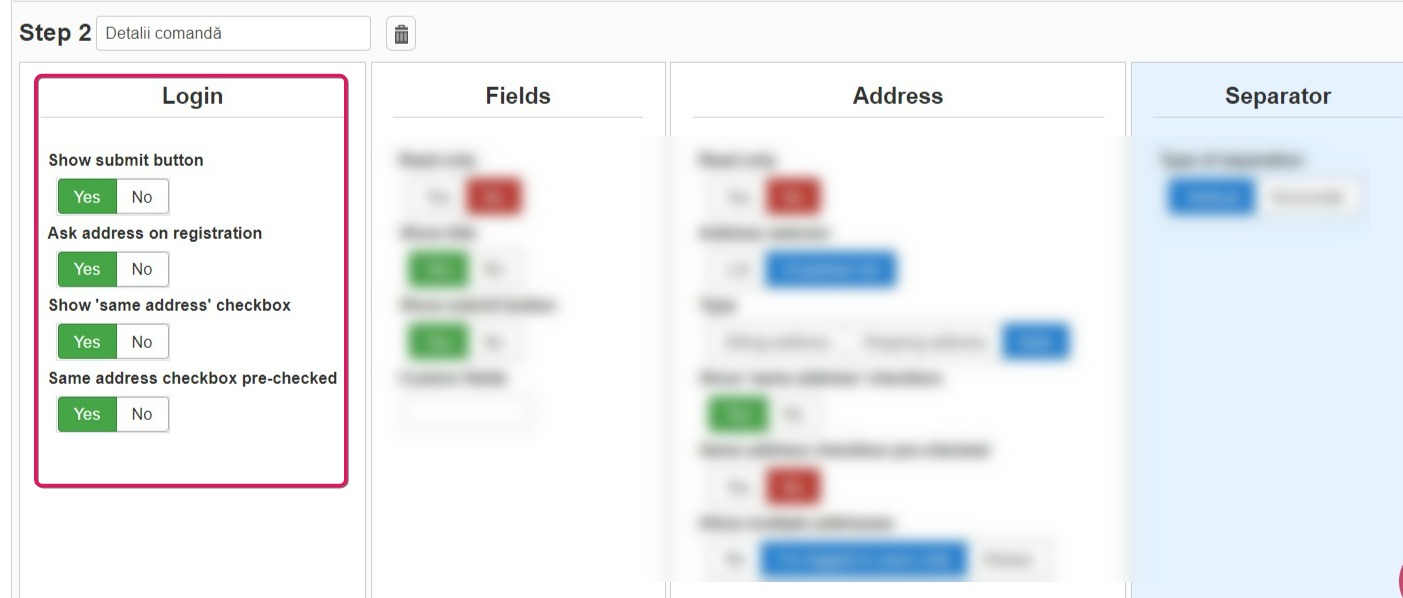
This is Config
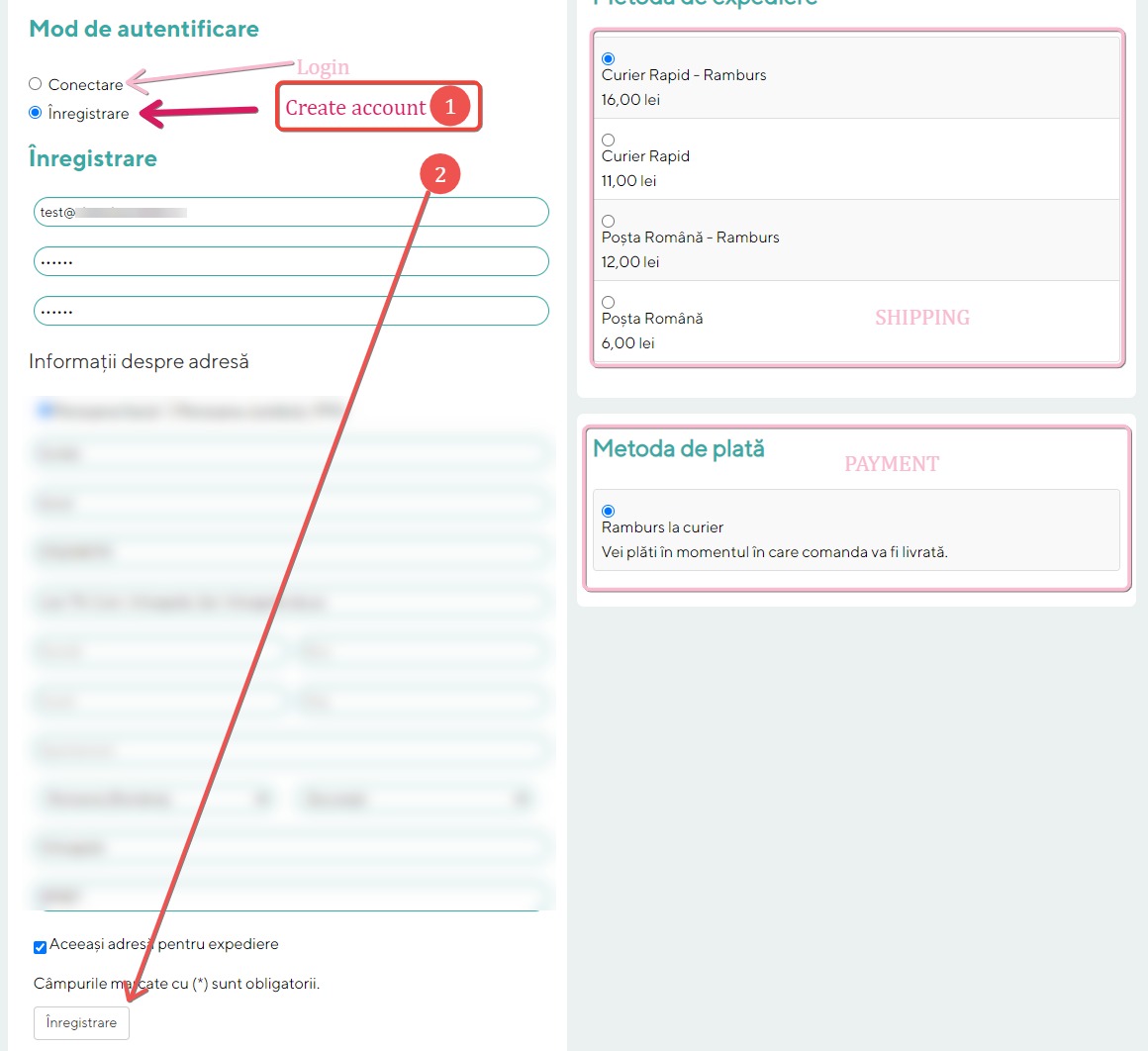
This is the step 2 in fron-end
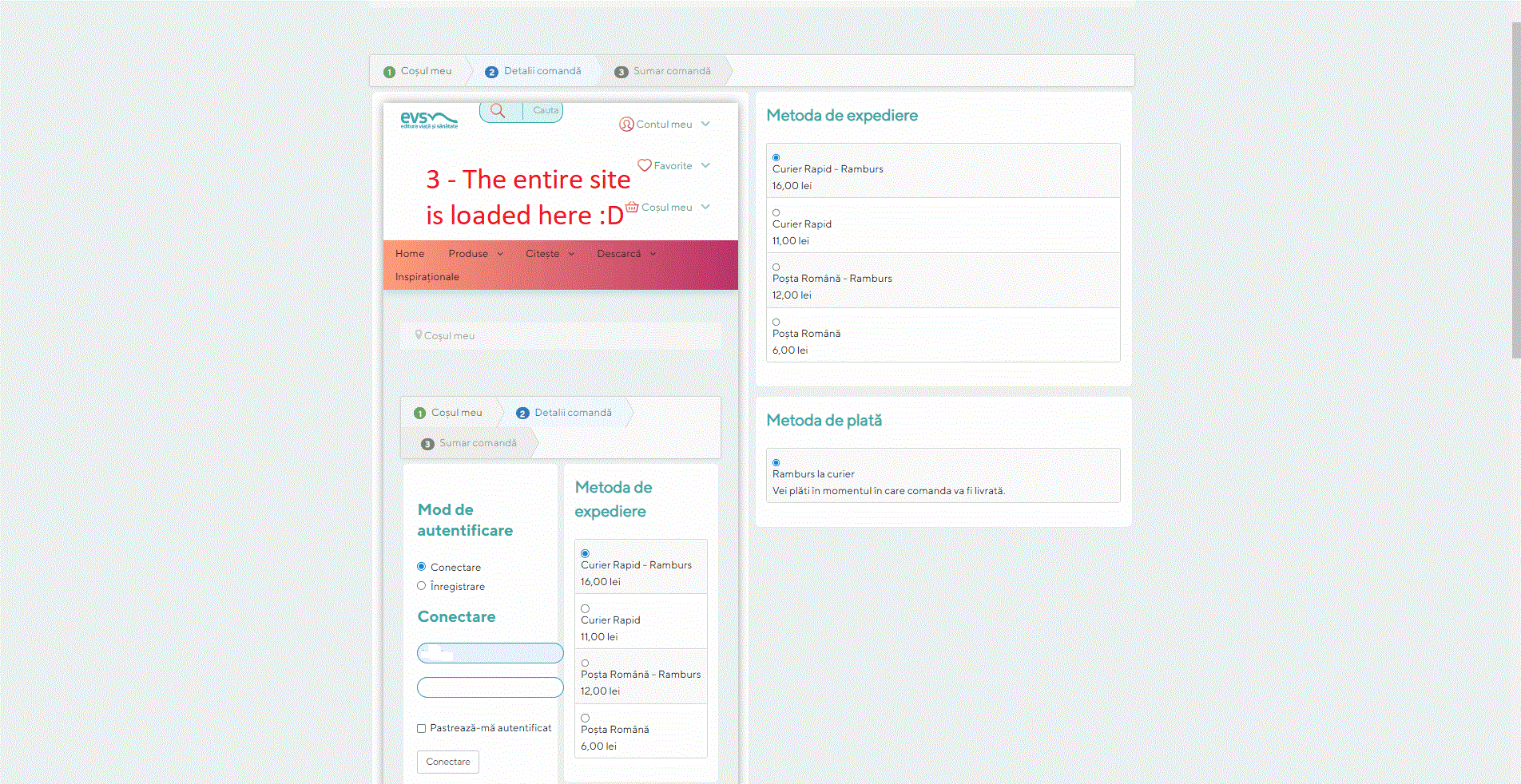
This is the step 2 after an arror, and with website loaded as iframe
-- Joomla version -- : 3.10.11
-- PHP version -- : 7.4
Hi,
When I try to create a new account on the checkout, some times, insteed of getting an rerror lile "the password's are not the same", the entire website is loaded as an iframe.
This is Config
This is the step 2 in fron-end
This is the step 2 after an arror, and with website loaded as iframe
Please Log in or Create an account to join the conversation.

3 years 10 months ago #346833
by nicolas
Replied by nicolas on topic Checkout new account problem
Hi,
Does it happen only when you have an error (like the passwords are not the same) ? Or it happens even when everything is fine ?
You say it happens only sometimes. What is the frequency ? Once every 3 attempts or once every hundred attempts ? Do you see any pattern ?
Do you have the issue with different browsers ?
Could you provide the URL of the shop ?
Did you had the issue with previous versions of HikaShop or it happened after the update ? Or maybe it's a new shop ?
Does it happen only when you have an error (like the passwords are not the same) ? Or it happens even when everything is fine ?
You say it happens only sometimes. What is the frequency ? Once every 3 attempts or once every hundred attempts ? Do you see any pattern ?
Do you have the issue with different browsers ?
Could you provide the URL of the shop ?
Did you had the issue with previous versions of HikaShop or it happened after the update ? Or maybe it's a new shop ?
Please Log in or Create an account to join the conversation.
3 years 10 months ago #346988
by oxido
Replied by oxido on topic Checkout new account problem
Hi nicolas,
Correction*, the problem show's up when everything is good, so no errors.
It sims like the problem it is caused by the HikaShop ReCaptcha v2 plugin, when I disable the plugin, registration it's working
This affect's hikashop V. 4.5.1; 4.6.2; 4.7.0.
Tested in: Chrome, Edge, Firefox
Php version 7.4
Step to Reproduce:
Add a product to cart
From the cart module go to checkout
In step 2 Where is asking to login or to create an account, select to create new account
Fill all the details right (no error should show up)
Click registration = error
================================
If I change the PHP version to 8, I get this
And if I enable Debug mode in joomla (development), I see this
Correction*, the problem show's up when everything is good, so no errors.
It sims like the problem it is caused by the HikaShop ReCaptcha v2 plugin, when I disable the plugin, registration it's working
This affect's hikashop V. 4.5.1; 4.6.2; 4.7.0.
Tested in: Chrome, Edge, Firefox
Php version 7.4
Step to Reproduce:
Add a product to cart
From the cart module go to checkout
In step 2 Where is asking to login or to create an account, select to create new account
Fill all the details right (no error should show up)
Click registration = error
================================
If I change the PHP version to 8, I get this
Code:
0 implode(): Argument #1 ($pieces) must be of type array, string given
Code:
Call stack
# Function Location
1 () JROOT\plugins\system\recaptcha2\recaptcha2.php:320
2 implode() JROOT\plugins\system\recaptcha2\recaptcha2.php:320
3 plgSystemRecaptcha2->_checkCaptcha() JROOT\plugins\system\recaptcha2\recaptcha2.php:266
4 plgSystemRecaptcha2->onBeforeStoreUser() JROOT\plugins\system\recaptcha2\recaptcha2.php:218
5 plgSystemRecaptcha2->onUserBeforeSave() JROOT\libraries\joomla\event\event.php:70
6 JEvent->update() JROOT\libraries\joomla\event\dispatcher.php:160
7 JEventDispatcher->trigger() JROOT\libraries\src\User\User.php:800
8 Joomla\CMS\User\User->save() JROOT\administrator\components\com_hikashop\classes\user.php:722
9 hikashopUserClass->register() JROOT\administrator\components\com_hikashop\helpers\checkout\login.php:264
10 hikashopCheckoutLoginHelper->validateRegistration() JROOT\administrator\components\com_hikashop\helpers\checkout\login.php:110
11 hikashopCheckoutLoginHelper->validate() JROOT\components\com_hikashop\controllers\checkout.php:310
12 checkoutController->submitblock() JROOT\libraries\src\MVC\Controller\BaseController.php:702
13 Joomla\CMS\MVC\Controller\BaseController->execute() JROOT\administrator\components\com_hikashop\helpers\helper.php:2408
14 hikashopController->execute() JROOT\components\com_hikashop\hikashop.php:88
15 require_once() JROOT\libraries\src\Component\ComponentHelper.php:402
16 Joomla\CMS\Component\ComponentHelper::executeComponent() JROOT\libraries\src\Component\ComponentHelper.php:377
17 Joomla\CMS\Component\ComponentHelper::renderComponent() JROOT\libraries\src\Application\SiteApplication.php:194
18 Joomla\CMS\Application\SiteApplication->dispatch() JROOT\libraries\src\Application\SiteApplication.php:233
19 Joomla\CMS\Application\SiteApplication->doExecute() JROOT\libraries\src\Application\CMSApplication.php:225
20 Joomla\CMS\Application\CMSApplication->execute()
Please Log in or Create an account to join the conversation.
3 years 10 months ago #346989
by nicolas
Replied by nicolas on topic Checkout new account problem
Hi,
You have an old version of the Recaptcha plugin which isn't compatible with PHP8.
Download it again on our website and install it again on your website and it should remove the error.
You have an old version of the Recaptcha plugin which isn't compatible with PHP8.
Download it again on our website and install it again on your website and it should remove the error.
Please Log in or Create an account to join the conversation.
Time to create page: 0.161 seconds