

- Posts: 90
- Thank you received: 2
Social Plugin breaks layout
13 years 6 months ago #94431
by lex131
Social Plugin breaks layout was created by lex131
Hello guys,
I enabled the social plugin, which looks great by the way, my layout gets weird.
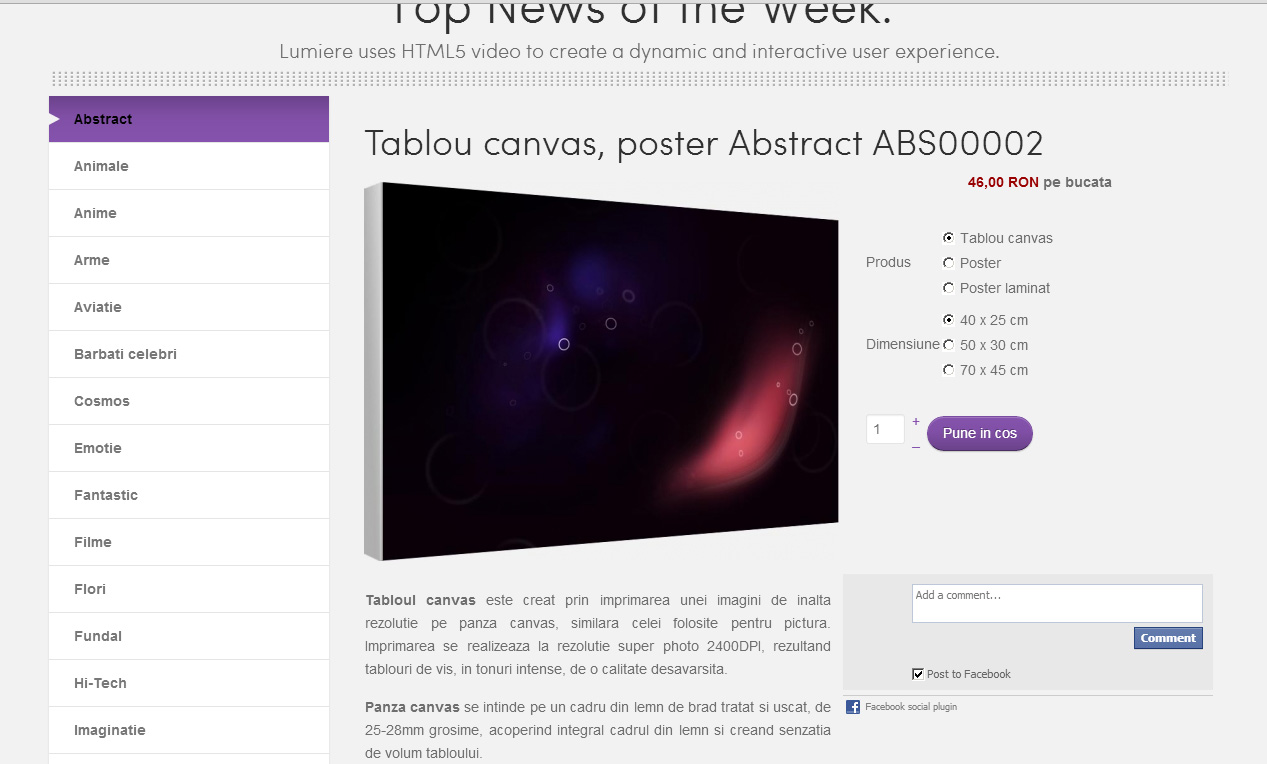
This is how it looks without social plugin:
This is how it looks with the social plugin:
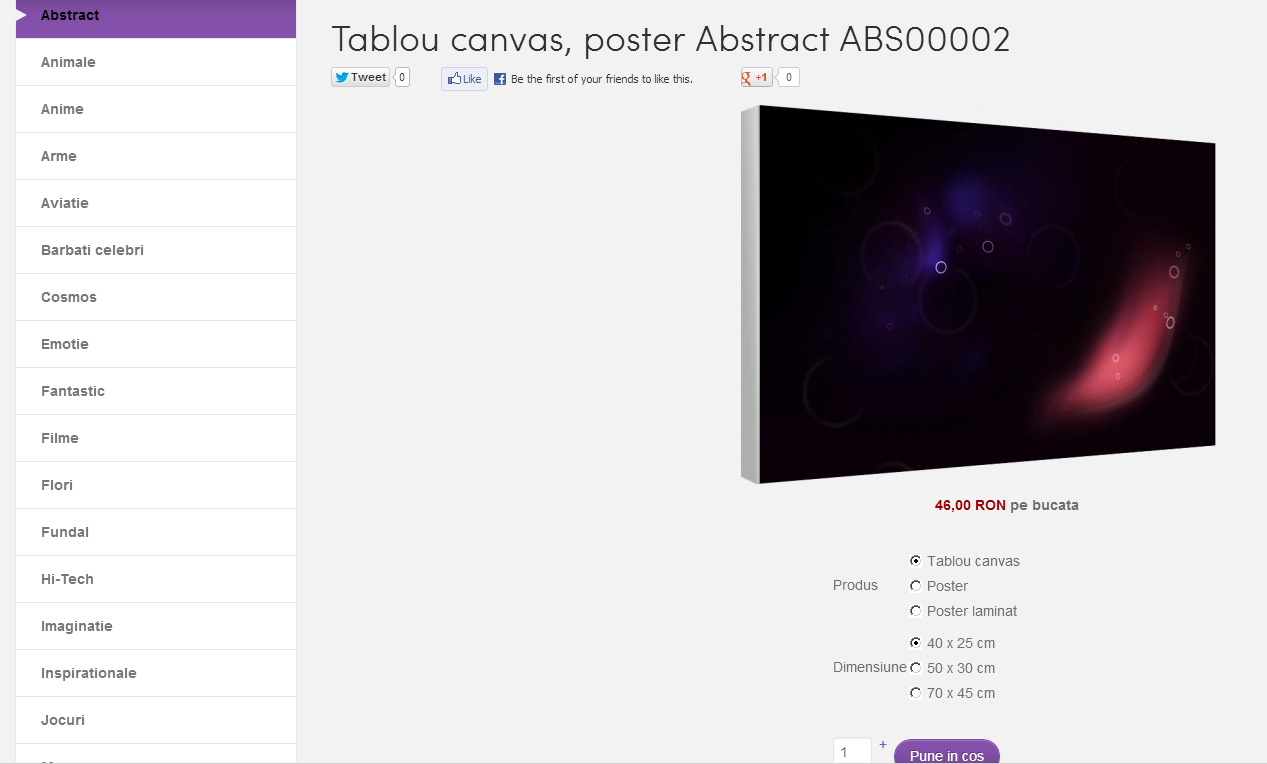
Can you please tell me what file to modify and how for this plugin to not modify anything below itself.
Thank you!
I enabled the social plugin, which looks great by the way, my layout gets weird.
This is how it looks without social plugin:
This is how it looks with the social plugin:
Can you please tell me what file to modify and how for this plugin to not modify anything below itself.
Thank you!
Please Log in or Create an account to join the conversation.

13 years 6 months ago #94440
by nicolas
Replied by nicolas on topic Social Plugin breaks layout
It's a CSS issue specific to your website.
Please provide the link to that page so that we can analyze your CSS to answer you.
Please provide the link to that page so that we can analyze your CSS to answer you.
Please Log in or Create an account to join the conversation.
13 years 6 months ago #94445
by lex131
Replied by lex131 on topic Social Plugin breaks layout
Hello Nicolas,
I've just updated to the 2.1.1 version.
Of course, my css override has been erased:
I had this so the variant menu won't appear behind the image:
#hikashop_product_right_part {
float: right;
width: 350px;
}
And I had this so the description won't be far away from the image (there was a lot of space after the image):
div#hikashop_product_main_image {
height: 0px;
}
Is there a smarter way to apply these also instead of my "butcher" css skills?
Also, in a previous topic you said: I had also to split a left join query to two queries in the file components/com_hikashop/views/product/view.html.php however, we won't be able to add that by default in HikaShop as we loose the possibility to order the products listings by product ordering.
I've attached that view.html.php file. Can I, with my limited knowledge apply the same changes to the new view.html.php file? Which are the modifications? Or can I just overwrite it?
I've just updated to the 2.1.1 version.
Of course, my css override has been erased:
I had this so the variant menu won't appear behind the image:
#hikashop_product_right_part {
float: right;
width: 350px;
}
And I had this so the description won't be far away from the image (there was a lot of space after the image):
div#hikashop_product_main_image {
height: 0px;
}
Is there a smarter way to apply these also instead of my "butcher" css skills?
Also, in a previous topic you said: I had also to split a left join query to two queries in the file components/com_hikashop/views/product/view.html.php however, we won't be able to add that by default in HikaShop as we loose the possibility to order the products listings by product ordering.
I've attached that view.html.php file. Can I, with my limited knowledge apply the same changes to the new view.html.php file? Which are the modifications? Or can I just overwrite it?
Please Log in or Create an account to join the conversation.
13 years 6 months ago #94448
by nicolas
Replied by nicolas on topic Social Plugin breaks layout
Hi,
I don't remember the modification. Ideally, you should compare the old version of the view.html.php with the one I had changed and apply the same modification to the new version.
Instead of editing the CSS directly, you should edit it via the interface in the configuration. That way, you won't loose your changes when you update.
I don't remember the modification. Ideally, you should compare the old version of the view.html.php with the one I had changed and apply the same modification to the new version.
Instead of editing the CSS directly, you should edit it via the interface in the configuration. That way, you won't loose your changes when you update.
Please Log in or Create an account to join the conversation.
13 years 6 months ago #94452
by lex131
Replied by lex131 on topic Social Plugin breaks layout
Ok,
I will check the php.
Can you please help me with the css part?
I promise I won't bother you with this again.
I will check the php.
Can you please help me with the css part?
I promise I won't bother you with this again.
Please Log in or Create an account to join the conversation.
13 years 6 months ago #94453
by lex131
Replied by lex131 on topic Social Plugin breaks layout
p.s. I sent you login details by pm.
Please Log in or Create an account to join the conversation.
13 years 6 months ago #94478
by lex131
Replied by lex131 on topic Social Plugin breaks layout
I don't know why the server stopped during the night, but the site is on again.
Please Log in or Create an account to join the conversation.
13 years 6 months ago #94569
by nicolas
Replied by nicolas on topic Social Plugin breaks layout
You can add that CSS to avoid the issue:
.hikashop_product_page .row-fluid{
clear: both;
}
.hikashop_product_page .row-fluid{
clear: both;
}
Please Log in or Create an account to join the conversation.
Time to create page: 0.290 seconds