

- Posts: 32
- Thank you received: 1
Image on product page above the product name
13 years 3 months ago #111502
by Duchesne
Image on product page above the product name was created by Duchesne
Can anyone tell me how I can add an image on the product page that would be above the product name and add to cart button, but below the breadcrumb, in other words, between the breadcrumb and product name?
Please Log in or Create an account to join the conversation.

13 years 3 months ago #111520
by nicolas
Replied by nicolas on topic Image on product page above the product name
You can edit the file "show" of the view "product" via the menu Display>Views and add the HTML tag of your image at the beginning.
Please Log in or Create an account to join the conversation.
13 years 3 months ago #111545
by Duchesne
Replied by Duchesne on topic Image on product page above the product name
Hi Nicolas,
Thank you for your instructions. It works well, but I get the same picture for all the products. Is there a way to have different images according to the category on the Product Page?
I would like an image of an Ireland scene for "Irish Music CDs" and a Forest Scene for the "Forest Melodies CDs" on the Product Page between the breadcrumbs and the Product Name. I already have images of the Category on the Product List ]page. That works well.
The different images work fine on the Product Page, but they are below the Product/Add to Cart. Again for clarity sake, I would like them between the breadcrumbs and product name/add to cart button. Is there a work-around for this?
Thanks for your help.
Best regards,
Dennis
Thank you for your instructions. It works well, but I get the same picture for all the products. Is there a way to have different images according to the category on the Product Page?
I would like an image of an Ireland scene for "Irish Music CDs" and a Forest Scene for the "Forest Melodies CDs" on the Product Page between the breadcrumbs and the Product Name. I already have images of the Category on the Product List ]page. That works well.
The different images work fine on the Product Page, but they are below the Product/Add to Cart. Again for clarity sake, I would like them between the breadcrumbs and product name/add to cart button. Is there a work-around for this?
Thanks for your help.
Best regards,
Dennis
Please Log in or Create an account to join the conversation.

13 years 3 months ago #111570
by Xavier
Replied by Xavier on topic Image on product page above the product name
Hi,
In the "product / show_default" view you can display the category image but it will require some custom code so php knowledges.
You will have to get the category of the product, then the image and display the image.
Another solution could be using the custom fields, add a custom field in the table "product" (from Display > Custom fields menu), you can name it for example "category_image".
Then in the product edition page, set the link of the image, and in the view "product / show_default" do an echo $this->element->category_image;
By this way the category image will be displayed on the product page.
Moving the images before the product name is possible, you have to edit the view "product / show_default" and move the different parts as wanted.
Here is a tutorial:
www.hikashop.com/fr/support/documentatio...ize-the-display.html
In the "product / show_default" view you can display the category image but it will require some custom code so php knowledges.
You will have to get the category of the product, then the image and display the image.
Another solution could be using the custom fields, add a custom field in the table "product" (from Display > Custom fields menu), you can name it for example "category_image".
Then in the product edition page, set the link of the image, and in the view "product / show_default" do an echo $this->element->category_image;
By this way the category image will be displayed on the product page.
Moving the images before the product name is possible, you have to edit the view "product / show_default" and move the different parts as wanted.
Here is a tutorial:
www.hikashop.com/fr/support/documentatio...ize-the-display.html
Please Log in or Create an account to join the conversation.
13 years 2 months ago #111768
by Duchesne
Replied by Duchesne on topic Image on product page above the product name
Thank you Xavier, for your instructions. However, the image does not show at the top. Obviously, I didn't do it right.
I created the Custom Field and named it as you suggested: category_image
I place echo $this->element->category_image; in the Product show_default at the top in the <div id="hikashop_product_top_part" class="hikashop_product_top_part">
Attached are:
show_default php file
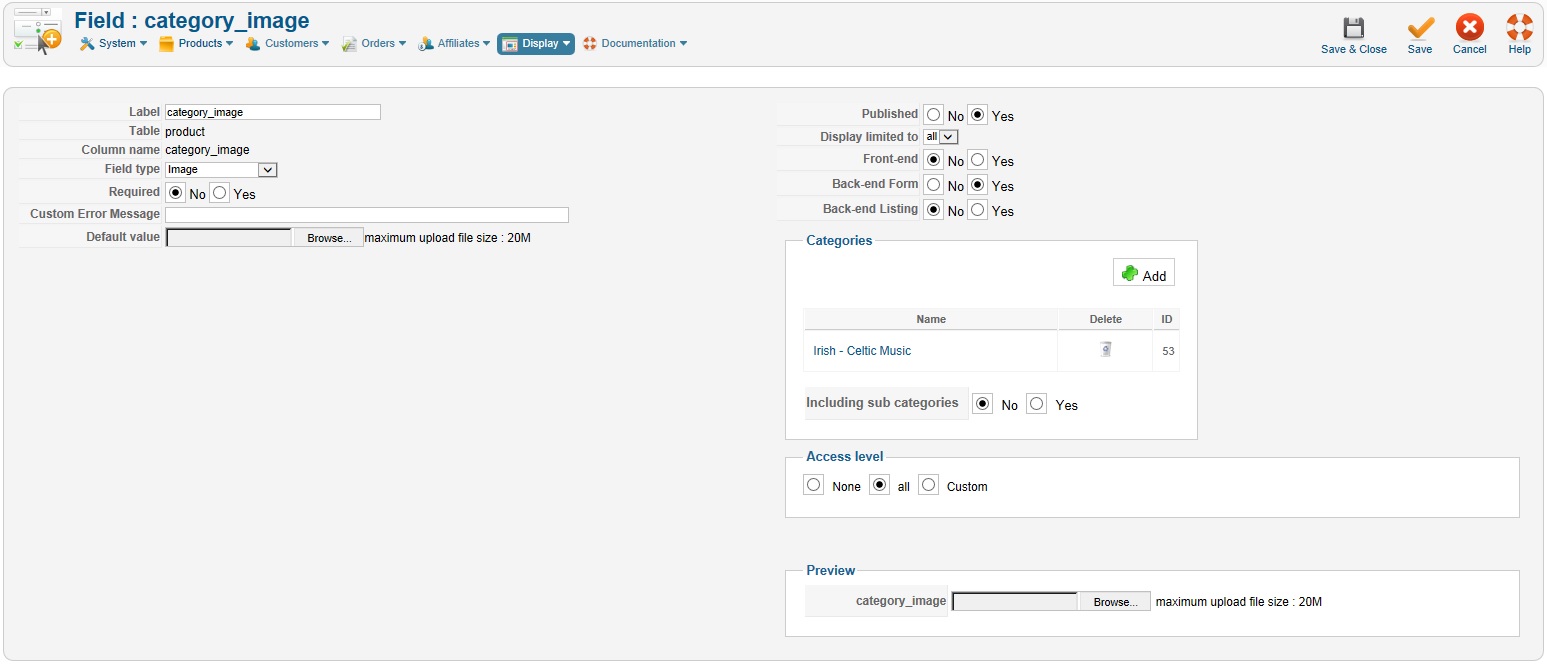
screen shot of the custom_fiel "category_field" configuration
Here is the link to the Product Page: universal-spirit.org/joomla/index.php?op...-north-cd&Itemid=278
Please accept my apologies for my stupidity and thank you for your time and effort.
Best regards,
Dennis
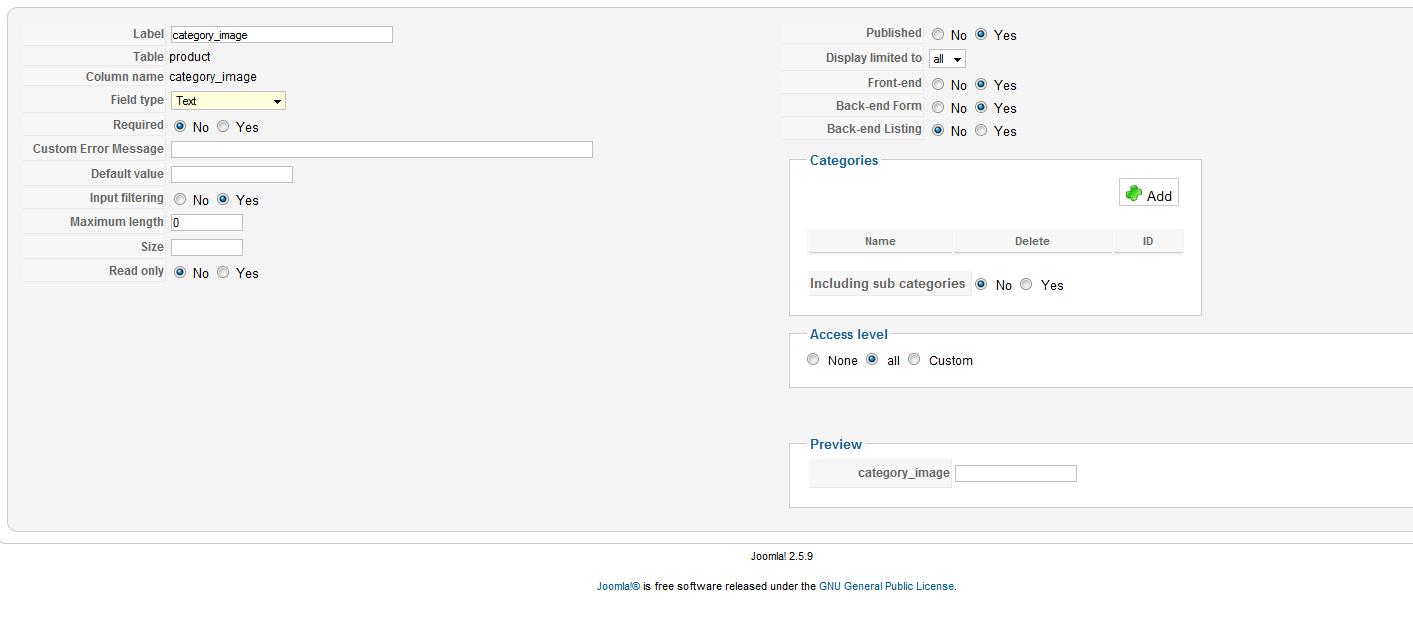
I created the Custom Field and named it as you suggested: category_image
I place echo $this->element->category_image; in the Product show_default at the top in the <div id="hikashop_product_top_part" class="hikashop_product_top_part">
Attached are:
show_default php file
screen shot of the custom_fiel "category_field" configuration
Here is the link to the Product Page: universal-spirit.org/joomla/index.php?op...-north-cd&Itemid=278
Please accept my apologies for my stupidity and thank you for your time and effort.
Best regards,
Dennis
This attachment is hidden for guests.
Please log in or register to see it.
Please log in or register to see it.
Please Log in or Create an account to join the conversation.
13 years 2 months ago #111777
by nicolas
Replied by nicolas on topic Image on product page above the product name
You didn't add the PHP statement at the correct place.
Please add it directly after the first <?php
Then, please make sure that you enter something in the custom field when you edit the product on the backend.
Please add it directly after the first <?php
Then, please make sure that you enter something in the custom field when you edit the product on the backend.
Please Log in or Create an account to join the conversation.
13 years 2 months ago #111810
by Duchesne
Replied by Duchesne on topic Image on product page above the product name
Hi Nicolas,
Thanks for your help. The image is still below the product name. And now I get the image filename (irischbanner.jpg) in place of where I would like the category image.
I am attaching snapshots of the product edit screen and product custom field.
Here is the link to the product page: www.universal-spirit.org/joomla/index.ph...-north-cd&Itemid=278
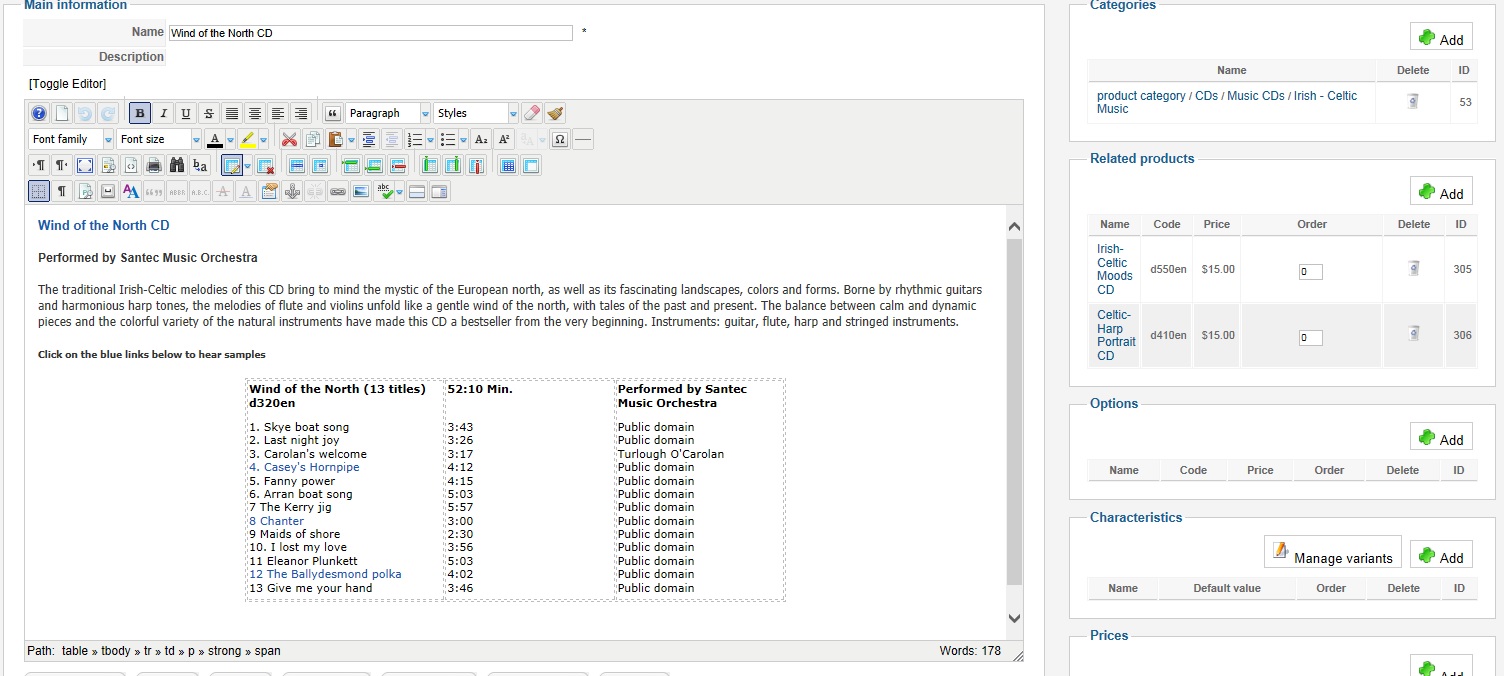
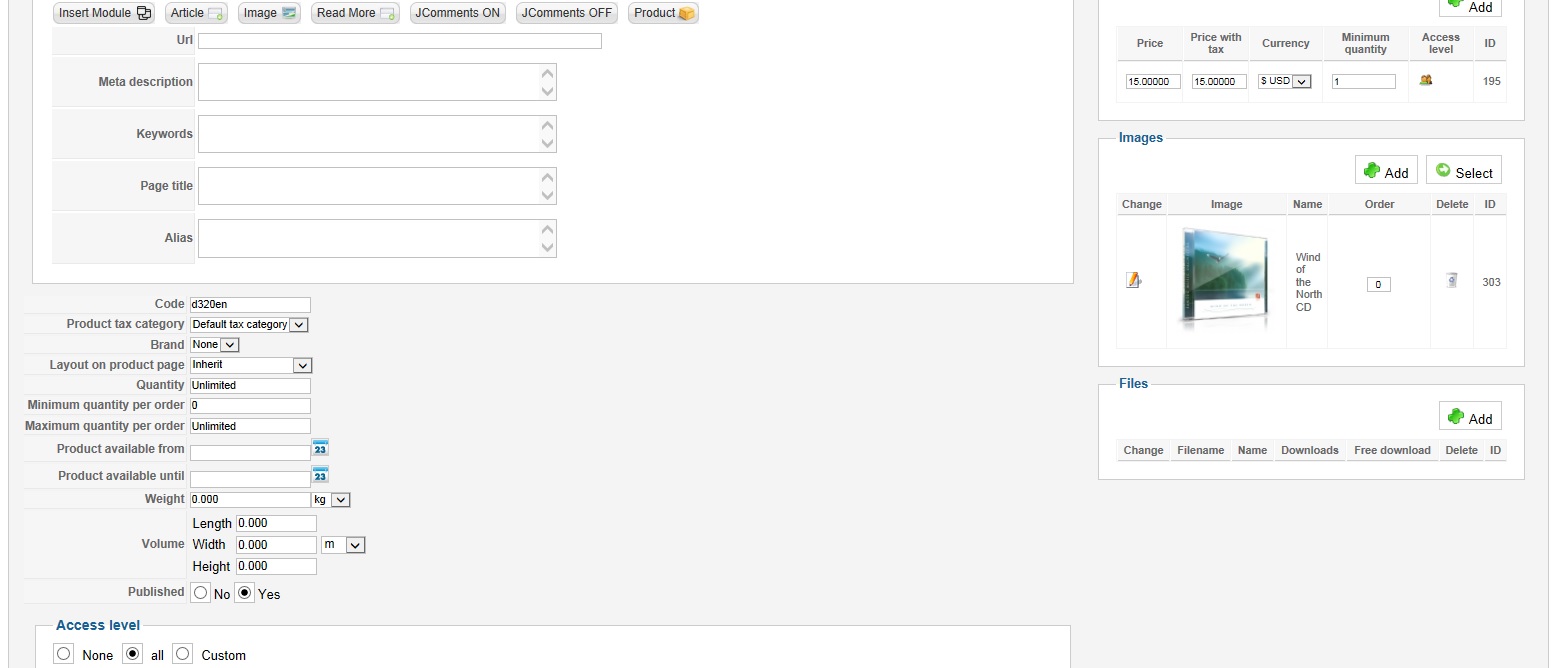
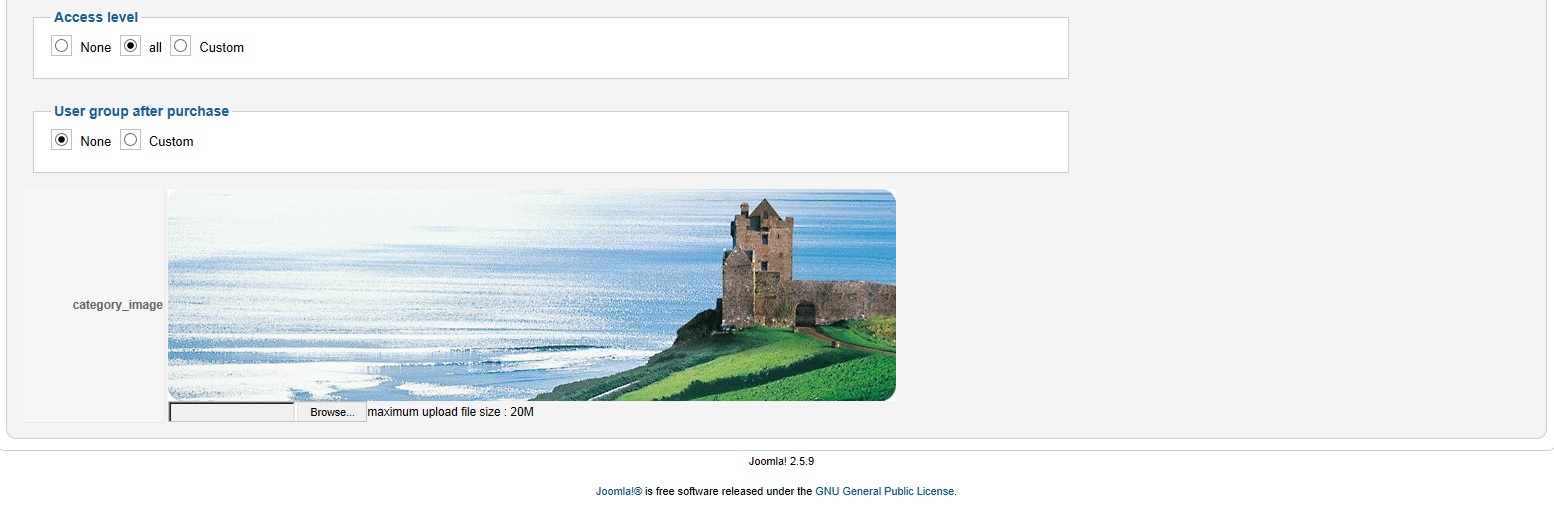
Thanks again for your time and effort.
Best regards,
Dennis
Thanks for your help. The image is still below the product name. And now I get the image filename (irischbanner.jpg) in place of where I would like the category image.
I am attaching snapshots of the product edit screen and product custom field.
Here is the link to the product page: www.universal-spirit.org/joomla/index.ph...-north-cd&Itemid=278
This attachment is hidden for guests.
Please log in or register to see it.
Please log in or register to see it.
Thanks again for your time and effort.
Best regards,
Dennis
Please Log in or Create an account to join the conversation.
13 years 2 months ago #111836
by nicolas
Replied by nicolas on topic Image on product page above the product name
Of course, you need to add the img HTML tags around the image URL.
Like that:
echo '<img src="'.$this->element->category_image.'"/>';
Like that:
echo '<img src="'.$this->element->category_image.'"/>';
Please Log in or Create an account to join the conversation.
13 years 2 months ago #111842
by Duchesne
Replied by Duchesne on topic Image on product page above the product name
Hi Nicolas,
I placed your suggestion in the product show_default and it didn't work. I must be doing something wrong.
Would you please tell me the exact syntax and where to put it?
This is what I put in the product show_default.php
<?php echo '<img src="'.$this->element->category_image.'"/>'; echo $this->element->category_image;
/**
* @package HikaShop for Joomla!
* @version 2.1.0
* @author hikashop.com
* @copyright (C) 2010-2012 HIKARI SOFTWARE. All rights reserved.
* @license GNU/GPLv3 www.gnu.org/licenses/gpl-3.0.html
*/
defined('_JEXEC') or die('Restricted access');
?><div id="hikashop_product_top_part" class="hikashop_product_top_part">
<?php if(!empty($this->element->extraData->topBegin)) { echo implode("\r\n",$this->element->extraData->topBegin); } ?>
<h1>
<span id="hikashop_product_name_main" class="hikashop_product_name_main">
<?php
if (hikashop_getCID('product_id')!=$this->element->product_id && isset ($this->element->main->product_name))
echo $this->element->main->product_name;
else
echo $this->element->product_name;
?>
</span>
Dennis
I placed your suggestion in the product show_default and it didn't work. I must be doing something wrong.
Would you please tell me the exact syntax and where to put it?
This is what I put in the product show_default.php
<?php echo '<img src="'.$this->element->category_image.'"/>'; echo $this->element->category_image;
/**
* @package HikaShop for Joomla!
* @version 2.1.0
* @author hikashop.com
* @copyright (C) 2010-2012 HIKARI SOFTWARE. All rights reserved.
* @license GNU/GPLv3 www.gnu.org/licenses/gpl-3.0.html
*/
defined('_JEXEC') or die('Restricted access');
?><div id="hikashop_product_top_part" class="hikashop_product_top_part">
<?php if(!empty($this->element->extraData->topBegin)) { echo implode("\r\n",$this->element->extraData->topBegin); } ?>
<h1>
<span id="hikashop_product_name_main" class="hikashop_product_name_main">
<?php
if (hikashop_getCID('product_id')!=$this->element->product_id && isset ($this->element->main->product_name))
echo $this->element->main->product_name;
else
echo $this->element->product_name;
?>
</span>
Dennis
Please Log in or Create an account to join the conversation.
13 years 2 months ago #111959
by nicolas
Replied by nicolas on topic Image on product page above the product name
I didn't saw that you used an image custom field. I thought that you were using a text custom field.
Please change the type to "text" for the custom field and enter the link to the image ( www.universal-spirit.org/joomla/images/M...ges/irischbanner.jpg in that case ) and that will work.
Please change the type to "text" for the custom field and enter the link to the image ( www.universal-spirit.org/joomla/images/M...ges/irischbanner.jpg in that case ) and that will work.
Please Log in or Create an account to join the conversation.
13 years 2 months ago #111975
by Duchesne
Replied by Duchesne on topic Image on product page above the product name
I changed the custom field type to "Text" as you suggested. I placed
www.universal-spirit.org/joomla/images/M...ges/irischbanner.jpg
at the beginning of Hikashop product editing page for the CD product. I presume that is where you wanted me to place the link to the image???
Well, it still does not show the Irish Coast image above the product but below. And the image filename displays instead.
What am I doing wrong?
Regards,
Dennis
Well, it still does not show the Irish Coast image above the product but below. And the image filename displays instead.
What am I doing wrong?
Regards,
Dennis
Please Log in or Create an account to join the conversation.
13 years 2 months ago #112006
by nicolas
Replied by nicolas on topic Image on product page above the product name
I said that you need to enter that link in your custom text field in the product edition page.
It's not at the beginning.
It's in fact normally near the bottom of the page that you see your custom fields (you found it when it was of the type "image", so it's simply at the same place).
It's not at the beginning.
It's in fact normally near the bottom of the page that you see your custom fields (you found it when it was of the type "image", so it's simply at the same place).
Please Log in or Create an account to join the conversation.
13 years 2 months ago #112011
by Duchesne
Replied by Duchesne on topic Image on product page above the product name
Hello Nicolas,
Thank you for your responase. I do not see the custom field on the porduct edition page. I'm sorry but I'm not as verse in Hikashop as you. I need more detail instructions please.
Thank you for your time, effort and patience.
Best regards,
Dennis
Thank you for your responase. I do not see the custom field on the porduct edition page. I'm sorry but I'm not as verse in Hikashop as you. I need more detail instructions please.
Thank you for your time, effort and patience.
Best regards,
Dennis
Please Log in or Create an account to join the conversation.
13 years 2 months ago #112050
by Xavier
Replied by Xavier on topic Image on product page above the product name
Hi,
Thanks to check the configuration of your custom fields via the menu Display > Custom fields.
Check if it's enabled, and set for the good table, "product".
Thanks to check the configuration of your custom fields via the menu Display > Custom fields.
Check if it's enabled, and set for the good table, "product".
Please Log in or Create an account to join the conversation.
13 years 2 months ago #112134
by Duchesne
Replied by Duchesne on topic Image on product page above the product name
Hi Xavier,
Thank you for your rsponse and suggestion. However, the image still does not show and instead the filename: irscbanner.jpg and an icon shows in its place. Also, the text: Specifications category_image irischbanner.jpg is under the add to cart button.
I've attached four image files and the product/show_default.php file for the template I'm using.
The url of the product page in question is: universal-spirit.org/joomla/index.php?op...-north-cd&Itemid=278
Please let me know if you need further information from me. I look forward to your response and resolution to this issue. Thank you for bearing with me. Your patience and guidance is appreciated.
Kind regards,
Dennis
Thank you for your rsponse and suggestion. However, the image still does not show and instead the filename: irscbanner.jpg and an icon shows in its place. Also, the text: Specifications category_image irischbanner.jpg is under the add to cart button.
I've attached four image files and the product/show_default.php file for the template I'm using.
The url of the product page in question is: universal-spirit.org/joomla/index.php?op...-north-cd&Itemid=278
Please let me know if you need further information from me. I look forward to your response and resolution to this issue. Thank you for bearing with me. Your patience and guidance is appreciated.
Kind regards,
Dennis
Please Log in or Create an account to join the conversation.
13 years 2 months ago #112150
by Duchesne
Replied by Duchesne on topic Image on product page above the product name
I finally figured out how to get the picture between the breadcrumbs and the product name/ add to cart button. How do I get rid of:
www.universal-spirit.org/joomla/media/co...oad/irischbanner.jpg below the image?
How do I get rid of:
Specifications
category_image www.universal-spirit.org/joomla/media/co...oad/irischbanner.jpg
that is below the add to cart button?
Thank you,
Dennis
www.universal-spirit.org/joomla/media/co...oad/irischbanner.jpg below the image?
How do I get rid of:
Specifications
category_image www.universal-spirit.org/joomla/media/co...oad/irischbanner.jpg
that is below the add to cart button?
Thank you,
Dennis
Please Log in or Create an account to join the conversation.
13 years 2 months ago #112161
by Duchesne
Replied by Duchesne on topic Image on product page above the product name
Hello Nicolas and Xavier,
I was able to remove the image filename from the bottom of the image by commenting out
echo $this->element->category_image_2; in the product/show_defaoult.php
<?php echo '<img src="'.$this->element->category_image_2.'"/>'; /* echo $this->element->category_image_2; */
Specification and image filename under the Add to Cart button was removed by UNPUBLISHING the custom field in the custom field list. In fact I unpolished in front end, back-end form, back-end listing.
Thank you for your support and patience. We can finally consider this topic closed.
Regards,
Dennis
I was able to remove the image filename from the bottom of the image by commenting out
echo $this->element->category_image_2; in the product/show_defaoult.php
<?php echo '<img src="'.$this->element->category_image_2.'"/>'; /* echo $this->element->category_image_2; */
Specification and image filename under the Add to Cart button was removed by UNPUBLISHING the custom field in the custom field list. In fact I unpolished in front end, back-end form, back-end listing.
Thank you for your support and patience. We can finally consider this topic closed.
Regards,
Dennis
Please Log in or Create an account to join the conversation.
13 years 2 weeks ago #123161
by ahcopyart
Replied by ahcopyart on topic Image on product page above the product name
Hello, we are trying to do the same as Duchesne and are following this thread. One thing I can't figure out is you mention the "Product Edition Page", what exactly is this and where do I find it? I think thats the last thing I need to do to get this working...
Thanks
Thanks
Please Log in or Create an account to join the conversation.

13 years 2 weeks ago #123163
by Jerome
Jerome - Obsidev.com
HikaMarket & HikaSerial developer / HikaShop core dev team.
Replied by Jerome on topic Image on product page above the product name
Hi,
The product edition page means the product page in the backend, where you will edit the product.
The idea is to edit the value of the custom field for the specific product, then the rest of the code will use the value from the custom field to make the special display.
Regards,
The product edition page means the product page in the backend, where you will edit the product.
The idea is to edit the value of the custom field for the specific product, then the rest of the code will use the value from the custom field to make the special display.
Regards,
Jerome - Obsidev.com
HikaMarket & HikaSerial developer / HikaShop core dev team.
Please Log in or Create an account to join the conversation.
13 years 2 weeks ago #123167
by ahcopyart
Replied by ahcopyart on topic Image on product page above the product name
ok thanks, that term seems to be used quite a bit in the forums so a lot of things have suddenly become more clear to me 
So when Xavier says "Then in the product edition page, set the link of the image", does he mean just insert the actual image using the description edit window or something else?
So when Xavier says "Then in the product edition page, set the link of the image", does he mean just insert the actual image using the description edit window or something else?
Please Log in or Create an account to join the conversation.
Time to create page: 0.349 seconds