

- Posts: 637
- Thank you received: 26
two sort of TAX rates names with 0% show on PDF attached Invoice
9 years 5 months ago - 9 years 5 months ago #266502
by Lumiga
Kind regards,
Lumiga
-- HikaShop version -- : 3.0.1
-- Joomla version -- : 3.6.5
-- PHP version -- : 7.0
Hi Hikashop Team,
I have also replied on a topic with this same issue but only for the e-mails from Hikashop
But this issue became very long and I want to separate the two questions.
So this topic is only for the attached PDF invoice.
See: www.hikashop.com/support/forum/taxes/871...ro-vat.html?start=20
So as shown below I have the same question.
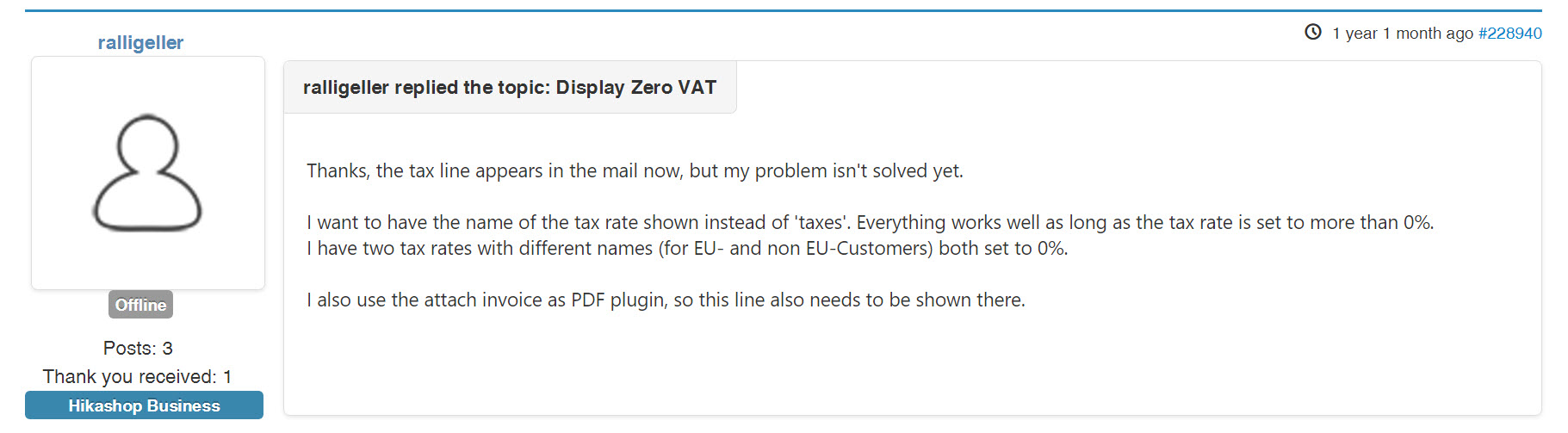
I want to have the name of the tax rate shown instead of 'taxes'.
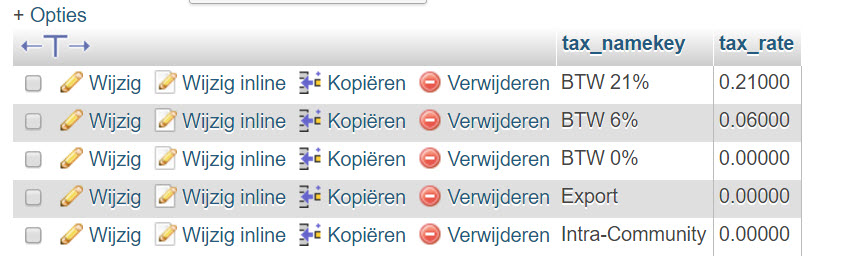
I have two tax rates with different names (for EU- and non EU-Customers) both set to 0%.
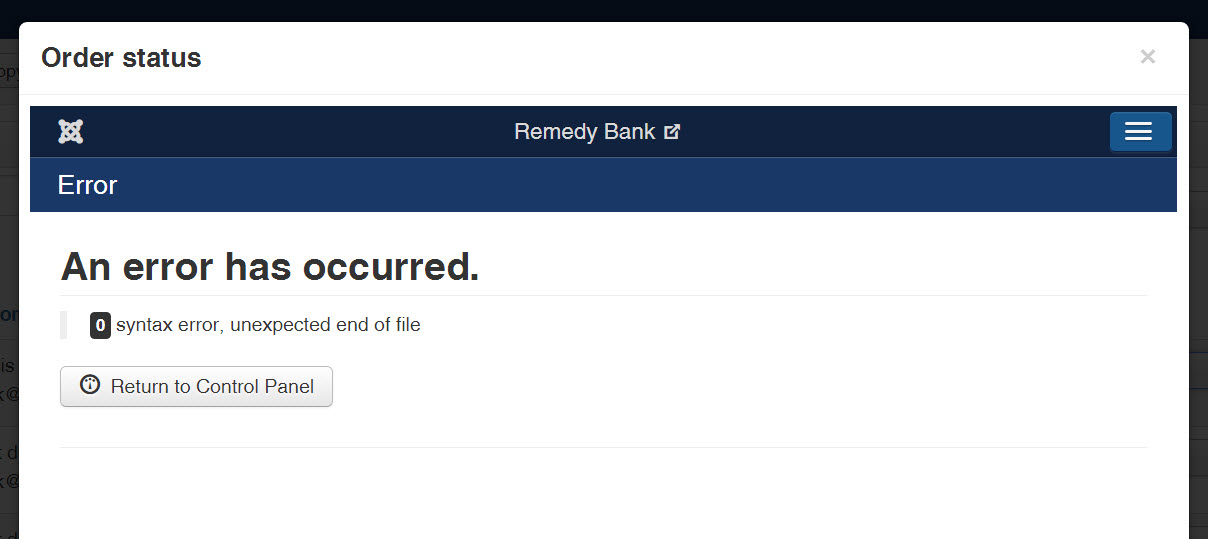
If I do what Nicolas described I get this error:
I hope you can help me with this issue. Since this is mandatory in the Netherlands and Belgium and maybe more EU countries to indicate special text on the invoice to explain that the 0%TAX ar based on Intra-Community Delivery VAT inside the EU or export VAT if it is for customers outside the EU.
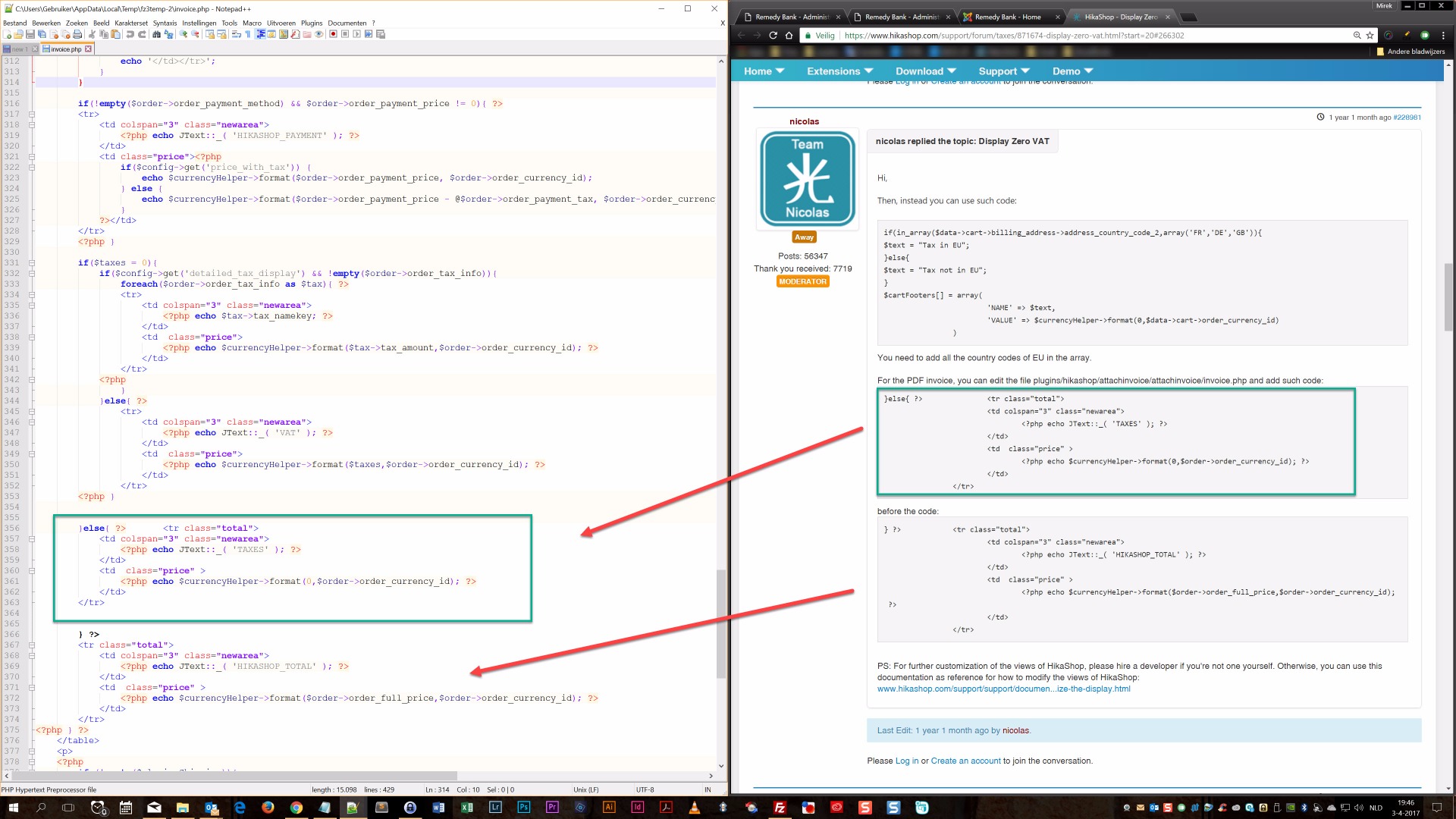
This is what I changed in the code, but as I wrote this give a error.
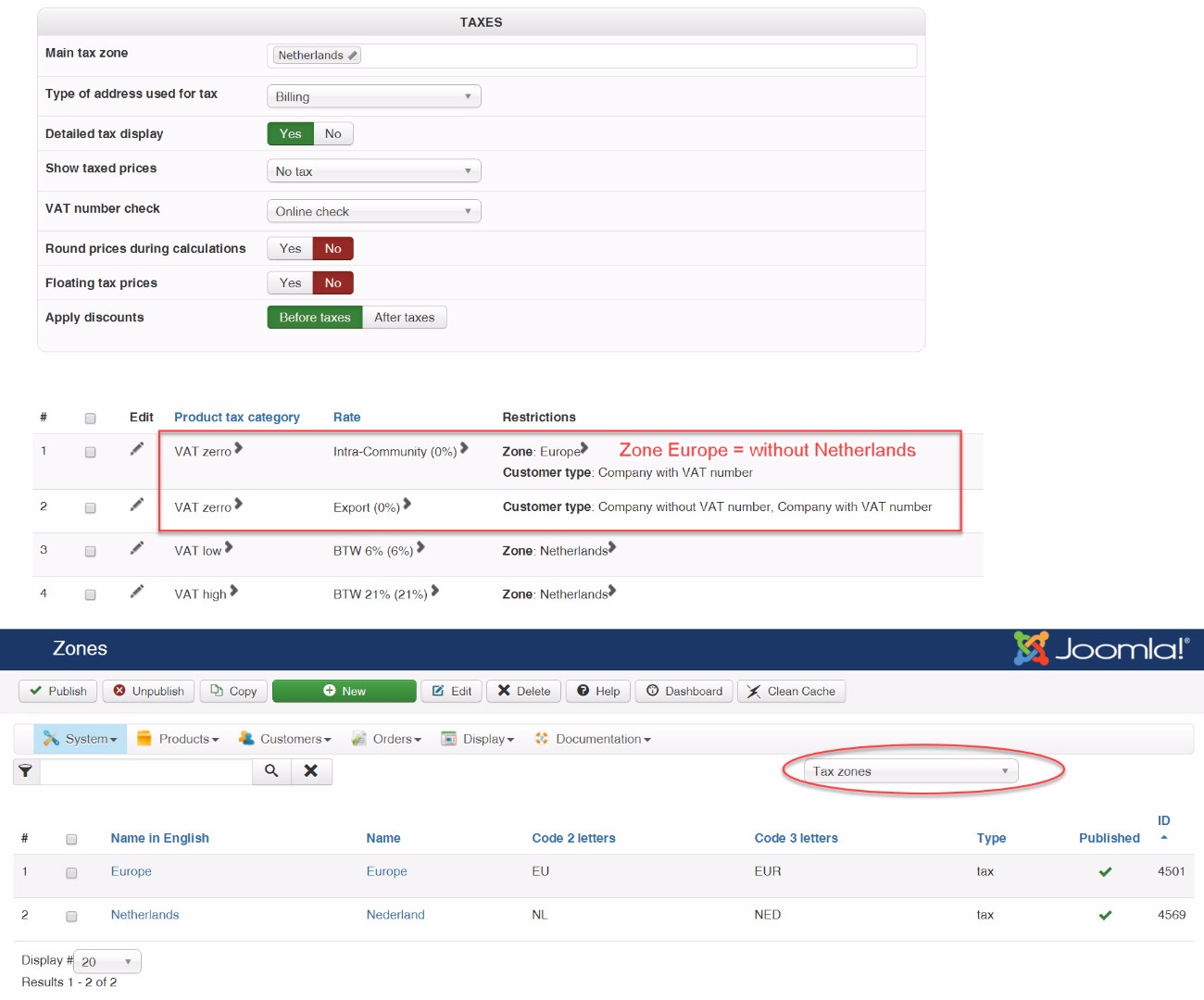
And here some extra configuration information if you need it:
-- Joomla version -- : 3.6.5
-- PHP version -- : 7.0
Hi Hikashop Team,
I have also replied on a topic with this same issue but only for the e-mails from Hikashop
But this issue became very long and I want to separate the two questions.
So this topic is only for the attached PDF invoice.
See: www.hikashop.com/support/forum/taxes/871...ro-vat.html?start=20
So as shown below I have the same question.
I want to have the name of the tax rate shown instead of 'taxes'.
I have two tax rates with different names (for EU- and non EU-Customers) both set to 0%.
If I do what Nicolas described I get this error:
I hope you can help me with this issue. Since this is mandatory in the Netherlands and Belgium and maybe more EU countries to indicate special text on the invoice to explain that the 0%TAX ar based on Intra-Community Delivery VAT inside the EU or export VAT if it is for customers outside the EU.
This is what I changed in the code, but as I wrote this give a error.
And here some extra configuration information if you need it:
Kind regards,
Lumiga
Last edit: 9 years 5 months ago by Lumiga. Reason: Extra information
Please Log in or Create an account to join the conversation.

9 years 5 months ago #266518
by Jerome
Jerome - Obsidev.com
HikaMarket & HikaSerial developer / HikaShop core dev team.
Also helping the HikaShop support team when having some time or couldn't sleep.
By the way, do not send me private message, use the "contact us" form instead.
Replied by Jerome on topic two sort of TAX rates names with 0% show on PDF attached Invoice
Hello,
Yes, the PHP code in your PDF invoice view is incorrect.
And regarding the Nicolas' message, it looks like he copy/paste a part of the code without removing some extra elements.
Please remove the extra
just before the content you pasted.
And please add an extra
After the code you pasted.
I also have to quote an element from the Nicolas' original post:
Regards,
Yes, the PHP code in your PDF invoice view is incorrect.
And regarding the Nicolas' message, it looks like he copy/paste a part of the code without removing some extra elements.
Please remove the extra
Code:
}
And please add an extra
Code:
<?php
I also have to quote an element from the Nicolas' original post:
Thank you for your understanding.For further customization of the views of HikaShop, please hire a developer if you're not one yourself. Otherwise, you can use this documentation as reference for how to modify the views of HikaShop:
Regards,
Jerome - Obsidev.com
HikaMarket & HikaSerial developer / HikaShop core dev team.
Also helping the HikaShop support team when having some time or couldn't sleep.
By the way, do not send me private message, use the "contact us" form instead.
Please Log in or Create an account to join the conversation.
9 years 5 months ago - 9 years 5 months ago #266618
by Lumiga
Kind regards,
Lumiga
Replied by Lumiga on topic two sort of TAX rates names with 0% show on PDF attached Invoice
Hi Jerome,
Thanks, I only had to add the <?php after the code
So it's working now. See screenshot:
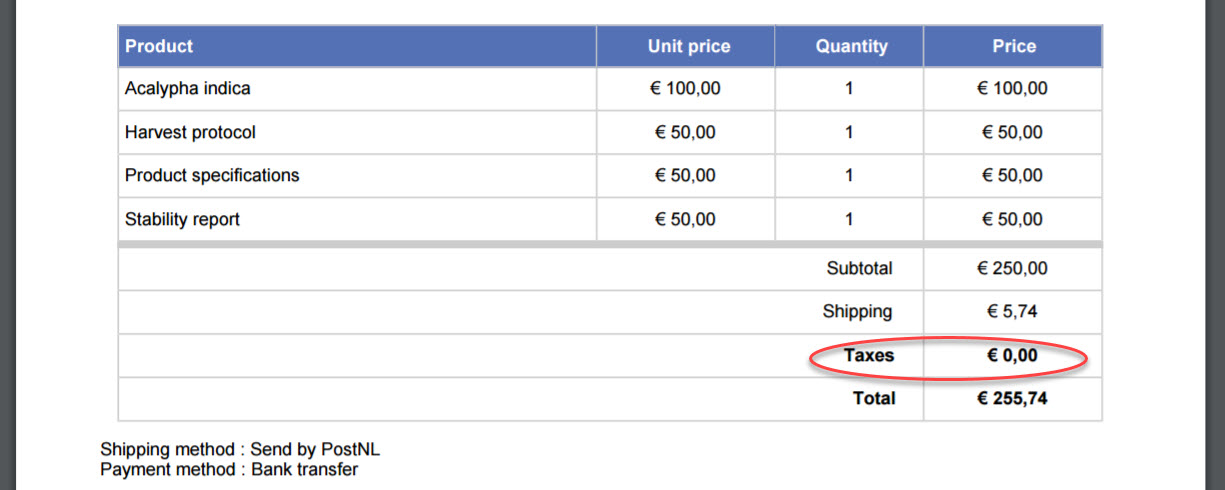
But I want to have the name of the tax rate shown instead of 'taxes'.
I have two tax rates with different names (for EU- and non EU-Customers) both set to 0%.
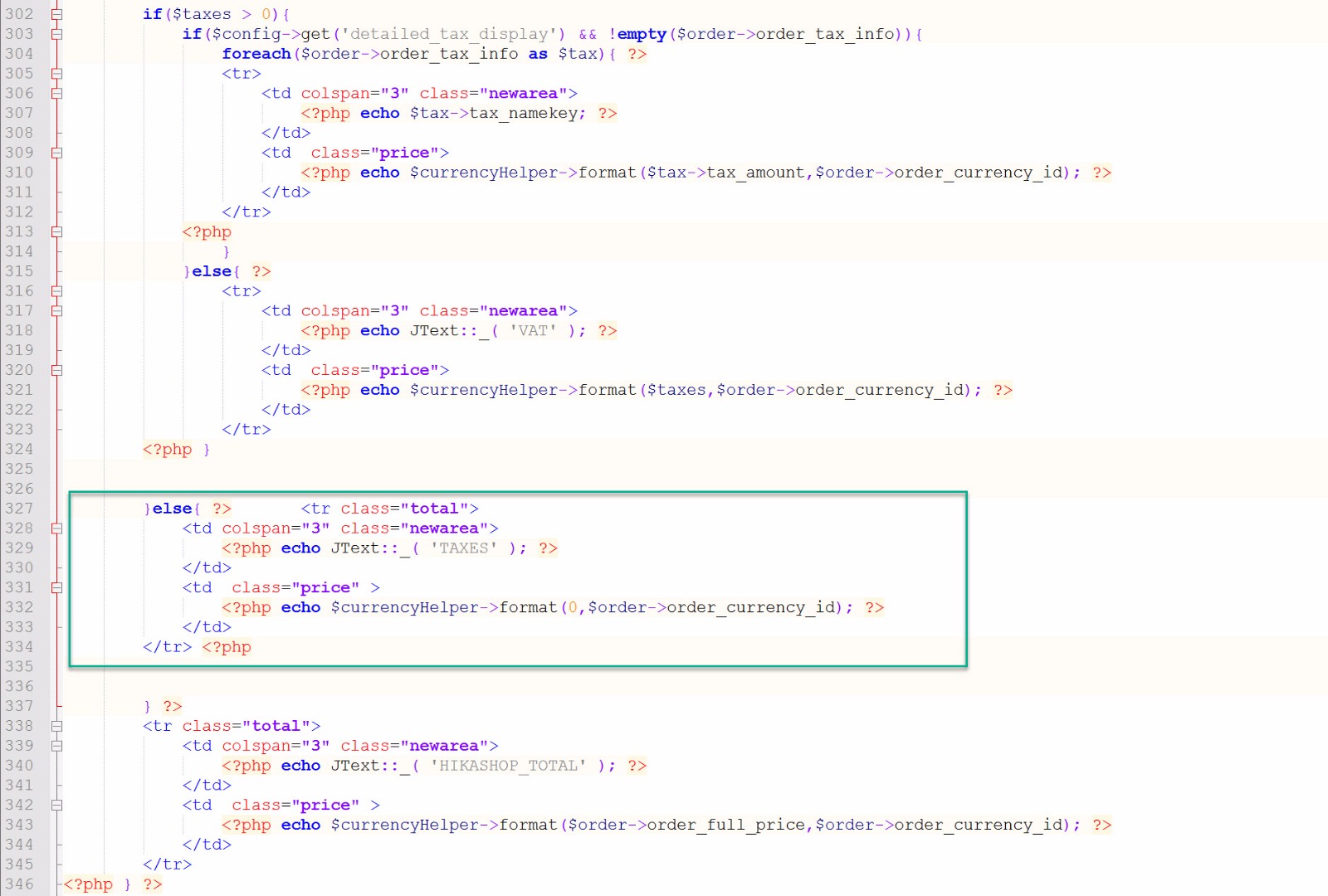
Nicolas provide this code to show the right tax namekey on the invoice but I don't see one of them.
As you can see the code looks like this now (file: plugins/hikashop/attachinvoice/attachinvoice/invoice.php)
Thanks, I only had to add the <?php after the code
So it's working now. See screenshot:
But I want to have the name of the tax rate shown instead of 'taxes'.
I have two tax rates with different names (for EU- and non EU-Customers) both set to 0%.
Nicolas provide this code to show the right tax namekey on the invoice but I don't see one of them.
As you can see the code looks like this now (file: plugins/hikashop/attachinvoice/attachinvoice/invoice.php)
Kind regards,
Lumiga
Last edit: 9 years 5 months ago by Lumiga.
Please Log in or Create an account to join the conversation.
9 years 5 months ago #266621
by Jerome
Jerome - Obsidev.com
HikaMarket & HikaSerial developer / HikaShop core dev team.
Also helping the HikaShop support team when having some time or couldn't sleep.
By the way, do not send me private message, use the "contact us" form instead.
Replied by Jerome on topic two sort of TAX rates names with 0% show on PDF attached Invoice
Hello,
If you take a look at the code just above, you will see what you'll need.
Now you can see to just change the condition of the if to always process the code within.
But please understand that your request is going outside the limit of our support.
As mentioned by Nicolas and as I quote previously:
Thank you for your understanding.
If you take a look at the code just above, you will see what you'll need.
Now you can see to just change the condition of the if to always process the code within.
But please understand that your request is going outside the limit of our support.
As mentioned by Nicolas and as I quote previously:
For further customization of the views of HikaShop, please hire a developer if you're not one yourself.
Thank you for your understanding.
Jerome - Obsidev.com
HikaMarket & HikaSerial developer / HikaShop core dev team.
Also helping the HikaShop support team when having some time or couldn't sleep.
By the way, do not send me private message, use the "contact us" form instead.
Please Log in or Create an account to join the conversation.
9 years 5 months ago - 9 years 5 months ago #266956
by Lumiga
Kind regards,
Lumiga
Replied by Lumiga on topic two sort of TAX rates names with 0% show on PDF attached Invoice
Hi Jerome,
Sorry but I did make a mistake in the configuration of Hikashop.
So the solution is to changing this code from: file: plugins/hikashop/attachinvoice/attachinvoice/invoice.php
to
Now I have a PDF invoice with the right Tax Namekey when it is VAT 0%.
For outside the EU I changed the language override file to "Export - VAT 0%"
So everything is working fine now.
Kind regards,
Lumiga
Sorry but I did make a mistake in the configuration of Hikashop.
So the solution is to changing this code from: file: plugins/hikashop/attachinvoice/attachinvoice/invoice.php
Code:
if($taxes > 0){
to
Code:
if($taxes >= 0){
Now I have a PDF invoice with the right Tax Namekey when it is VAT 0%.
For outside the EU I changed the language override file to "Export - VAT 0%"
So everything is working fine now.
Kind regards,
Lumiga
Kind regards,
Lumiga
Last edit: 9 years 5 months ago by Lumiga.
Please Log in or Create an account to join the conversation.
Time to create page: 0.185 seconds