

- Posts: 30
- Thank you received: 0
category box
13 years 1 month ago #118291
by Konrad
category box was created by Konrad
hi to all, first sorry for my bad english, it isn't my first language... well i start to explain my problem... i think it is simlple but i can't find a solution. well... here it is:
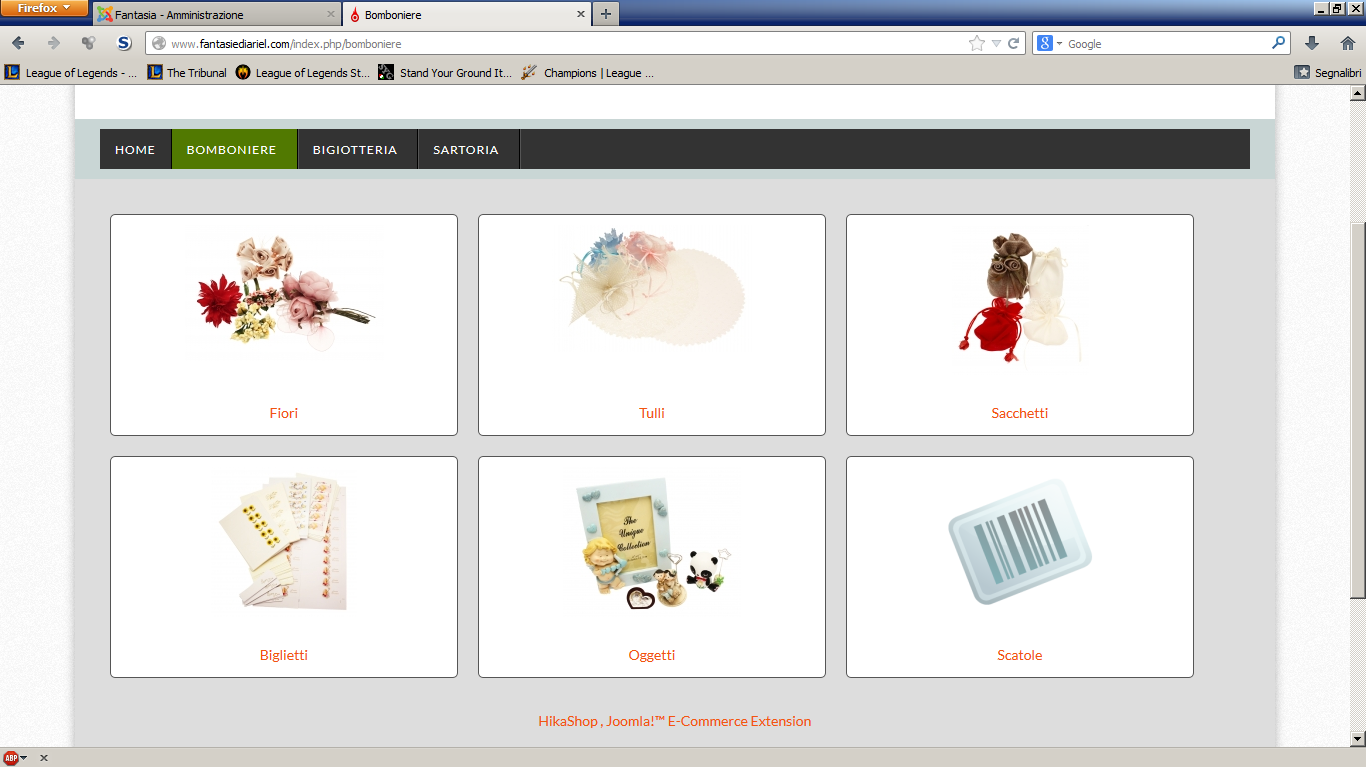
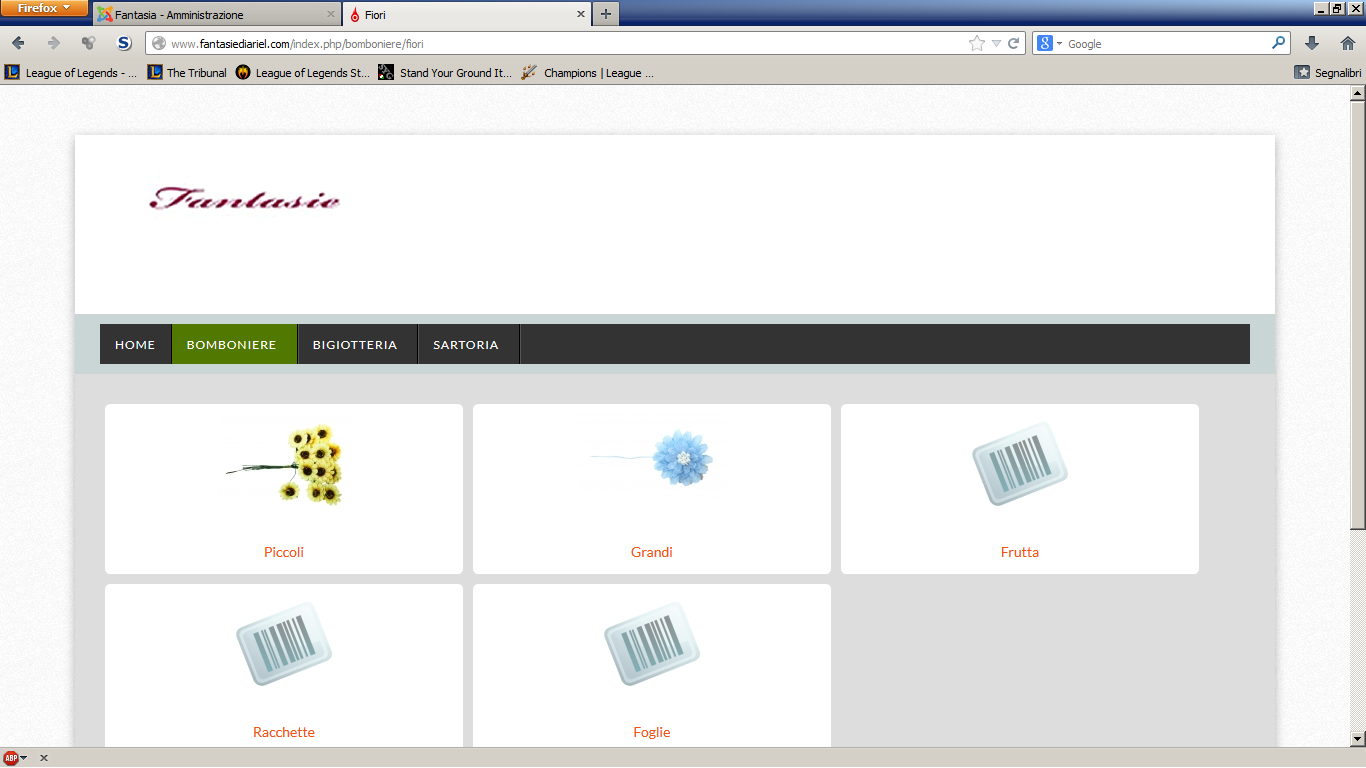
when i create a category, i put an image that will appear in my site when i wach a determinate page, the problem is that the image, often, is smaller than the box placed in it... but i don't want to increase the size of the image, but i want to reduce the size of the box... but i really can't find where i can modify the size of the box, only the size of the image... i really need help, cause often the box is double of the dimention of the image... and it really sucks.
thanks to all and really sorry for my bad english
when i create a category, i put an image that will appear in my site when i wach a determinate page, the problem is that the image, often, is smaller than the box placed in it... but i don't want to increase the size of the image, but i want to reduce the size of the box... but i really can't find where i can modify the size of the box, only the size of the image... i really need help, cause often the box is double of the dimention of the image... and it really sucks.
thanks to all and really sorry for my bad english
Please Log in or Create an account to join the conversation.

13 years 1 month ago - 13 years 1 month ago #118317
by Jerome
Jerome - Obsidev.com
HikaMarket & HikaSerial developer / HikaShop core dev team.
Replied by Jerome on topic category box
Hi,
Do you have a link to your page or maybe a screenshot ?
It will use us to determine which element should be configured.
Thanks,
Do you have a link to your page or maybe a screenshot ?
It will use us to determine which element should be configured.
Thanks,
Jerome - Obsidev.com
HikaMarket & HikaSerial developer / HikaShop core dev team.
Last edit: 13 years 1 month ago by Jerome.
Please Log in or Create an account to join the conversation.
13 years 1 month ago #118339
by Konrad
Replied by Konrad on topic category box
here there are
Please Log in or Create an account to join the conversation.
13 years 1 month ago #118352
by Jerome
Jerome - Obsidev.com
HikaMarket & HikaSerial developer / HikaShop core dev team.
Replied by Jerome on topic category box
Hi,
To display this listing, you are using a joomla menu.
You can configure the category listing in the HikaShop backend : "Display > Content menu", like explain in our Tutorial
www.hikashop.com/support/documentation/6...html#categories_menu
But you don't display the categories in the "listing" module like in our Tutorial but in "div" mode. You can configure some parameters for the div listing like the height and the width of the images, the number of columns, etc.
After that, if you want to customize things which are not options in this screen, you will have to use CSS rules.
Regards,
To display this listing, you are using a joomla menu.
You can configure the category listing in the HikaShop backend : "Display > Content menu", like explain in our Tutorial
www.hikashop.com/support/documentation/6...html#categories_menu
But you don't display the categories in the "listing" module like in our Tutorial but in "div" mode. You can configure some parameters for the div listing like the height and the width of the images, the number of columns, etc.
After that, if you want to customize things which are not options in this screen, you will have to use CSS rules.
Regards,
Jerome - Obsidev.com
HikaMarket & HikaSerial developer / HikaShop core dev team.
Please Log in or Create an account to join the conversation.
13 years 1 month ago #118647
by Konrad
Replied by Konrad on topic category box
hi and ths for the help, but i still don't understand where i can modify this parameters, coz in the parameter of the content menu i can only modify the dimension of the image and the color of the contenitor of the image, and not te dimension of the contenitor... so where i have to go to modify this?Jerome wrote: Hi,
You can configure some parameters for the div listing like the height and the width of the images, the number of columns, etc.
Regards,
Please Log in or Create an account to join the conversation.

13 years 1 month ago #118672
by Xavier
Replied by Xavier on topic category box
Hi,
You will have to do some css modifications, it require css knowledges.
Here is a little tutorial to explain how to customize the layout:
www.hikashop.com/support/documentation/1...ize-the-display.html
You will have to do some css modifications, it require css knowledges.
Here is a little tutorial to explain how to customize the layout:
www.hikashop.com/support/documentation/1...ize-the-display.html
Please Log in or Create an account to join the conversation.
Time to create page: 0.246 seconds