

- Posts: 490
- Thank you received: 2
Associated Modules
10 years 2 months ago #245219
by ronron
Associated Modules was created by ronron
-- HikaShop version -- : 2.6.3
-- Joomla version -- : 3.4.3
-- PHP version -- : 5.5
-- Error-message(debug-mod must be tuned on) -- : none
hi
i found the ability to create modules under the product page.
is this possible for categories as well?
i found a docu about associated menus but i cant see it on the category listing menu
thanks
-- Joomla version -- : 3.4.3
-- PHP version -- : 5.5
-- Error-message(debug-mod must be tuned on) -- : none
hi
i found the ability to create modules under the product page.
is this possible for categories as well?
i found a docu about associated menus but i cant see it on the category listing menu
thanks
Please Log in or Create an account to join the conversation.

Less
More
- Posts: 12953
- Thank you received: 1778
10 years 2 months ago #245227
by Mohamed Thelji
Replied by Mohamed Thelji on topic Associated Modules
Hello,
Can you give us more information about what you want to do through some screenshots for example ?
Note that by using the "Module Anywhere" Joomla extension, you'll be able to display your module in any defined page.
Can you give us more information about what you want to do through some screenshots for example ?
Note that by using the "Module Anywhere" Joomla extension, you'll be able to display your module in any defined page.
Please Log in or Create an account to join the conversation.
10 years 2 months ago #245328
by ronron
Replied by ronron on topic Associated Modules
at the configuration > main > product. you can select modules for the product page.
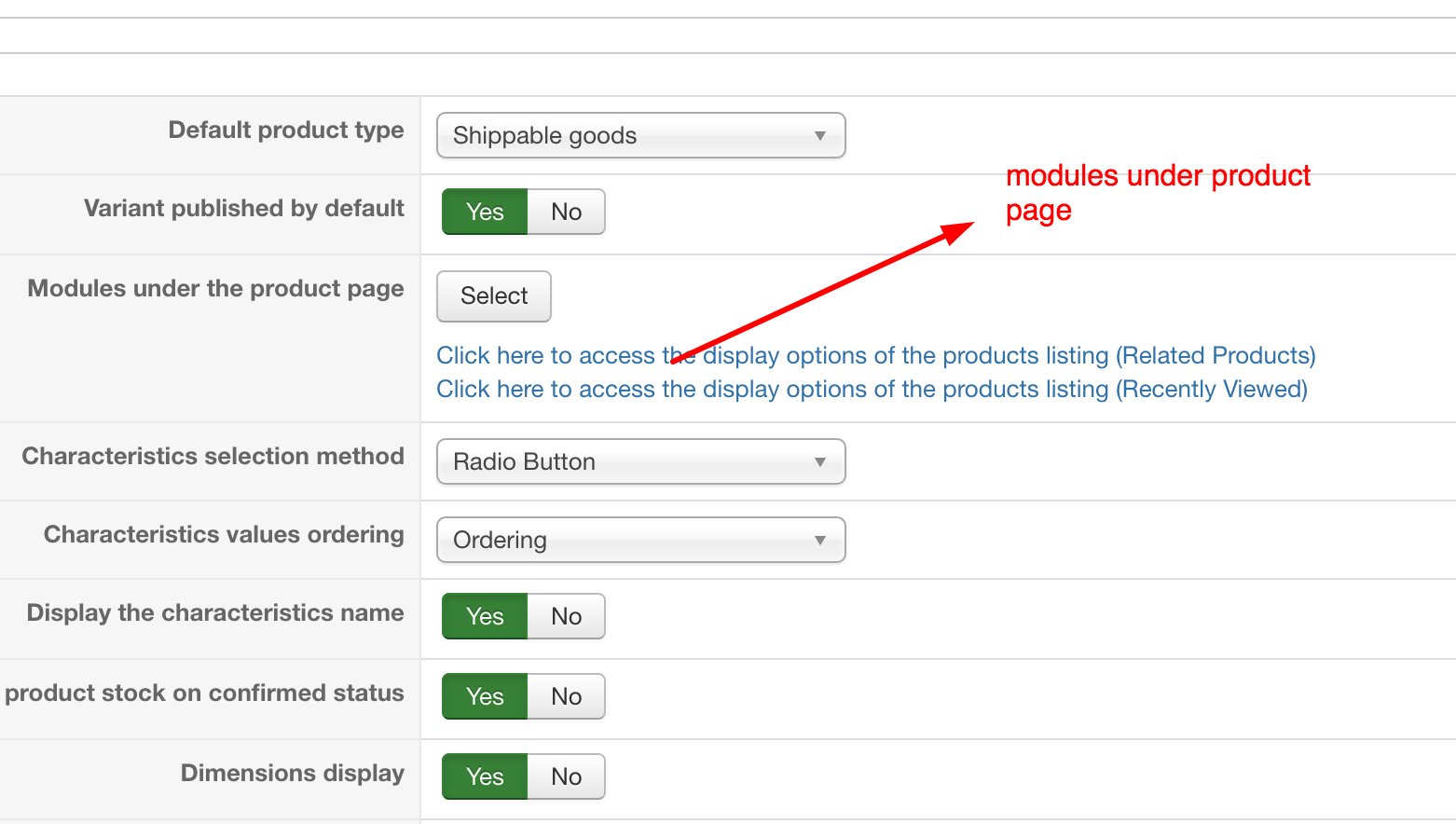
in the category page can i have this too?
thanks
in the category page can i have this too?
thanks
Please Log in or Create an account to join the conversation.

10 years 2 months ago #245337
by nicolas
Replied by nicolas on topic Associated Modules
Hi,
No, there is no option to do that.
There are several ways to do it:
- You could configure your module to display in a position of your template below the main content area for the menu items you want, and then configure the Display settings of the module to only display on the listings.
- You could use the Advanced modules manager extension to restrict the display of the module to the listings only.
- You could edit the file "listing" of the view "product" for your frontend template via the menu Display>Views and add at the end a Modules Anywhere tag displaying your module there.
No, there is no option to do that.
There are several ways to do it:
- You could configure your module to display in a position of your template below the main content area for the menu items you want, and then configure the Display settings of the module to only display on the listings.
- You could use the Advanced modules manager extension to restrict the display of the module to the listings only.
- You could edit the file "listing" of the view "product" for your frontend template via the menu Display>Views and add at the end a Modules Anywhere tag displaying your module there.
Please Log in or Create an account to join the conversation.
Time to create page: 0.228 seconds