
Cannot select categories on product view

9 years 11 months ago - 9 years 11 months ago #251803
by Rixters
Cannot select categories on product view was created by Rixters
-- HikaShop version -- : 2.6.4
-- Joomla version -- : 3.6.2
-- PHP version -- : 5.6
-- Browser(s) name and version -- : FF
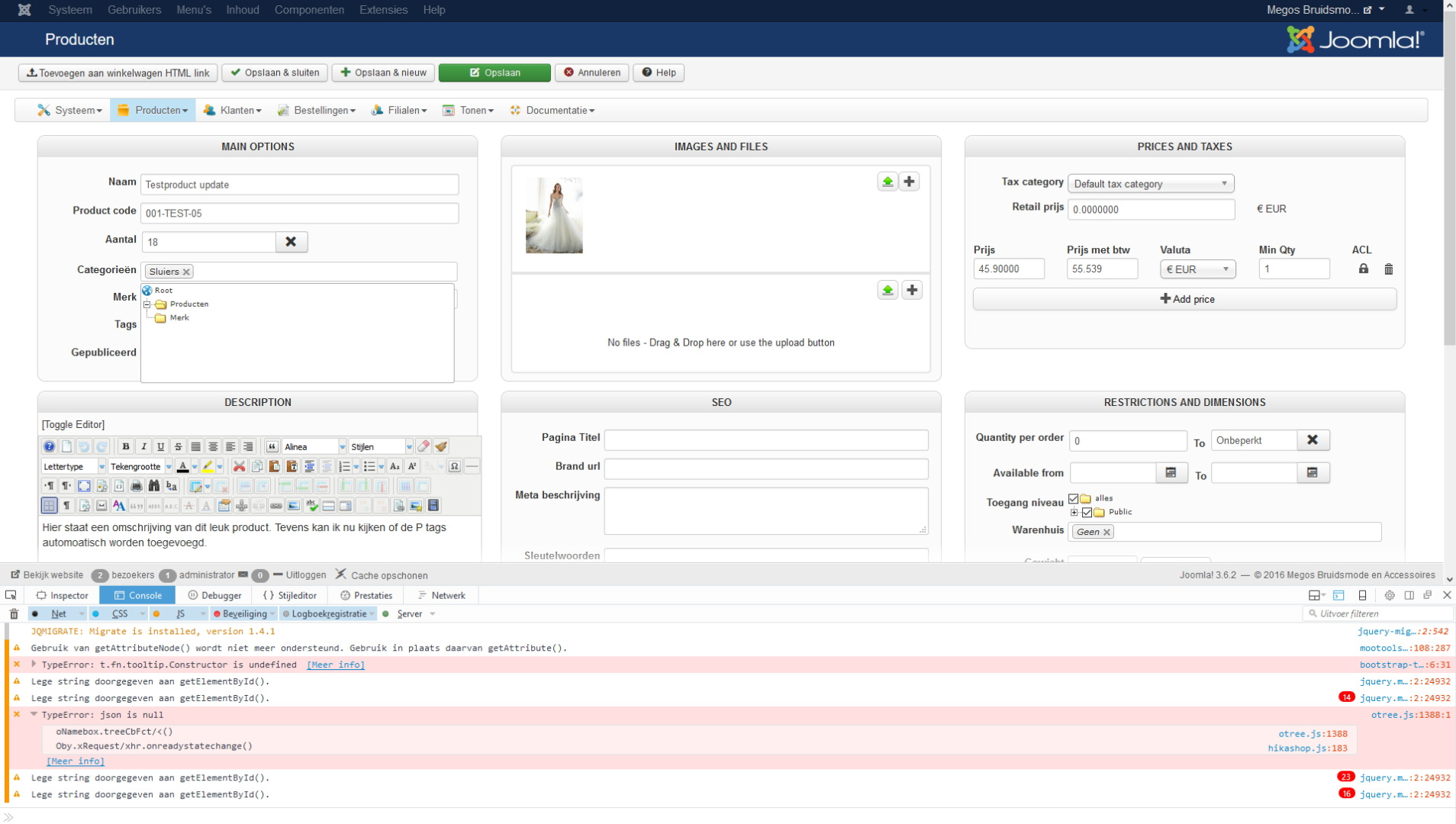
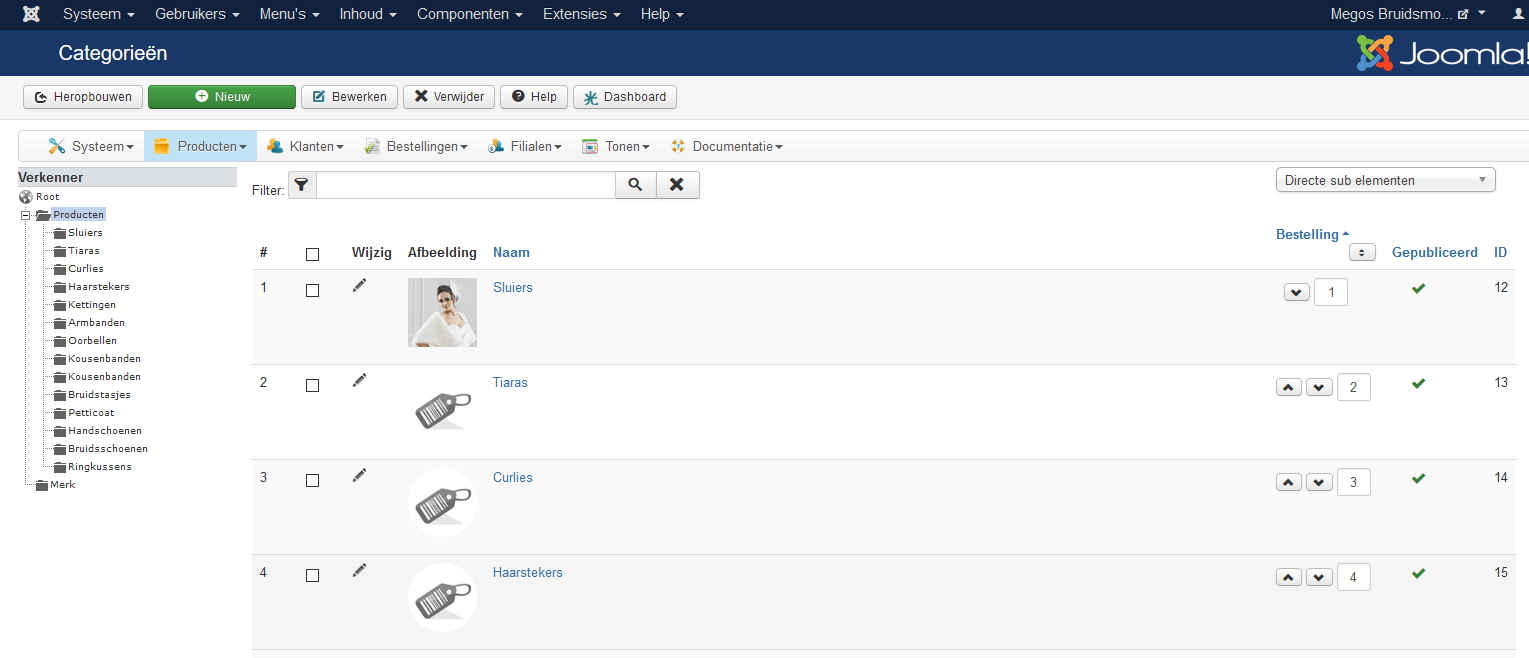
I've created a couple of categories. Bur when I create an article I can only select the product root folder. Al the other categories will not show up. In the inspection windows I see an error probably related to this problem. On the product windows screenshot I also included the inspector view. I hope you can provide me with a solution...!
-- Joomla version -- : 3.6.2
-- PHP version -- : 5.6
-- Browser(s) name and version -- : FF
I've created a couple of categories. Bur when I create an article I can only select the product root folder. Al the other categories will not show up. In the inspection windows I see an error probably related to this problem. On the product windows screenshot I also included the inspector view. I hope you can provide me with a solution...!
Last edit: 9 years 11 months ago by Jerome. Reason: removing confidential information
Please Log in or Create an account to join the conversation.

9 years 11 months ago #251856
by Jerome
Jerome - Obsidev.com
HikaMarket & HikaSerial developer / HikaShop core dev team.
Replied by Jerome on topic Cannot select categories on product view
Hi,
If you take a look at your browser console, you can see the result of the ajax calls.
I don't know why your server display warning messages, but that warning is displayed at the beginning of the JSON :
That's why the javascript cannot decode the json and do not display the sub categories.
To fix the warning (patch already ready in HikaShop), you can replace in the line 1315 of your HikaShop helper
By
But I will also recommend you to not display PHP warning in your webpages.
The display of such information should be done only under development context. It is more than recommend to turn it off for production websites.
Regards,
If you take a look at your browser console, you can see the result of the ajax calls.
I don't know why your server display warning messages, but that warning is displayed at the beginning of the JSON :
Code:
Notice: ob_end_clean(): failed to delete buffer. No buffer to delete in ****/administrator/components/com_hikashop/helpers/helper.php on line 1315
To fix the warning (patch already ready in HikaShop), you can replace in the line 1315 of your HikaShop helper
Code:
ob_end_clean();
Code:
@ob_end_clean();
But I will also recommend you to not display PHP warning in your webpages.
The display of such information should be done only under development context. It is more than recommend to turn it off for production websites.
Regards,
Jerome - Obsidev.com
HikaMarket & HikaSerial developer / HikaShop core dev team.
Please Log in or Create an account to join the conversation.
9 years 11 months ago #251873
by Rixters
Replied by Rixters on topic Cannot select categories on product view
Thanks for the support! Problem solved!
Please Log in or Create an account to join the conversation.
Time to create page: 0.196 seconds