
- Posts: 78
- Thank you received: 0
Formatting buttons for text in Product Description do not work
- MoverShaker
-
 Topic Author
- Offline
Less
More
9 years 9 months ago - 9 years 9 months ago #257752
by MoverShaker
-- HikaShop version -- : 2.6.4
-- Joomla version -- : 3.6.4
-- PHP version -- : 5.5.24
-- Browser(s) name and version -- : Firefox and Chrome
-- Error-message(debug-mod must be tuned on) -- : None
Just doesn't work
Hi There
Under "Products" when I try to edit the text under the "Description" section, none of the formatting buttons are working.
Which means I cannot change the font size, font colour, or underline or bold.
When I click on the font colour "A" icon it does not even give a drop down menu with the colour options. Similar for the font size - no drop down menu appears.
However the picture button for adding pictures still seems to be working fine and I can swap between preview and code and editor.
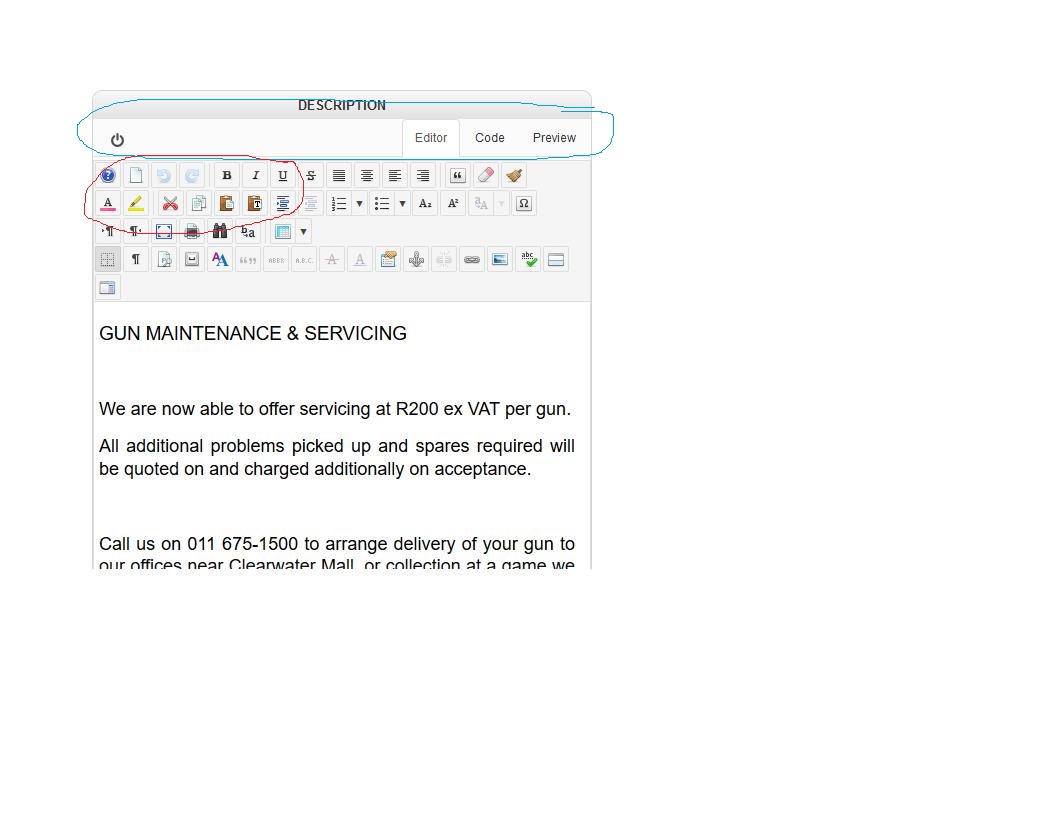
See attached
-- Joomla version -- : 3.6.4
-- PHP version -- : 5.5.24
-- Browser(s) name and version -- : Firefox and Chrome
-- Error-message(debug-mod must be tuned on) -- : None
Just doesn't work
Hi There
Under "Products" when I try to edit the text under the "Description" section, none of the formatting buttons are working.
Which means I cannot change the font size, font colour, or underline or bold.
When I click on the font colour "A" icon it does not even give a drop down menu with the colour options. Similar for the font size - no drop down menu appears.
However the picture button for adding pictures still seems to be working fine and I can swap between preview and code and editor.
See attached
Last edit: 9 years 9 months ago by MoverShaker. Reason: Did not finish before hitting submit by mistake.
Please Log in or Create an account to join the conversation.

9 years 9 months ago #257763
by nicolas
Replied by nicolas on topic Formatting buttons for text in Product Description do not work
Hi,
It looks like the problem comes from your text editor. Try changing it in the "editor" setting of the HikaShop configuration.
It looks like the problem comes from your text editor. Try changing it in the "editor" setting of the HikaShop configuration.
Please Log in or Create an account to join the conversation.
Time to create page: 0.132 seconds