

- Posts: 490
- Thank you received: 2
how to upload video(mp4) files
5 years 7 months ago #330006
by ronron
how to upload video(mp4) files was created by ronron
-- HikaShop version -- : 4.3
-- Joomla version -- : 3.9
-- PHP version -- : 7.23
-- Error-message(debug-mod must be tuned on) -- : none
hi
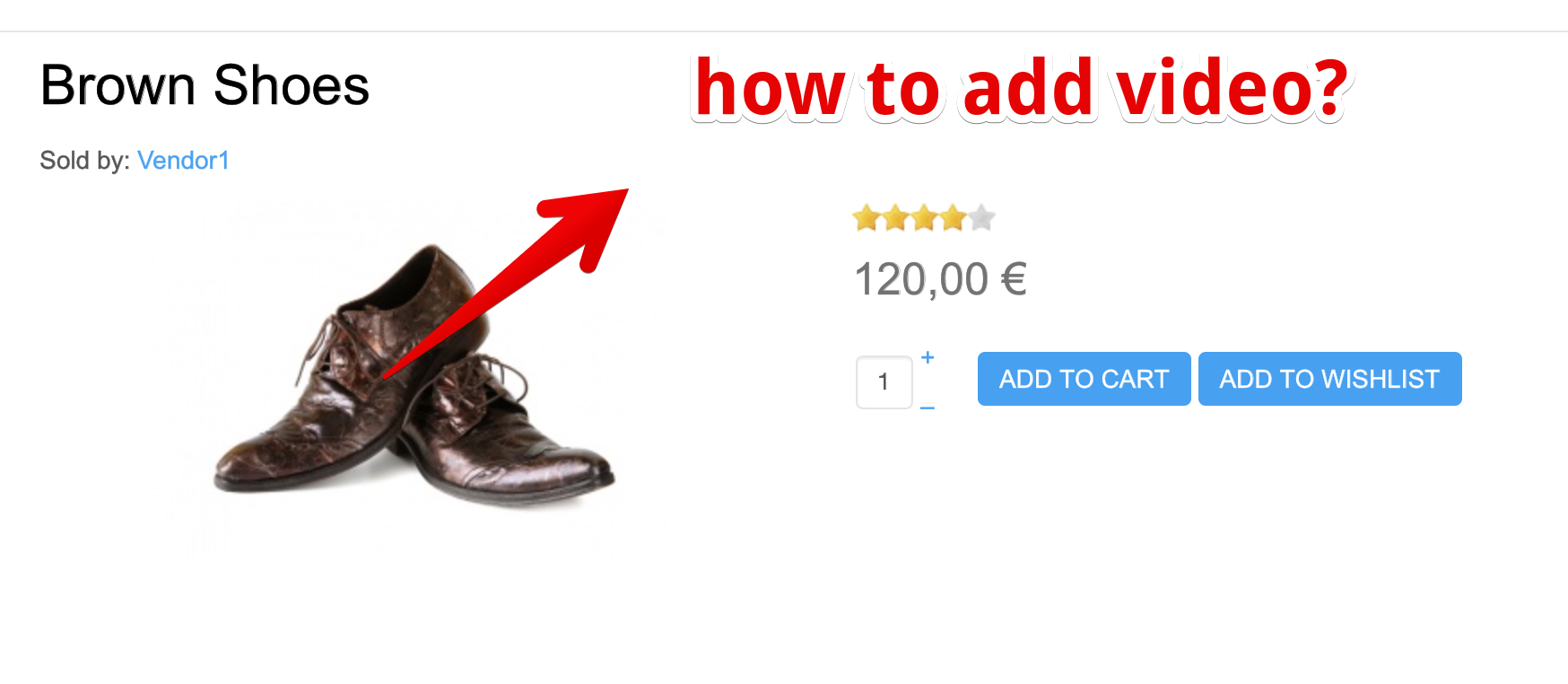
1. how can i upload videos or mp4 to display in the production edition page and product listing page?
2. how do i add a video using custom fields?
3. how do i add a gallery using custom fields?
i already tried to add it on images and files but its not working. on files it becomes downloadable and this is not what i want. i want to display the video
i also tried using custom fields wysiwyg but still not working
thanks
-- Joomla version -- : 3.9
-- PHP version -- : 7.23
-- Error-message(debug-mod must be tuned on) -- : none
hi
1. how can i upload videos or mp4 to display in the production edition page and product listing page?
2. how do i add a video using custom fields?
3. how do i add a gallery using custom fields?
i already tried to add it on images and files but its not working. on files it becomes downloadable and this is not what i want. i want to display the video
i also tried using custom fields wysiwyg but still not working
thanks
Please Log in or Create an account to join the conversation.

5 years 7 months ago #330014
by oxido
Replied by oxido on topic how to upload video(mp4) files
1. The simplest solution it will be to add the video in the description, using the media button from your editor, use JCE Editor and enable the "allow iframe", and then you can put video's from YouTube as iframe in your description.
2. If you want to use the custom fields, you need to have some programming knowledge, some php and html. And you will need to edit views from hikashop: Display > Views.
2. If you want to use the custom fields, you need to have some programming knowledge, some php and html. And you will need to edit views from hikashop: Display > Views.
The following user(s) said Thank You: Mohamed Thelji, ronron
Please Log in or Create an account to join the conversation.

5 years 7 months ago #330008
by nicolas
Replied by nicolas on topic how to upload video(mp4) files
Hi,
Uploading videos to be displayed instead of the image of the product in the image area is not supported.
What you could do is use a content tag plugin to add a tag for the video in the description of the product, and then customize the product page layout and the listing with view overrides to display the description instead of the image area.
But you'll need the help of a developer for that.
Uploading videos to be displayed instead of the image of the product in the image area is not supported.
What you could do is use a content tag plugin to add a tag for the video in the description of the product, and then customize the product page layout and the listing with view overrides to display the description instead of the image area.
But you'll need the help of a developer for that.
The following user(s) said Thank You: joomleb
Please Log in or Create an account to join the conversation.
5 years 6 months ago #330222
by ronron
Replied by ronron on topic how to upload video(mp4) files
thanks nic
this is very helpful
this is very helpful
Please Log in or Create an account to join the conversation.
5 years 6 months ago #331212
by joomleb
Replied by joomleb on topic how to upload video(mp4) files
Hi guys,
or, an animated GIF to show at least a "piece of movement" not so static like a simple image.
Anyway, videos now are the "socials", so, I think that it is something that should look into to included it in the next releases...
or, an animated GIF to show at least a "piece of movement" not so static like a simple image.
Anyway, videos now are the "socials", so, I think that it is something that should look into to included it in the next releases...
Please Log in or Create an account to join the conversation.
5 years 6 months ago #331219
by nicolas
Replied by nicolas on topic how to upload video(mp4) files
Hi,
We looked into it but it's not that simple. The best would be to use the video HTML tag to display the video, but it requires providing the video in two different formats so that it works across all browsers plus a thumbnail. So for the merchant it's quite a burden. I was hpoing we could just have him upload the file, but then the video would have to be converted, which requires special PHP libraries not everyone might have, and similar issue would be there for automatically generating a thumbnail form the video.
Another alternative would be going through youtube, but then you're dependent on youtube, which would be problematic for some countries where youtube is blocked and you've less flexibility.
Basically, so far, I didn't find THE solution that would allow us to do that in a reasonably easy manner while making it easy for the merchants setting up the shop too.
We looked into it but it's not that simple. The best would be to use the video HTML tag to display the video, but it requires providing the video in two different formats so that it works across all browsers plus a thumbnail. So for the merchant it's quite a burden. I was hpoing we could just have him upload the file, but then the video would have to be converted, which requires special PHP libraries not everyone might have, and similar issue would be there for automatically generating a thumbnail form the video.
Another alternative would be going through youtube, but then you're dependent on youtube, which would be problematic for some countries where youtube is blocked and you've less flexibility.
Basically, so far, I didn't find THE solution that would allow us to do that in a reasonably easy manner while making it easy for the merchants setting up the shop too.
The following user(s) said Thank You: joomleb
Please Log in or Create an account to join the conversation.
Time to create page: 0.177 seconds