

- Posts: 49
- Thank you received: 1
Force a logout out at end of a purchase?
11 years 10 months ago #180683
by YeeP
Force a logout out at end of a purchase? was created by YeeP
-- HikaShop version -- : 2.3.4
-- Joomla version -- : 3.3.6
-- PHP version -- : 5.4.34
I have a purchase process setup where the user is assigned to a group after the purchase. This group will give them access to multiple things on the site that others will not have.
The process works great, and they are added to that group at the end of the payment. However, the user had to register at the beginning of the process, and that "forces" them to be logged in. So, I believe we have a disconnect here, where they still only have the permissions from the original login applied to the current session. In order to gain access to what the new group provides, the user has to log out.
Can I force a logout at the end of the purchase or some kind of reload so they will then have their new permissions when the payment is complete?
-- Joomla version -- : 3.3.6
-- PHP version -- : 5.4.34
I have a purchase process setup where the user is assigned to a group after the purchase. This group will give them access to multiple things on the site that others will not have.
The process works great, and they are added to that group at the end of the payment. However, the user had to register at the beginning of the process, and that "forces" them to be logged in. So, I believe we have a disconnect here, where they still only have the permissions from the original login applied to the current session. In order to gain access to what the new group provides, the user has to log out.
Can I force a logout at the end of the purchase or some kind of reload so they will then have their new permissions when the payment is complete?
The following user(s) said Thank You: novin1
Please Log in or Create an account to join the conversation.
11 years 10 months ago - 11 years 10 months ago #180778
by webcandy
Replied by webcandy on topic Force a logout out at end of a purchase?
What I would do is edit the after_end checkout view. If you want to just display a link the user can click, that's easy...just put a link to the logout page in your code. For me I have a quick logout plug in and use that link. And say click here to compete purchase or something. But if you need to force them to logout you might need the page to redirect to your logout page. There is code out there to do this. There may be an easier way but that's how I'd do it.
Last edit: 11 years 10 months ago by webcandy.
Please Log in or Create an account to join the conversation.

11 years 10 months ago #180782
by korzo
Replied by korzo on topic Force a logout out at end of a purchase?
I hadn't time to test it, but I think your assumption is right. If Hikashop doesn't handle user group change, user have to log out/log in to have new user group applied.
You can display log out button on thank you page or even automatically submit it with javascript, but I think it will be not difficult to write a plugin to refresh user object when order is finished.
You can grab the code for log out button in modules\mod_login\tmpl\default_logout.php.
You can display log out button on thank you page or even automatically submit it with javascript, but I think it will be not difficult to write a plugin to refresh user object when order is finished.
You can grab the code for log out button in modules\mod_login\tmpl\default_logout.php.
Please Log in or Create an account to join the conversation.
11 years 10 months ago #180800
by YeeP
This is a good idea, I was hoping that hikashop might have a solution, but this might be my only option with the time the client has made available to me.
This plugin sounds like what I would love to try and write, but I have less that a week to go live. I need to learn the commands for refreshing a user object to see if I can add it.
The logout might be the only workable option I have right now...... Hikashop- can you weigh in on this? I can provide screen shots of all steps to show everything if needed.
Replied by YeeP on topic Force a logout out at end of a purchase?
webcandy wrote: What I would do is edit the after_end checkout view. If you want to just display a link the user can click, that's easy...just put a link to the logout page in your code. For me I have a quick logout plug in and use that link. And say click here to compete purchase or something. But if you need to force them to logout you might need the page to redirect to your logout page. There is code out there to do this. There may be an easier way but that's how I'd do it.
This is a good idea, I was hoping that hikashop might have a solution, but this might be my only option with the time the client has made available to me.
korzo wrote: I hadn't time to test it, but I think your assumption is right. If Hikashop doesn't handle user group change, user have to log out/log in to have new user group applied.
You can display log out button on thank you page or even automatically submit it with javascript, but I think it will be not difficult to write a plugin to refresh user object when order is finished.
You can grab the code for log out button in modules\mod_login\tmpl\default_logout.php.
This plugin sounds like what I would love to try and write, but I have less that a week to go live. I need to learn the commands for refreshing a user object to see if I can add it.
The logout might be the only workable option I have right now...... Hikashop- can you weigh in on this? I can provide screen shots of all steps to show everything if needed.
Please Log in or Create an account to join the conversation.

11 years 10 months ago #180815
by nicolas
Replied by nicolas on topic Force a logout out at end of a purchase?
Hi,
The issue is that the user session confirming the order is another one than the one placing the order.
The order is placed by the user purchasing, but the order is confirmed by the payment gateway server.
So when HikaShop is sure that the payment has been paid, it cannot just call the logout function of the Joomla library as the current user is not the one that needs to be logged out.
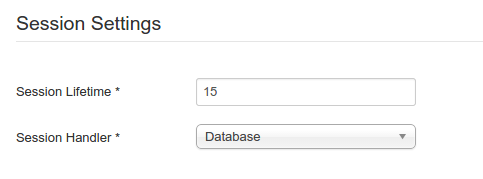
What you can do is to configure the "session handler" of the joomla configuration to "database". That way, the users session will be handled by a table of the database and the user group after purchase plugin will be able to delete the user session of the user of the order when the order is confirmed by the payment plugin receiving the payment notification from the payment gateway.
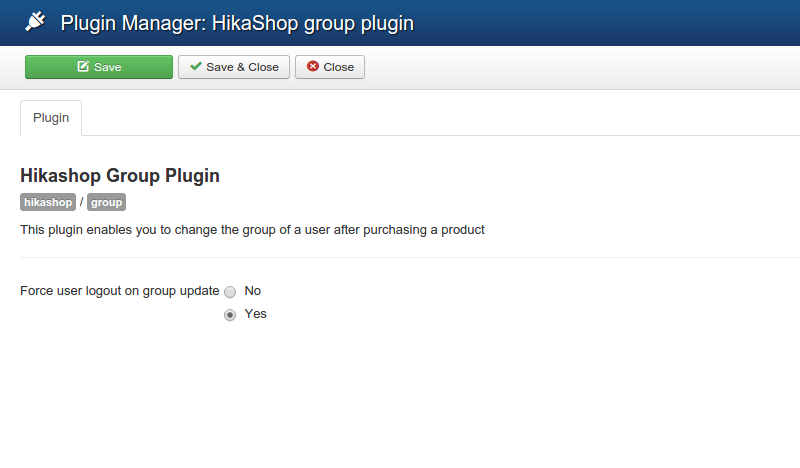
Note that this also requires that you turn on the "force logout" option of the user group after purchase plugin via the Joomla plugins manager.
The issue is that the user session confirming the order is another one than the one placing the order.
The order is placed by the user purchasing, but the order is confirmed by the payment gateway server.
So when HikaShop is sure that the payment has been paid, it cannot just call the logout function of the Joomla library as the current user is not the one that needs to be logged out.
What you can do is to configure the "session handler" of the joomla configuration to "database". That way, the users session will be handled by a table of the database and the user group after purchase plugin will be able to delete the user session of the user of the order when the order is confirmed by the payment plugin receiving the payment notification from the payment gateway.
Note that this also requires that you turn on the "force logout" option of the user group after purchase plugin via the Joomla plugins manager.
The following user(s) said Thank You: korzo
Please Log in or Create an account to join the conversation.
11 years 10 months ago #180858
by YeeP
Replied by YeeP on topic Force a logout out at end of a purchase?
Nicolas - it looks like I have everything setup to your reccoemdations already. I tried a test purchase again just to confirm that I getting the same results. Here is the documentation of the test.
Plugin settings:
Registration of new user to complete purchase, email has been sent to new uer:
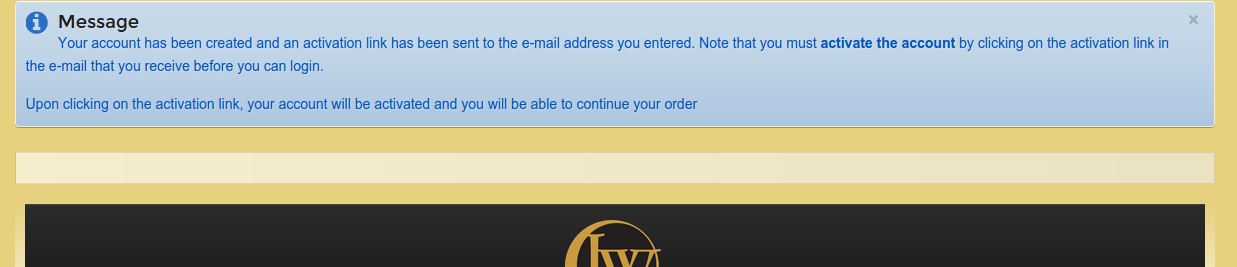
Email received, and followed link back to site to complete process:
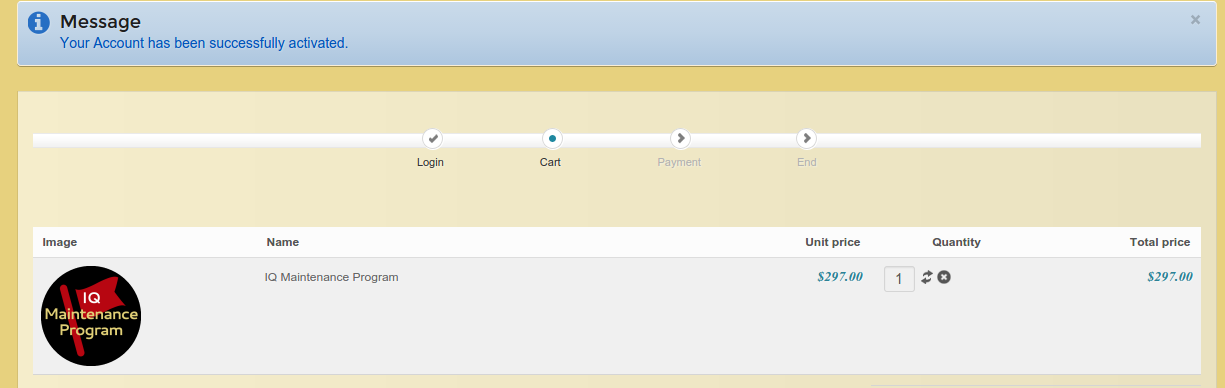
Arrived at payment step, not complete yet:
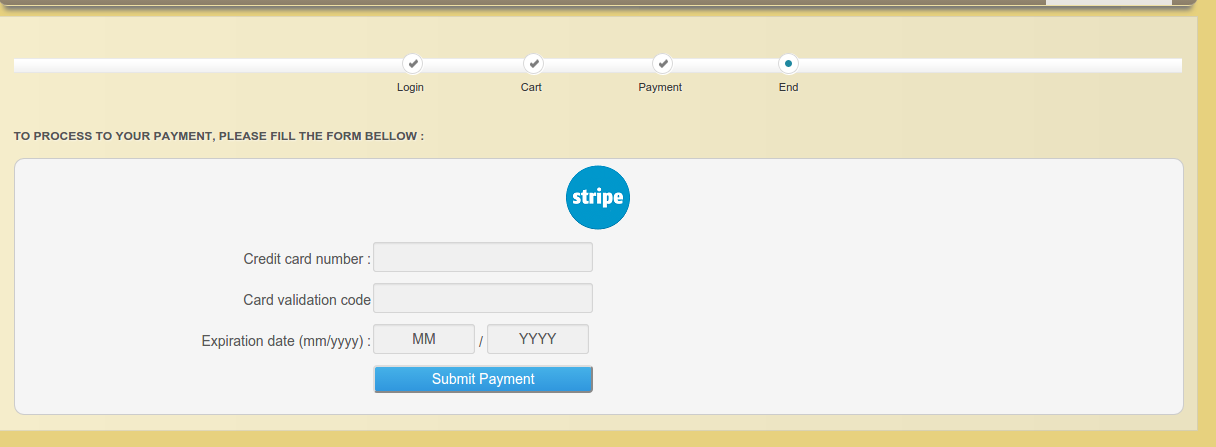
Payment not complete, checking new user group level (expect to only see "registered")

Confirmed.
Credit card entered and payment process complete:

User group has been updated:

.......continued on next post......
Plugin settings:
Registration of new user to complete purchase, email has been sent to new uer:
Email received, and followed link back to site to complete process:
Arrived at payment step, not complete yet:
Payment not complete, checking new user group level (expect to only see "registered")
Confirmed.
Credit card entered and payment process complete:
User group has been updated:
.......continued on next post......
Please Log in or Create an account to join the conversation.
11 years 10 months ago - 11 years 10 months ago #180859
by YeeP
Replied by YeeP on topic Force a logout out at end of a purchase?
Checking menu to see new addition for "maintenance group"

not there....
At this point I can move through the website without a forced logout, and I still do not have any additional permissions.
Check user to see if there is a confirmed login:

No...
Log out and log back in to see if the menu entry exists then:

Yes (I know it went to two rows, will not stay like that live...)
Check to make sure menu is setup right:

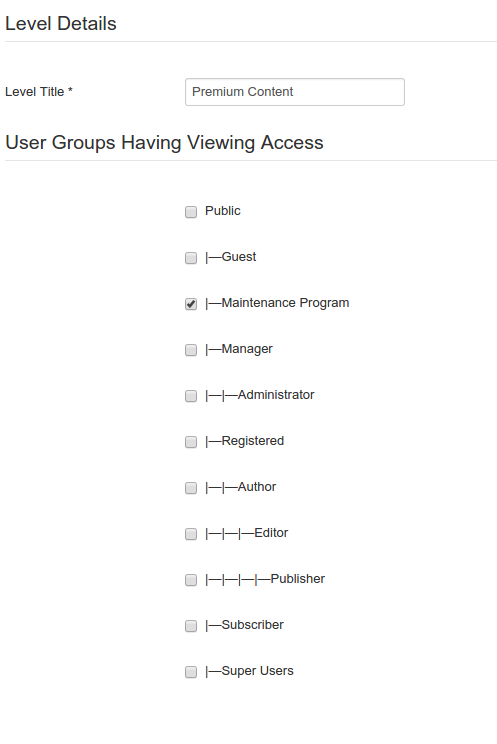

We already knew that user could see the menu after a re-login, just wanted you to be able to compare that stuff side by side.
Any ideas?
not there....
At this point I can move through the website without a forced logout, and I still do not have any additional permissions.
Check user to see if there is a confirmed login:
No...
Log out and log back in to see if the menu entry exists then:
Yes (I know it went to two rows, will not stay like that live...)
Check to make sure menu is setup right:
We already knew that user could see the menu after a re-login, just wanted you to be able to compare that stuff side by side.
Any ideas?
Last edit: 11 years 10 months ago by YeeP.
Please Log in or Create an account to join the conversation.
11 years 10 months ago #180933
by nicolas
Replied by nicolas on topic Force a logout out at end of a purchase?
Hi,
I don't see why it doesn't work, but here are two alternative solutions you can try.
In both, you'll have to edit the file "after_end" of the view "checkout" via the menu Display>Views of HikaShop and add custom code at the end of it.
1. You can try to add that code:
that will clear the user groups of the user in the joomla user session. It might not work if HikaShop didn't receive the payment notification before the user is redirected to the thank you page of HikaShop.
2. You can try to add that code:
That will logout the user on the thank you page.
I don't see why it doesn't work, but here are two alternative solutions you can try.
In both, you'll have to edit the file "after_end" of the view "checkout" via the menu Display>Views of HikaShop and add custom code at the end of it.
1. You can try to add that code:
Code:
if(!version_compare(JVERSION,'1.6.0','<')){
jimport('joomla.access.access');
JAccess::clearStatics();
}
2. You can try to add that code:
Code:
$app = JFactory::getApplication();
$app->logout();
The following user(s) said Thank You: YeeP
Please Log in or Create an account to join the conversation.
11 years 10 months ago - 11 years 10 months ago #180973
by YeeP
Replied by YeeP on topic Force a logout out at end of a purchase?
Nicolas, the first suggestion would really be my preference, just so I do not have to force the brand new customer to log out, but I cannot get it to work and don't want to take a chance based on sever timing.
The second suggestion does work, but I end up with something showing that is shown to be in the shopping cart, but after a click on any link on the site, it disappears. Do you have any suggestions on how to get this to stop happening?
This is the screen I see after the purchase is complete:
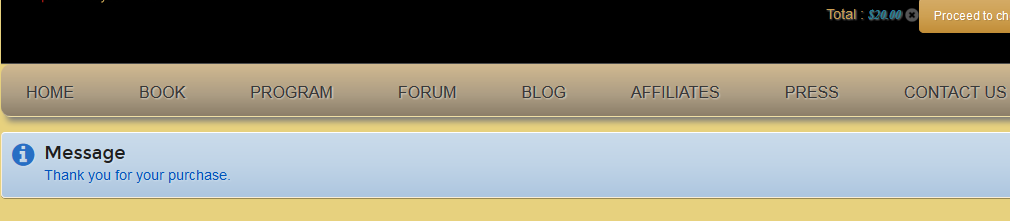
That is not the purchase I made. It is the first item listed in the store though.
Like one of the previous users mentioned, can I modify this screen to show a message as to why they are being logged out? I might as well just tell them that this is being done on purpose so they do not immediately think something is wrong.
If there is any way I could get some help making the software work the way that you expected it to, I would really appreciate it. I have to have this process running by Dec. 1st, and will choose the force logout option if I have to. That is not my client's first choice...
The second suggestion does work, but I end up with something showing that is shown to be in the shopping cart, but after a click on any link on the site, it disappears. Do you have any suggestions on how to get this to stop happening?
This is the screen I see after the purchase is complete:
That is not the purchase I made. It is the first item listed in the store though.
Like one of the previous users mentioned, can I modify this screen to show a message as to why they are being logged out? I might as well just tell them that this is being done on purpose so they do not immediately think something is wrong.
If there is any way I could get some help making the software work the way that you expected it to, I would really appreciate it. I have to have this process running by Dec. 1st, and will choose the force logout option if I have to. That is not my client's first choice...
Last edit: 11 years 10 months ago by YeeP.
Please Log in or Create an account to join the conversation.
11 years 10 months ago - 11 years 10 months ago #180974
by webcandy
Replied by webcandy on topic Force a logout out at end of a purchase?
YeeP: If you have to do the force logout option and want to change what the screen says, you can do a language override for THANK_YOU_FOR_PURCHASE. (System > Configuration > Languages > Click the pencil and ctrl + f for THANK_YOU_FOR_PURCHASE). Then you can change it to say whatever you want, such as "Thank you for your purchase.<br /> You are now being logged out (blah blah blah...)"
If you want to do more you have to edit the after_end view...but that language code is already in the after_end view so doing a language override should get you what you need.
If you want to do more you have to edit the after_end view...but that language code is already in the after_end view so doing a language override should get you what you need.
Last edit: 11 years 10 months ago by webcandy.
The following user(s) said Thank You: YeeP
Please Log in or Create an account to join the conversation.
11 years 10 months ago #180981
by YeeP
Replied by YeeP on topic Force a logout out at end of a purchase?
Thanks webcandy. I got the new message in there so at least they know they are being logged out. Now if I could just get the mysterious purchase to not appear in the cart after the purchase, I am hoping this is a workable option.
Please Log in or Create an account to join the conversation.
11 years 10 months ago - 11 years 10 months ago #180982
by webcandy
Replied by webcandy on topic Force a logout out at end of a purchase?
What status do you have set up to clean the cart? (Configuration > Main > Cart > Clean cart when order status is...)
is it feasible to clear the cart on your creation status? There may be a better way to do this and I'm sure nicolas who is infinitely more competent will weigh in. But I'm thinking it's the delay between whatever payment system you're using sending the "payment confirmed" update.
is it feasible to clear the cart on your creation status? There may be a better way to do this and I'm sure nicolas who is infinitely more competent will weigh in. But I'm thinking it's the delay between whatever payment system you're using sending the "payment confirmed" update.
Last edit: 11 years 10 months ago by webcandy.
Please Log in or Create an account to join the conversation.
11 years 10 months ago #180983
by YeeP
Replied by YeeP on topic Force a logout out at end of a purchase?
Right now, it is set at "created". However, the item that is listed in the shopping cart after the purchase, is not one that was in there for the purchase. I only know that because each product has a different cost. If you try and view the cart, it will say that it is empty. You only see the mention of a product in the cart by what is shown in the header. (see the image).
Please Log in or Create an account to join the conversation.
11 years 10 months ago - 11 years 10 months ago #180984
by webcandy
Replied by webcandy on topic Force a logout out at end of a purchase?
Ok I understand what you're saying.
1. Does the page redirect anywhere when the user is auto logged out?
2. Does manually refreshing the page work to get rid of the phantom item in the cart?
1. Does the page redirect anywhere when the user is auto logged out?
2. Does manually refreshing the page work to get rid of the phantom item in the cart?
Last edit: 11 years 10 months ago by webcandy.
Please Log in or Create an account to join the conversation.
11 years 10 months ago #180985
by YeeP
Replied by YeeP on topic Force a logout out at end of a purchase?
No redirect. You have to click on a link somewhere or you just sit at the window you are looking at saying thank you. Now that I think about it, I do have the "URL where you will be redirected when the cart is empty" set to the main "home" of the store. I wonder if I set that to the home of the site (something different) if that will help.
I will test it now.
I will test it now.
Please Log in or Create an account to join the conversation.
11 years 10 months ago #180986
by webcandy
Replied by webcandy on topic Force a logout out at end of a purchase?
Smart thinking. If that doesn't work, maybe try...
<? php
header( "Location: www.domain.com/redirectpage.php " );
exit;
?>
in your after_end view. After you call the logout command nicolas gave. Let me know if that works...the code may have to be tweaked slightly.
<? php
header( "Location: www.domain.com/redirectpage.php " );
exit;
?>
in your after_end view. After you call the logout command nicolas gave. Let me know if that works...the code may have to be tweaked slightly.
Please Log in or Create an account to join the conversation.
11 years 10 months ago - 11 years 10 months ago #180987
by YeeP
Replied by YeeP on topic Force a logout out at end of a purchase?
Ok, my idea did not work. I will setup the code to see if you will work, I will attach the whole file just so you can have a look at it.
EDIT: I never answered your question about the refresh. YES it does get rid of the phantom cart.
Sorry about that.
EDIT: I never answered your question about the refresh. YES it does get rid of the phantom cart.
Sorry about that.
Last edit: 11 years 10 months ago by YeeP.
Please Log in or Create an account to join the conversation.
11 years 10 months ago #180989
by webcandy
Replied by webcandy on topic Force a logout out at end of a purchase?
No problem! That's actually good news. Let me know if my code up there works.
Please Log in or Create an account to join the conversation.
11 years 10 months ago - 11 years 10 months ago #180992
by YeeP
Replied by YeeP on topic Force a logout out at end of a purchase?
Ok, that did not work. I believe the redirect tried to load the domain, substrung to the domain. like so:
www.domain.com/www.domain.com
Anyway, I removed that and ran it again. I am hoping that nicolas is in there, because I was not required to reply to an email sent to me, and I never changed that.
I did go an change the cat configuration for the redirect. previously I had it at(no quotes)
now it is at
This did not have a difference.
Couple of interesting things though:
1) Refresh drops the phantom cart from the header, but I stay on the order complete site that has the new thank you message. Here is a pic to see it with the phantom cart. Check out the value in it. I just made a purchase for $297. Before it told me I had $20 in the phantom cart. I think I will go drop the site cache just in case.

Here is the code that is in the checkout>after_end file
Check out how the php is still initialized, if you plan on adding something at the end.
www.domain.com/www.domain.com
Anyway, I removed that and ran it again. I am hoping that nicolas is in there, because I was not required to reply to an email sent to me, and I never changed that.
I did go an change the cat configuration for the redirect. previously I had it at(no quotes)
Code:
https://www.domain.com
Code:
www.domain.com
Couple of interesting things though:
1) Refresh drops the phantom cart from the header, but I stay on the order complete site that has the new thank you message. Here is a pic to see it with the phantom cart. Check out the value in it. I just made a purchase for $297. Before it told me I had $20 in the phantom cart. I think I will go drop the site cache just in case.
Here is the code that is in the checkout>after_end file
Code:
<?php
/**
* @package HikaShop for Joomla!
* @version 2.3.4
* @author hikashop.com
* @copyright (C) 2010-2014 HIKARI SOFTWARE. All rights reserved.
* @license GNU/GPLv3 http://www.gnu.org/licenses/gpl-3.0.html
*/
defined('_JEXEC') or die('Restricted access');
?><?php
$app = JFactory::getApplication();
$app->enqueueMessage( JText::_('THANK_YOU_FOR_PURCHASE') );
/*
Added custom code below to force a user logout when a purchase is complete.
Find problem solving here:
http://www.hikashop.com/forum/customers/873174-force-a-logout-out-at-end-of-a-purchase.html
*/
$app = JFactory::getApplication();
$app->logout();
Check out how the php is still initialized, if you plan on adding something at the end.
Last edit: 11 years 10 months ago by YeeP.
Please Log in or Create an account to join the conversation.
11 years 10 months ago - 11 years 10 months ago #180993
by YeeP
Replied by YeeP on topic Force a logout out at end of a purchase?
..
Last edit: 11 years 10 months ago by YeeP.
Please Log in or Create an account to join the conversation.
Time to create page: 0.489 seconds