

- Posts: 490
- Thank you received: 2
how to display user profile
10 years 4 weeks ago - 10 years 4 weeks ago #248853
by ronron
Replied by ronron on topic how to display user profile
ok i understand it now
but a few more questions.
1. when i fill up and save user edit form it redirects to joomla form with out the custom fields
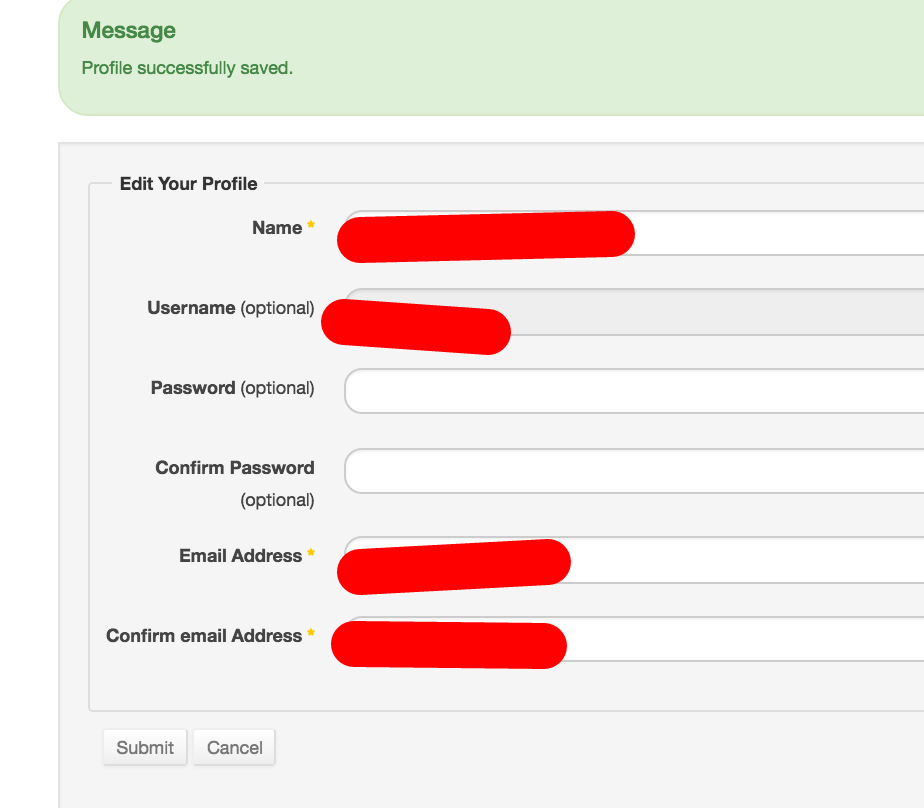
where are the custom fields?
2. when i go back to the menu link user edit orm everything is ok.
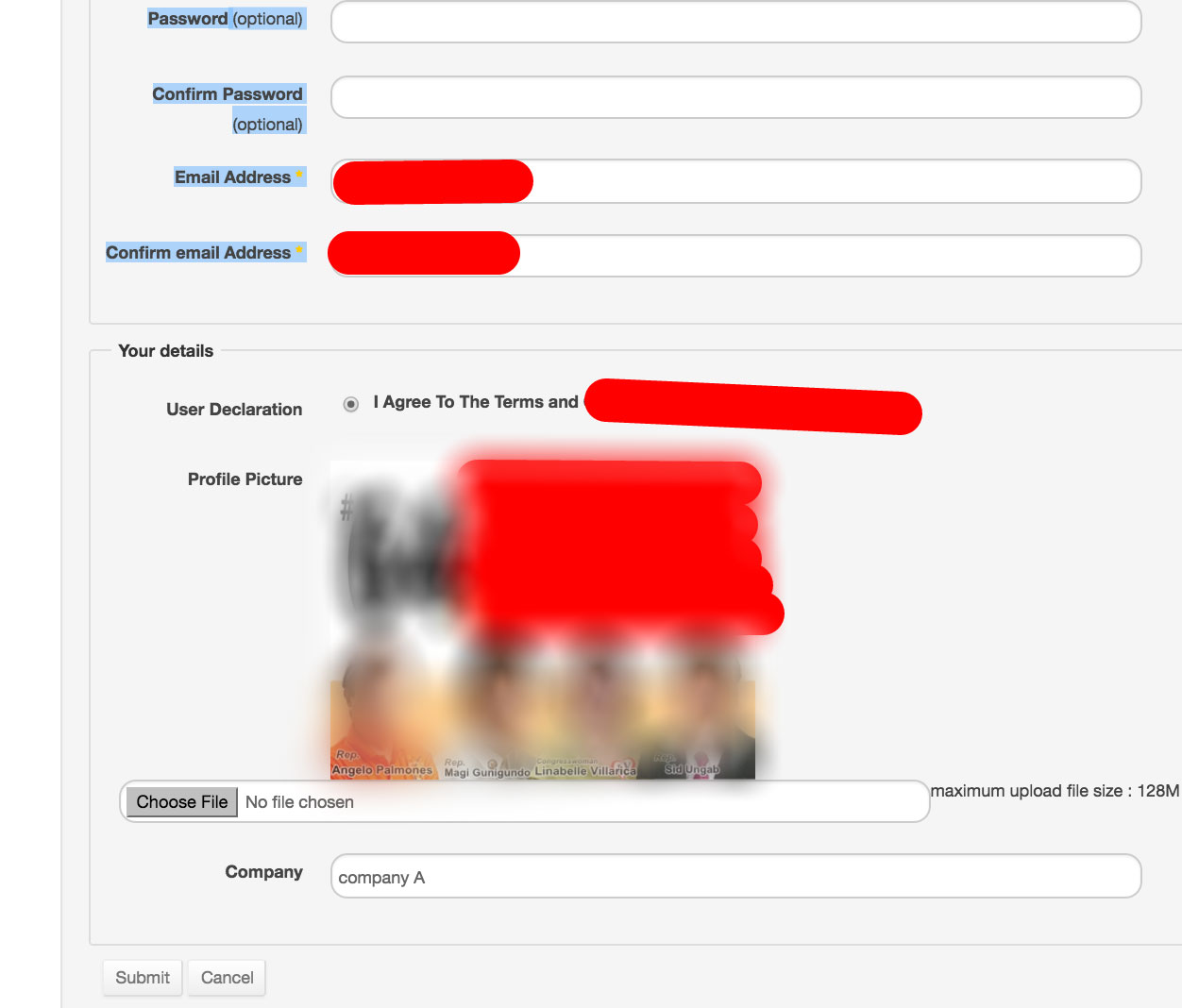
so even do after saving the custom fields are not there it was saved successfully
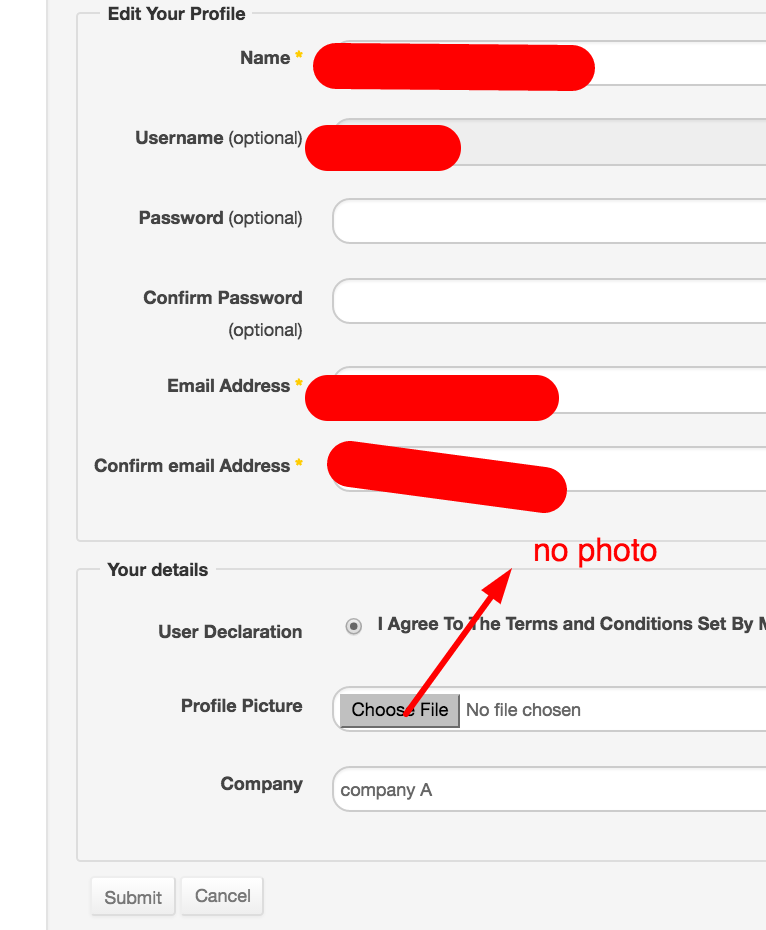
3. now if i click on save or submit, the image upload always saves even do no changes or no file was uploaded.. Same thing if i change the name or company affiliation the image disappears or gets replace with a null value i guess.
.
how can we make it retain the image ? if no changes were done?
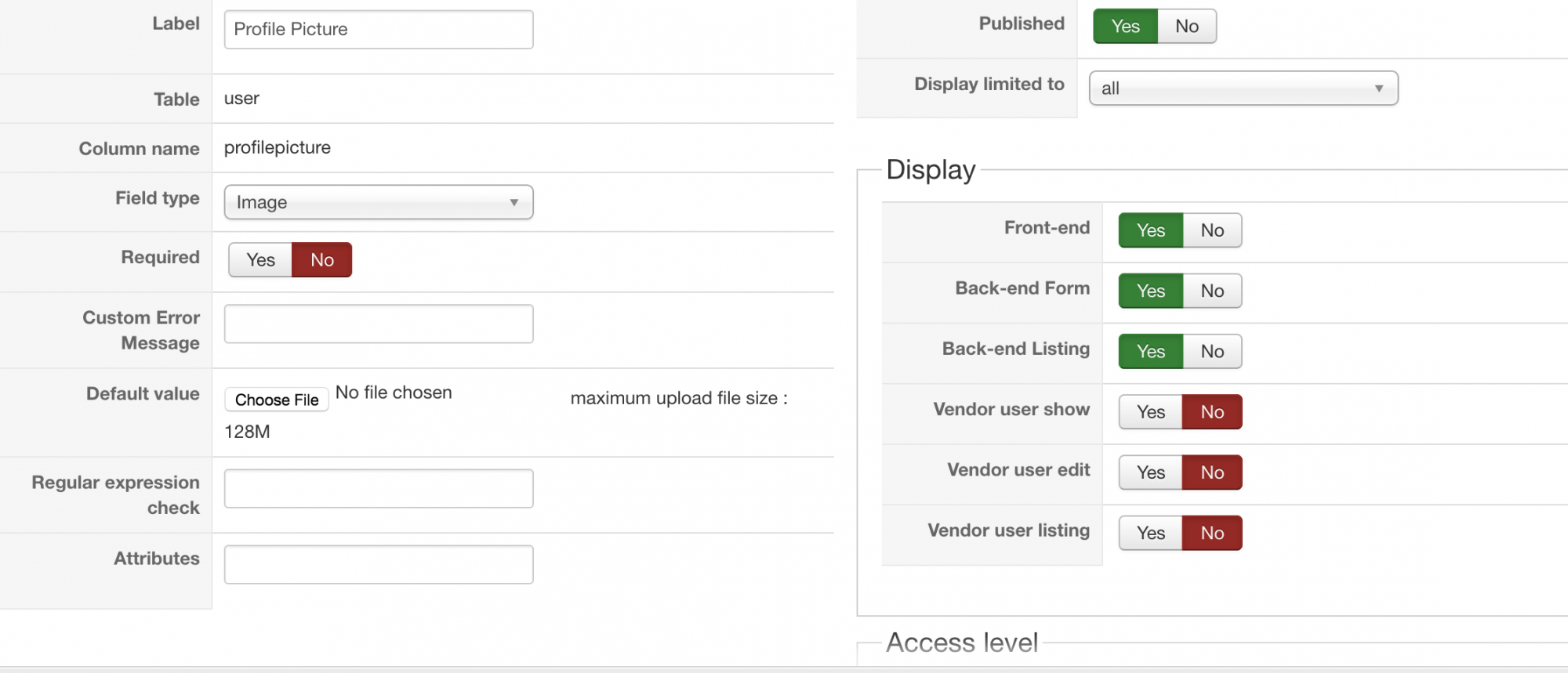
BTW this is the settings of my image upload buttoon
thanks
but a few more questions.
1. when i fill up and save user edit form it redirects to joomla form with out the custom fields
where are the custom fields?
2. when i go back to the menu link user edit orm everything is ok.
so even do after saving the custom fields are not there it was saved successfully
3. now if i click on save or submit, the image upload always saves even do no changes or no file was uploaded.. Same thing if i change the name or company affiliation the image disappears or gets replace with a null value i guess.
.
how can we make it retain the image ? if no changes were done?
BTW this is the settings of my image upload buttoon
thanks
Last edit: 10 years 4 weeks ago by ronron.
Please Log in or Create an account to join the conversation.

10 years 4 weeks ago #248895
by nicolas
Replied by nicolas on topic how to display user profile
Hi,
It might be linked to your template. Please try with the default template of Joomla.
Does that work or do you have the same problem?
If you have the same problem, please provide the links of the pages and, a test account, and the steps to reproduce so that we can look into the issue.
It might be linked to your template. Please try with the default template of Joomla.
Does that work or do you have the same problem?
If you have the same problem, please provide the links of the pages and, a test account, and the steps to reproduce so that we can look into the issue.
Please Log in or Create an account to join the conversation.
10 years 4 weeks ago - 10 years 3 weeks ago #248936
by ronron
Replied by ronron on topic how to display user profile
hi nic
i just tried it with beez3 but the problem persists.
this is the joomla edit link edit
this is the hikashop user panel user panel
Part of the message is hidden for the guests. Please log in or register to see it.
you may login and try to add and edit a photo.
issues
1. if add an image and you save or submit, it gets redirected to the user profile with out the hikashop custom fields
2. every time you edit a field the image is always changed. exaple if you change name field the image upload will be replaced by a null value or empty, actually i dont know if its null but its empty. So you have to reupload the image again
BTW if i save the changes it is redirected to this link mayari.com.ph/edit-user-proflle/profile
instead of this one mayari.com.ph/edit-user-proflle .
HikaShop user account plugin is enabled and has mayari.com.ph/edit-user-proflle id to force redirect
thanks
i just tried it with beez3 but the problem persists.
this is the joomla edit link edit
this is the hikashop user panel user panel
Part of the message is hidden for the guests. Please log in or register to see it.
you may login and try to add and edit a photo.
issues
1. if add an image and you save or submit, it gets redirected to the user profile with out the hikashop custom fields
2. every time you edit a field the image is always changed. exaple if you change name field the image upload will be replaced by a null value or empty, actually i dont know if its null but its empty. So you have to reupload the image again
BTW if i save the changes it is redirected to this link mayari.com.ph/edit-user-proflle/profile
instead of this one mayari.com.ph/edit-user-proflle .
HikaShop user account plugin is enabled and has mayari.com.ph/edit-user-proflle id to force redirect
thanks
Last edit: 10 years 3 weeks ago by ronron.
Please Log in or Create an account to join the conversation.

10 years 3 weeks ago #248955
by Jerome
Jerome - Obsidev.com
HikaMarket & HikaSerial developer / HikaShop core dev team.
Also helping the HikaShop support team when having some time or couldn't sleep.
By the way, do not send me private message, use the "contact us" form instead.
Replied by Jerome on topic how to display user profile
Hi,
Please use the "ajax image" instead of the "image" custom field.
Regards,
Please use the "ajax image" instead of the "image" custom field.
Regards,
Jerome - Obsidev.com
HikaMarket & HikaSerial developer / HikaShop core dev team.
Also helping the HikaShop support team when having some time or couldn't sleep.
By the way, do not send me private message, use the "contact us" form instead.
The following user(s) said Thank You: ronron
Please Log in or Create an account to join the conversation.
10 years 3 weeks ago #249027
by ronron
Replied by ronron on topic how to display user profile
thanks jerome
using the ajax image worked great.
the last problem is that if i save or submit. it still redirects to the profile or edit user profile page with out the custom fields.
the edit user profile link is http://.../Edit-User-Profile
when i save it goes to http://.../Edit-User-Profile/profile
it should go to http://.../Edit-User-Profile.
how can i force the redirect after save to hikashop menu?
thanks again
using the ajax image worked great.
the last problem is that if i save or submit. it still redirects to the profile or edit user profile page with out the custom fields.
the edit user profile link is http://.../Edit-User-Profile
when i save it goes to http://.../Edit-User-Profile/profile
it should go to http://.../Edit-User-Profile.
how can i force the redirect after save to hikashop menu?
thanks again
Please Log in or Create an account to join the conversation.
10 years 3 weeks ago #249036
by nicolas
Replied by nicolas on topic how to display user profile
Hi,
The save process is handled by Joomla. When you click on the "submit" button of the Joomla edit profile page, Joomla is redirecting you to the Joomla profile page. That's how it is supposed to be.
If you want it to go somewhere else, you'll have to modify the code of the layout in Joomla with an override or maybe even modify the Joomla core file controlling the saving process. But that's not something we can help with. You'll have to have a developer help you with it.
The save process is handled by Joomla. When you click on the "submit" button of the Joomla edit profile page, Joomla is redirecting you to the Joomla profile page. That's how it is supposed to be.
If you want it to go somewhere else, you'll have to modify the code of the layout in Joomla with an override or maybe even modify the Joomla core file controlling the saving process. But that's not something we can help with. You'll have to have a developer help you with it.
The following user(s) said Thank You: ronron
Please Log in or Create an account to join the conversation.
10 years 3 weeks ago #249099
by ronron
Replied by ronron on topic how to display user profile
great
my next question is the preview versus the frontend of the ajax image.
this is the preview with my default image
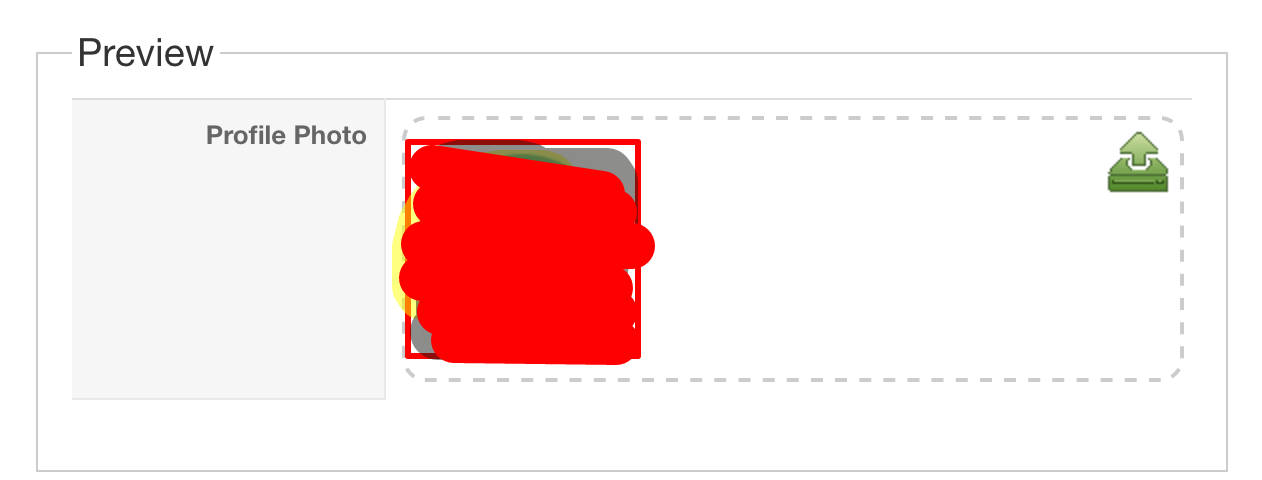
this is the front end

obviously the back end is better. How can i have the same interface?
thanks
my next question is the preview versus the frontend of the ajax image.
this is the preview with my default image
this is the front end
obviously the back end is better. How can i have the same interface?
thanks
Please Log in or Create an account to join the conversation.
10 years 3 weeks ago #249105
by nicolas
Replied by nicolas on topic how to display user profile
Hi,
It's already the same interface. Only the title is inside because the form in the backend isn't made the same way as the form on the profile page, and the upload button is not aligned properly because of the template's CSS.
The rest is the same so I'm not sure what you're saying when you say that it's not "the same interface" ?
It's already the same interface. Only the title is inside because the form in the backend isn't made the same way as the form on the profile page, and the upload button is not aligned properly because of the template's CSS.
The rest is the same so I'm not sure what you're saying when you say that it's not "the same interface" ?
The following user(s) said Thank You: ronron
Please Log in or Create an account to join the conversation.
10 years 2 weeks ago #249770
by ronron
Replied by ronron on topic how to display user profile
thanks
the default value isnt showing. in this case the default photo isnt appearing.
also the upload icon is small 16px. file name is upload icon.
i would like to use this one. this is 32px
thank you
the default value isnt showing. in this case the default photo isnt appearing.
also the upload icon is small 16px. file name is upload icon.
Code:
div.hikashop_uploader_image_add span.hika_upload_btn, div.hikashop_uploader_file_add span.hika_upload_btn {
background-image: url(../images/icon-16/upload.png);
}
i would like to use this one. this is 32px
Code:
div.hikashop_uploader_image_add span.hika_upload_btn, div.hikashop_uploader_file_add span.hika_upload_btn {
background-image: url(../images/upload2.png);
}
thank you
Please Log in or Create an account to join the conversation.
10 years 2 weeks ago #249817
by nicolas
Replied by nicolas on topic how to display user profile
Hi,
For the default image, I think that you're misunderstanding something. It's not because you select a default image in the field that all the users will have that value by default. By default they'll all have "empty" in the field. So you would have to change the code where you display the image with something like that:
For the icon, just change the frontend CSS of HikaShop via the HikaShop configuration.
For the default image, I think that you're misunderstanding something. It's not because you select a default image in the field that all the users will have that value by default. By default they'll all have "empty" in the field. So you would have to change the code where you display the image with something like that:
Code:
<?php
$user = hikashop_loadUser(true);
if(empty($user->image){
echo 'HTML of the default image I want to display';
}else{
echo $user->image;
}
?>
For the icon, just change the frontend CSS of HikaShop via the HikaShop configuration.
The following user(s) said Thank You: ronron
Please Log in or Create an account to join the conversation.

10 years 2 weeks ago #249863
by kyratn
Replied by kyratn on topic how to display user profile
Hi,
I suggest to look into component called "easy profile". I think it would save you a lot time instead making everything by your own.
Thanks
I suggest to look into component called "easy profile". I think it would save you a lot time instead making everything by your own.
Thanks
Please Log in or Create an account to join the conversation.
Time to create page: 0.222 seconds