

- Posts: 490
- Thank you received: 2
how to log ip address during registration
6 years 2 months ago #321736
by ronron
how to log ip address during registration was created by ronron
-- HikaShop version -- : 4.3
-- Joomla version -- : 3.8.12
-- PHP version -- : 7
-- Error-message(debug-mod must be tuned on) -- : none
hi
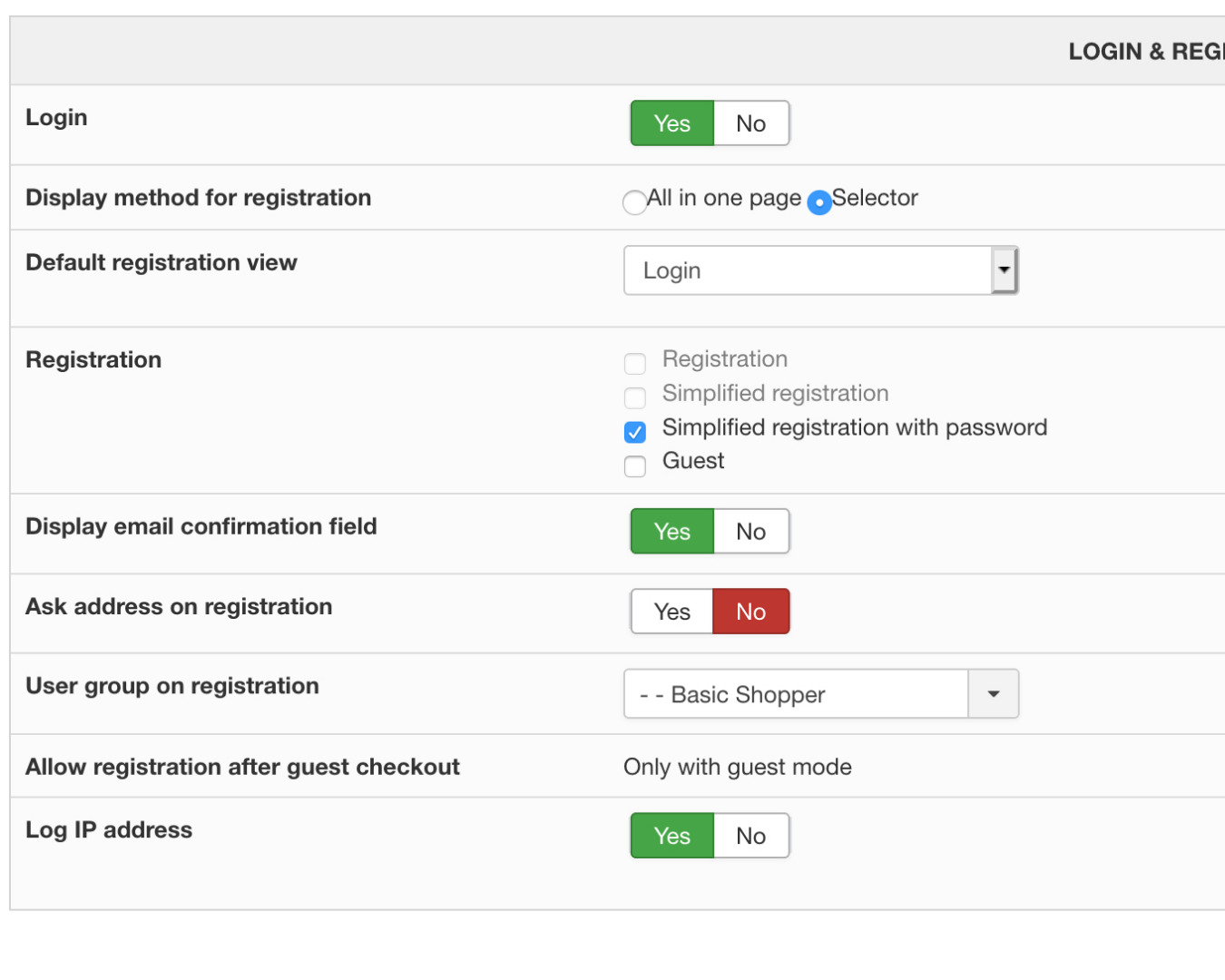
i set log ip address to yes during registration
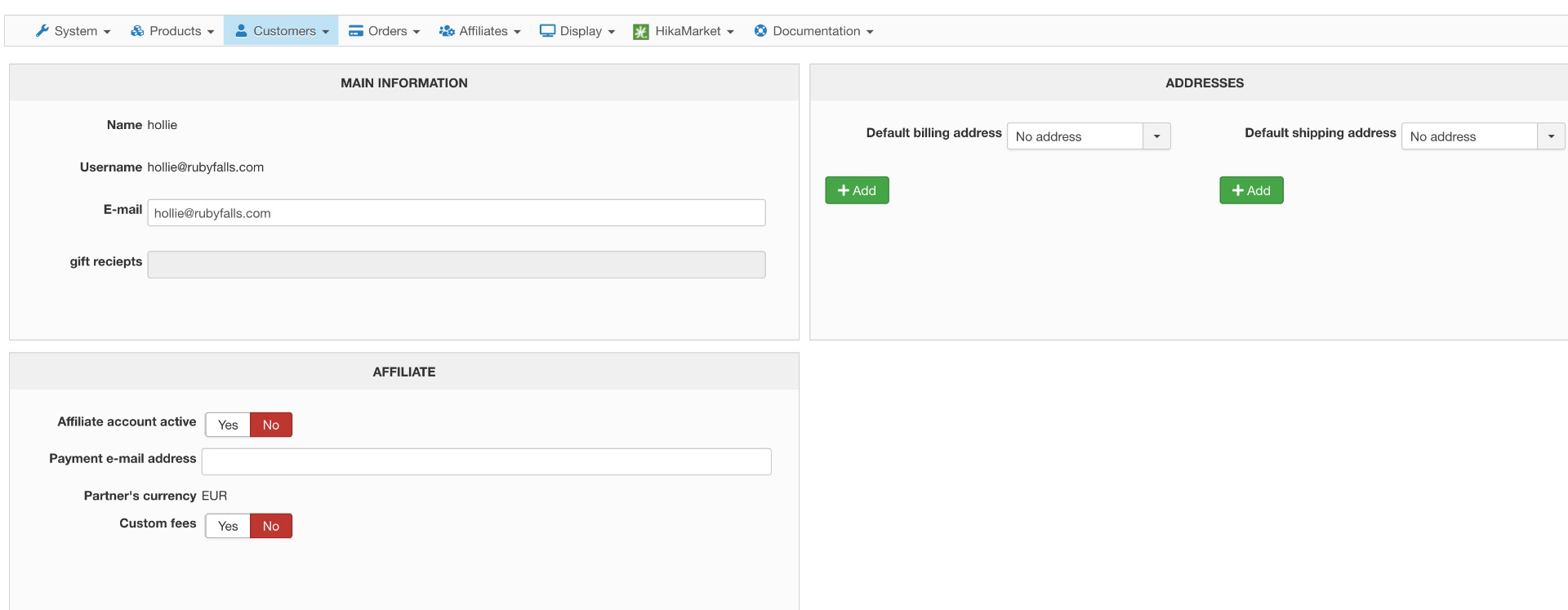
where can i check the ipaddress?
cant find them in customers section. i added photo for your reference
thanks
-- Joomla version -- : 3.8.12
-- PHP version -- : 7
-- Error-message(debug-mod must be tuned on) -- : none
hi
i set log ip address to yes during registration
where can i check the ipaddress?
cant find them in customers section. i added photo for your reference
thanks
Please Log in or Create an account to join the conversation.

6 years 2 months ago #321751
by nicolas
Replied by nicolas on topic how to log ip address during registration
Hi,
That's a good point. We'll add it there for the next release in HikaShop.
For now, it's only available with an action "display the results" or an action "export a CSV file" of a mass action with the column "user_created_ip".
That's a good point. We'll add it there for the next release in HikaShop.
For now, it's only available with an action "display the results" or an action "export a CSV file" of a mass action with the column "user_created_ip".
Please Log in or Create an account to join the conversation.
6 years 2 months ago #321775
by ronron
Replied by ronron on topic how to log ip address during registration
can you give me instructions on how to display it?
thanks
thanks
Please Log in or Create an account to join the conversation.
6 years 2 months ago #321778
by nicolas
Replied by nicolas on topic how to log ip address during registration
Hi,
Go in the menu System>Mass actions, click on the "new" button, select the type "user" and the action "display the results" and select that "user_created_ip" and the "user_email" columns and click on the "process" button. That will give you a list of the users with the email address and the corresponding IP address.
Go in the menu System>Mass actions, click on the "new" button, select the type "user" and the action "display the results" and select that "user_created_ip" and the "user_email" columns and click on the "process" button. That will give you a list of the users with the email address and the corresponding IP address.
Please Log in or Create an account to join the conversation.
Time to create page: 0.159 seconds