

- Posts: 98
- Thank you received: 4
Registration Address Information
5 years 7 months ago #329287
by alainz
Registration Address Information was created by alainz
-- url of the page with the problem -- :
ayam-com-2020.cloudaccess.host/index.php/register
-- HikaShop version -- : 4.4.0
-- Joomla version -- : 3.9.24
Hi,
How can i edit the display for this address information part in the registration form?
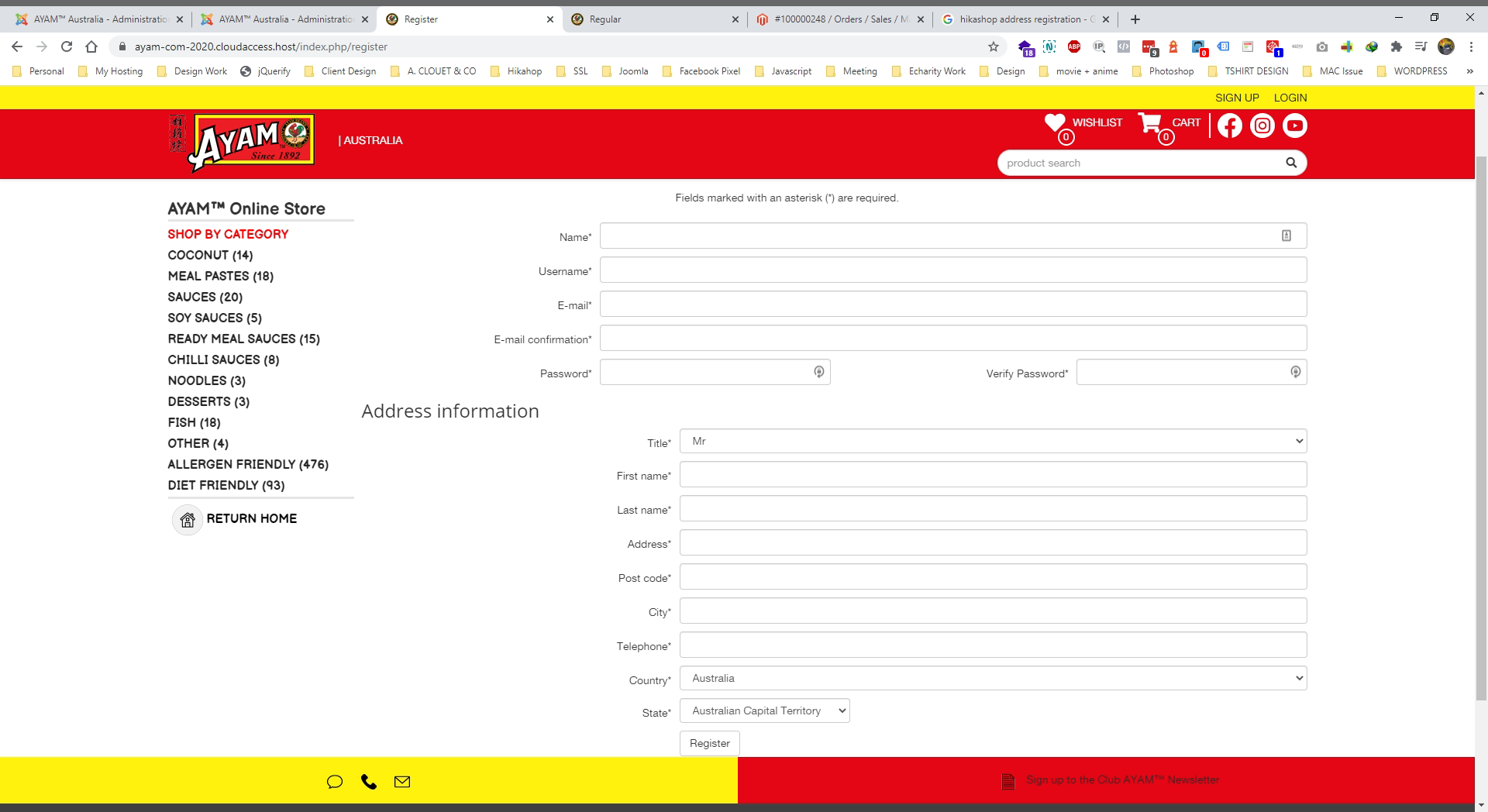
I look on the address template but not found which file that are involves with that registration.
Can someone point me which file should i edit?
Thanks..
-- HikaShop version -- : 4.4.0
-- Joomla version -- : 3.9.24
Hi,
How can i edit the display for this address information part in the registration form?
I look on the address template but not found which file that are involves with that registration.
Can someone point me which file should i edit?
Thanks..
Please Log in or Create an account to join the conversation.

5 years 7 months ago #329295
by nicolas
Replied by nicolas on topic Registration Address Information
Hi,
The address information area on the registration form is displayed using the data of the custom address fields that you configured in the menu Display>Custom fields.
So if you want to add / remove / change the fields there, I would first recommend to look at their settings in that menu of the HikaShop backend.
Then, if you want to go deeper with the customization, you can edit the file user / custom_fields.php via the menu Display>Views. To know which view file to edit, you have the "Display view files" setting in the HikaShop configuration that you can activate. Then, just refresh the page you want to modify and HikaShop will tell you which view file is used where, as per this tutorial:
www.hikashop.com/support/documentation/1...-display.html#layout
The address information area on the registration form is displayed using the data of the custom address fields that you configured in the menu Display>Custom fields.
So if you want to add / remove / change the fields there, I would first recommend to look at their settings in that menu of the HikaShop backend.
Then, if you want to go deeper with the customization, you can edit the file user / custom_fields.php via the menu Display>Views. To know which view file to edit, you have the "Display view files" setting in the HikaShop configuration that you can activate. Then, just refresh the page you want to modify and HikaShop will tell you which view file is used where, as per this tutorial:
www.hikashop.com/support/documentation/1...-display.html#layout
Please Log in or Create an account to join the conversation.
5 years 7 months ago #329328
by alainz
Replied by alainz on topic Registration Address Information
Thanks Nicolas.
Got it.
Got it.
Please Log in or Create an account to join the conversation.
5 years 7 months ago #329409
by alainz
Replied by alainz on topic Registration Address Information
I have made some modifications on the registration page. Currently we are using "Simplify registration with password" and "Guest" as below.
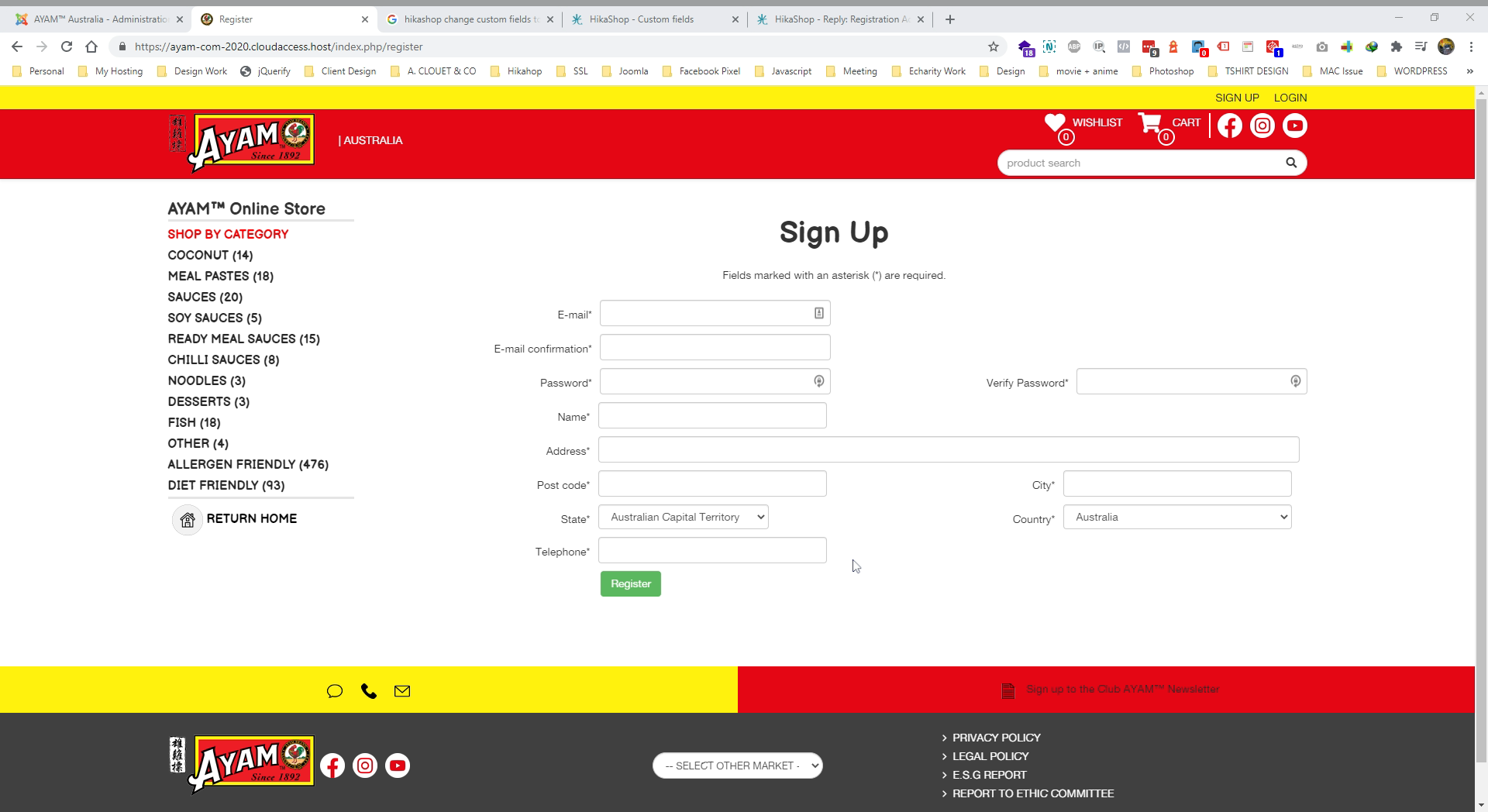
And changes the "Custom Fields" part for "First Name" to "Name". Now how can i move that "Name" field to the top of email field?
And changes the "Custom Fields" part for "First Name" to "Name". Now how can i move that "Name" field to the top of email field?
Please Log in or Create an account to join the conversation.
5 years 7 months ago #329428
by nicolas
Replied by nicolas on topic Registration Address Information
Hi,
Well, that's a bit more complex. You need to skip its display in the custom_fields.php view file, and in the registration view file, you need to add its display where you need it with similar code to what you have in custom_fields.php but only for that field.
Well, that's a bit more complex. You need to skip its display in the custom_fields.php view file, and in the registration view file, you need to add its display where you need it with similar code to what you have in custom_fields.php but only for that field.
Please Log in or Create an account to join the conversation.
5 years 7 months ago - 5 years 7 months ago #329780
by alainz
Replied by alainz on topic Registration Address Information
Any change you can help show/guide to change this.
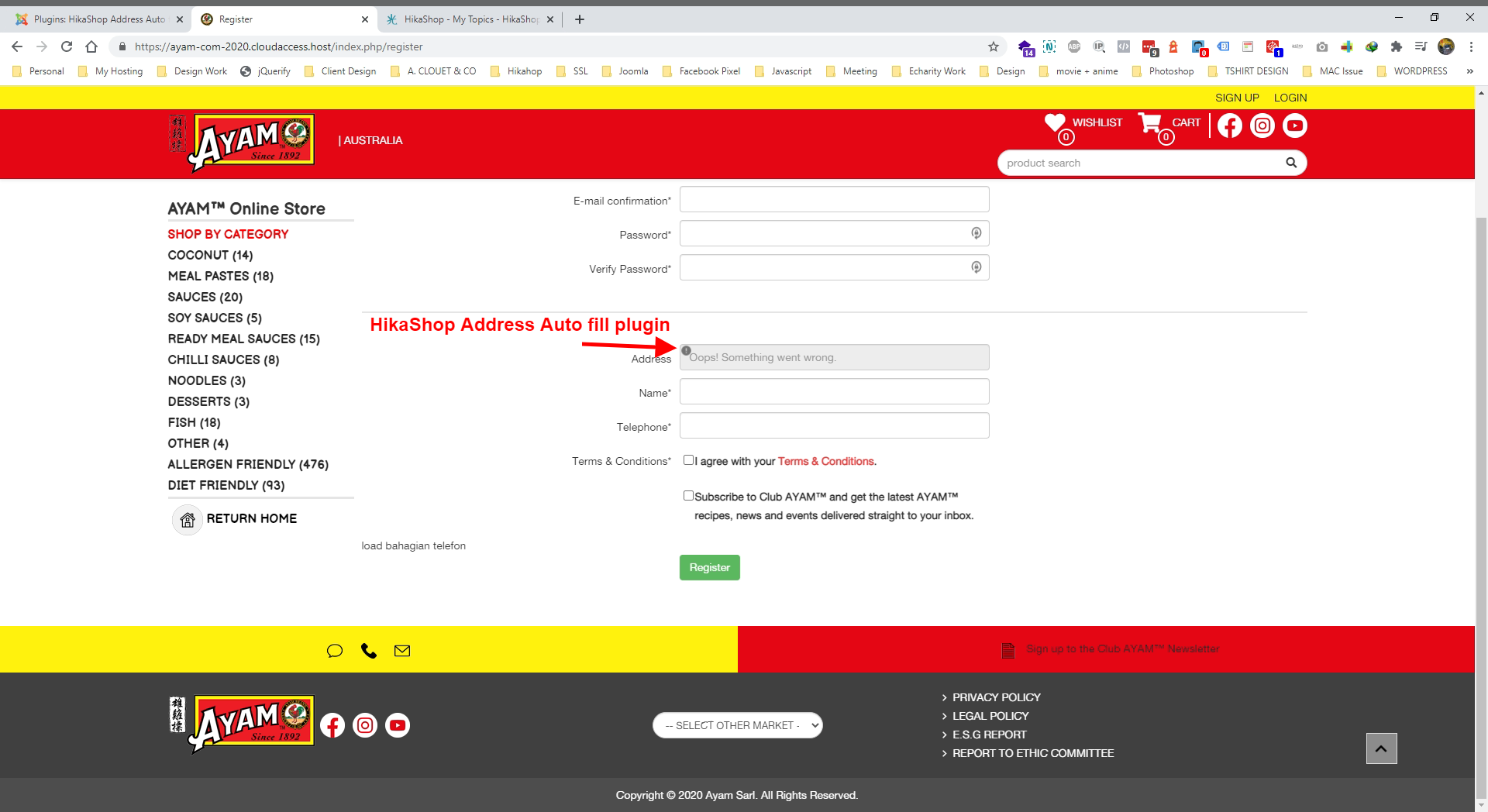
We buy your HikaShop Address Auto fill plugin and how can i place this input field in between the name and telephone?
And one more thing is there a way we can limit Autofill to only Australia?
We buy your HikaShop Address Auto fill plugin and how can i place this input field in between the name and telephone?
And one more thing is there a way we can limit Autofill to only Australia?
Last edit: 5 years 7 months ago by alainz.
Please Log in or Create an account to join the conversation.

Less
More
- Posts: 12953
- Thank you received: 1778
5 years 7 months ago - 5 years 7 months ago #329816
by Mohamed Thelji
Replied by Mohamed Thelji on topic Registration Address Information
Hello,
We just tested it on your website and it worked fine (cf screenshot) so you probably fixed your issue.
There's actually no option to limit the autofill plugin to a defined zone, so the best solution will be to directly use Shipping / Payment methods zone restrictions.
Kind regards,
Mohamed.
We just tested it on your website and it worked fine (cf screenshot) so you probably fixed your issue.
There's actually no option to limit the autofill plugin to a defined zone, so the best solution will be to directly use Shipping / Payment methods zone restrictions.
Kind regards,
Mohamed.
Last edit: 5 years 7 months ago by Mohamed Thelji.
Please Log in or Create an account to join the conversation.
Time to create page: 0.252 seconds