

- Posts: 75
- Thank you received: 2
About Multiple Items of the same product
12 years 4 months ago #156554
by rodopemu
About Multiple Items of the same product was created by rodopemu
-- HikaShop version -- : 2.3
-- Joomla version -- : 3.3
-- PHP version -- : 5.x
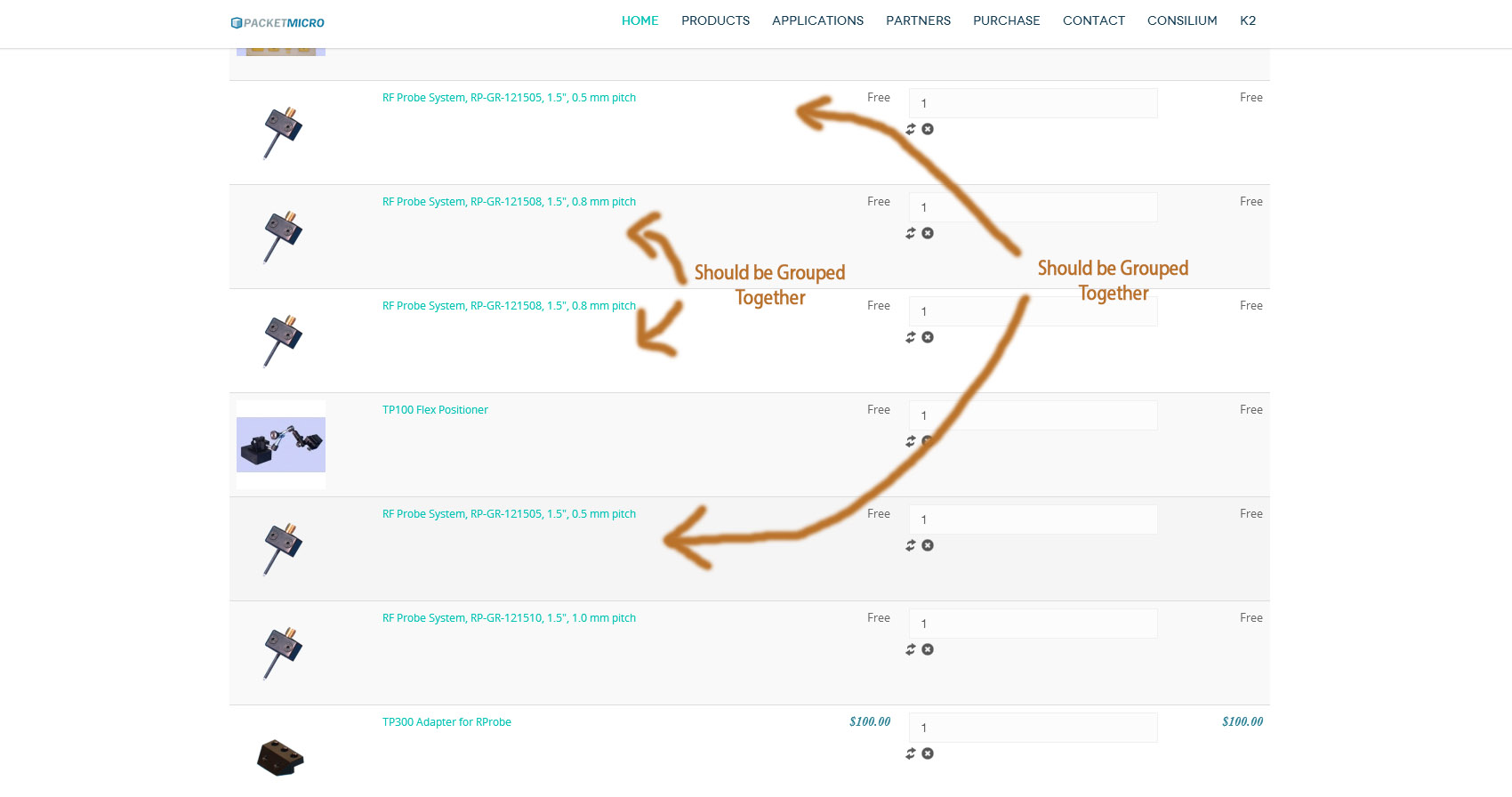
I noticed that when I add the same item more than once to the cart it displays seperate from other items of the same product. Is this a characteristic changeable so that all products of the same type are merged together.
-- Joomla version -- : 3.3
-- PHP version -- : 5.x
I noticed that when I add the same item more than once to the cart it displays seperate from other items of the same product. Is this a characteristic changeable so that all products of the same type are merged together.
Please Log in or Create an account to join the conversation.

Less
More
- Posts: 12953
- Thank you received: 1778
12 years 4 months ago #156557
by Mohamed Thelji
Replied by Mohamed Thelji on topic About Multiple Items of the same product
Hi,
Can you give me a link to one of your product page so that I can directly test it ? It will help me to understand your issue.
Thanks
Can you give me a link to one of your product page so that I can directly test it ? It will help me to understand your issue.
Thanks
Please Log in or Create an account to join the conversation.
12 years 4 months ago #156874
by rodopemu
Replied by rodopemu on topic About Multiple Items of the same product
I figured out the problem is due to the javascript code I used to add multiple items to the cart. The code uses the following url
here is a page you can test that does not work www.inkacollective.com/testing/consilium/products/rf-probe
However, it does work when I am using the default TAG insertion extension which can be seen at this page www.inkacollective.com/testing/consilium/products/rf-probe
I am not sure how to adjust the URL to submit multiple items to the cart and also allow them to add to the same items already in the cart???
Thank You.
Code:
http://www.demo.hikashop.com/index.php?option=com_hikashop&ctrl=product&task=updatecart&data[ZZ]=YY&data[AA]=BB&checkout=1
That will add YY items of the product with the id ZZ and BB items of the product with the id AA in the cart at the same time.
here is a page you can test that does not work www.inkacollective.com/testing/consilium/products/rf-probe
However, it does work when I am using the default TAG insertion extension which can be seen at this page www.inkacollective.com/testing/consilium/products/rf-probe
I am not sure how to adjust the URL to submit multiple items to the cart and also allow them to add to the same items already in the cart???
Thank You.
Please Log in or Create an account to join the conversation.

12 years 4 months ago #156900
by Xavier
Replied by Xavier on topic About Multiple Items of the same product
Hi,
The default url to add a product in the cart is:
<a class="hikashop_html_add_to_cart_link" href="http://localhost/j33/index.php?option=com_hikashop&ctrl=product&task=updatecart&quantity=YY&checkout=1&product_id=AA">Add to cart.
It can be found in the product edition page by clicking on "add to cart url".
In this url, you just have to change the value for the "quantity", and the product_id to add multiple items at a time.
The default url to add a product in the cart is:
<a class="hikashop_html_add_to_cart_link" href="http://localhost/j33/index.php?option=com_hikashop&ctrl=product&task=updatecart&quantity=YY&checkout=1&product_id=AA">Add to cart.
It can be found in the product edition page by clicking on "add to cart url".
In this url, you just have to change the value for the "quantity", and the product_id to add multiple items at a time.
Please Log in or Create an account to join the conversation.
Time to create page: 0.171 seconds