

- Posts: 214
- Thank you received: 1
Editing Export for CSV File
12 years 10 months ago #131174
by matps
Editing Export for CSV File was created by matps
Hi There,
So I'm experimenting with the product export and while it seems really good, I have some questions. While the export seems to have the product name and HTML for the description, I can't see anything about the stock quanities or the prices, which as the main things I'm looking for.
Is there a way to edit the information that Hikashop exports? I've exported 2 products to demonstrate what I'm seeing.
Kind Regards,
Matthew
So I'm experimenting with the product export and while it seems really good, I have some questions. While the export seems to have the product name and HTML for the description, I can't see anything about the stock quanities or the prices, which as the main things I'm looking for.
Is there a way to edit the information that Hikashop exports? I've exported 2 products to demonstrate what I'm seeing.
Kind Regards,
Matthew
This attachment is hidden for guests.
Please log in or register to see it.
Please log in or register to see it.
Please Log in or Create an account to join the conversation.

12 years 10 months ago #131214
by Xavier
Replied by Xavier on topic Editing Export for CSV File
Hi,
I just checked you csv file, the price and the quantities are exported well.
It's in the columns "product_quantity" and "price_value".
I just checked you csv file, the price and the quantities are exported well.
It's in the columns "product_quantity" and "price_value".
Please Log in or Create an account to join the conversation.
12 years 10 months ago #131219
by matps
Replied by matps on topic Editing Export for CSV File
Hi Xavier,
In my export it just has all the information in the A column, as shown in the attached image, which obviously I can't filter on. I'm using Excel 2003 if that makes a difference?
Matthew
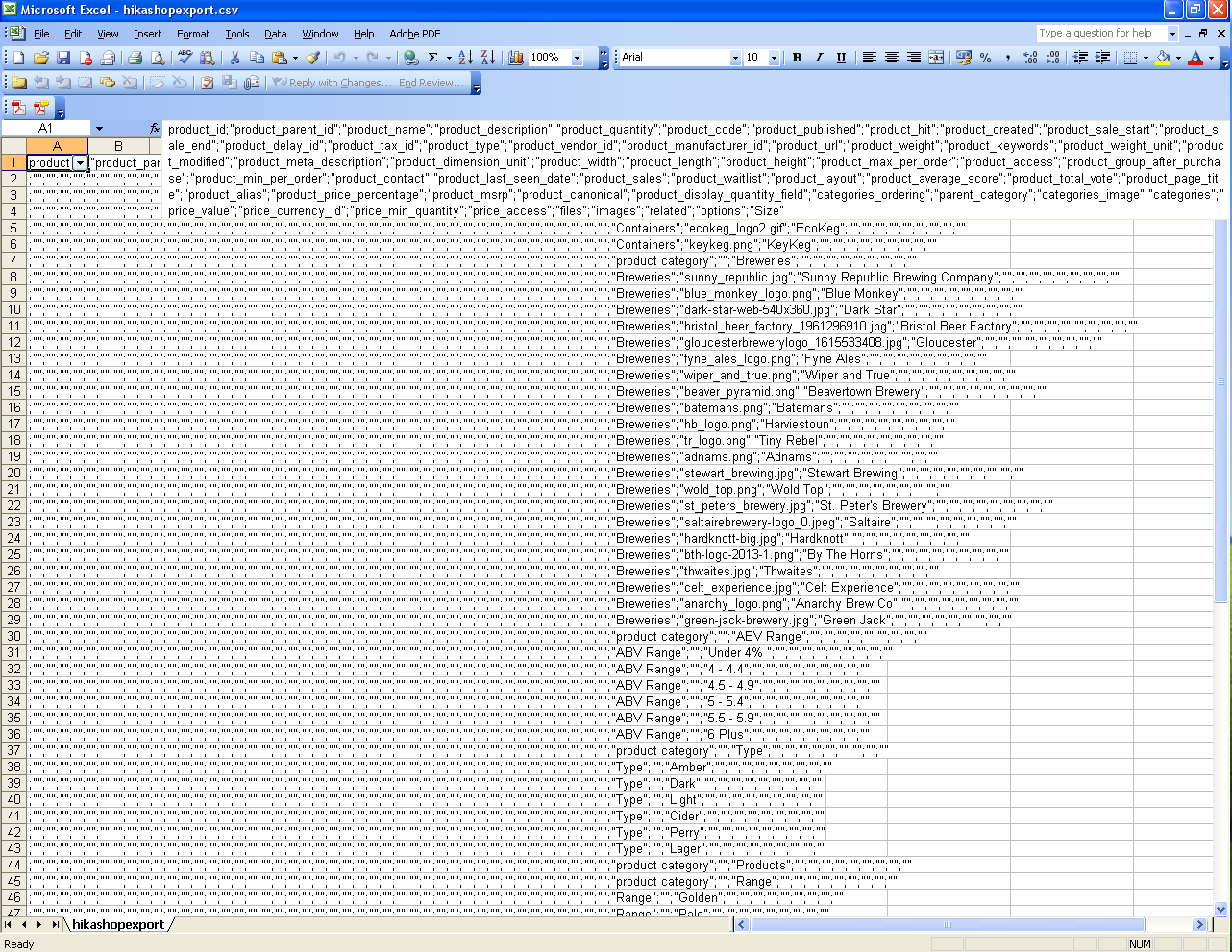
In my export it just has all the information in the A column, as shown in the attached image, which obviously I can't filter on. I'm using Excel 2003 if that makes a difference?
Matthew
Please Log in or Create an account to join the conversation.
12 years 10 months ago #131222
by Xavier
Replied by Xavier on topic Editing Export for CSV File
Hi,
I'm on excel 2007 and I have one content per column.
You maybe just have to edit the configuration of your excel to have content between two ";" in one column.
I don't really know how that work.
I'm on excel 2007 and I have one content per column.
You maybe just have to edit the configuration of your excel to have content between two ";" in one column.
I don't really know how that work.
Please Log in or Create an account to join the conversation.
12 years 10 months ago #131460
by matps
Replied by matps on topic Editing Export for CSV File
I tested on both Excel 2010 and 2013 and both provided the same result, so this seems to be the default setting for Excel.
Is this not something you had to do with your version of Excel?
Is this not something you had to do with your version of Excel?
Please Log in or Create an account to join the conversation.

12 years 10 months ago #131543
by nicolas
Replied by nicolas on topic Editing Export for CSV File
Hi,
You can simply change the "CSV separator" option of the configuration if you want HikaShop to generate CSVs with commas instead of semi-colons if your version of Excel prefers the commas instead of the semi-colons.
You can simply change the "CSV separator" option of the configuration if you want HikaShop to generate CSVs with commas instead of semi-colons if your version of Excel prefers the commas instead of the semi-colons.
Please Log in or Create an account to join the conversation.
12 years 10 months ago #132050
by matps
Replied by matps on topic Editing Export for CSV File
Hi Nicloas,
Thanks very much, that's done the trick!
However can I ask one more thing, I see it exports the price_value which is great, but I'd also like to see the price with tax as well which doesn't seem to be included. Is there a way to add that to the export, I'm assuming this done in the backend views?
Regards,
Matthew
Thanks very much, that's done the trick!
However can I ask one more thing, I see it exports the price_value which is great, but I'd also like to see the price with tax as well which doesn't seem to be included. Is there a way to add that to the export, I'm assuming this done in the backend views?
Regards,
Matthew
Please Log in or Create an account to join the conversation.
12 years 10 months ago #132129
by nicolas
Replied by nicolas on topic Editing Export for CSV File
Yes, this is controlled by the "export" file of the "product" view that you can edit via the menu Display->Views for your backend template. The taxed price is not stored in the database which is why you don't get it by default in the CSV.
Please Log in or Create an account to join the conversation.
12 years 10 months ago #133114
by matps
Replied by matps on topic Editing Export for CSV File
Hi Nicolas,
I can't see an export file for my template (beez5) but if I search for export for all templates I get the following options, which one would be the one that controls the export information?
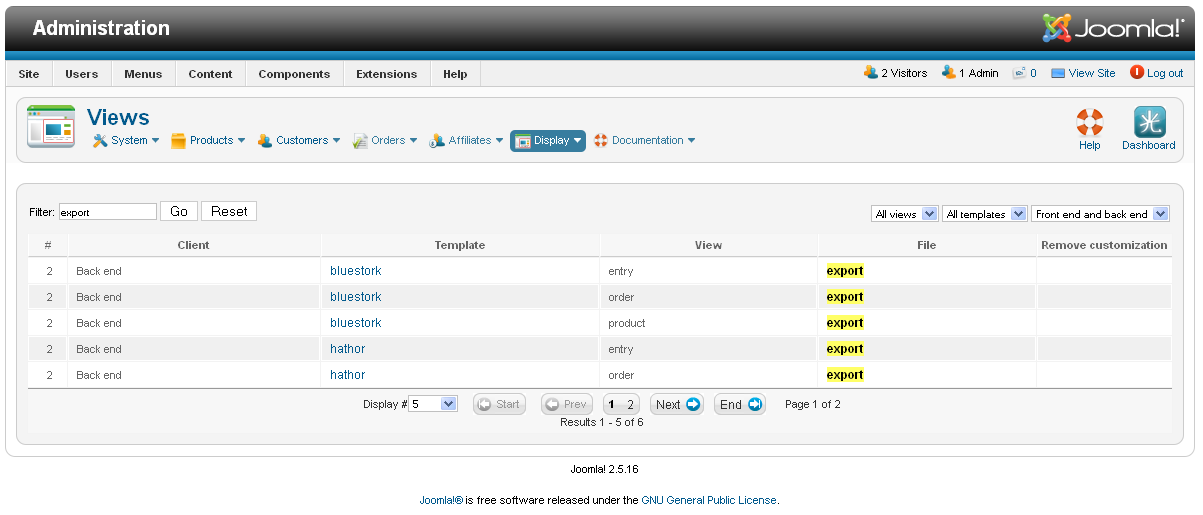
I can't see an export file for my template (beez5) but if I search for export for all templates I get the following options, which one would be the one that controls the export information?
Please Log in or Create an account to join the conversation.
12 years 10 months ago #133183
by nicolas
Replied by nicolas on topic Editing Export for CSV File
Hi,
beez5 is a frontend template. Please reread my message. I'm talking about your backend template which is bluestork as far as I can see on your screenshot.
beez5 is a frontend template. Please reread my message. I'm talking about your backend template which is bluestork as far as I can see on your screenshot.
Please Log in or Create an account to join the conversation.
Time to create page: 0.237 seconds