

- Posts: 54
- Thank you received: 0
Format for csv file to export products ...
11 years 4 weeks ago #212869
by QureshiMo
Format for csv file to export products ... was created by QureshiMo
-- HikaShop version -- : 2.5.0
-- Joomla version -- : 3.4.3
-- PHP version -- : 5.5.12
Hello:
What is the format of CSV file to export products to Hikashop?
Will importing the images to the media--> com_hikashop_upload file be sufficient?
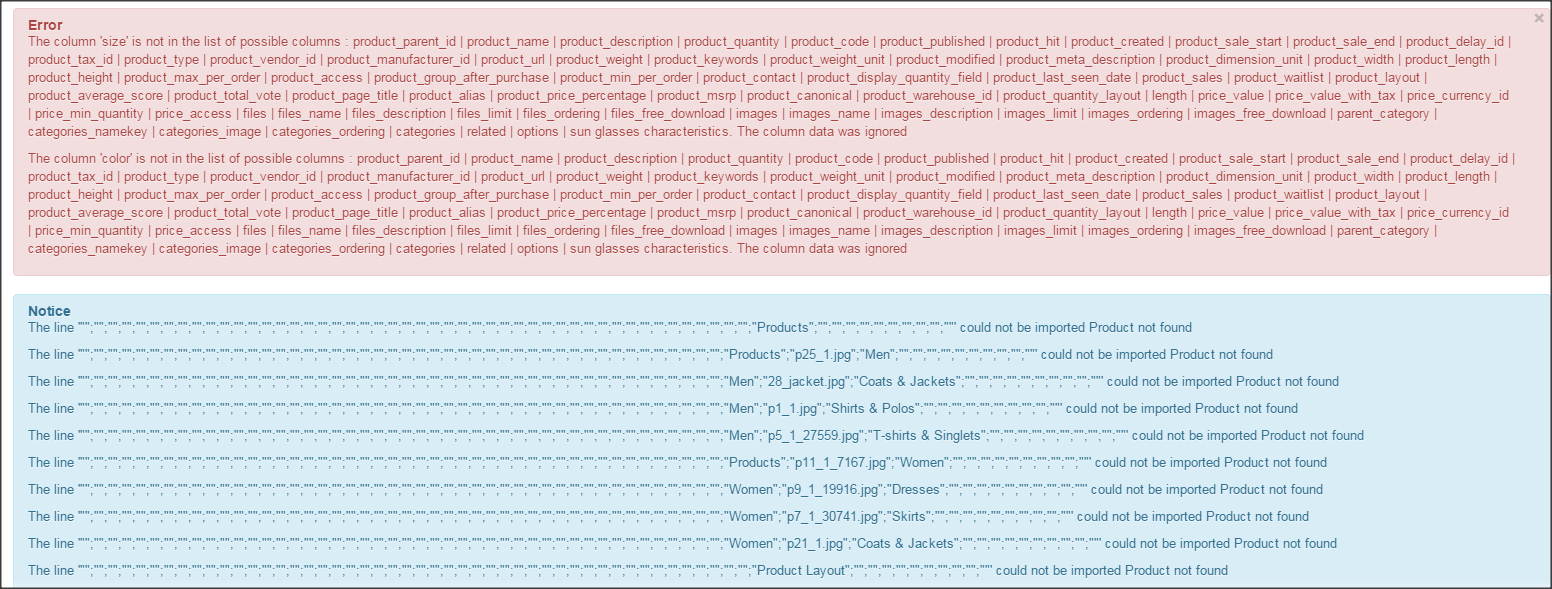
I tried to to import the products from a sample data of a template developer, the export gives me the error message in the screen shot. Before, I imported the products, I deleted all categories and products.

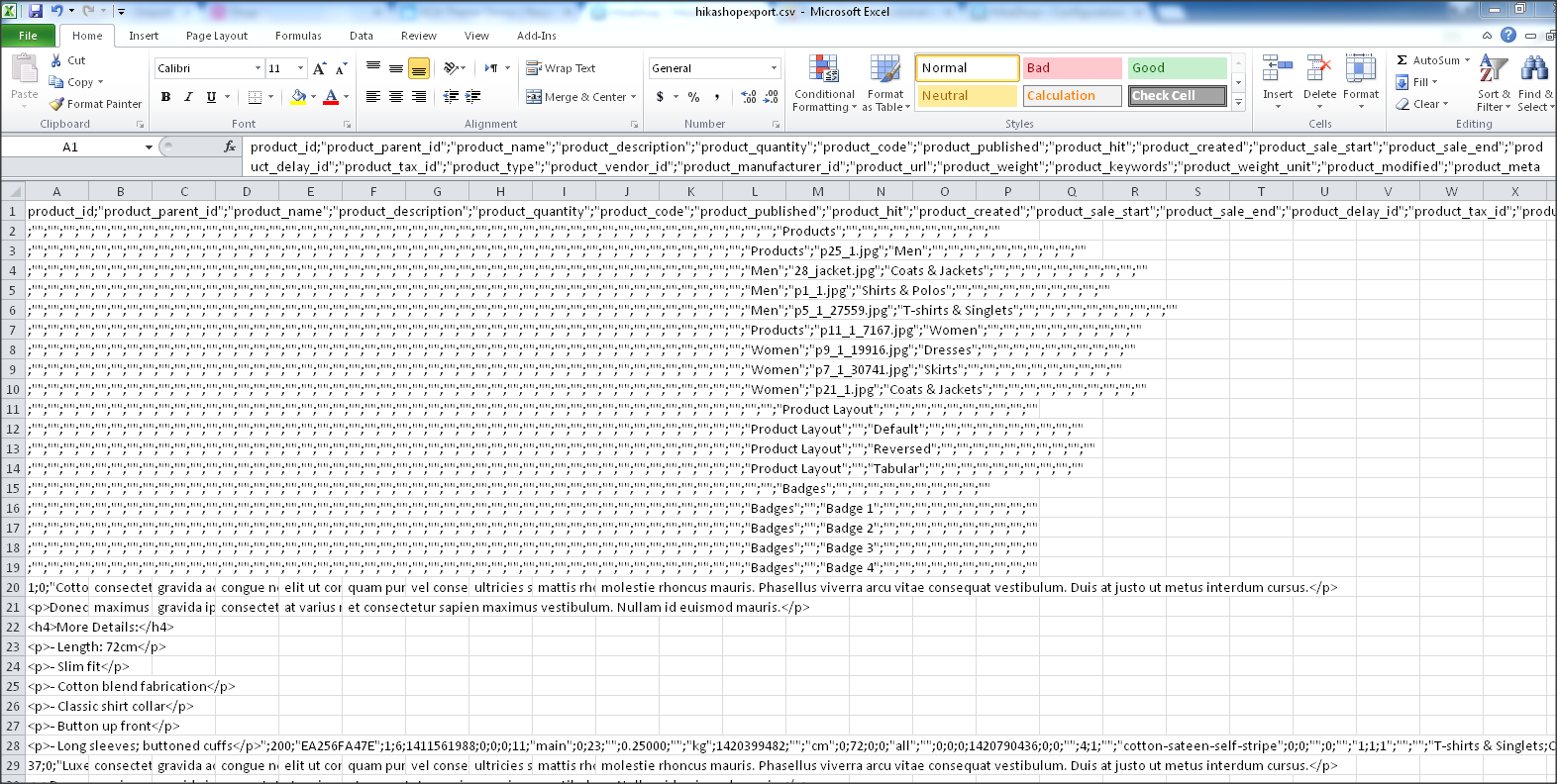
Partial csv file ...
Thanks,
<<< Ali >>>
-- Joomla version -- : 3.4.3
-- PHP version -- : 5.5.12
Hello:
What is the format of CSV file to export products to Hikashop?
Will importing the images to the media--> com_hikashop_upload file be sufficient?
I tried to to import the products from a sample data of a template developer, the export gives me the error message in the screen shot. Before, I imported the products, I deleted all categories and products.
Partial csv file ...
Thanks,
<<< Ali >>>
Please Log in or Create an account to join the conversation.

11 years 4 weeks ago #212881
by lousyfool
Need help with customisations of layouts, style or other site development? PM me!
(Don't forget to turn on "E-mail notification of new messages" )
Replied by lousyfool on topic Format for csv file to export products ...
Hi,
1. Did you see the documentation here? www.hikashop.com/support/documentation/i...hikashop-import.html
Other than that, the best way to find out is - of course - exporting some sample product from HikaShop and taking a look at the file and format.
2. Yes, if that's the folder specified in your configuration: /media/com_hikashop/upload (little typo correction to your folder path/name made )
)
1. Did you see the documentation here? www.hikashop.com/support/documentation/i...hikashop-import.html
Other than that, the best way to find out is - of course - exporting some sample product from HikaShop and taking a look at the file and format.
2. Yes, if that's the folder specified in your configuration: /media/com_hikashop/upload (little typo correction to your folder path/name made
) Need help with customisations of layouts, style or other site development? PM me!
(Don't forget to turn on "E-mail notification of new messages" )
Please Log in or Create an account to join the conversation.

11 years 4 weeks ago #212892
by nicolas
Replied by nicolas on topic Format for csv file to export products ...
Hi,
Your CSV has a color and a size column. These are not default columns of HikaShop. Either they are custom product fields or characteristics.
These have to be created before the import if you want the import to be able to import correctly your products.
The blue notices can be ignored.
Your CSV has a color and a size column. These are not default columns of HikaShop. Either they are custom product fields or characteristics.
These have to be created before the import if you want the import to be able to import correctly your products.
The blue notices can be ignored.
Please Log in or Create an account to join the conversation.
Time to create page: 0.190 seconds