

- Posts: 61
- Thank you received: 0
Export more that 500 products and xml export
9 years 8 months ago - 9 years 8 months ago #259438
by DimLVL
Export more that 500 products and xml export was created by DimLVL
-- HikaShop version -- : 2.6.4
-- Joomla version -- : 3.6.5
Hello, I have 2 questions.
1. I have few thousands of products, and when I choose all products on product list page, I see only 500 products maximum. How can export all of them? I know, that it could be done via mass actions -> Export a csv file, but in that case my custom fields, images routes, and category related columns are missing (categories_ordering, parent_category, categories_image, categories, and other). How can I fix that?
2. Is it possible to export in custom .xml somehow? I need some data for price comparison service with such example:
UPD. hm... and now I've got HTTP ERROR 500 when I'm trying to process export csv via mass actions
UPD2. And ERR_INVALID_RESPONSE when I leave only product related fields.. wtf?
-- Joomla version -- : 3.6.5
Hello, I have 2 questions.
1. I have few thousands of products, and when I choose all products on product list page, I see only 500 products maximum. How can export all of them? I know, that it could be done via mass actions -> Export a csv file, but in that case my custom fields, images routes, and category related columns are missing (categories_ordering, parent_category, categories_image, categories, and other). How can I fix that?
2. Is it possible to export in custom .xml somehow? I need some data for price comparison service with such example:
Code:
<?xml version="1.0" encoding="utf-8" ?>
<root>
<item>
<name>Nokia 6120</name>
<link>http://www.shop-name.lv/info/Nokia6120/</link>
<price>150.55</price>
<image>http://www.shop-name.lv/images/Nokia6120.jpg</image>
<category_full>Mobilie telefoni >> Nokia</category_full>
<category_link>http://www.shop-name.lv/nokia</category_link>
<manufacturer>Nokia</manufacturer>
<model>6120</model>
<in_stock>7</in_stock>
<delivery_cost_riga>2.99</delivery_cost_riga>
<delivery_latvija>5.99</delivery_latvija>
<delivery_latvijas_pasts>1</delivery_latvijas_pasts>
<delivery_dpd_paku_bode>0</delivery_dpd_paku_bode>
<delivery_pasta_stacija>0</delivery_pasta_stacija>
<delivery_omniva></delivery_omniva>
<delivery_statoil>1.50</delivery_statoil>
<delivery_days_riga>4</delivery_days_riga>
<delivery_days_latvija>6</delivery_days_latvija>
<used>0</used>
</item>
<item>
...
</item>
</root>
UPD. hm... and now I've got HTTP ERROR 500 when I'm trying to process export csv via mass actions
UPD2. And ERR_INVALID_RESPONSE when I leave only product related fields.. wtf?
Last edit: 9 years 8 months ago by DimLVL.
Please Log in or Create an account to join the conversation.

9 years 8 months ago #259445
by nicolas
Replied by nicolas on topic Export more that 500 products and xml export
Hi,
1. Don't select any product and click on the "export" button.
It will export all the products at once.
Note that it requires that the memory_limit setting of your hosting is high enough so that HikaShop can load all the products data in the memory.
2. The HikaShop Google Products plugin allow you to export a XML of the products data. Note that the format will correspond to the format google need:
Alternatively, you can also get the CSV, and convert it into a XML:
www.convertcsv.com/csv-to-xml.htm
1. Don't select any product and click on the "export" button.
It will export all the products at once.
Note that it requires that the memory_limit setting of your hosting is high enough so that HikaShop can load all the products data in the memory.
2. The HikaShop Google Products plugin allow you to export a XML of the products data. Note that the format will correspond to the format google need:
Alternatively, you can also get the CSV, and convert it into a XML:
www.convertcsv.com/csv-to-xml.htm
Please Log in or Create an account to join the conversation.
9 years 8 months ago - 9 years 8 months ago #259484
by DimLVL
Replied by DimLVL on topic Export more that 500 products and xml export
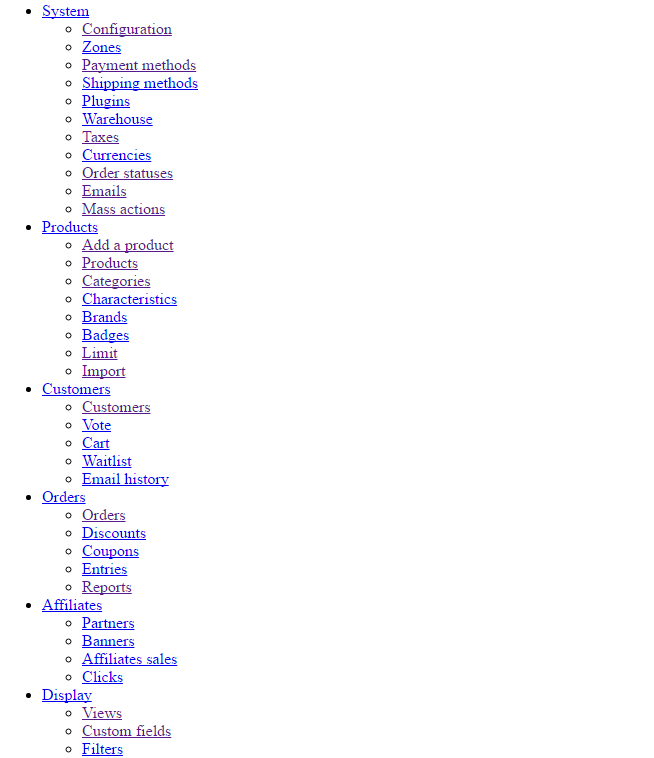
Thanks for reply, but when I'm just pressing Export, I see the page with Hikashop menu without styles. What could be the reason?nicolas wrote: 1. Don't select any product and click on the "export" button.
Last edit: 9 years 8 months ago by DimLVL.
Please Log in or Create an account to join the conversation.

9 years 8 months ago #259495
by Jerome
Jerome - Obsidev.com
HikaMarket & HikaSerial developer / HikaShop core dev team.
Also helping the HikaShop support team when having some time or couldn't sleep.
By the way, do not send me private message, use the "contact us" form instead.
Replied by Jerome on topic Export more that 500 products and xml export
Hi,
You should take a look at your PHP error log to see the Fatal error message.
Regards,
You should take a look at your PHP error log to see the Fatal error message.
Regards,
Jerome - Obsidev.com
HikaMarket & HikaSerial developer / HikaShop core dev team.
Also helping the HikaShop support team when having some time or couldn't sleep.
By the way, do not send me private message, use the "contact us" form instead.
The following user(s) said Thank You: DimLVL
Please Log in or Create an account to join the conversation.
Time to create page: 0.174 seconds