
- Posts: 98
- Thank you received: 7
CSV Import shows 'An error has occurred. 0 Cannot access property started with”'
- Markus Schnier
-
 Topic Author
- Offline
Less
More
9 years 6 months ago - 9 years 6 months ago #265632
by Markus Schnier
CSV Import shows 'An error has occurred. 0 Cannot access property started with”' was created by Markus Schnier
-- HikaShop version -- : 3.0.1
-- Joomla version -- : 3.6.5
-- PHP version -- : 7.0.17
-- Browser(s) name and version -- : Firefox Latest
-- Error-message(debug-mod must be tuned on) -- : HikaSop Error Message:
An error has occurred.
0 Cannot access property started with”\0”
Hi,
I hope you can help me. I build VBS to create the CSV based on a XML file from an ERP system.
"product_code";"product_quantity";"price_value";"product_alias";"farbe";"product_manufacturer_id";"rahmenhoehe";"radhoehe";"produktgruppe";"product_name";"kurzbez";"images";"Such_Farbe";"Such_Hoehe";"modelljahr";"categories";"product_description"
"566-83338|18356";"10";"349,95";"Avanti Sp Da26 Ws Rh38cm Trap21K";"weiß";"48";"38 cm";"26 Zoll";"ATB";"Pegasus Avanti Sport 26 Zoll";"Avanti Sp Da26 Ws Rh38cm Trap21K";"56683338.JPG ";"Sonstige";"38";"64";"2016";"<UL><LI>Bereifung : Pegasus Bereifung<LI>Bremsen : Tektro 837 Aluminium-V-Brakes</UL>"
"4033|25159";"10";"89,95";"LR 1 Br rot";"rot";"86";"";"12 Zoll";"Kinderlaufrad";"Puky LR 1 Br 12 Zoll";"LR 1 Br rot";"4033.JPG ";"rot";"38";"";"2017";"<UL><LI>Bereifung : Luftbereifung</UL>""product_code";"product_quantity";"price_value";"product_alias";"farbe";"product_manufacturer_id";"rahmenhoehe";"radhoehe";"produktgruppe";"product_name";"kurzbez";"images";"Such_Farbe";"Such_Hoehe";"modelljahr";"categories";"product_description"
"566-83338|18356";"10";"349,95";"Avanti Sp Da26 Ws Rh38cm Trap21K";"weiß";"48";"38 cm";"26 Zoll";"ATB";"Pegasus Avanti Sport 26 Zoll";"Avanti Sp Da26 Ws Rh38cm Trap21K";"56683338.JPG ";"Sonstige";"38";"64";"2016";"<UL><LI>Bereifung : Pegasus Bereifung<LI>Bremsen : Tektro 837 Aluminium-V-Brakes</UL>"
"4033|25159";"10";"89,95";"LR 1 Br rot";"rot";"86";"";"12 Zoll";"Kinderlaufrad";"Puky LR 1 Br 12 Zoll";"LR 1 Br rot";"4033.JPG ";"rot";"38";"";"2017";"<UL><LI>Bereifung : Luftbereifung</UL>"
I used a few additional product fields
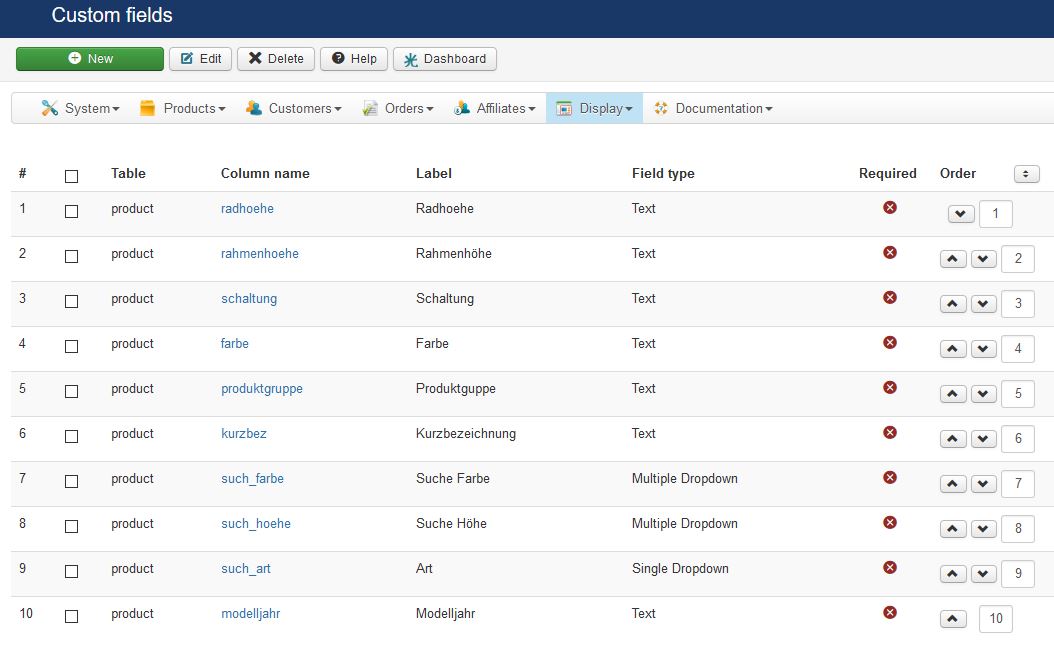
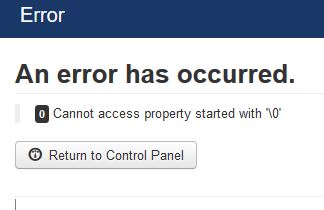
If I try to import the file via the import function I receive the following error:
An error has occurred.
0 Cannot access property started with”\0”
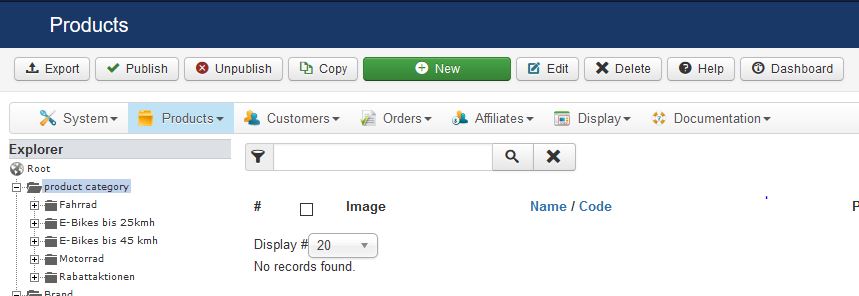
If I paste the data into the “Text area” the import works and also shows the success message.

But the both products are not visible in HikaShop.
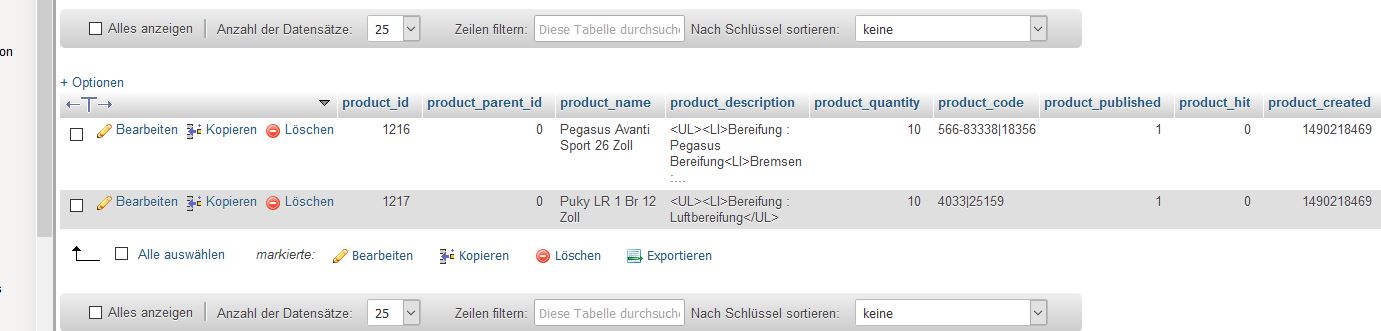
But in the database they were present and the data there looks correctly.
Thanks and best regards
Markus
-- Joomla version -- : 3.6.5
-- PHP version -- : 7.0.17
-- Browser(s) name and version -- : Firefox Latest
-- Error-message(debug-mod must be tuned on) -- : HikaSop Error Message:
An error has occurred.
0 Cannot access property started with”\0”
Hi,
I hope you can help me. I build VBS to create the CSV based on a XML file from an ERP system.
"product_code";"product_quantity";"price_value";"product_alias";"farbe";"product_manufacturer_id";"rahmenhoehe";"radhoehe";"produktgruppe";"product_name";"kurzbez";"images";"Such_Farbe";"Such_Hoehe";"modelljahr";"categories";"product_description"
"566-83338|18356";"10";"349,95";"Avanti Sp Da26 Ws Rh38cm Trap21K";"weiß";"48";"38 cm";"26 Zoll";"ATB";"Pegasus Avanti Sport 26 Zoll";"Avanti Sp Da26 Ws Rh38cm Trap21K";"56683338.JPG ";"Sonstige";"38";"64";"2016";"<UL><LI>Bereifung : Pegasus Bereifung<LI>Bremsen : Tektro 837 Aluminium-V-Brakes</UL>"
"4033|25159";"10";"89,95";"LR 1 Br rot";"rot";"86";"";"12 Zoll";"Kinderlaufrad";"Puky LR 1 Br 12 Zoll";"LR 1 Br rot";"4033.JPG ";"rot";"38";"";"2017";"<UL><LI>Bereifung : Luftbereifung</UL>""product_code";"product_quantity";"price_value";"product_alias";"farbe";"product_manufacturer_id";"rahmenhoehe";"radhoehe";"produktgruppe";"product_name";"kurzbez";"images";"Such_Farbe";"Such_Hoehe";"modelljahr";"categories";"product_description"
"566-83338|18356";"10";"349,95";"Avanti Sp Da26 Ws Rh38cm Trap21K";"weiß";"48";"38 cm";"26 Zoll";"ATB";"Pegasus Avanti Sport 26 Zoll";"Avanti Sp Da26 Ws Rh38cm Trap21K";"56683338.JPG ";"Sonstige";"38";"64";"2016";"<UL><LI>Bereifung : Pegasus Bereifung<LI>Bremsen : Tektro 837 Aluminium-V-Brakes</UL>"
"4033|25159";"10";"89,95";"LR 1 Br rot";"rot";"86";"";"12 Zoll";"Kinderlaufrad";"Puky LR 1 Br 12 Zoll";"LR 1 Br rot";"4033.JPG ";"rot";"38";"";"2017";"<UL><LI>Bereifung : Luftbereifung</UL>"
I used a few additional product fields
If I try to import the file via the import function I receive the following error:
An error has occurred.
0 Cannot access property started with”\0”
If I paste the data into the “Text area” the import works and also shows the success message.
But the both products are not visible in HikaShop.
But in the database they were present and the data there looks correctly.
Thanks and best regards
Markus
Last edit: 9 years 6 months ago by Markus Schnier. Reason: updating attachments positions
Please Log in or Create an account to join the conversation.

9 years 6 months ago #265642
by nicolas
Replied by nicolas on topic CSV Import shows 'An error has occurred. 0 Cannot access property started with”'
Hi,
If the products are imported in the database and you don't see them on the products listing it can be for two reasons:
1. you have the "sub element filter" dropdown set to "direct sub elements" instead of "all sub elements" on the top right of the listing and thus you only see the products directly under the category "product category" instead of also seeing the products in the children categories of that category.
2. you don't have any category with the ids 2017 or 2016. So the products were assigned to categories that don't exist. Note that in the categories field you can either enter the name of categories, or their ids. If you want to link a product to a category with the name "2016", then you should rather use its id in HikaShop rather than the name as 2016 will be considered as a category id not a category name.
If the products are imported in the database and you don't see them on the products listing it can be for two reasons:
1. you have the "sub element filter" dropdown set to "direct sub elements" instead of "all sub elements" on the top right of the listing and thus you only see the products directly under the category "product category" instead of also seeing the products in the children categories of that category.
2. you don't have any category with the ids 2017 or 2016. So the products were assigned to categories that don't exist. Note that in the categories field you can either enter the name of categories, or their ids. If you want to link a product to a category with the name "2016", then you should rather use its id in HikaShop rather than the name as 2016 will be considered as a category id not a category name.
The following user(s) said Thank You: Markus Schnier
Please Log in or Create an account to join the conversation.
- Markus Schnier
-
Topic Author
- Offline
Less
More
- Posts: 98
- Thank you received: 7
9 years 6 months ago #265792
by Markus Schnier
Replied by Markus Schnier on topic CSV Import shows 'An error has occurred. 0 Cannot access property started with”'
hi,
shame on my me. Your right. I mixed up the coloums. The IDs were the Year of the Bikes
thanks and best regards. Great support
Markus
shame on my me. Your right. I mixed up the coloums. The IDs were the Year of the Bikes
thanks and best regards. Great support
Markus
Please Log in or Create an account to join the conversation.
Time to create page: 0.132 seconds