
- Posts: 35
- Thank you received: 0
Can't continue in checkout process
- JonnyDutch
-
 Topic Author
- Offline
Less
More
15 years 6 months ago #14548
by JonnyDutch
Can't continue in checkout process was created by JonnyDutch
I am a new user and trying to become familiar with this great product. I have gotten far enough to publish categories and some products but when I try to checkout I have to enter a billing address. When I click on 'add' a lightbox opens but there is nothing inside it. What do I do? Is there some module I have to create/publish?
What am I missing?
What am I missing?
Please Log in or Create an account to join the conversation.

15 years 6 months ago #14560
by nicolas
Replied by nicolas on topic Re: Can't continue in checkout process
Hi,
It means that you unpbulish all the address custom fields via the menu Display->Custom fields. Is that the case ?
If you unpublish all the custom fields of the address, then, hikashop will do what you told him to do and not display anything in that popup.
It means that you unpbulish all the address custom fields via the menu Display->Custom fields. Is that the case ?
If you unpublish all the custom fields of the address, then, hikashop will do what you told him to do and not display anything in that popup.
Please Log in or Create an account to join the conversation.
- JonnyDutch
-
Topic Author
- Offline
Less
More
- Posts: 35
- Thank you received: 0
15 years 6 months ago #14563
by JonnyDutch
Replied by JonnyDutch on topic Re: Can't continue in checkout process
Hello.
Thank you for the quick response. All of the great reviews that I have read of your support seem true -- it is a big reason why I gave this product a chance and why I will upgrade if I see that it is a fit for me.
However, I have not changed the default settings of the custom fields. I have attached a png of the back end.
Please advise.
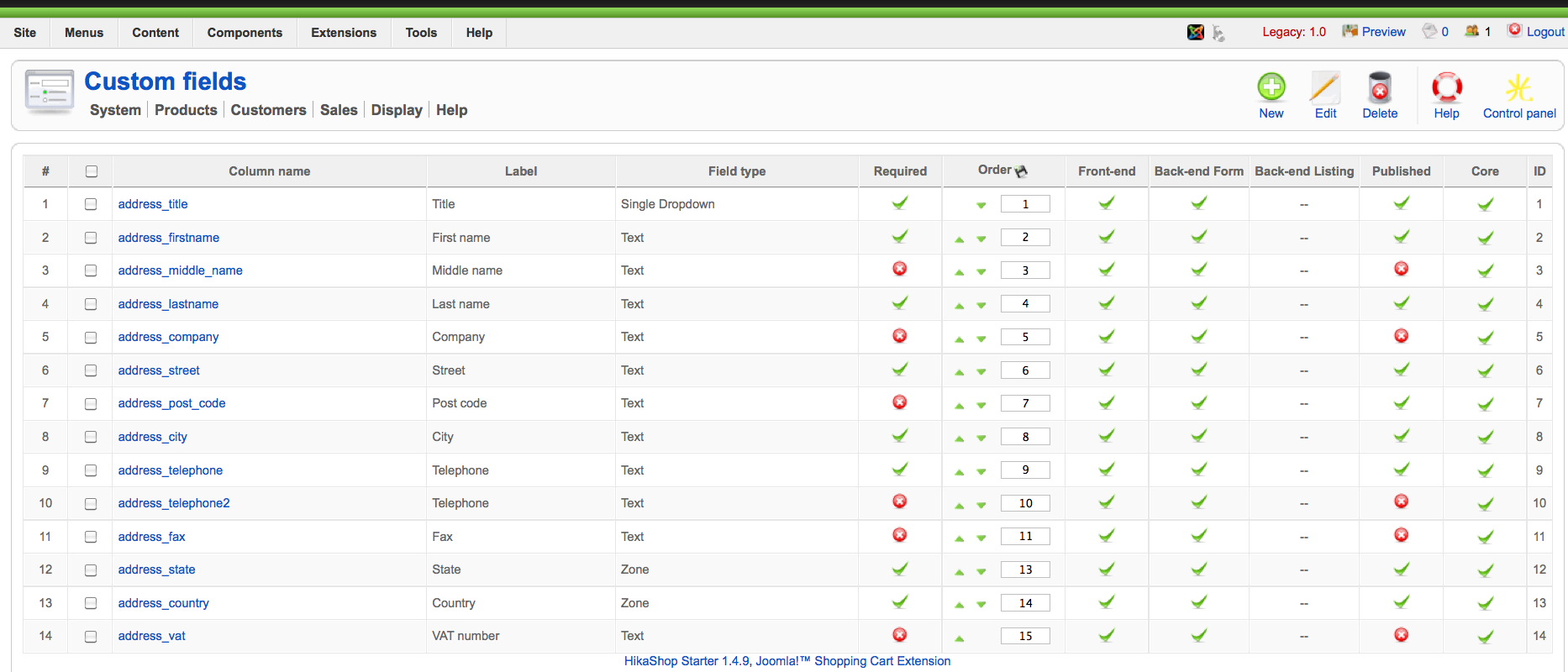
Thank you for the quick response. All of the great reviews that I have read of your support seem true -- it is a big reason why I gave this product a chance and why I will upgrade if I see that it is a fit for me.
However, I have not changed the default settings of the custom fields. I have attached a png of the back end.
Please advise.
Please Log in or Create an account to join the conversation.
15 years 6 months ago #14572
by nicolas
Replied by nicolas on topic Re: Can't continue in checkout process
Then, if you're getting a blank page, it's probably because of a fatal error. Could you please make sure that your PHP configuration enables you to see errors and if not, edit your php.ini file and search for the string parameter display_errors.
This parameter should be turned On : display_errors = On.
If it's not the case, please edit your php.ini file, modify this line, save your file and try again.
You should now see the error message instead of a completely blank popup.
If you don't know how to modify your php.ini you should ask your hosting company as the method varies from one to another.
This parameter should be turned On : display_errors = On.
If it's not the case, please edit your php.ini file, modify this line, save your file and try again.
You should now see the error message instead of a completely blank popup.
If you don't know how to modify your php.ini you should ask your hosting company as the method varies from one to another.
Please Log in or Create an account to join the conversation.
- JonnyDutch
-
Topic Author
- Offline
Less
More
- Posts: 35
- Thank you received: 0
15 years 6 months ago #14631
by JonnyDutch
Replied by JonnyDutch on topic Re: Can't continue in checkout process
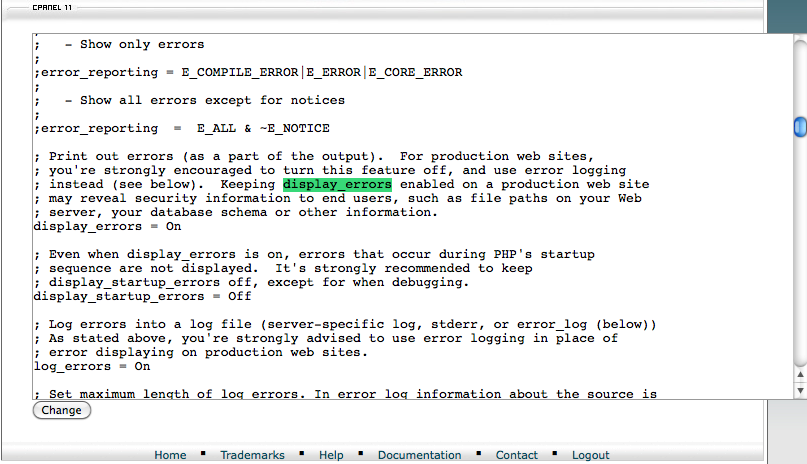
I have checked the php.ini and the display_errors is 'on'
Please Log in or Create an account to join the conversation.
15 years 6 months ago #14647
by nicolas
Replied by nicolas on topic Re: Can't continue in checkout process
Ok. Could you do a screenshot of the page when you have the popup open ?
Please Log in or Create an account to join the conversation.
- JonnyDutch
-
Topic Author
- Offline
Less
More
- Posts: 35
- Thank you received: 0
15 years 6 months ago - 15 years 6 months ago #14651
by JonnyDutch
Replied by JonnyDutch on topic Re: Can't continue in checkout process
Here are two screenshots.
1) The 'new' button to create a billing address
2) The blank pop up that appears when I click the button.
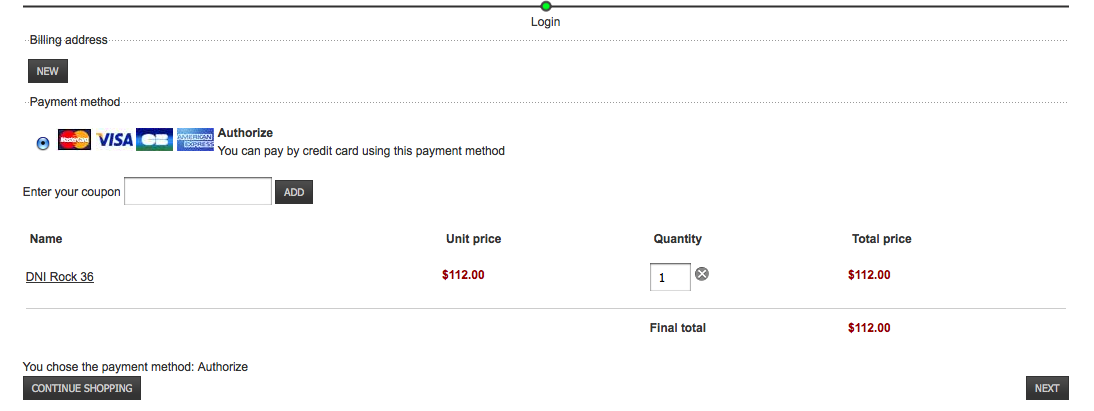
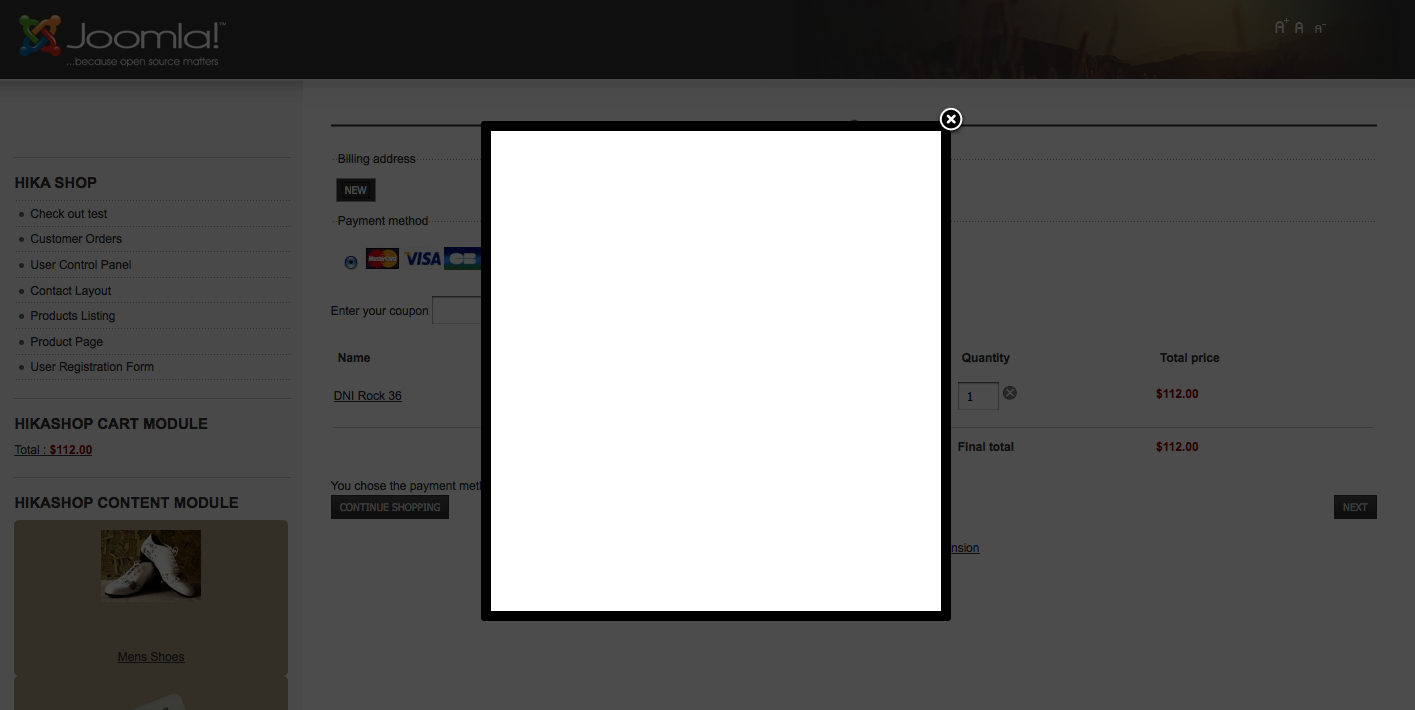
1) The 'new' button to create a billing address
2) The blank pop up that appears when I click the button.
Last edit: 15 years 6 months ago by JonnyDutch. Reason: missing image
Please Log in or Create an account to join the conversation.
15 years 6 months ago #14661
by nicolas
Replied by nicolas on topic Re: Can't continue in checkout process
Would it be possible to get a backend access to your website so that we can check out the problem ?
Please Log in or Create an account to join the conversation.
- JonnyDutch
-
Topic Author
- Offline
Less
More
- Posts: 35
- Thank you received: 0
15 years 5 months ago #14695
by JonnyDutch
Replied by JonnyDutch on topic Re: Can't continue in checkout process
I have sent you credentials via the contact us form.
The url is dni-tango.com
I do not have a menu item published on the front end to go to the shopping cart so you will have to go directly there via www.dni-tango.com/us/store/virtual-store-test .
The url is dni-tango.com
I do not have a menu item published on the front end to go to the shopping cart so you will have to go directly there via www.dni-tango.com/us/store/virtual-store-test .
Please Log in or Create an account to join the conversation.
15 years 5 months ago #14698
by nicolas
Replied by nicolas on topic Re: Can't continue in checkout process
It seems to be the plugin system module anywhere which crash the popup.
If you unpublish that plugin, the popup displays fine.
If you unpublish that plugin, the popup displays fine.
Please Log in or Create an account to join the conversation.
- JonnyDutch
-
Topic Author
- Offline
Less
More
- Posts: 35
- Thank you received: 0
15 years 5 months ago #14812
by JonnyDutch
Replied by JonnyDutch on topic Re: Can't continue in checkout process
I appreciate all of the help but I don't understand this last post:
It seems to be the plugin system module anywhere which crash the popup.
If you unpublish that plugin, the popup displays fine.
Which plug-in are you referring to? Is it part of Joomla or Hikashop?
Does this mean that I should reinstall?
What is the solution? Can I simply unpublish the plug-in? Do I need it for something else?
Thanks again for all the help.
It seems to be the plugin system module anywhere which crash the popup.
If you unpublish that plugin, the popup displays fine.
Which plug-in are you referring to? Is it part of Joomla or Hikashop?
Does this mean that I should reinstall?
What is the solution? Can I simply unpublish the plug-in? Do I need it for something else?
Thanks again for all the help.
Please Log in or Create an account to join the conversation.
15 years 5 months ago #14821
by nicolas
Replied by nicolas on topic Re: Can't continue in checkout process
The "module anywhere" plugin is not a plugin which is part of joomla nor hikashop. It's a plugin that you can install on your joomla website in order to display modules anywhere on your pages. You must have installed it at some point.
I don't know how you're using it. If you don't use it, you can unpublish it.
When I looked at your website, unpublishing that plugin solved the problem. So yes, that's all you have to do.
I don't know how you're using it. If you don't use it, you can unpublish it.
When I looked at your website, unpublishing that plugin solved the problem. So yes, that's all you have to do.
Please Log in or Create an account to join the conversation.
Time to create page: 0.185 seconds