

- Posts: 4
- Thank you received: 0
File upload size won't work/ help
15 years 3 months ago - 15 years 3 months ago #20729
by gtstars
File upload size won't work/ help was created by gtstars
Hey,
I'm having a problem with my HikaShop, (The maximum upload file size) it reads 16M when I try to upload files over 17M at times. Now I have contacted my hosting guy and he adjusted the ini for 100M.
This works fine for another com jdownloads reading 100M upload size.
But I can't get the 16M to change to 100M now.
Any help please with this issue
Jon
I'm having a problem with my HikaShop, (The maximum upload file size) it reads 16M when I try to upload files over 17M at times. Now I have contacted my hosting guy and he adjusted the ini for 100M.
This works fine for another com jdownloads reading 100M upload size.
But I can't get the 16M to change to 100M now.
Any help please with this issue
Jon
Last edit: 15 years 3 months ago by gtstars.
Please Log in or Create an account to join the conversation.

15 years 3 months ago #20747
by nicolas
Replied by nicolas on topic Re: File upload size won't work/ help
Hi,
If HikaShop show 16M, it means that either the option post_max_size or the option upload_max_filesize of your php.ini are set to 16M. Both need to be increased in order to be able to upload files larger than 16M. Your hosting probably just increased one of the two options and jdownloads just base itself on that one to display the restriction to you.
You should ask your hosting to modify both setting.
If HikaShop show 16M, it means that either the option post_max_size or the option upload_max_filesize of your php.ini are set to 16M. Both need to be increased in order to be able to upload files larger than 16M. Your hosting probably just increased one of the two options and jdownloads just base itself on that one to display the restriction to you.
You should ask your hosting to modify both setting.
Please Log in or Create an account to join the conversation.
15 years 3 months ago #20845
by gtstars
Replied by gtstars on topic Re: File upload size won't work/ help
Hey thanks you gave me lots to think about, working with my hosting guy right now on the problem.
Will let you know the outcome because the host or something is not responding correctly. :huh:
Jon
Will let you know the outcome because the host or something is not responding correctly. :huh:
Jon
Please Log in or Create an account to join the conversation.

15 years 1 week ago #27249
by juliogar63
Julio Cesar García
Voxturismo.com
Replied by juliogar63 on topic Re: File upload size won't work/ help
Hi, I have this problem
I have a VPS Server and I have setting to upload_max_filesize = 10M in my PHP.ini file and is the same in PHP configuration, but Hikashop ever show 2M
Is possible change this in HikaShop?
Thanks
I have a VPS Server and I have setting to upload_max_filesize = 10M in my PHP.ini file and is the same in PHP configuration, but Hikashop ever show 2M
Is possible change this in HikaShop?
Thanks
Julio Cesar García
Voxturismo.com
Please Log in or Create an account to join the conversation.
15 years 1 week ago #27253
by nicolas
Replied by nicolas on topic Re: File upload size won't work/ help
Hi,
HikaShop only displays the limit of your server. If it displays 2M, it's because your server is restricting the upload to 2M. As long as you see 2M displayed by HikaShop, it means that your server didn't take into account your modifications or that you have another option to change.
Please note that the post_max_size option of your php.ini is also taken into account for the upload of files. So if you have upload_max_filesize set to 10M but post_max_size set to only 2M, the result is still a limit at 2M.
HikaShop only displays the limit of your server. If it displays 2M, it's because your server is restricting the upload to 2M. As long as you see 2M displayed by HikaShop, it means that your server didn't take into account your modifications or that you have another option to change.
Please note that the post_max_size option of your php.ini is also taken into account for the upload of files. So if you have upload_max_filesize set to 10M but post_max_size set to only 2M, the result is still a limit at 2M.
Please Log in or Create an account to join the conversation.
15 years 1 week ago #27256
by juliogar63
Julio Cesar García
Voxturismo.com
Replied by juliogar63 on topic Re: File upload size won't work/ help
Thanks for your answer Nicolas.
I made any test and change the limit and I can see the joomla media center, the change is correct, I did change to 6, 8, 10MB and is correct but in HikaShop not change
I check in the php.ini and the php cpnfiguration into my root account and i have 10M but hikashop no change
Thanks
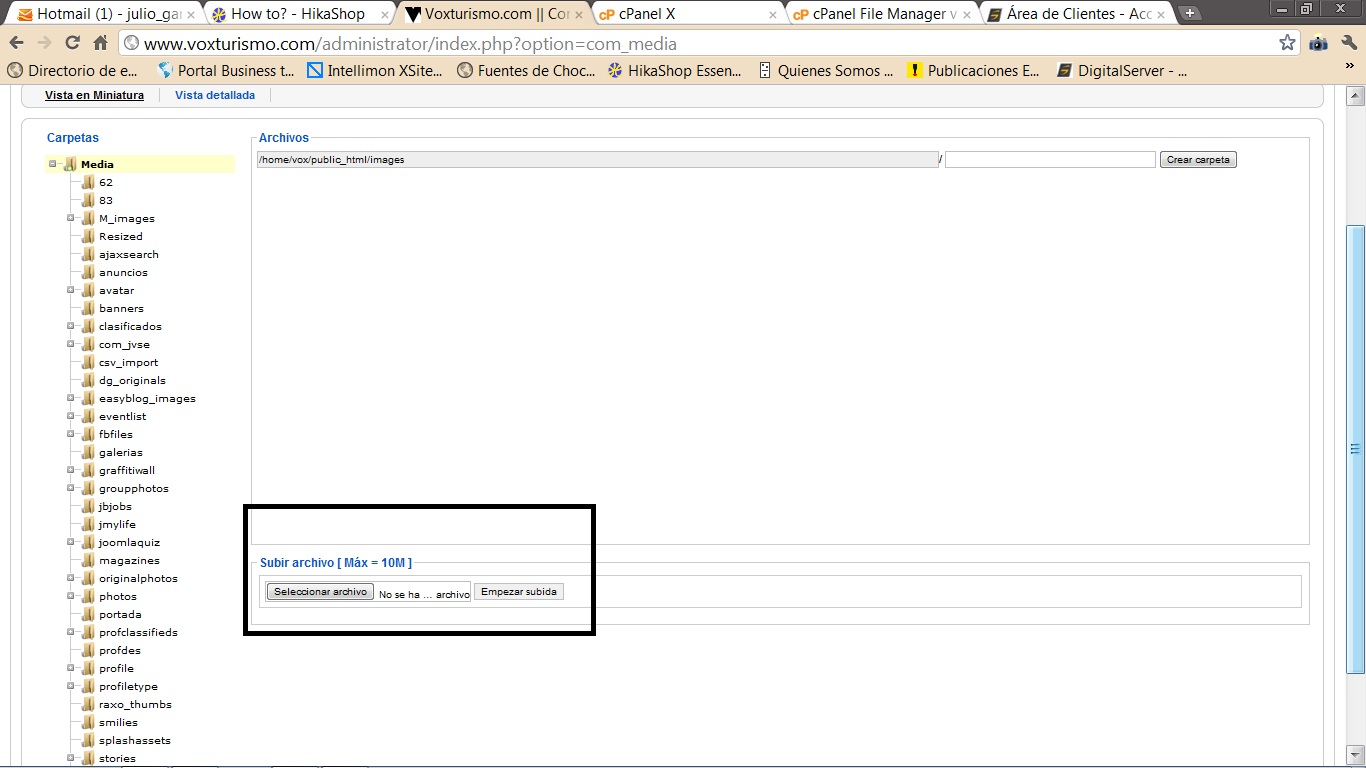
I made any test and change the limit and I can see the joomla media center, the change is correct, I did change to 6, 8, 10MB and is correct but in HikaShop not change
I check in the php.ini and the php cpnfiguration into my root account and i have 10M but hikashop no change
Thanks
Julio Cesar García
Voxturismo.com
Please Log in or Create an account to join the conversation.
15 years 1 week ago #27259
by nicolas
Replied by nicolas on topic Re: File upload size won't work/ help
Most of the other components just check for upload_max_filesize and not for post_max_size.
That's probably why.
Again, please check the value of post_max_size in your php.ini
That's probably why.
Again, please check the value of post_max_size in your php.ini
Please Log in or Create an account to join the conversation.
15 years 1 week ago #27296
by juliogar63
Julio Cesar García
Voxturismo.com
Replied by juliogar63 on topic Re: File upload size won't work/ help
Hi, Nicolas
post_max_size = 16M
upload_max_filesize = 16M
this is my php.ini file
I send 2 screen in hikashop with 2M
Thanks
This attachment is hidden for guests.
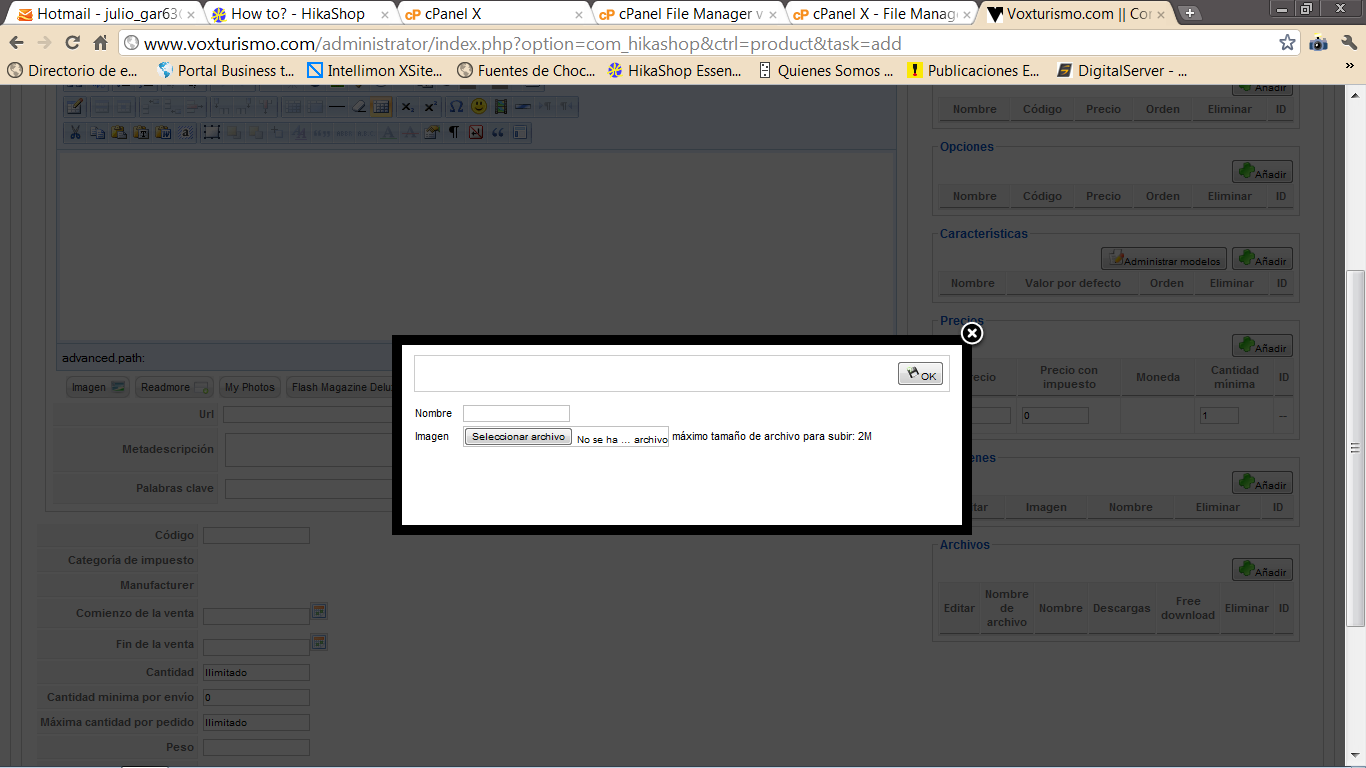
post_max_size = 16M
upload_max_filesize = 16M
this is my php.ini file
I send 2 screen in hikashop with 2M
Thanks
This attachment is hidden for guests.
Please log in or register to see it.
Julio Cesar García
Voxturismo.com
Please Log in or Create an account to join the conversation.
15 years 1 week ago #27300
by nicolas
Replied by nicolas on topic Re: File upload size won't work/ help
That message is displayed by the code:
<?php echo JText::sprintf('MAX_UPLOAD',(hikashop_bytes(ini_get('upload_max_filesize')) > hikashop_bytes(ini_get('post_max_size'))) ? ini_get('post_max_size') : ini_get('upload_max_filesize')); ?>
in the file "selectimage" of the view "product" that you can edit via the menu Display->Views in HikaShop.
As you can set, HikaShop just displays the biggest value between post_max_size and upload_max_filesize which are returned by PHP.
If you want, you can remove that line and not have that message, you can put another message also. But that won't change the upload limit of your server.
Again, this is just something displayed by HikaShop so that you know the upload limit of your server. Whether you display that message or not, the limit is the same, for any component.
<?php echo JText::sprintf('MAX_UPLOAD',(hikashop_bytes(ini_get('upload_max_filesize')) > hikashop_bytes(ini_get('post_max_size'))) ? ini_get('post_max_size') : ini_get('upload_max_filesize')); ?>
in the file "selectimage" of the view "product" that you can edit via the menu Display->Views in HikaShop.
As you can set, HikaShop just displays the biggest value between post_max_size and upload_max_filesize which are returned by PHP.
If you want, you can remove that line and not have that message, you can put another message also. But that won't change the upload limit of your server.
Again, this is just something displayed by HikaShop so that you know the upload limit of your server. Whether you display that message or not, the limit is the same, for any component.
Please Log in or Create an account to join the conversation.
15 years 1 week ago #27469
by juliogar63
Julio Cesar García
Voxturismo.com
Replied by juliogar63 on topic Re: File upload size won't work/ help
Ok, Nicolas
I see the code but I cant upload image and files up to 2M and my php.ini is correct.
I cant make to work propertlly Hikashop in my site
I dont know why I cant make a check-out process only the first step show in the process.
I think to upgrade my Hikashop but I need to work first.
Could you help me please
You can entry to my site and check this
Thanks a lot.
I see the code but I cant upload image and files up to 2M and my php.ini is correct.
I cant make to work propertlly Hikashop in my site
I dont know why I cant make a check-out process only the first step show in the process.
I think to upgrade my Hikashop but I need to work first.
Could you help me please
You can entry to my site and check this
Thanks a lot.
Julio Cesar García
Voxturismo.com
Please Log in or Create an account to join the conversation.
15 years 1 week ago #27470
by nicolas
Replied by nicolas on topic Re: File upload size won't work/ help
If you're not able to continue after the first step, it's likely because you didn't configure properly your shipping/payment plugins. You can check the FAQ on payment/shipping configuration there:
www.hikashop.com/en/support/documentatio...ins-listing.html#faq
For the 2M limit, as I said, the limit is NOT in HikaShop. If you can't upload more that 2M file in HikaShop, it should be the same for all other components on your website. You should contact your hosting company. They will tell you how to increase that limit if possible.
www.hikashop.com/en/support/documentatio...ins-listing.html#faq
For the 2M limit, as I said, the limit is NOT in HikaShop. If you can't upload more that 2M file in HikaShop, it should be the same for all other components on your website. You should contact your hosting company. They will tell you how to increase that limit if possible.
Please Log in or Create an account to join the conversation.
15 years 6 days ago #27716
by juliogar63
Julio Cesar García
Voxturismo.com
Replied by juliogar63 on topic Re: File upload size won't work/ help
Hello Nicolas, I finally set up my shop but still I have the problem of uploading, and contact my hosting provider and I roasted a link showing that both parameters are with 16M.
In all other components I have no problem on the rise only hikashop I have a question, I can make the process of uploading files via ftp and somehow link them to their products?
I can pass you the link via PM?
Thank you very much for your help
In all other components I have no problem on the rise only hikashop I have a question, I can make the process of uploading files via ftp and somehow link them to their products?
I can pass you the link via PM?
Thank you very much for your help
Julio Cesar García
Voxturismo.com
Please Log in or Create an account to join the conversation.
15 years 6 days ago #27717
by nicolas
Replied by nicolas on topic Re: File upload size won't work/ help
Sure. You can upload a smaller file in your product and then, via FTP, upload the big file in the folder media/com_hikashop/upload/safe over the file you added via the interface.
Please Log in or Create an account to join the conversation.
15 years 6 days ago #27718
by juliogar63
Julio Cesar García
Voxturismo.com
Replied by juliogar63 on topic Re: File upload size won't work/ help
This is the message I get when try to upload a file
Warning: Failed to move file!
Could not upload the file to /home/demo/www/media/com_hikashop/upload/safe/abs_001.zip
Warning: Failed to move file!
Could not upload the file to /home/demo/www/media/com_hikashop/upload/safe/abs_001.zip
Julio Cesar García
Voxturismo.com
Please Log in or Create an account to join the conversation.
15 years 6 days ago #27719
by juliogar63
Julio Cesar García
Voxturismo.com
Replied by juliogar63 on topic Re: File upload size won't work/ help
I made the example in your demo site for the languaje, I have in spanish, thanks
Julio Cesar García
Voxturismo.com
Please Log in or Create an account to join the conversation.
15 years 6 days ago #27727
by nicolas
Replied by nicolas on topic Re: File upload size won't work/ help
What is the message in your own language ? Knowing the folder paths might help.
Please Log in or Create an account to join the conversation.
Time to create page: 0.400 seconds