

- Posts: 117
- Thank you received: 0
add image to category module
15 years 1 month ago - 15 years 1 month ago #23792
by sarsells
add image to category module was created by sarsells
Sorry, I have a new problem.
My left hand module is a list of categories. I have added an image to it. So, I needed to move the text over to make space. The problem is, it has changed all the hikashop links, and they move over 26 px when you click on them.
I have done this with the following code
.hikashop_category_name a {
color: #F040A8;
font-size: 13px;
font-weight: bold;
padding-left: 26px;
Obviously this is incorrect, but I do not know how to sort it.
I have added a Module Class Suffix ss_stock to the module
So tried
.hikashop_category_name.ss_stock a
and
.hikashop_category_namess_stock a
but neither of these worked.
the attached image shows the top right hand column image moved over 26 px when I click on it.
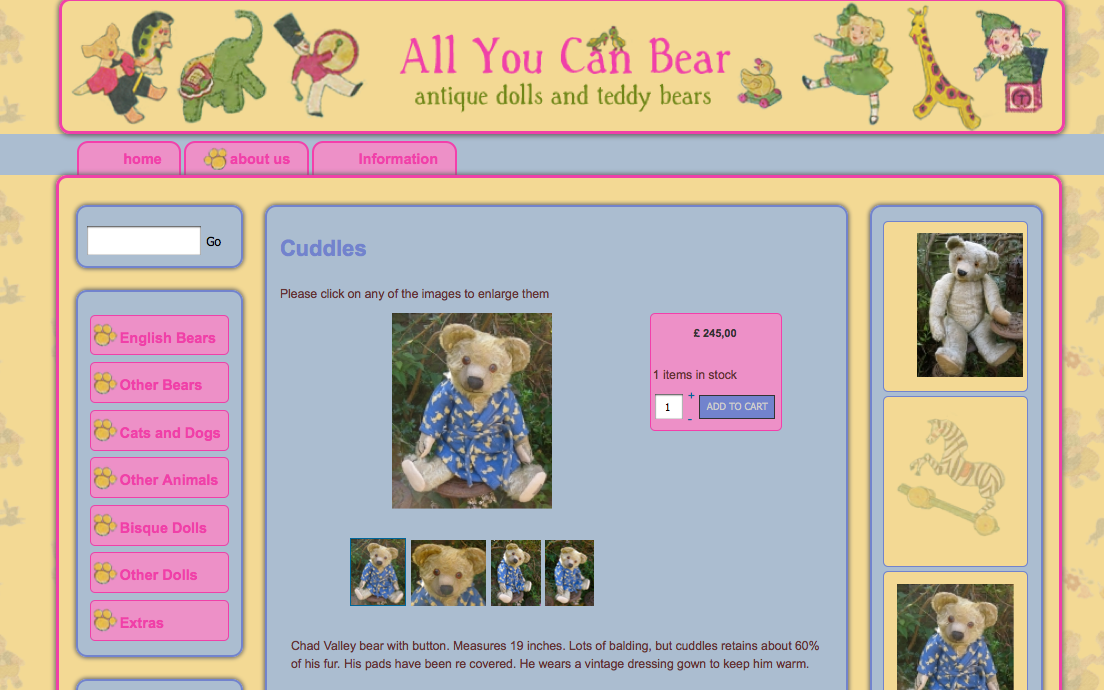
My left hand module is a list of categories. I have added an image to it. So, I needed to move the text over to make space. The problem is, it has changed all the hikashop links, and they move over 26 px when you click on them.
I have done this with the following code
.hikashop_category_name a {
color: #F040A8;
font-size: 13px;
font-weight: bold;
padding-left: 26px;
Obviously this is incorrect, but I do not know how to sort it.
I have added a Module Class Suffix ss_stock to the module
So tried
.hikashop_category_name.ss_stock a
and
.hikashop_category_namess_stock a
but neither of these worked.
the attached image shows the top right hand column image moved over 26 px when I click on it.
Last edit: 15 years 1 month ago by sarsells.
Please Log in or Create an account to join the conversation.

15 years 1 month ago #23795
by nicolas
Replied by nicolas on topic Re: add image to category module
Please give a link to your website so that we can help you. We can't debug CSS without seeing the website with Firebug.
Please Log in or Create an account to join the conversation.
15 years 1 month ago #23796
by sarsells
Replied by sarsells on topic Re: add image to category module
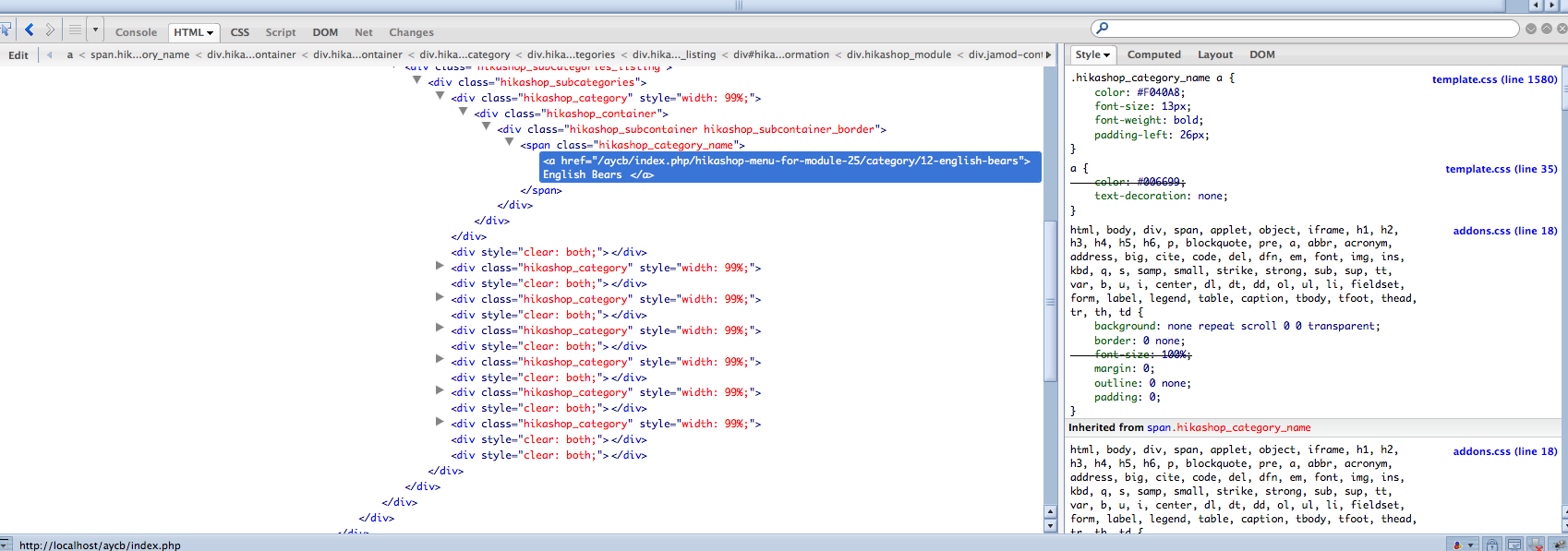
Sorry the site is local. Here is an image showing firebug.
Please Log in or Create an account to join the conversation.
15 years 1 month ago #23797
by nicolas
Replied by nicolas on topic Re: add image to category module
We can't debug CSS without seeing the website with Firebug ourselves. It's like trying to hit a target with the eyes closed. Please put a copy of the website online if you want us to be able to help you on this.
Please Log in or Create an account to join the conversation.
15 years 1 month ago #23798
by sarsells
Replied by sarsells on topic Re: add image to category module
OK, I will look into doing this. I dont want to take down the site as it is for now, so will have to find out how to move it to a temporary location.
Please Log in or Create an account to join the conversation.
15 years 1 month ago #23807
by sarsells
Replied by sarsells on topic Re: add image to category module
Please Log in or Create an account to join the conversation.
15 years 1 month ago #23829
by nicolas
Replied by nicolas on topic Re: add image to category module
The problem comes from the CSS code you added:
.hikashop_category_name a:hover, a:active, a:focus {
color: #F3D994;
font-size: 13px;
font-weight: bold;
padding-left: 26px;
}
You probably wanted to write:
.hikashop_category_name a:hover,.hikashop_category_name a:active,.hikashop_category_name a:focus {
color: #F3D994;
font-size: 13px;
font-weight: bold;
padding-left: 26px;
}
.hikashop_category_name a:hover, a:active, a:focus {
color: #F3D994;
font-size: 13px;
font-weight: bold;
padding-left: 26px;
}
You probably wanted to write:
.hikashop_category_name a:hover,.hikashop_category_name a:active,.hikashop_category_name a:focus {
color: #F3D994;
font-size: 13px;
font-weight: bold;
padding-left: 26px;
}
Please Log in or Create an account to join the conversation.
15 years 1 month ago #23832
by sarsells
Replied by sarsells on topic Re: add image to category module
Thank you, but this did not help. I also had this code
.hikashop_category_name a{
color: #F040A8;
font-size: 13px;
font-weight: bold;
padding-left: 26px;
}
.hikashop_category_name a:hover, a:active, a:focus{
font-size:13px;
color:#F3D994;
font-weight:bold;
padding-left:26px;
}
I now have yours, but the problem is the same. The menu works perfectly. However, other elements are moving 26cm to the right when you click on them. For example, the images in the right hand column, and the imageson the product page as well. I cannot see what code would effect only the menu?
Many thanks
Sarah
.hikashop_category_name a{
color: #F040A8;
font-size: 13px;
font-weight: bold;
padding-left: 26px;
}
.hikashop_category_name a:hover, a:active, a:focus{
font-size:13px;
color:#F3D994;
font-weight:bold;
padding-left:26px;
}
I now have yours, but the problem is the same. The menu works perfectly. However, other elements are moving 26cm to the right when you click on them. For example, the images in the right hand column, and the imageson the product page as well. I cannot see what code would effect only the menu?
Many thanks
Sarah
Please Log in or Create an account to join the conversation.
15 years 1 month ago #23842
by nicolas
Replied by nicolas on topic Re: add image to category module
I still see the code:
.hikashop_category_name a:hover, a:active, a:focus {
color: #F3D994;
font-size: 13px;
font-weight: bold;
padding-left: 26px;
}
in your CSS file. That's probably why it still doesn't work...
.hikashop_category_name a:hover, a:active, a:focus {
color: #F3D994;
font-size: 13px;
font-weight: bold;
padding-left: 26px;
}
in your CSS file. That's probably why it still doesn't work...
Please Log in or Create an account to join the conversation.
15 years 1 month ago #23843
by sarsells
Replied by sarsells on topic Re: add image to category module
So sorry, silly me. I had updated my local template.
Please Log in or Create an account to join the conversation.
Time to create page: 0.263 seconds