
- Posts: 78
- Thank you received: 1
Product Background Color. Please Help!
- adeptdesigns
-
 Topic Author
- Offline
Less
More
14 years 10 months ago - 14 years 10 months ago #30580
by adeptdesigns
Product Background Color. Please Help! was created by adeptdesigns
Hello, I can't seem to change the background color of the products window. When I try to discover what .css file drives this, I get 'NULL' Please see below images.
The only thing I can find is in SYSTEM>CONFIGURATION>DISPLAY (as show in bottom image) but it won't actually update the color.
Please help!
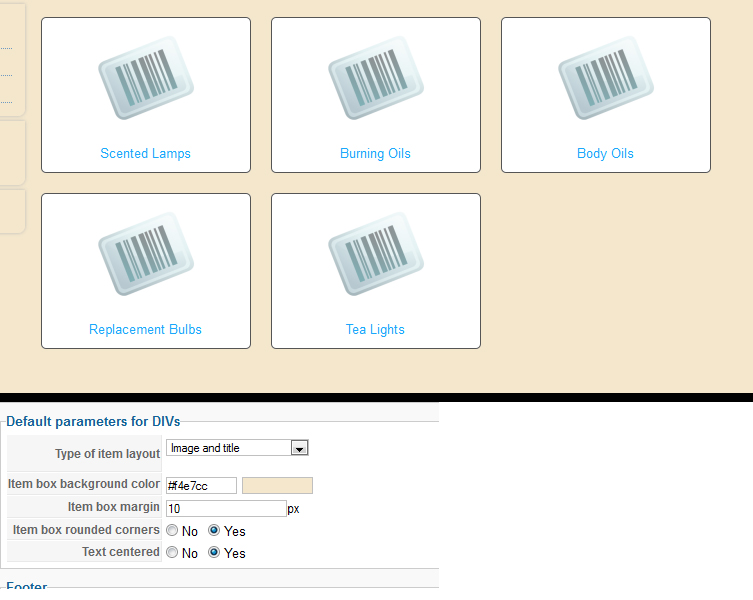
The only thing I can find is in SYSTEM>CONFIGURATION>DISPLAY (as show in bottom image) but it won't actually update the color.
Please help!
Last edit: 14 years 10 months ago by adeptdesigns.
Please Log in or Create an account to join the conversation.
- adeptdesigns
-
Topic Author
- Offline
Less
More
- Posts: 78
- Thank you received: 1
14 years 10 months ago #30585
by adeptdesigns
Replied by adeptdesigns on topic Re: Product Background Color. Please Help!
Solved, whew...that one took a while.
I really hope there is an easier solution than this for other people....
/media/com_hikashop/css/frontend_default.css
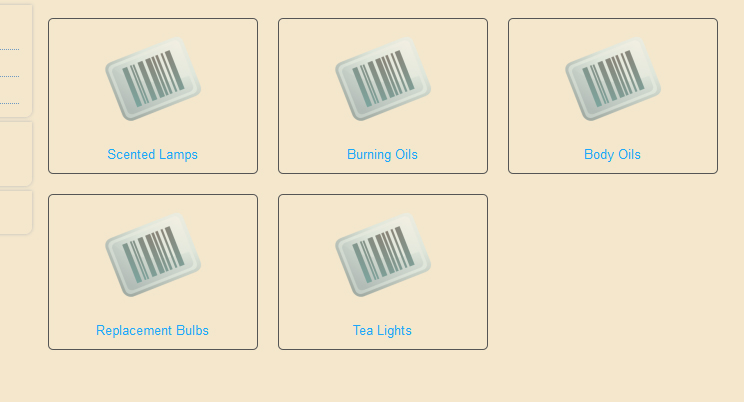
I really hope there is an easier solution than this for other people....
/media/com_hikashop/css/frontend_default.css
Code:
div.hikashop_subcontainer {
background-color: transparent !important;
}
Please Log in or Create an account to join the conversation.

14 years 10 months ago #30591
by nicolas
Replied by nicolas on topic Re: Product Background Color. Please Help!
The default parameters are default values for new modules and menus.
For existing modules and menus, you need to go in the menu Display->Content menus/modules and edit your menus/modules' options and set the background color there. No need to change the CSS for that.
Also, when you modify the CSS, you should do it via the Display tab of the configuration. If you do it directly in the CSS file via FTP, you will loose your modification when you update HikaShop.
For existing modules and menus, you need to go in the menu Display->Content menus/modules and edit your menus/modules' options and set the background color there. No need to change the CSS for that.
Also, when you modify the CSS, you should do it via the Display tab of the configuration. If you do it directly in the CSS file via FTP, you will loose your modification when you update HikaShop.
Please Log in or Create an account to join the conversation.
- adeptdesigns
-
Topic Author
- Offline
Less
More
- Posts: 78
- Thank you received: 1
14 years 10 months ago #30600
by adeptdesigns
Replied by adeptdesigns on topic Re: Product Background Color. Please Help!
Thanks for the tips. 
Please Log in or Create an account to join the conversation.
Time to create page: 0.225 seconds