

- Posts: 52
- Thank you received: 5
Change the menu font size
14 years 6 months ago - 14 years 6 months ago #42574
by gxHL
Change the menu font size was created by gxHL
Hi and good job creating this awesome component
My question is ... can u please point me to how to change the categories menu module font size?
Im using the latest versions of your component and my theme is Balance from yootheme.
As you can see in the picture its prety big (13.5) and i would like to make it smaller..
thnx
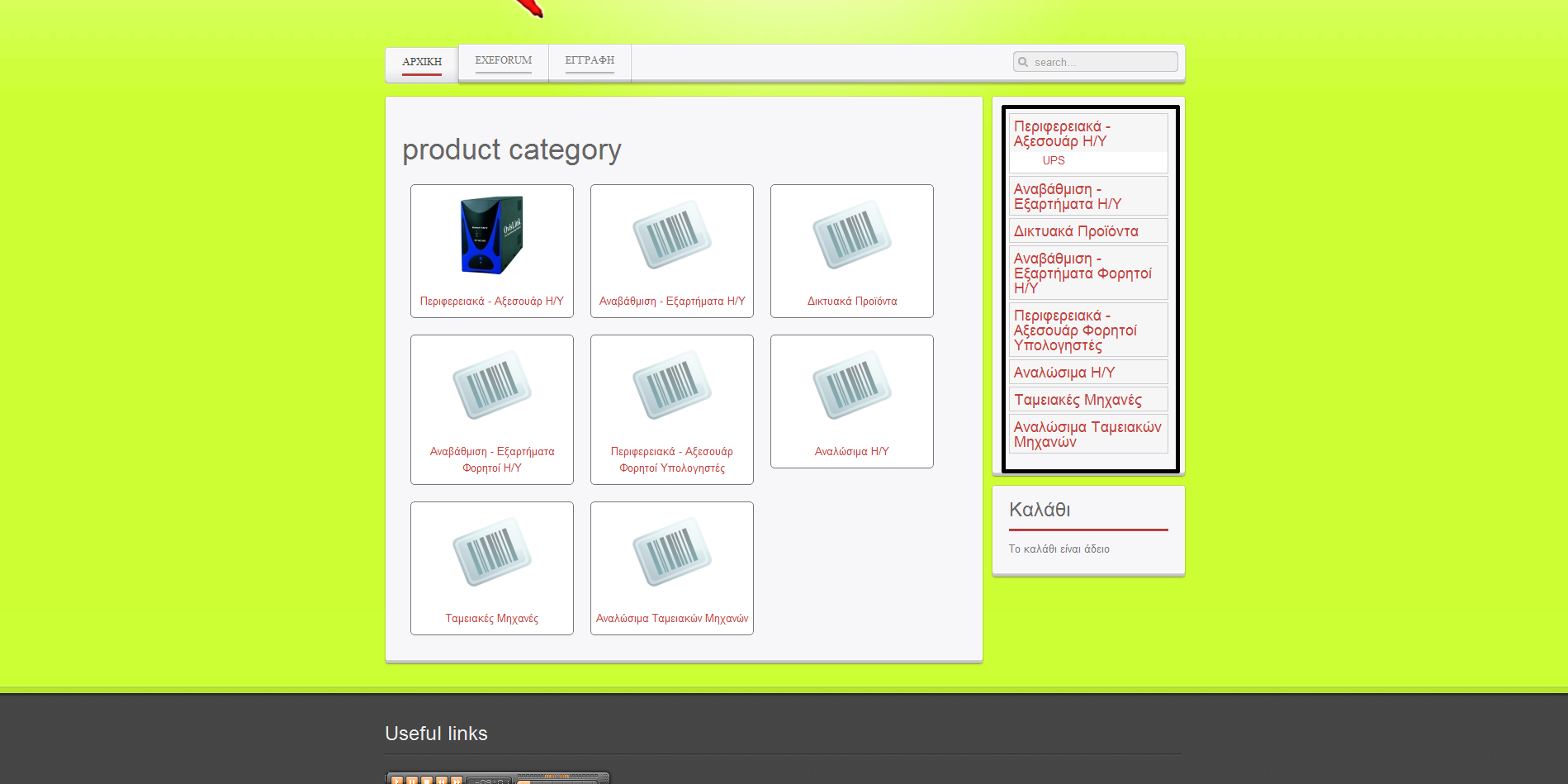
My question is ... can u please point me to how to change the categories menu module font size?
Im using the latest versions of your component and my theme is Balance from yootheme.
As you can see in the picture its prety big (13.5) and i would like to make it smaller..
thnx
Last edit: 14 years 6 months ago by gxHL.
Please Log in or Create an account to join the conversation.
14 years 6 months ago - 14 years 6 months ago #42644
by gxHL
Replied by gxHL on topic Re: Change the menu font size
found it by my self... i changed the file
templates\yoo_balance\warp\css\base.css
and
templates\yoo_balance\css\base.css
And i ask again mybe there is a module suffix that i can use so the change would apply only to the module?
thnx again
templates\yoo_balance\warp\css\base.css
Code:
Line 77: h3 { font-size: 18px; line-height: 18px; }
and
templates\yoo_balance\css\base.css
Code:
Line 10: font: normal 13px/20px Arial, Helvetica, sans-serif;
And i ask again mybe there is a module suffix that i can use so the change would apply only to the module?
thnx again
Last edit: 14 years 6 months ago by gxHL.
Please Log in or Create an account to join the conversation.

14 years 6 months ago #42704
by nicolas
Replied by nicolas on topic Re: Change the menu font size
You can set a CSS suffix in the joomla options of that module. The, suffix to use will depend on your template. So you might want to ask your template provider.
Please Log in or Create an account to join the conversation.
14 years 6 months ago #42754
by gxHL
Replied by gxHL on topic Re: Change the menu font size
Ok thanx for the answer i just thought there was something standard that i could use, anyhow ill go ask there too. Thanks again 
Please Log in or Create an account to join the conversation.
Time to create page: 0.220 seconds