

- Posts: 17
- Thank you received: 0
Categories listing - layout and function
14 years 1 month ago - 14 years 1 month ago #63400
by Netdragon
Categories listing - layout and function was created by Netdragon
I posted this in the general section by mistake..so am posting it again here where I meant to post it the first time. Please feel free to delete the other one - I would if I could.
I am very new to this so please disregard my ignorance.
I am setting up a hikashop for a friend and have been doing fine until I came to the category listing. I read the tutorials and I have yet to be able to make it work the way I want and have spent up to three days trying different ways.
here is the link...
www.upsdynamics.com.au/shop/
For my product listings, I want the links to align left - I have tried editing the css many times with no success and when I inspect the element I often see shop//:75 as a source-
which I dont understand.
That is the first problem. Second problem is when I click on one of those categories, I just get a page with the same two links that loop back on each other. I want to be able to click on a category link and then have the products of that category showing. What am I doing wrong?
Would appreciate any assistance you can give this total noob!!
Thanks
EDIT: While I have been waiting for an answer, I am adding in the products. I have just found that when making a subcategory,it shows the sub category as a main category link. It's all screwed up - HELP!!!!!!!!
I've managed to stop it looping back on itself, however when I click on the link for the sub-category..the description shows up..how do I get it to show a list of products in that category on that page? Still having trouble with [strike]the sub-category links showing up twice on the menu[/strike] and of course the text alignment.
I am very new to this so please disregard my ignorance.
I am setting up a hikashop for a friend and have been doing fine until I came to the category listing. I read the tutorials and I have yet to be able to make it work the way I want and have spent up to three days trying different ways.
here is the link...
www.upsdynamics.com.au/shop/
For my product listings, I want the links to align left - I have tried editing the css many times with no success and when I inspect the element I often see shop//:75 as a source-
which I dont understand.
That is the first problem. Second problem is when I click on one of those categories, I just get a page with the same two links that loop back on each other. I want to be able to click on a category link and then have the products of that category showing. What am I doing wrong?
Would appreciate any assistance you can give this total noob!!
Thanks
EDIT: While I have been waiting for an answer, I am adding in the products. I have just found that when making a subcategory,it shows the sub category as a main category link. It's all screwed up - HELP!!!!!!!!
I've managed to stop it looping back on itself, however when I click on the link for the sub-category..the description shows up..how do I get it to show a list of products in that category on that page? Still having trouble with [strike]the sub-category links showing up twice on the menu[/strike] and of course the text alignment.
Last edit: 14 years 1 month ago by Netdragon.
Please Log in or Create an account to join the conversation.

Less
More
- Posts: 12953
- Thank you received: 1778
14 years 1 month ago #63458
by Mohamed Thelji
Replied by Mohamed Thelji on topic Re: Categories listing - layout and function
Hello,
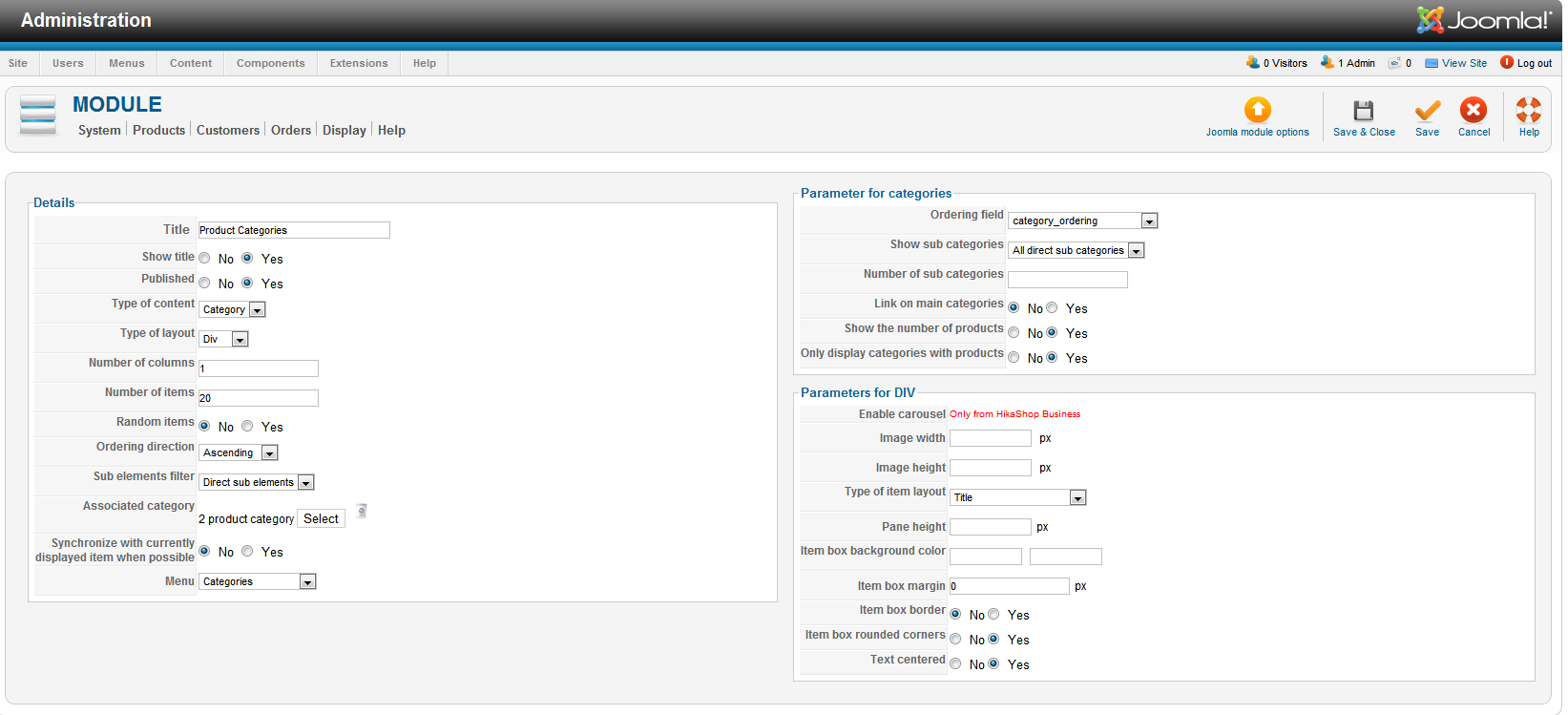
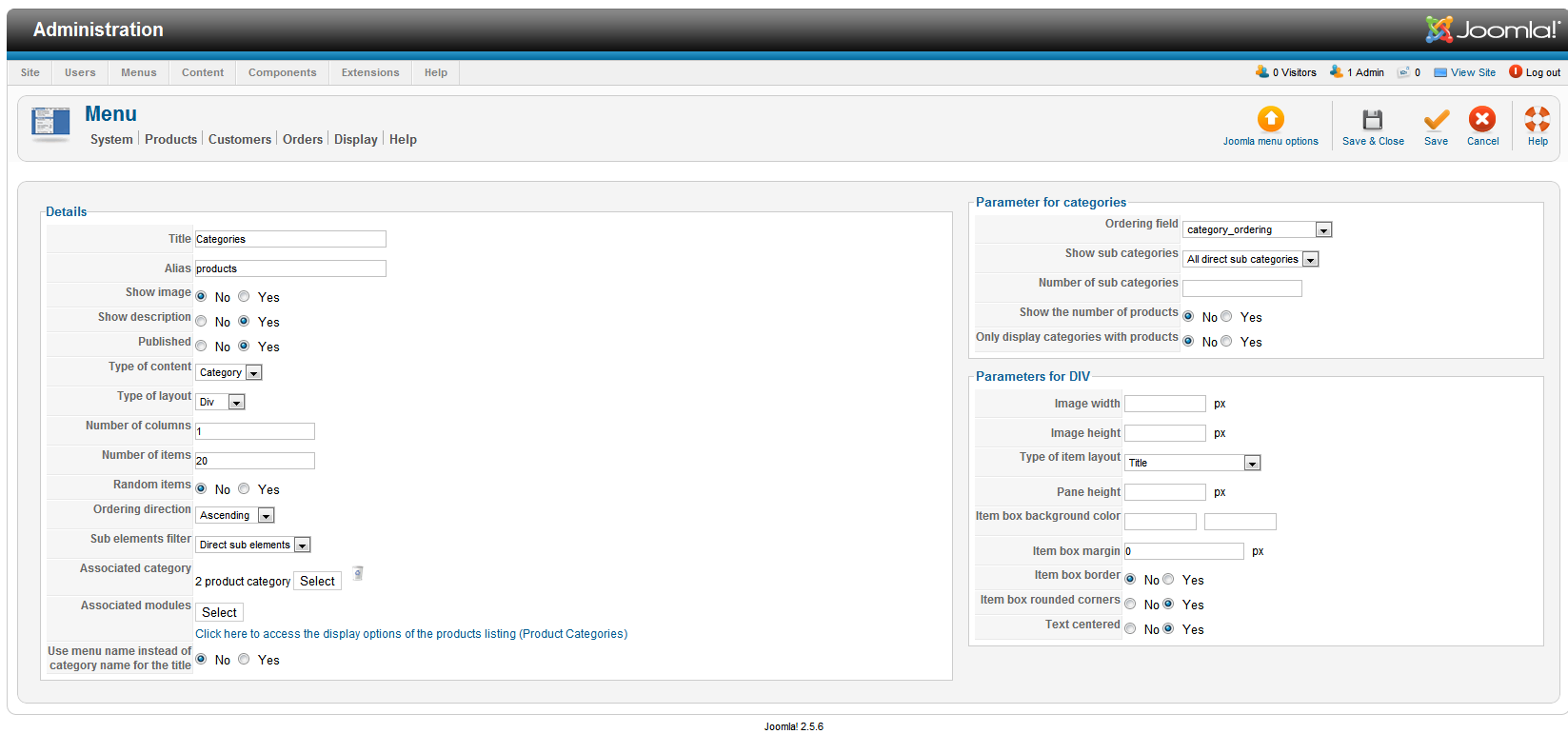
Can you please show me Screenshots of your category/product listing configuration pages ?
Can you please show me Screenshots of your category/product listing configuration pages ?
Please Log in or Create an account to join the conversation.
14 years 1 month ago #63462
by Netdragon
Replied by Netdragon on topic Re: Categories listing - layout and function
Hopefully these are what you want.....
Please Log in or Create an account to join the conversation.

14 years 1 month ago #63705
by nicolas
Replied by nicolas on topic Re: Categories listing - layout and function
I can see that it's working fine now on your website.
www.hikashop.com/en/forum/2-general-talk...-function.html#63663
www.hikashop.com/en/forum/2-general-talk...-function.html#63663
Please Log in or Create an account to join the conversation.
Time to create page: 0.150 seconds