
Problem : HikaShop & Rockettheme responsive menu
- nico.van.leeuwen
-
 Topic Author
- Offline
Less
More
13 years 6 months ago - 13 years 6 months ago #98285
by nico.van.leeuwen
Problem : HikaShop & Rockettheme responsive menu was created by nico.van.leeuwen
Hi,
It looks like there is a problem with the combination of HikaShop and my Rockettheme Graffito template when viewing the site on a small screen.
The links in the menu are not clickable anymore ??
As soon as I unpublish the HikaShop menu's the menu works again. ( www.dli.dlidev.nl/ )
Can this me something in my configuration or should this be considered a bug of some sort ?
Any tips are more than welcome !
Nico
It looks like there is a problem with the combination of HikaShop and my Rockettheme Graffito template when viewing the site on a small screen.
The links in the menu are not clickable anymore ??
As soon as I unpublish the HikaShop menu's the menu works again. ( www.dli.dlidev.nl/ )
Can this me something in my configuration or should this be considered a bug of some sort ?
Any tips are more than welcome !
Nico
Last edit: 13 years 6 months ago by nico.van.leeuwen.
Please Log in or Create an account to join the conversation.

13 years 6 months ago #98286
by Jerome
Jerome - Obsidev.com
HikaMarket & HikaSerial developer / HikaShop core dev team.
Replied by Jerome on topic Problem : HikaShop & Rockettheme responsive menu
Hi,
It's a problem with the Joomla JUI Chosen library.
You should activate an hidden option in order to force HikaShop to unload it.
In the database, in the table #__hikashop_config (replace #_ with your database prefix), you have to insert a new entry.
config_namekey: bootstrap_forcechosen
config_value: 0
Regards,
It's a problem with the Joomla JUI Chosen library.
You should activate an hidden option in order to force HikaShop to unload it.
In the database, in the table #__hikashop_config (replace #_ with your database prefix), you have to insert a new entry.
config_namekey: bootstrap_forcechosen
config_value: 0
Code:
INSERT INTO `#__hikashop_config` (`config_namekey`, `config_value`) VALUES ('bootstrap_forcechosen', '0');
Regards,
Jerome - Obsidev.com
HikaMarket & HikaSerial developer / HikaShop core dev team.
The following user(s) said Thank You: nico.van.leeuwen
Please Log in or Create an account to join the conversation.
- nico.van.leeuwen
-
Topic Author
- Offline
13 years 6 months ago #98289
by nico.van.leeuwen
Replied by nico.van.leeuwen on topic Problem : HikaShop & Rockettheme responsive menu
Hi Jerome,
That indeed did the trick !
Many thanks for the quick response.
Nico
That indeed did the trick !
Many thanks for the quick response.
Nico
Please Log in or Create an account to join the conversation.

12 years 7 months ago #147122
by Zafer
Replied by Zafer on topic Problem : HikaShop & Rockettheme responsive menu
Hi Jerome,
i use Rockettheme Templates. How can i enjoy the Hikashop Resposive feature.
Regards
Zafer
i use Rockettheme Templates. How can i enjoy the Hikashop Resposive feature.
Regards
Zafer
Please Log in or Create an account to join the conversation.
12 years 7 months ago #147152
by Jerome
Jerome - Obsidev.com
HikaMarket & HikaSerial developer / HikaShop core dev team.
Replied by Jerome on topic Problem : HikaShop & Rockettheme responsive menu
Hi,
If your rockettheme responsive template is fully compatible with bootstrap, you can activate the "bootstrap design" in the HikaShop configuration.
Regards,
If your rockettheme responsive template is fully compatible with bootstrap, you can activate the "bootstrap design" in the HikaShop configuration.
Regards,
Jerome - Obsidev.com
HikaMarket & HikaSerial developer / HikaShop core dev team.
Please Log in or Create an account to join the conversation.
12 years 7 months ago #147275
by Zafer
Replied by Zafer on topic Problem : HikaShop & Rockettheme responsive menu
Hi Jerome,
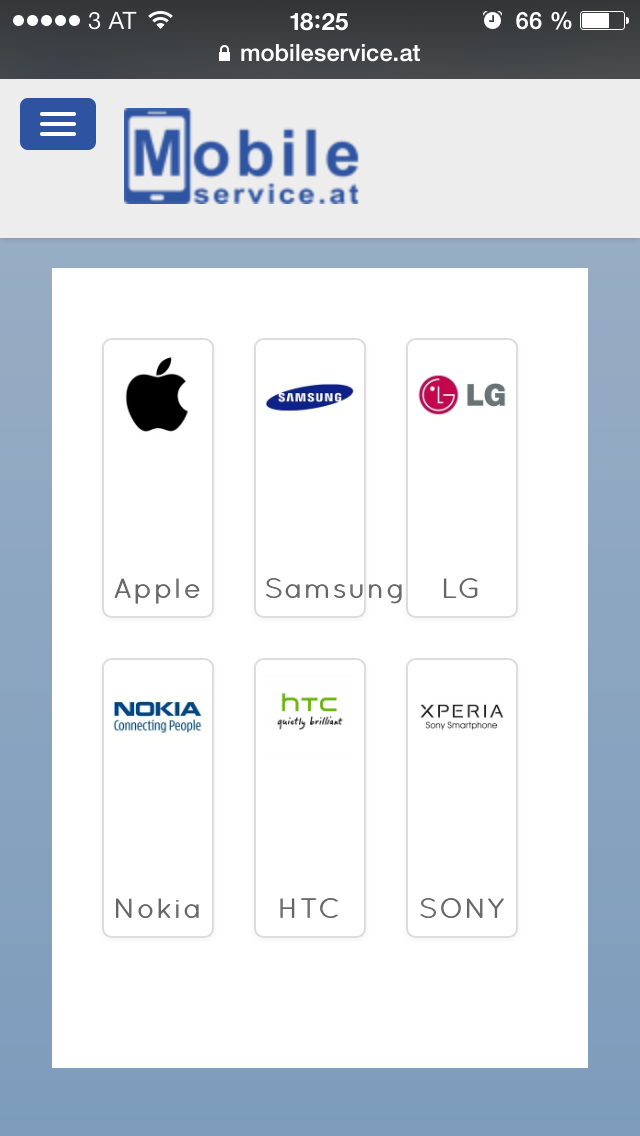
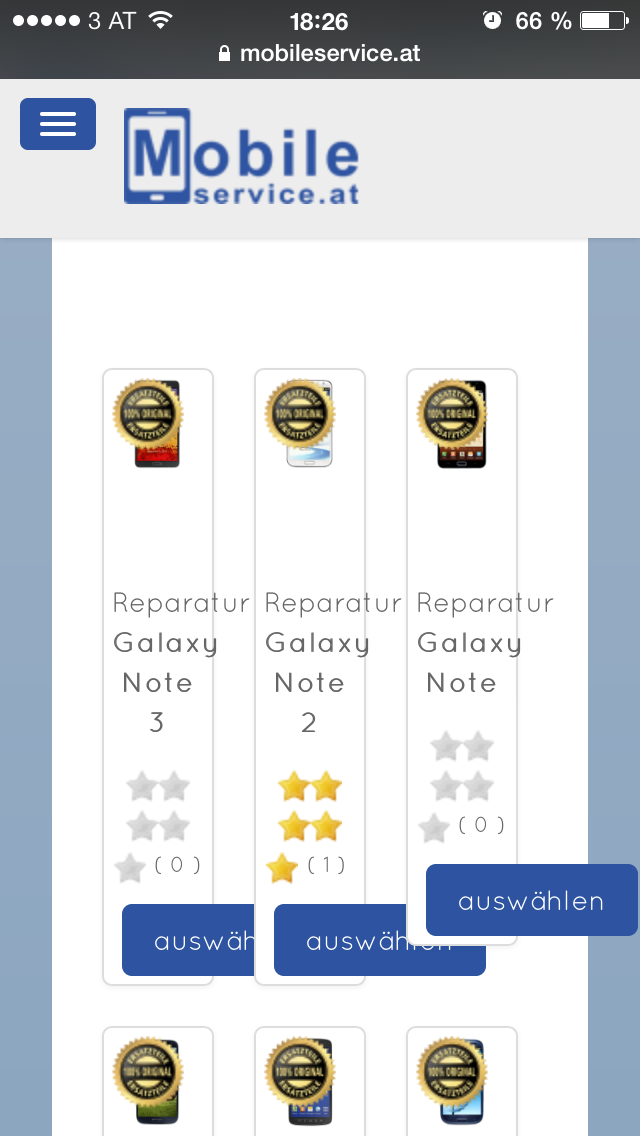
Thank you for your fast response. I activate bootstrap design. Now the category and product listening will be displayed on a iPhone and Smartphone in a 1 column. Thats O.K. but it will be also displayed in 1 column categories and product listenings on a big screen.
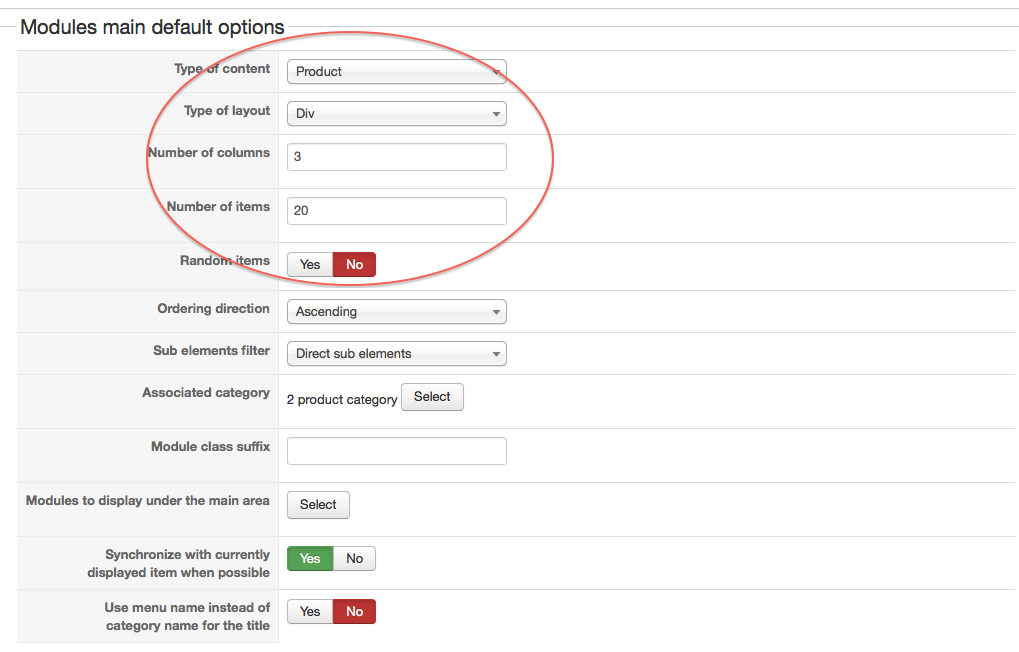
After set 3 columns in main CSS Main Module. No changes!
How can I set up custom fields also for responsive design?
How can I set 3 columns for category listening and Product listening?
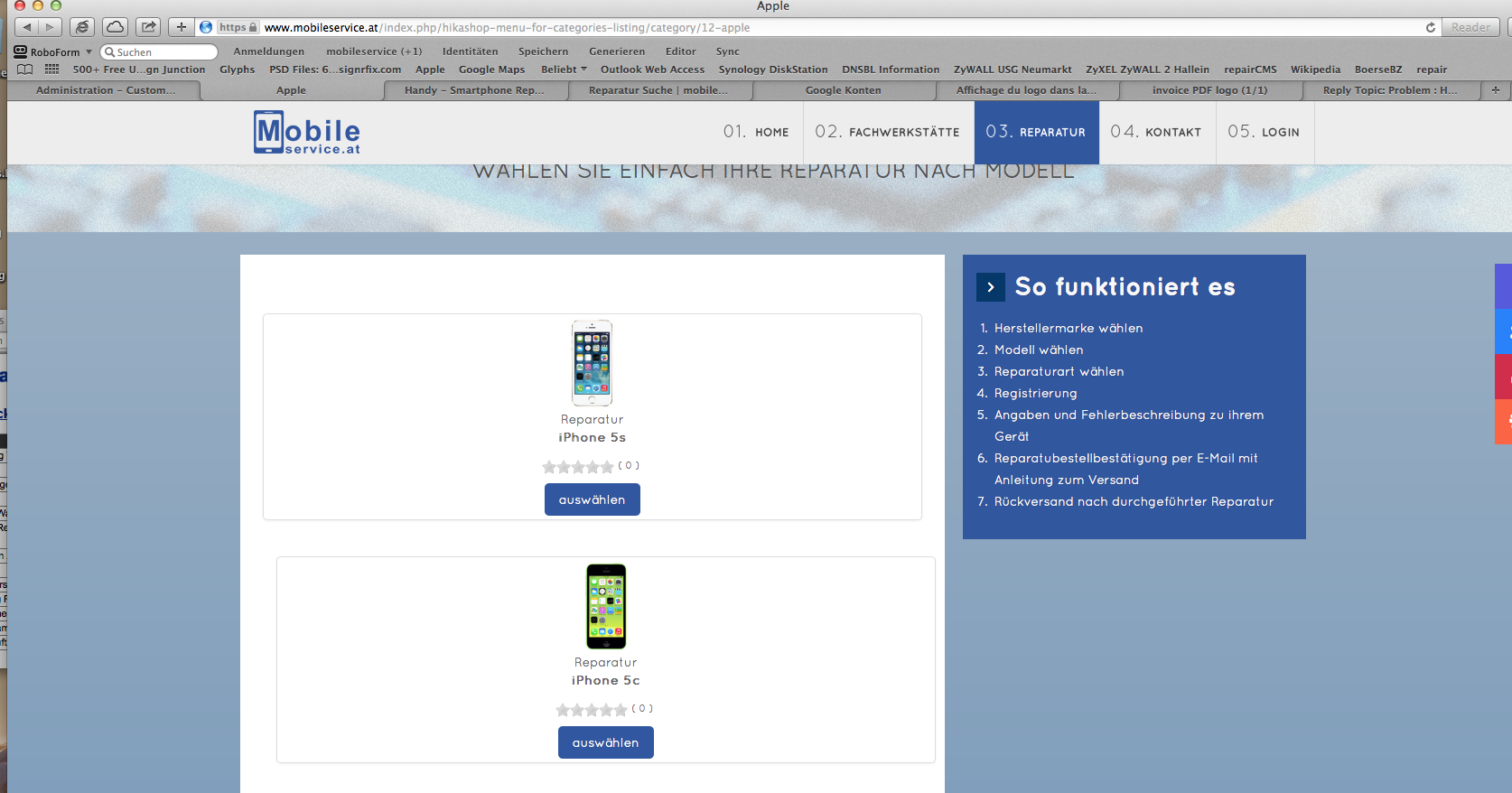
regards
Thank you for your fast response. I activate bootstrap design. Now the category and product listening will be displayed on a iPhone and Smartphone in a 1 column. Thats O.K. but it will be also displayed in 1 column categories and product listenings on a big screen.
After set 3 columns in main CSS Main Module. No changes!
How can I set up custom fields also for responsive design?
How can I set 3 columns for category listening and Product listening?
regards
Please Log in or Create an account to join the conversation.
12 years 7 months ago #147307
by Zafer
Replied by Zafer on topic Problem : HikaShop & Rockettheme responsive menu
Column problem solved. renew Template Custom CSS. O.K
Can´t solve problem about the custom fields.
regards
Can´t solve problem about the custom fields.
regards
Please Log in or Create an account to join the conversation.
12 years 7 months ago #147322
by Jerome
Jerome - Obsidev.com
HikaMarket & HikaSerial developer / HikaShop core dev team.
Replied by Jerome on topic Problem : HikaShop & Rockettheme responsive menu
Hi,
Please put a full complete question about your custom field.
There are a lot of different kind of custom field and there are a lot of way to display them.
Your question is too generic so I can't give you any kind of answer.
Regards,
Please put a full complete question about your custom field.
There are a lot of different kind of custom field and there are a lot of way to display them.
Your question is too generic so I can't give you any kind of answer.
Regards,
Jerome - Obsidev.com
HikaMarket & HikaSerial developer / HikaShop core dev team.
Please Log in or Create an account to join the conversation.
12 years 7 months ago #147622
by Zafer
Replied by Zafer on topic Problem : HikaShop & Rockettheme responsive menu
Hi,
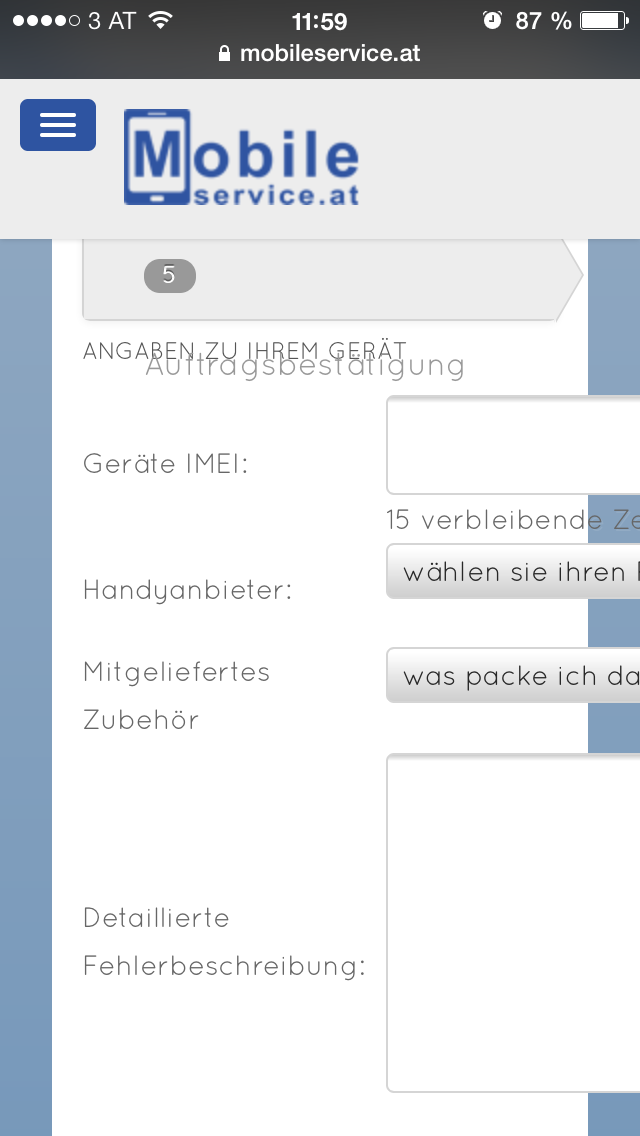
sorry for the inaccurate question. I have a problem with input and custom fields when i use a iPhone. Please look at the screenshoots.
Bootstrap design ist activated.
How can fix it?
Regards
Zafer Gürsyo
sorry for the inaccurate question. I have a problem with input and custom fields when i use a iPhone. Please look at the screenshoots.
Bootstrap design ist activated.
How can fix it?
Regards
Zafer Gürsyo
Please Log in or Create an account to join the conversation.

12 years 7 months ago #147820
by Xavier
Replied by Xavier on topic Problem : HikaShop & Rockettheme responsive menu
Hi,
That's probably because your template override some HikaShop css properties.
Thanks to read that tutorial to edit the css in order to improve the responsive.
hikashop.com/support/support/documentati...ize-the-display.html
That's probably because your template override some HikaShop css properties.
Thanks to read that tutorial to edit the css in order to improve the responsive.
hikashop.com/support/support/documentati...ize-the-display.html
Please Log in or Create an account to join the conversation.
Time to create page: 0.100 seconds