

- Posts: 193
- Thank you received: 11
How to keep the Checkout empty after check out finish
6 years 11 months ago #311571
by affaf1952
How to keep the Checkout empty after check out finish was created by affaf1952
Hello,
AFter checking out and pay it's done, the pictures of items and categories come listed see attachment how I can remove or not being listed, thanks
Thanks in advanced
AFter checking out and pay it's done, the pictures of items and categories come listed see attachment how I can remove or not being listed, thanks
Attachment Checkout.png not found
Thanks in advanced
Please Log in or Create an account to join the conversation.

6 years 11 months ago #311579
by nicolas
Replied by nicolas on topic How to keep the Checkout empty after check out finish
Hi,
Normally, in the options of your payment method, in the menu System>Payment methods, you can enter the URL where you want to be returned to after the payment is made in the "return URL" parameter.
So please check that.
Normally, in the options of your payment method, in the menu System>Payment methods, you can enter the URL where you want to be returned to after the payment is made in the "return URL" parameter.
So please check that.
Please Log in or Create an account to join the conversation.
6 years 11 months ago #311612
by affaf1952
Replied by affaf1952 on topic How to keep the Checkout empty after check out finish
Hello Nick and thank you for the solution,
this part has been done, but the part I'm talking about that when click the checkout button on the main menu it gives you a random listing of mixed category and products, should it give the cart is empty because of no items
see the link below when I click on checkout button and there is nothing to check out that what happened,
the URL of the checkout change to this when you click on it,
marselspizzeria.com/hikashop-menu-for-pr...ting/product/listing
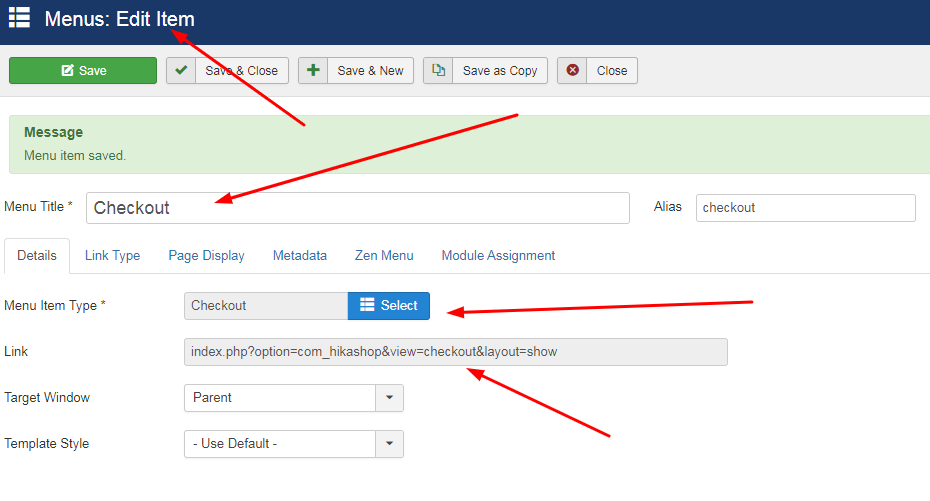
I want when you click the checkout button it doesn't show anything as soon the no product has not been added to the Cart, thanks
this part has been done, but the part I'm talking about that when click the checkout button on the main menu it gives you a random listing of mixed category and products, should it give the cart is empty because of no items
see the link below when I click on checkout button and there is nothing to check out that what happened,
the URL of the checkout change to this when you click on it,
marselspizzeria.com/hikashop-menu-for-pr...ting/product/listing
I want when you click the checkout button it doesn't show anything as soon the no product has not been added to the Cart, thanks
Please Log in or Create an account to join the conversation.
6 years 11 months ago #311614
by affaf1952
Replied by affaf1952 on topic How to keep the Checkout empty after check out finish
more additional information
so basically if I did not add to cart anything, and I clicked on cart button or checkout button that will show cart empty which is correct and random of items which is not correct, i would appreciate your help to guide me how to fix this, when you click the cart button or the checkout button and has nothing been added to cart then only shows the blue message cart is empty and nothing else, thanks
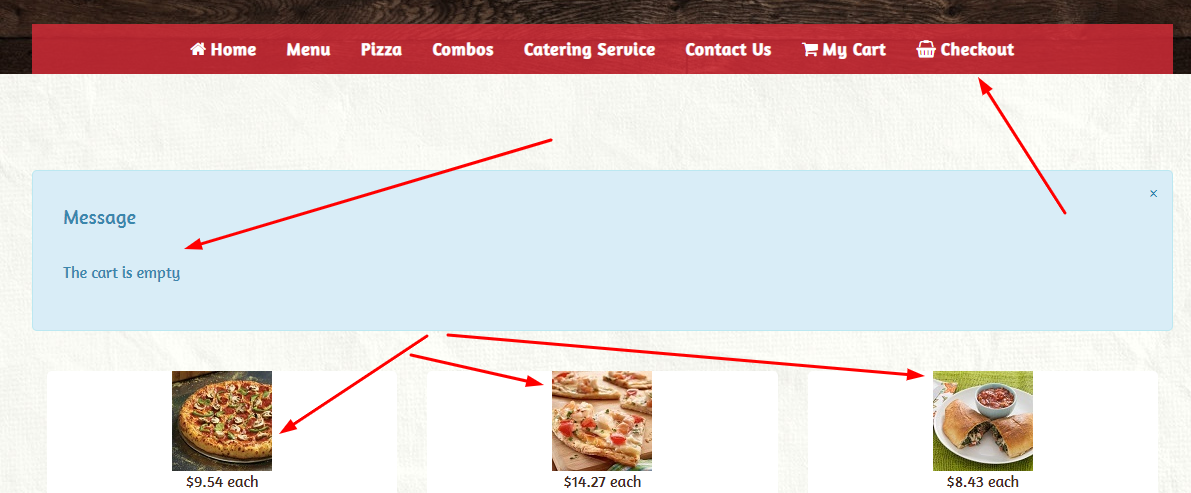
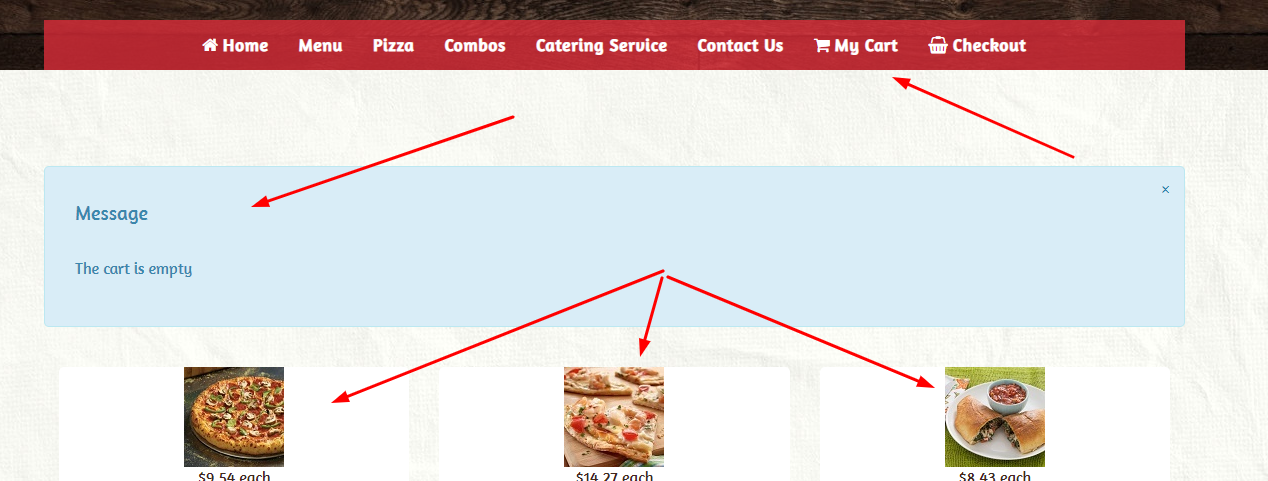
so basically if I did not add to cart anything, and I clicked on cart button or checkout button that will show cart empty which is correct and random of items which is not correct, i would appreciate your help to guide me how to fix this, when you click the cart button or the checkout button and has nothing been added to cart then only shows the blue message cart is empty and nothing else, thanks
Please Log in or Create an account to join the conversation.
6 years 11 months ago #311615
by nicolas
Replied by nicolas on topic How to keep the Checkout empty after check out finish
Hi,
In the HikaShop configuration you can find the setting "URL where you will be redirected when the cart is empty" where you can enter the URL of the page where you want customers to go when they try to access the checkout without a cart.
In the HikaShop configuration you can find the setting "URL where you will be redirected when the cart is empty" where you can enter the URL of the page where you want customers to go when they try to access the checkout without a cart.
The following user(s) said Thank You: affaf1952
Please Log in or Create an account to join the conversation.
6 years 11 months ago #311643
by affaf1952
Replied by affaf1952 on topic How to keep the Checkout empty after check out finish
Works perfect, Thanks
The following user(s) said Thank You: Philip
Please Log in or Create an account to join the conversation.
Time to create page: 0.296 seconds