

- Posts: 637
- Thank you received: 26
Mass Action export CSV and sent by e-mail
9 years 5 months ago - 9 years 5 months ago #266981
by Lumiga
Kind regards,
Lumiga
Mass Action export CSV and sent by e-mail was created by Lumiga
-- HikaShop version -- : 2.6.5
-- Joomla version -- : 3.6.5
-- PHP version -- : 5.6
Hi Hikashop,
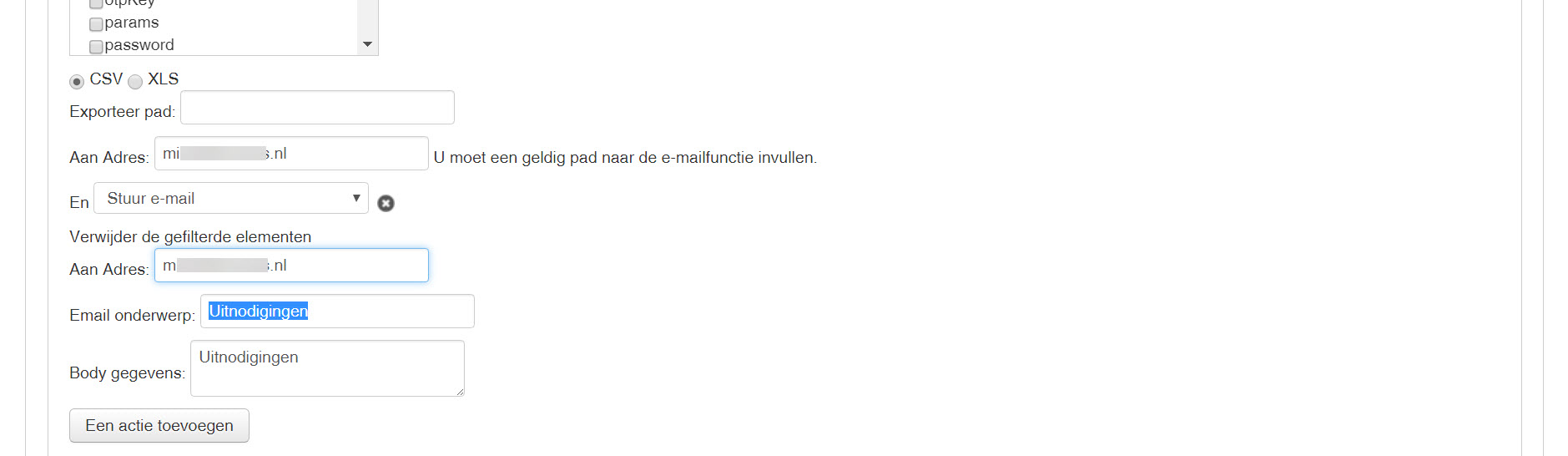
Is it possible to setup a mass action which generates a CSV export and send automatically every week to an e-mailaddress?
I have tried but without success!
I get empty e-mails.
Kind regards,
Lumiga
-- Joomla version -- : 3.6.5
-- PHP version -- : 5.6
Hi Hikashop,
Is it possible to setup a mass action which generates a CSV export and send automatically every week to an e-mailaddress?
I have tried but without success!
I get empty e-mails.
Kind regards,
Lumiga
Kind regards,
Lumiga
Last edit: 9 years 5 months ago by Lumiga.
Please Log in or Create an account to join the conversation.

9 years 5 months ago #266995
by nicolas
Replied by nicolas on topic Mass Action export CSV and sent by e-mail
Hi,
Yes, it's possible.
If it doesn't work, it's either:
- that you didn't enter a name for the CSV file
- that your cron task is not running. You can check that following this: www.hikashop.com/support/documentation/5...cron-task.html#check
- that the filters in your mass action prevent it from running
- that the mass action was run and the email sent by HikaShop but was blocked by your email server or the receiver for some reason (spam, attached file too big, etc). In that case, you should be able to see it in the Customers>Emails history menu of HikaShop.
Yes, it's possible.
If it doesn't work, it's either:
- that you didn't enter a name for the CSV file
- that your cron task is not running. You can check that following this: www.hikashop.com/support/documentation/5...cron-task.html#check
- that the filters in your mass action prevent it from running
- that the mass action was run and the email sent by HikaShop but was blocked by your email server or the receiver for some reason (spam, attached file too big, etc). In that case, you should be able to see it in the Customers>Emails history menu of HikaShop.
Please Log in or Create an account to join the conversation.
Time to create page: 0.198 seconds