

- Posts: 136
- Thank you received: 1
Testing Notifications
15 years 7 months ago #8033
by jacorr27
Testing Notifications was created by jacorr27
Hi again,
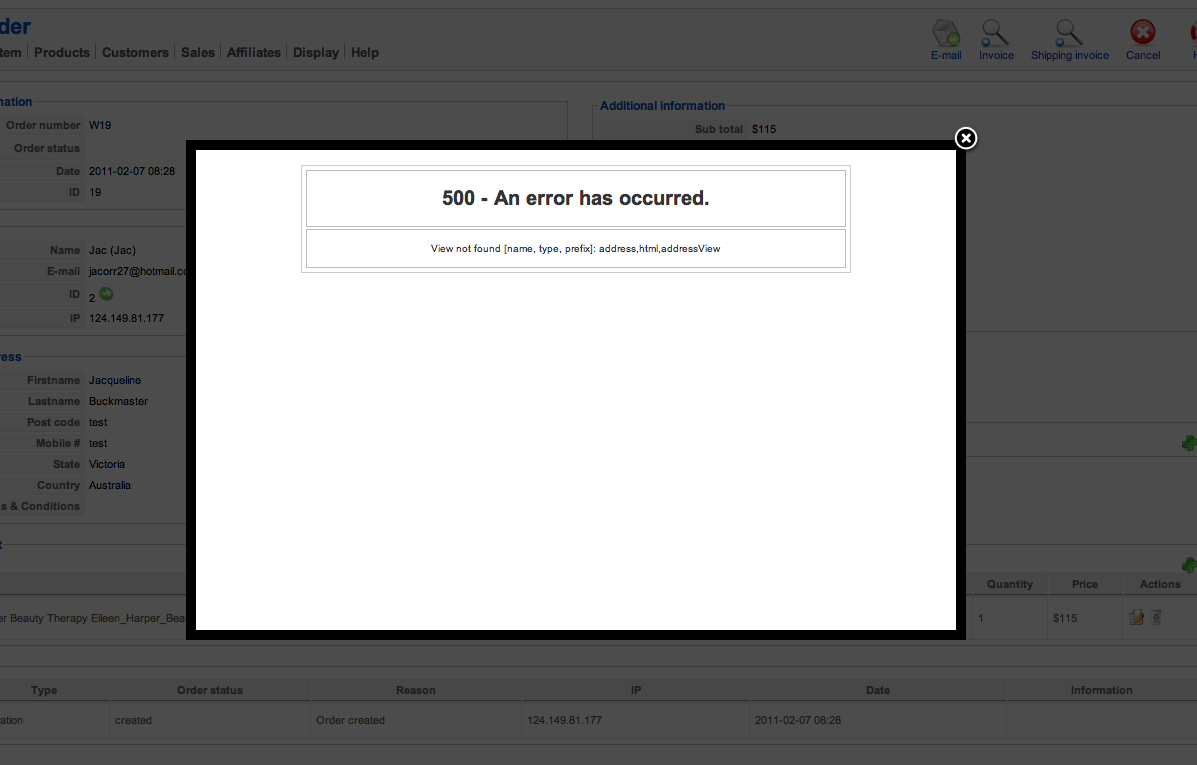
I'm trying to test email notifications by manually setting the order status to confirmed in the control panel, however I am receiving this error message
"500 - An error has occurred.
View not found [name, type, prefix]: address,html,addressView"
Can you please help me with this to allow me to test the email notifications?
Thank you!
I'm trying to test email notifications by manually setting the order status to confirmed in the control panel, however I am receiving this error message
"500 - An error has occurred.
View not found [name, type, prefix]: address,html,addressView"
Can you please help me with this to allow me to test the email notifications?
Thank you!
Please Log in or Create an account to join the conversation.

15 years 7 months ago #8040
by nicolas
Replied by nicolas on topic Re: Testing Notifications
Hi,
In the control panel ? There is a dropdown to change an order's status on the orders/sales page and on the order page itself, but not in the control panel.
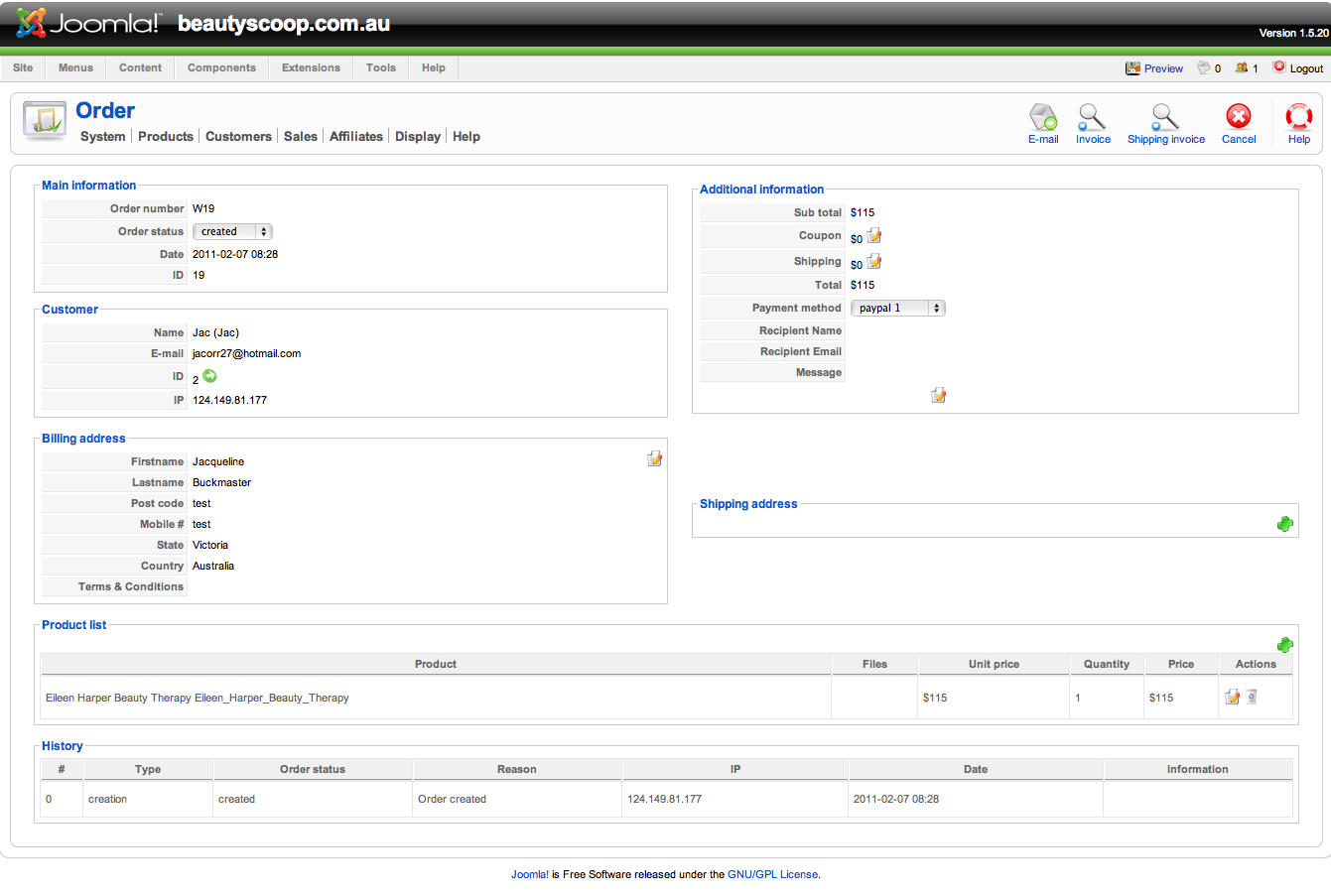
Could you do a screenshot before the error and after the error so that we can see where you are and what you're going to get that error ?
In the control panel ? There is a dropdown to change an order's status on the orders/sales page and on the order page itself, but not in the control panel.
Could you do a screenshot before the error and after the error so that we can see where you are and what you're going to get that error ?
Please Log in or Create an account to join the conversation.
15 years 7 months ago #8043
by jacorr27
Replied by jacorr27 on topic Re: Testing Notifications
I've tried changing the status from both areas I believe. Screen shots to follow.....
Please Log in or Create an account to join the conversation.
15 years 7 months ago #8044
by jacorr27
Replied by jacorr27 on topic Re: Testing Notifications
Error message when changing the order status field
Please Log in or Create an account to join the conversation.
15 years 7 months ago #8047
by nicolas
Replied by nicolas on topic Re: Testing Notifications
Could you try with another browser ?
Please Log in or Create an account to join the conversation.
15 years 7 months ago #8054
by jacorr27
Replied by jacorr27 on topic Re: Testing Notifications
Just tested both Firefox and Google Chrome....same error
Please Log in or Create an account to join the conversation.
15 years 7 months ago #8055
by nicolas
Replied by nicolas on topic Re: Testing Notifications
Is that website online ? Would it be possible to have a back end access ? Do have the latest version of hikashop installed ?
Please Log in or Create an account to join the conversation.
15 years 7 months ago #8145
by jacorr27
Replied by jacorr27 on topic Re: Testing Notifications
Yes, I have a development site online - I have just installed a the newest version 1.4.5 - because I wanted to include information from the "order creation email" to the "status change email" which I posted about earlier this week.
Please let me know what I need to do to give you back end access.
Thank you very much!
Please let me know what I need to do to give you back end access.
Thank you very much!
Please Log in or Create an account to join the conversation.
15 years 7 months ago #8146
by nicolas
Replied by nicolas on topic Re: Testing Notifications
You can use our contact form:
www.hikashop.com/en/support/contact-us.html
www.hikashop.com/en/support/contact-us.html
Please Log in or Create an account to join the conversation.
15 years 7 months ago #8148
by jacorr27
Replied by jacorr27 on topic Re: Testing Notifications
Hi Nicolas,
Just sent that to you now.
Just sent that to you now.
Please Log in or Create an account to join the conversation.
15 years 7 months ago #8149
by nicolas
Replied by nicolas on topic Re: Testing Notifications
The problem came from the email customization you made. Copy/paste from the other email notification is not enough as there is some data which is different between both emails. I went there and fixed your email.
So, for any one wanting to customize the status notification so that it sends the full order details, I attached the code to use in that post
This attachment is hidden for guests.
So, for any one wanting to customize the status notification so that it sends the full order details, I attached the code to use in that post
This attachment is hidden for guests.
Please log in or register to see it.
Please Log in or Create an account to join the conversation.
15 years 7 months ago #8150
by jacorr27
Replied by jacorr27 on topic Re: Testing Notifications
Thank you very much for your assistance!
I have now gone in and manually set the status of some orders to confirmed and then selected yes to notify the customer. However, no emails are being generated. I have also tried again by selecting yes and then entering in the email address to send to. This still did not send to me. You may still be on doing some testing so I do apologise for my haste if this is the case.
Jacqueline
I have now gone in and manually set the status of some orders to confirmed and then selected yes to notify the customer. However, no emails are being generated. I have also tried again by selecting yes and then entering in the email address to send to. This still did not send to me. You may still be on doing some testing so I do apologise for my haste if this is the case.
Jacqueline
Please Log in or Create an account to join the conversation.
15 years 7 months ago #8151
by jacorr27
Replied by jacorr27 on topic Re: Testing Notifications
And also, how do I turn off the error logging? thank you
Please Log in or Create an account to join the conversation.
15 years 7 months ago - 15 years 7 months ago #8159
by nicolas
Replied by nicolas on topic Re: Testing Notifications
You can turn off the debug mode in the config of joomla.
Do you receive other emails sent by HikaShop ? On our end the email notification is working fine so it must be a configuration problem on your end.
Do you receive other emails sent by HikaShop ? On our end the email notification is working fine so it must be a configuration problem on your end.
Last edit: 15 years 7 months ago by nicolas.
Please Log in or Create an account to join the conversation.
15 years 7 months ago #8199
by jacorr27
Replied by jacorr27 on topic Re: Testing Notifications
All working perfectly now, thank you so much
Please Log in or Create an account to join the conversation.
15 years 6 months ago #11732
by jacorr27
Replied by jacorr27 on topic Re: Testing Notifications
Hi Nicolas,
The is in regards to my previous post today - emails not sending.
Throughout my testing procedure I've done the following:
1 - Removed all customisation = emails were sent correctly
2 - Applied changes as you've attached to this post = emails are not sent
I'm trying various other things.
But do you think there is something you could look at in the code you attached?
I'm hoping that might help me determine why my emails are not sending!
Thanks again,
Jac
The is in regards to my previous post today - emails not sending.
Throughout my testing procedure I've done the following:
1 - Removed all customisation = emails were sent correctly
2 - Applied changes as you've attached to this post = emails are not sent
I'm trying various other things.
But do you think there is something you could look at in the code you attached?
I'm hoping that might help me determine why my emails are not sending!
Thanks again,
Jac
Please Log in or Create an account to join the conversation.
15 years 6 months ago #11745
by nicolas
Replied by nicolas on topic Re: Testing Notifications
When I tested the code I attached on your website, it was working fine. You can try to change the order status on the back end and see if you get an error message while the system sends the notification email.
Please Log in or Create an account to join the conversation.
15 years 6 months ago #11750
by jacorr27
Replied by jacorr27 on topic Re: Testing Notifications
Hi Nicolas,
1 - I removed all customisations to the email (order_status_notification) and then the email was sent. I tested this both through the back end status change, and purchasing an item.
2 - Then I placed in your custom code. Test this both through the back end (works) and purchasing the item (doesn't work)
One thing I did notice was that when I change the status through the back end, for item 1 the name and email address is populated, for item 2 this does not occur. Not sure if that helps.
I have placed a test product in for $1 for testing purposes. As I need to continue purchasing items to see if the emails send, so far nothing has worked - apart from the original status notification email.
So just to confirm, there is no error in the back end - but no emails are being generated when the product is actually purchased.
1 - I removed all customisations to the email (order_status_notification) and then the email was sent. I tested this both through the back end status change, and purchasing an item.
2 - Then I placed in your custom code. Test this both through the back end (works) and purchasing the item (doesn't work)
One thing I did notice was that when I change the status through the back end, for item 1 the name and email address is populated, for item 2 this does not occur. Not sure if that helps.
I have placed a test product in for $1 for testing purposes. As I need to continue purchasing items to see if the emails send, so far nothing has worked - apart from the original status notification email.
So just to confirm, there is no error in the back end - but no emails are being generated when the product is actually purchased.
Please Log in or Create an account to join the conversation.
15 years 6 months ago #11762
by nicolas
Replied by nicolas on topic Re: Testing Notifications
And do you have the option "allow payment notification" on in the payment plugin ? Because otherwise, the notifications are discarded and your orders statuses won't be changed. When you buy from the front end, is your order status validated after the payment (it can take up to a minute for that) ?
Please Log in or Create an account to join the conversation.
15 years 6 months ago #11764
by jacorr27
Replied by jacorr27 on topic Re: Testing Notifications
Yes I have that option set.
And yes - the order status successfully changes from created > confirmed when buying from the front end.
However, when I removed the customisation the emails were sent.
And yes - the order status successfully changes from created > confirmed when buying from the front end.
However, when I removed the customisation the emails were sent.
Please Log in or Create an account to join the conversation.
Time to create page: 0.352 seconds