

- Posts: 384
- Thank you received: 13
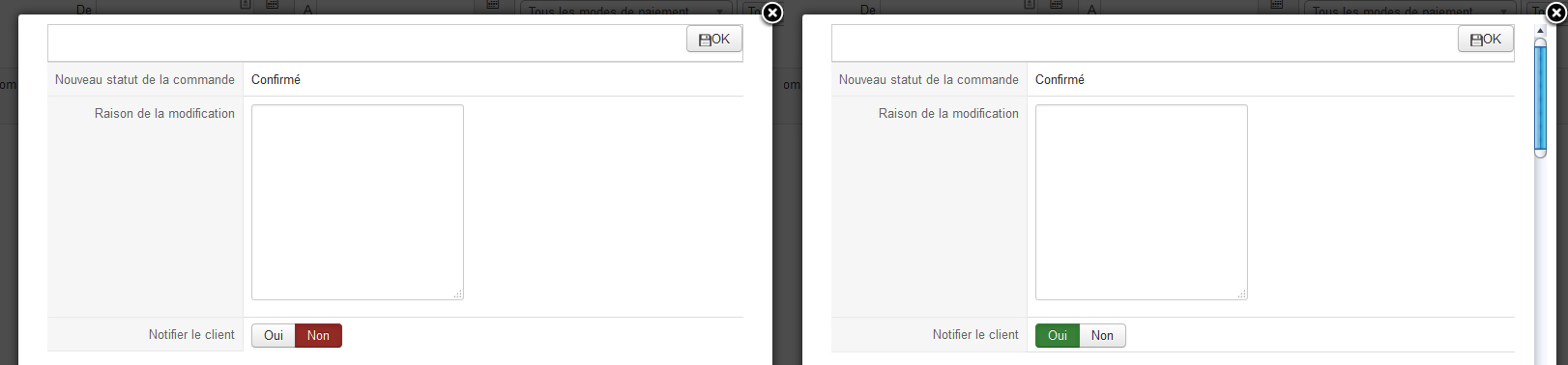
Notifier le client par défaut ?
11 years 2 months ago #208565
by hikaphil
Notifier le client par défaut ? was created by hikaphil
-- HikaShop version -- : 5.4.2
-- Joomla version -- : 3.4.3
Bonjour,
Peut on notifier le client par défaut sur oui !?
Merci.
-- Joomla version -- : 3.4.3
Bonjour,
Peut on notifier le client par défaut sur oui !?
Merci.
Please Log in or Create an account to join the conversation.

11 years 2 months ago #208575
by nicolas
Replied by nicolas on topic Notifier le client par défaut ?
Bonjour,
Oui.
Changez la ligne:
en:
et la ligne:
dans le fichier "notification" de la vue "order" pour le template de votre backend via le menu Affichage>Vues et voilà.
Oui.
Changez la ligne:
Code:
<?php echo JHTML::_('hikaselect.booleanlist', "data[order][history][history_notified]" , 'onchange="var display=\'none\'; if(this.value==1)display=\'\';document.getElementById(\'notification_area\').style.display=display;"',0 ); ?>
Code:
<?php echo JHTML::_('hikaselect.booleanlist', "data[order][history][history_notified]" , 'onchange="var display=\'none\'; if(this.value==1)display=\'\';document.getElementById(\'notification_area\').style.display=display;"',1 ); ?>
Code:
<td colspan="2" id="notification_area" style="display:none">[code]
en:
[code]<td colspan="2" id="notification_area">
The following user(s) said Thank You: hikaphil
Please Log in or Create an account to join the conversation.
11 years 2 months ago #208664
by hikaphil
Replied by hikaphil on topic Notifier le client par défaut ?
Merci , c'est nickel !!!
Please Log in or Create an account to join the conversation.
Time to create page: 0.168 seconds