

- Posts: 214
- Thank you received: 21
Product details popup on product listing
4 years 7 months ago #339881
by LOCELO
Product details popup on product listing was created by LOCELO
-- HikaShop version -- : 4.5.0
-- Joomla version -- : 4.1.0
-- PHP version -- : 7.4
Bonjour,
Sur le site de test qui tourne sous Joomla 4.1.0, j'ai installé la version 4.5.0 de Hikashop et en testant la fonction de vue en popup, j'ai constaté un problème sur la vue "smartphone".
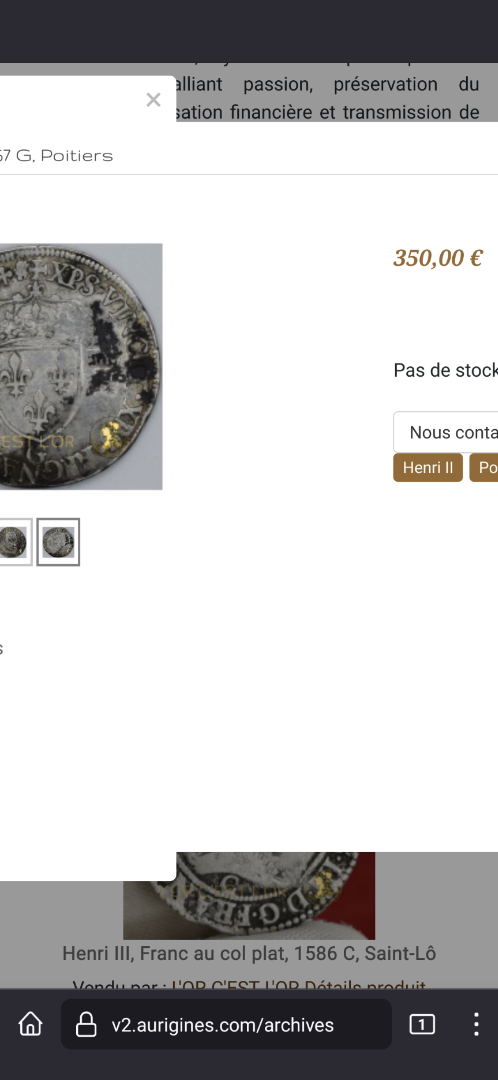
La partie de la vue contenant le prix, qui est sur la droite de l'écran en vus "Ordinateur" ne glisse pas sous la partie contenant l'image sur un smartphone.
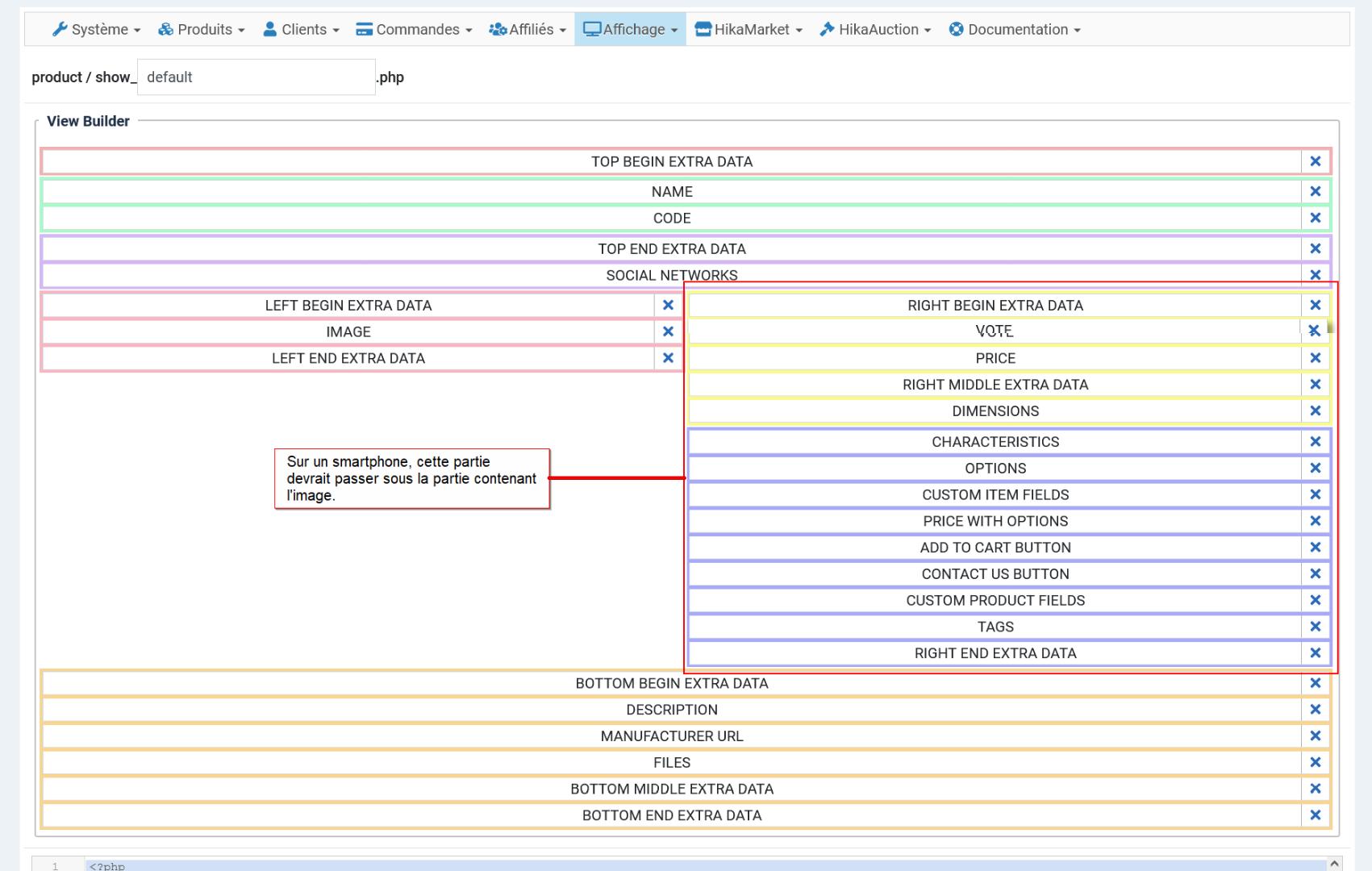
Cela oblige à glisser vers la gauche pour voir le prix du produit, ce qui n'est pas du tout commode.
Je n'ai fait aucune modif sur le fichier gérant la vue.
Sur ce site de test, j'utilise le framework T4.
Cordialement,
Patrick
-- Joomla version -- : 4.1.0
-- PHP version -- : 7.4
Bonjour,
Sur le site de test qui tourne sous Joomla 4.1.0, j'ai installé la version 4.5.0 de Hikashop et en testant la fonction de vue en popup, j'ai constaté un problème sur la vue "smartphone".
La partie de la vue contenant le prix, qui est sur la droite de l'écran en vus "Ordinateur" ne glisse pas sous la partie contenant l'image sur un smartphone.
Cela oblige à glisser vers la gauche pour voir le prix du produit, ce qui n'est pas du tout commode.
Je n'ai fait aucune modif sur le fichier gérant la vue.
Sur ce site de test, j'utilise le framework T4.
Cordialement,
Patrick
Please Log in or Create an account to join the conversation.

4 years 7 months ago - 4 years 7 months ago #339888
by Philip
Replied by Philip on topic Product details popup on product listing
Hello,
Thanks for your return, this allow us to correct a popup display issue on Joomla4.
This fix is now added to our future HikaShop version.
Now, I will guide you in order to correct your current HikaShop :
1. Go to css folder
=> YourWebsite\media\com_hikashop\css
2. Look for and open the vex.css file
3. Go at the end of the file, you will see this :
4. Add a width command to have finally this :
Hope this will help you to solve the current display issue.
Regards
Thanks for your return, this allow us to correct a popup display issue on Joomla4.
This fix is now added to our future HikaShop version.
Now, I will guide you in order to correct your current HikaShop :
1. Go to css folder
=> YourWebsite\media\com_hikashop\css
2. Look for and open the vex.css file
3. Go at the end of the file, you will see this :
Code:
...
top: -1.1em;
bottom: auto;
}
/* added */
.vex-content iframe{
margin-top: 20px !important;
}
Code:
/* added */
.vex-content iframe{
margin-top: 20px !important;
width: 100%;
}
Hope this will help you to solve the current display issue.
Regards
Last edit: 4 years 7 months ago by Philip.
Please Log in or Create an account to join the conversation.
4 years 7 months ago #339897
by LOCELO
Replied by LOCELO on topic Product details popup on product listing
Hello
Thank you for your quick answer!
Regards,
Patrick
Thank you for your quick answer!
Regards,
Patrick
The following user(s) said Thank You: Philip
Please Log in or Create an account to join the conversation.
Time to create page: 0.215 seconds